RizCare is on Google Play. Get RizCare for Practices for your team and RizCare for your patients.

Write and sign a note

Write a consultation note from a template during a visit, check it, and sign it.

Where
Practice portal
Who can do this
Doctor, Midwife, Nurse and Staff

Write the note in the visit, under the headings of a template. You can record it and come back later, and you sign it when it is complete.

Steps

  1. Open the patient's visit. It opens on Notes.
  2. Choose a template, such as General consultation or Follow-up / SOAP. The note shows how many headings are needed to sign.
  3. Write under each heading. The headings marked needed to sign must be filled before you sign.
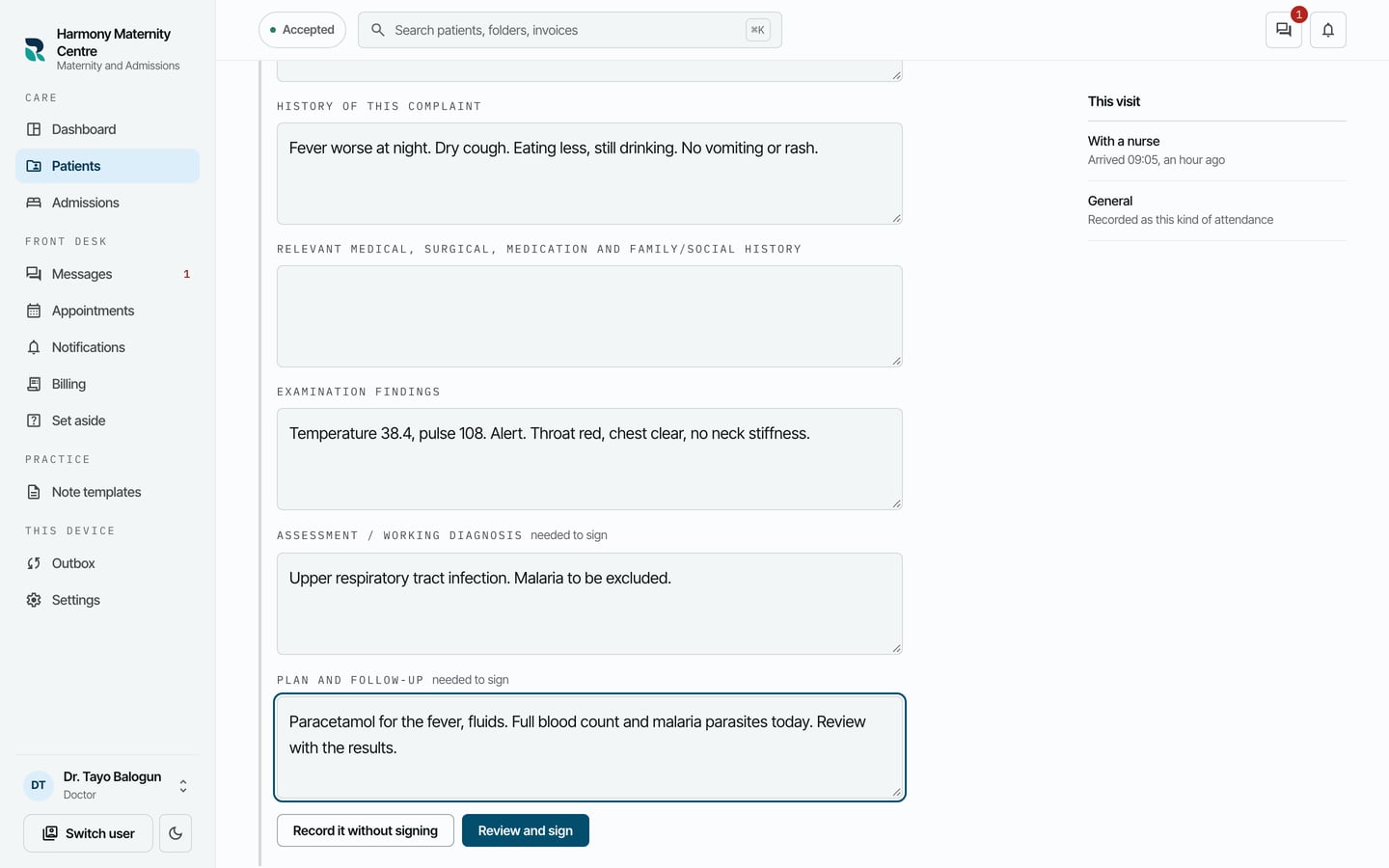
A General consultation note for Emeka Udo with the presenting complaint, history, examination, assessment and plan written in.
A General consultation note for Emeka Udo with the presenting complaint, history, examination, assessment and plan written in. Demonstration using fictional patient records.
  1. To keep the note and finish it later, choose Record it without signing. It is saved as a draft.
  2. When it is complete, choose Review and sign.
  3. Read what signing means, then choose Sign it.
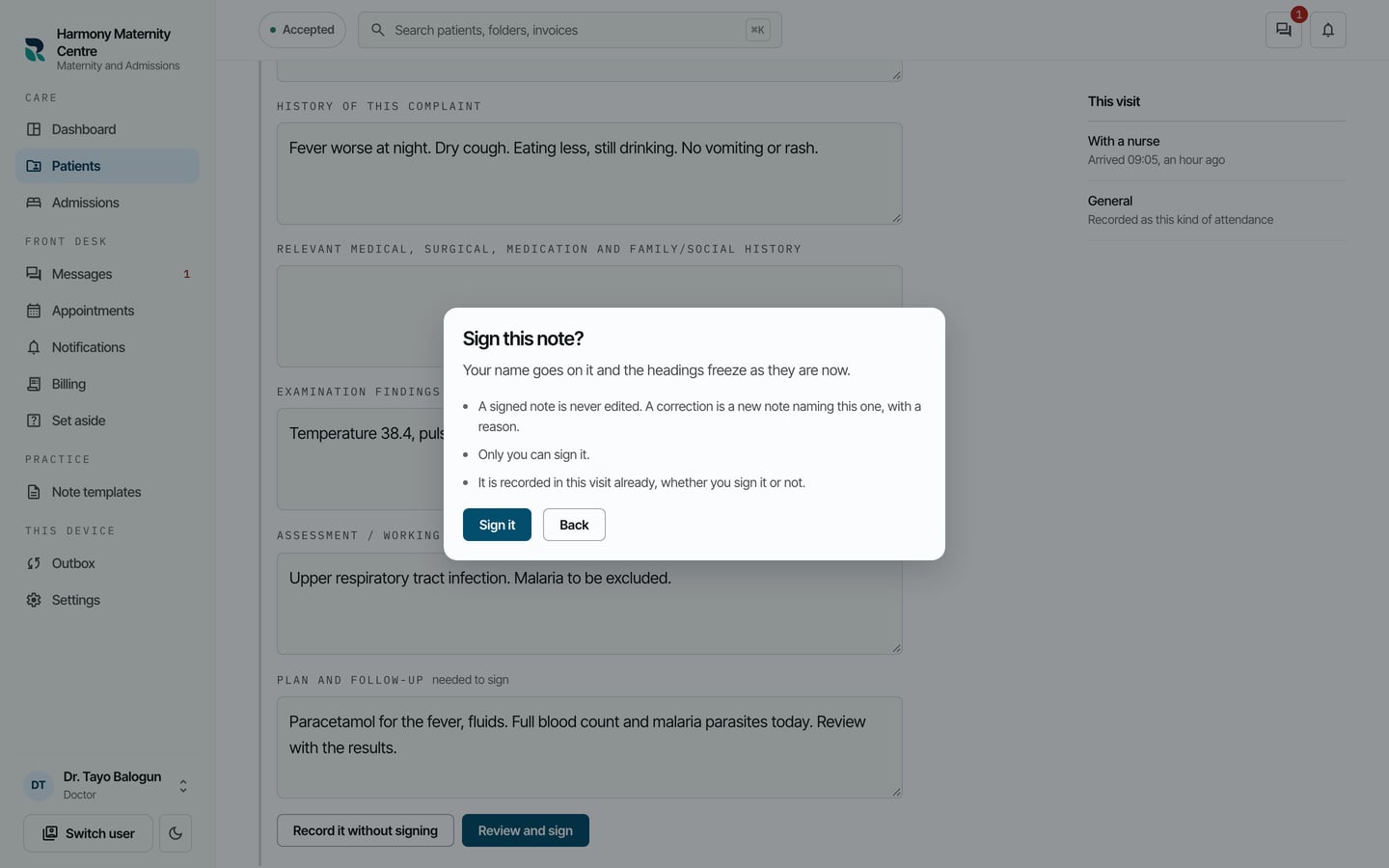
Sign this note? Your name goes on it and the headings freeze as they are now, with Sign it and Back.
Sign this note? Your name goes on it and the headings freeze as they are now, with Sign it and Back. Demonstration using fictional patient records.

What to expect

The note shows Signed, with who recorded it and when it was signed. Accepted appears beside it once the practice has it.
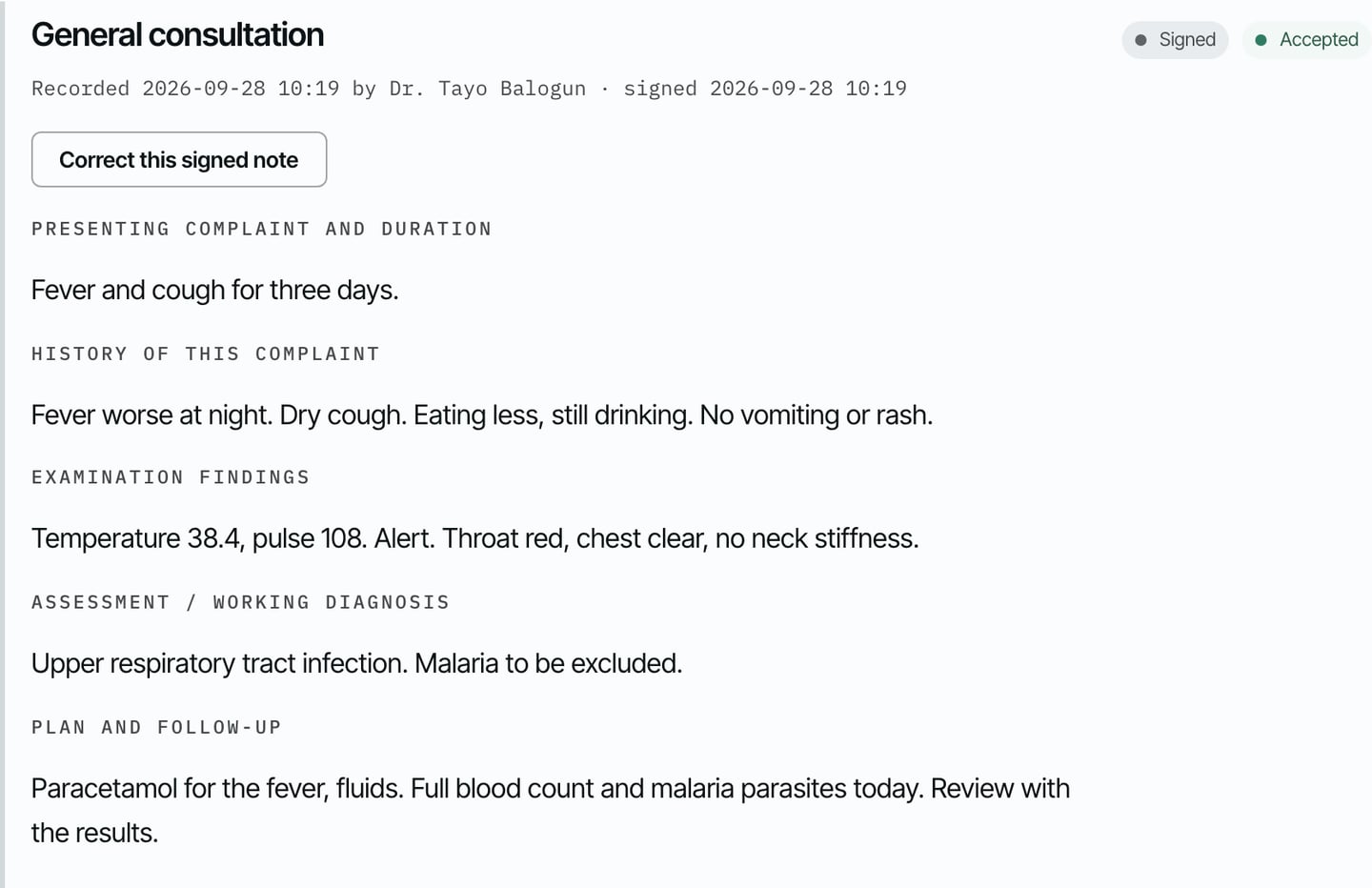
The signed General consultation note, recorded and signed by Dr. Tayo Balogun, marked Signed and Accepted, with Correct this signed note.
The signed General consultation note, recorded and signed by Dr. Tayo Balogun, marked Signed and Accepted, with Correct this signed note. Demonstration using fictional patient records.

Only the author can sign a note. A signed note is never edited. To change something, correct it with a new note.

Still stuck? Email support@riz.care and say which screen you are on.