RizCare is on Google Play. Get RizCare for Practices for your team and RizCare for your patients.

A clearer working day for the person responsible for the practice.

RizCare gives practice owners one place to see how care, reception and money are moving, without putting every decision in one person’s hands.

For your team · Reviewed 2026-09-16
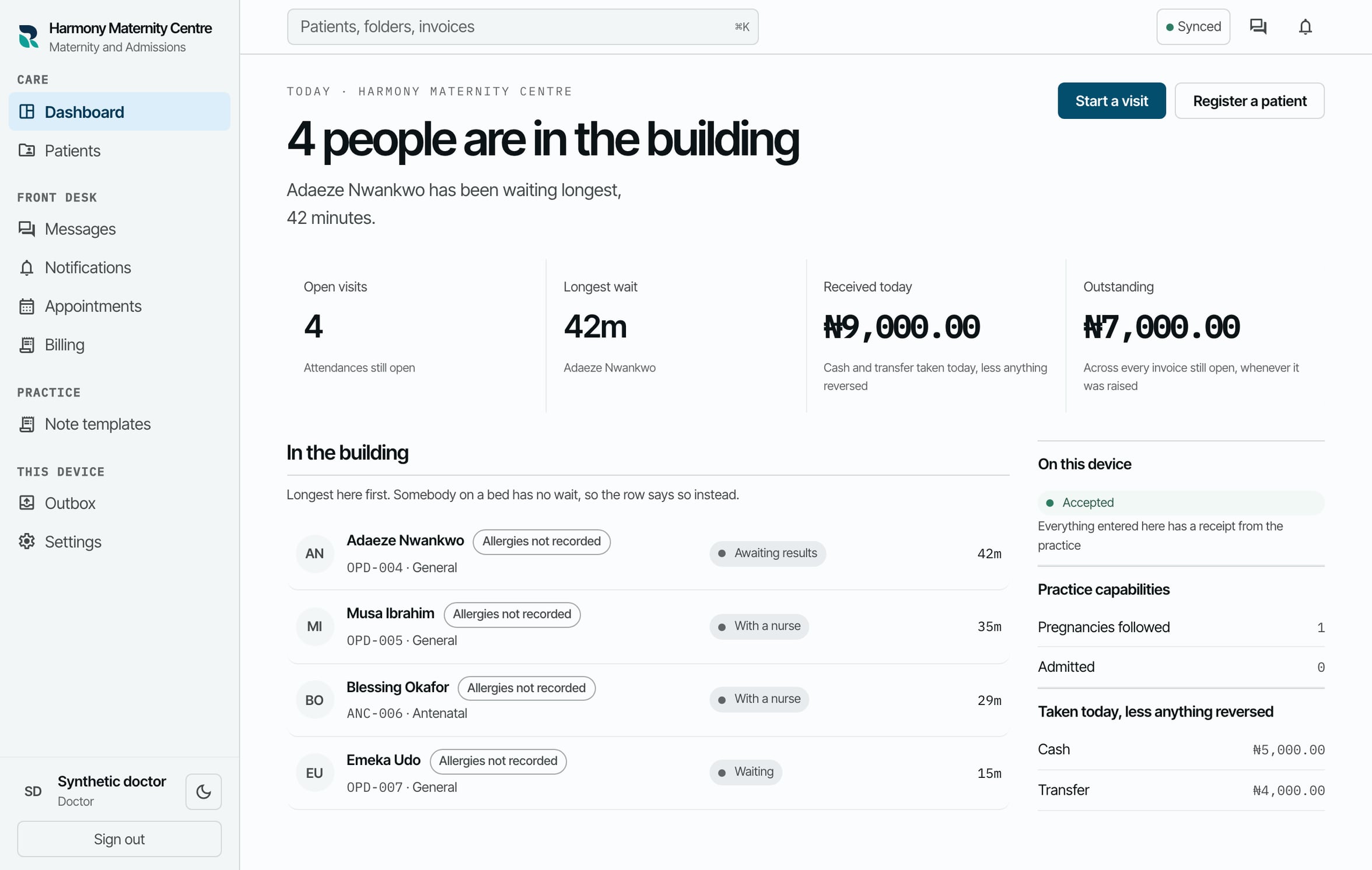
RizCare synthetic dashboard showing the queue, attendance stages, receipts recorded today and outstanding balances.
Queue and practice overview from the seeded practice portal.

Keep the practice visible

See the hospital queue, open visits, recorded payments, outstanding balances and device status without asking each desk for a separate update.

Set the boundaries

Start with the positions your practice uses, then decide what each colleague may read, write, sign or record. Change access when somebody joins, changes role or leaves.

  • Staff accounts and practice positions
  • Optional maternity and admissions capabilities
  • Service list, prices and recorded payment rules
  • Activity trail for decisions made in the practice

Start with the work you have

RizCare is designed for a supported move from a paper register. We agree what moves across, train each role and stay on hand through the first hospital weeks.

Common questions

Does RizCare need a server in the hospital?

No. The practice portal runs in the browser and works on enrolled phones, tablets and computers. A device keeps the records it holds usable during an outage.

See whether RizCare fits your practice

Bring your current workflow and questions to a free demonstration using fictional patient records.
Book a demo

One visit, end to end

See the handoffs your whole practice shares.

Each step below is a screen from the running product, shown with sample records. Every step stays tied to the same patient and the same visit, whoever picks it up.

  1. 01Register the arrivalReception
  2. 02Open the right recordWhole practice
  3. 03See what reached the practiceWhole practice
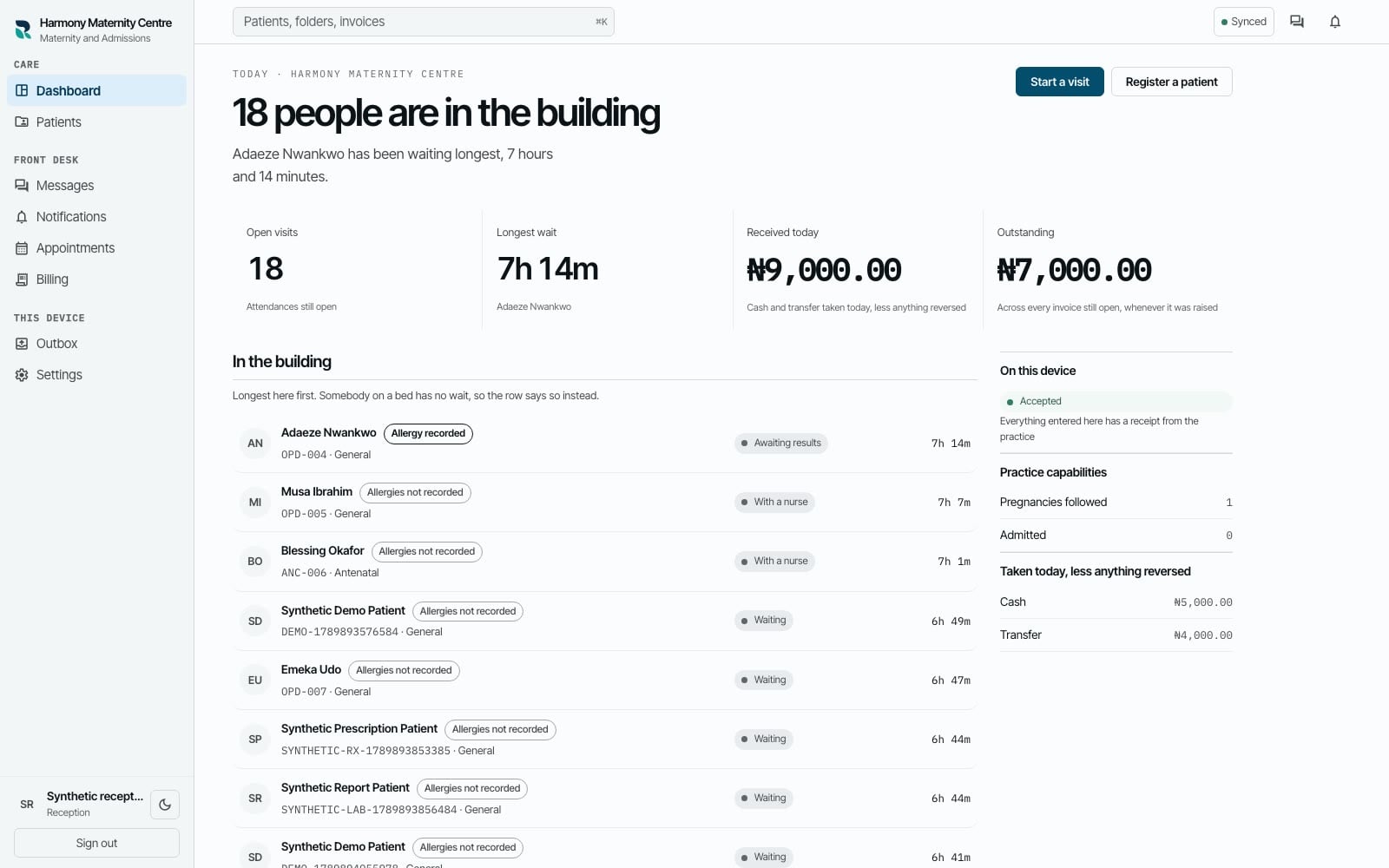
RizCare hospital queue showing patients waiting for care in a product tour.
Queue and attendance01 / 03

Product tour · Sample data

Reception

Register the arrival

Reception registers a new or returning patient and opens the attendance without sending the team hunting through separate records.

One visit, connected

The record, encounter, note, invoice and payment stay related.

  1. 01

    Reception

    Register the arrival

    Reception registers a new or returning patient and opens the attendance without sending the team hunting through separate records.

  2. 02

    Whole practice

    Open the right record

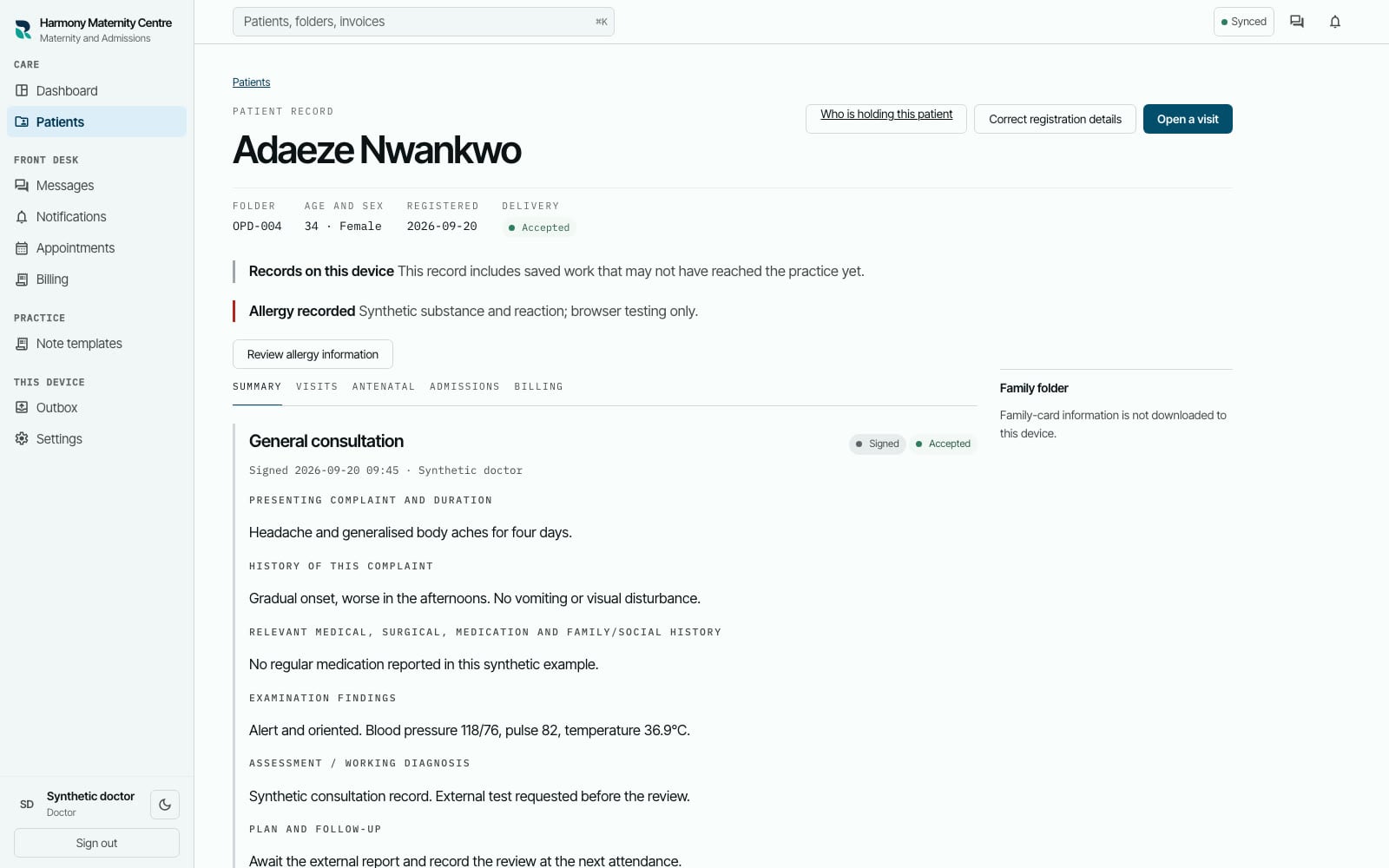
    The team opens the patient record by the folder number already written on the paper folder and sees the history that belongs to it.

  3. 03

    Whole practice

    See what reached the practice

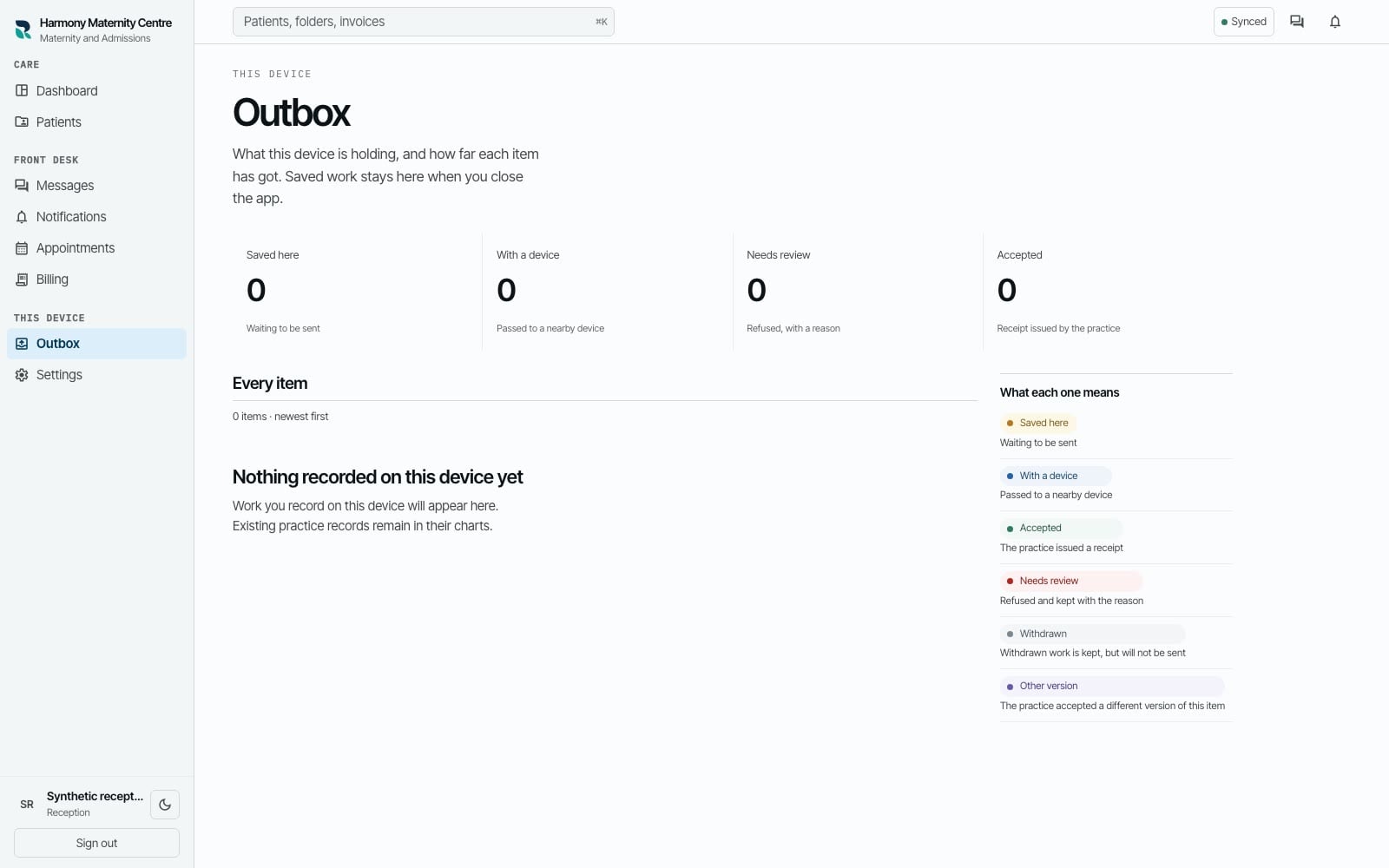
    If the connection drops, the device shows what is saved locally, what is waiting and what the practice has accepted.

  1. RizCare hospital queue showing patients waiting for care in a product tour.
    Queue and attendance01 / 03

    Reception

    Register the arrival

    Reception registers a new or returning patient and opens the attendance without sending the team hunting through separate records.

  2. RizCare patient record showing a folder number, reminder and signed note in a product tour.
    Patient record02 / 03

    Whole practice

    Open the right record

    The team opens the patient record by the folder number already written on the paper folder and sees the history that belongs to it.

  3. RizCare delivery state showing work saved on the device and waiting to be sent in a product tour.
    Saved and accepted03 / 03

    Whole practice

    See what reached the practice

    If the connection drops, the device shows what is saved locally, what is waiting and what the practice has accepted.