See the note templates
Read the templates your practice writes notes from, and which headings each needs before a note can be signed.
- Where
- Practice portal
- Who can do this
- Administrator, Doctor, Midwife, Nurse and Staff
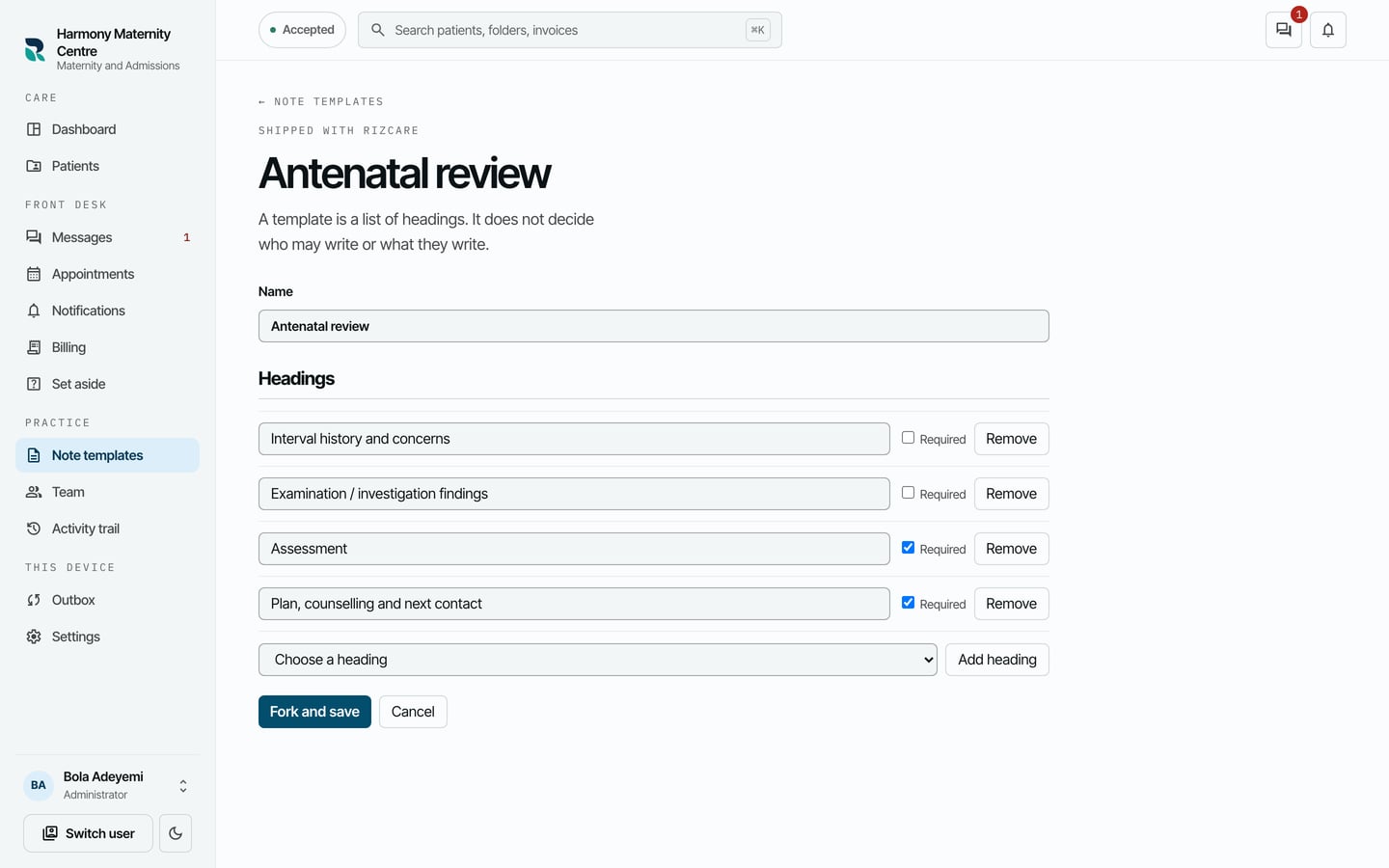
A note template is a list of headings. It does not decide who may write or what they write. Each note is written under one template, chosen in the visit.
Steps
- Choose Note templates on the left.
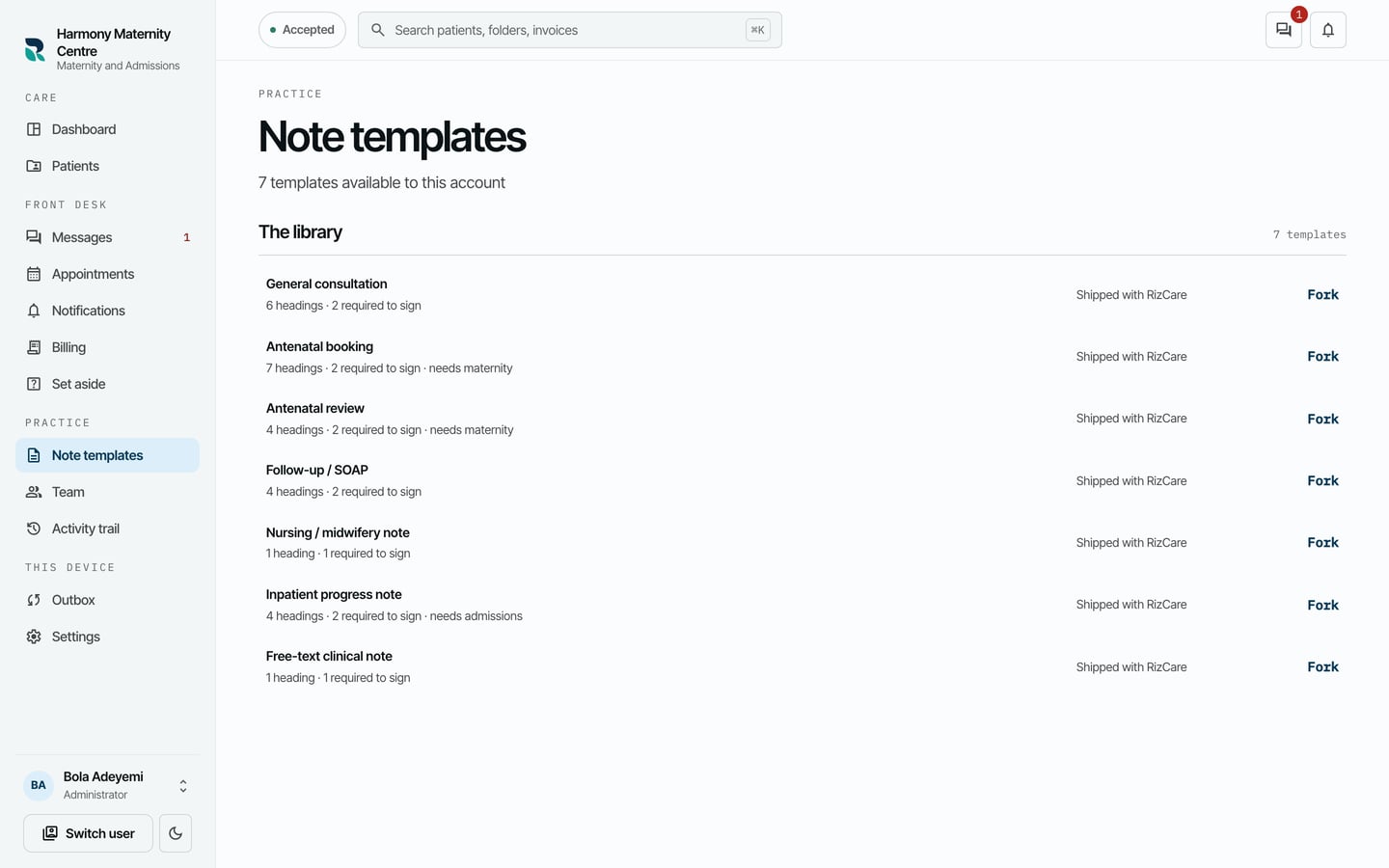
- Read The library. Each template shows how many headings it has, how many are needed to sign, and whether it needs a module such as maternity or admissions.
- Choose a template to see its headings. A ticked Required means the heading must be written before a note can be signed.
What to expect
Shipped with RizCare marks the templates every practice starts with. A template marked needs maternity or needs admissions belongs to that module. A copy your practice has saved is marked Forked by this practice; an administrator can make one.