Correct a signed note
Correct a note that has already been signed, with the reason, while the original stays on the record.
- Where
- Practice portal
- Who can do this
- Doctor, Midwife, Nurse and Staff
Once a note is signed, nobody can change it. When something in it is wrong or has changed, you write a correction. The correction names the note it corrects and says why, and both stay readable.
Steps
- Open the visit with the note, and find the note on Notes.
- Choose Correct this signed note.
- In Reason for correcting the note, say what was wrong.
- Write the headings as they should read.
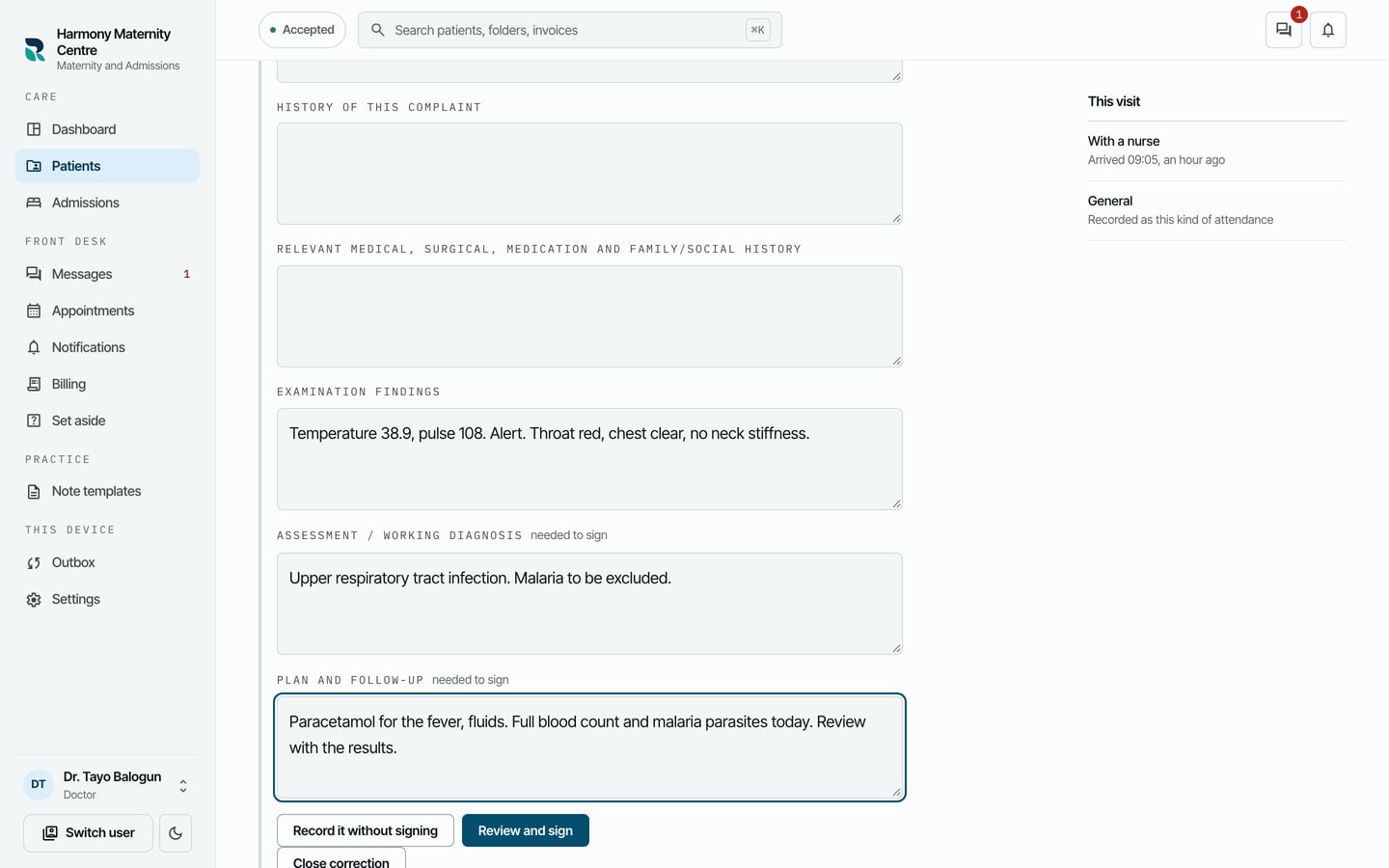
- Choose Review and sign, then Sign it.
What to expect
The correction appears below the original, signed, with the reason under it: A correction to an earlier note in this visit, which is still in the record.
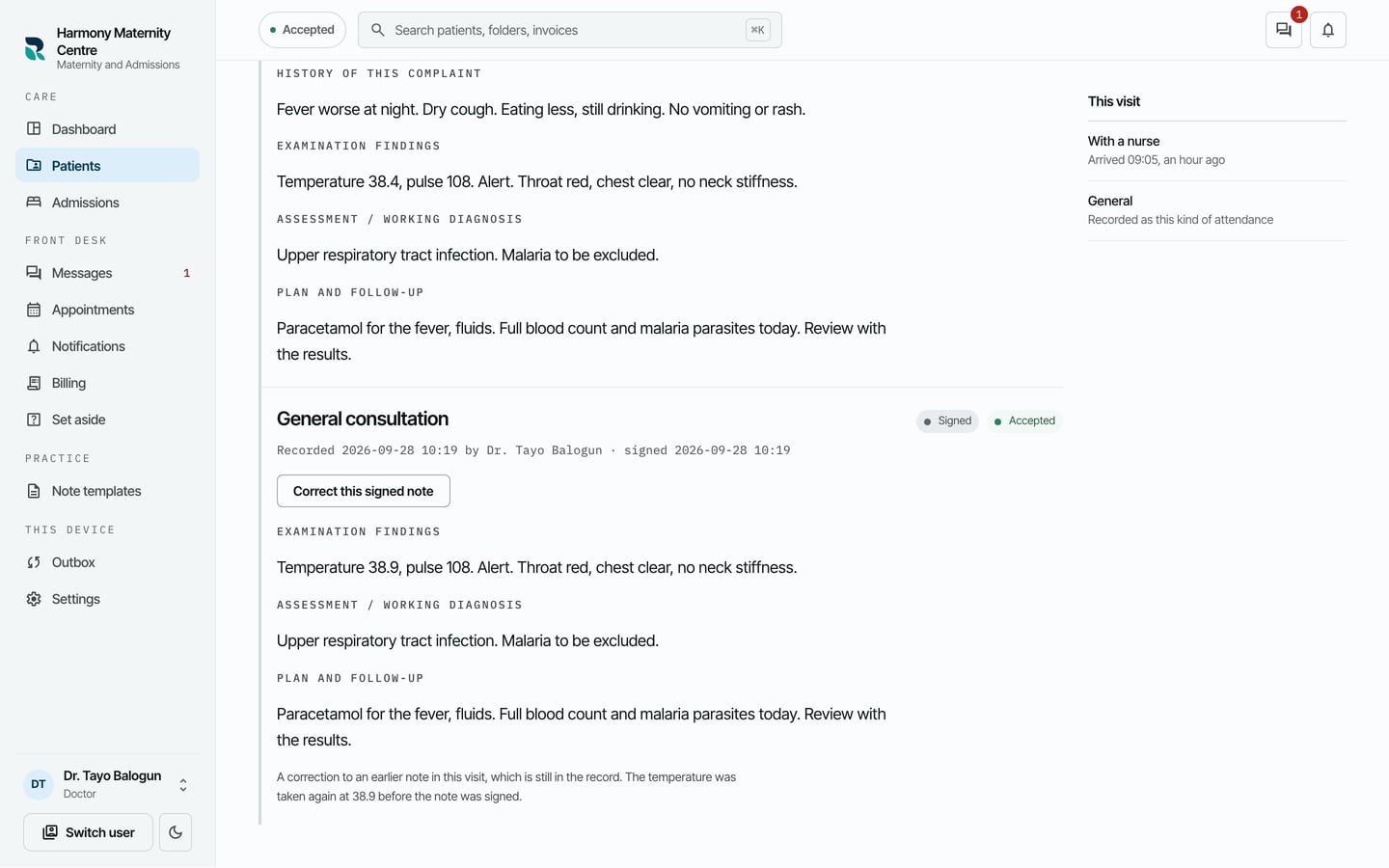
The original note is not changed or hidden. Anybody reading the chart sees both, in the order they were written.