RizCare EHR
One record from the waiting room to the balance due.
Records, visits and billing for the whole hospital team, in the browser on the devices you already have. There is no server to keep in the building.
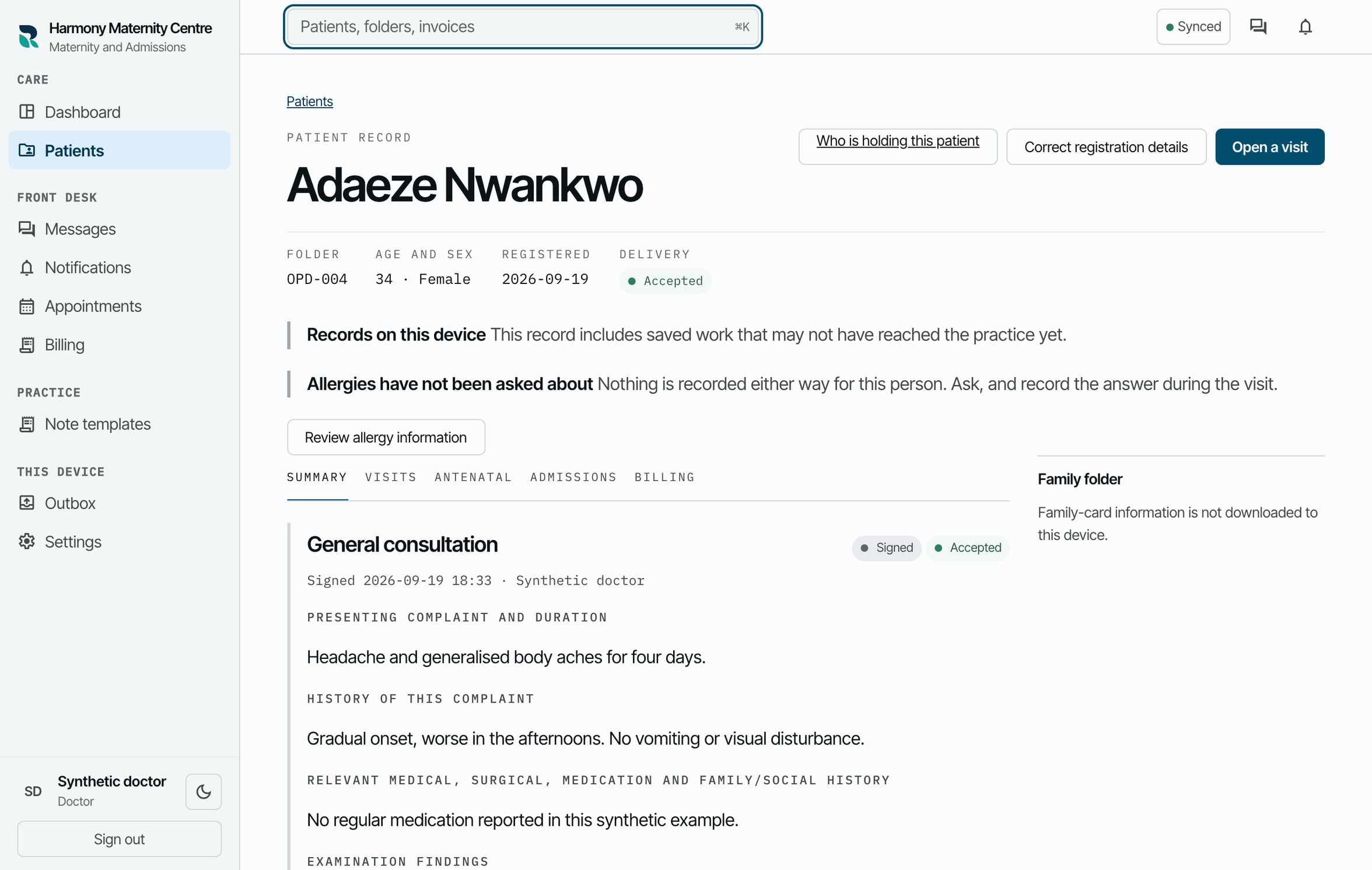
One visit, end to end
See how the visit moves through the team.
Each step below is a screen from the running product, shown with sample records. Every step stays tied to the same patient and the same visit, whoever picks it up.
- 01Register the arrivalReception
- 02Keep the handoff visibleReception and nursing
- 03Open the right recordWhole practice
- 04Record the encounterNurse and clinician
- 05Review assistance in contextAuthorised clinician
- 06Raise the chargeBilling
- 07Record the paymentBilling and reception
- 08See what reached the practiceWhole practice
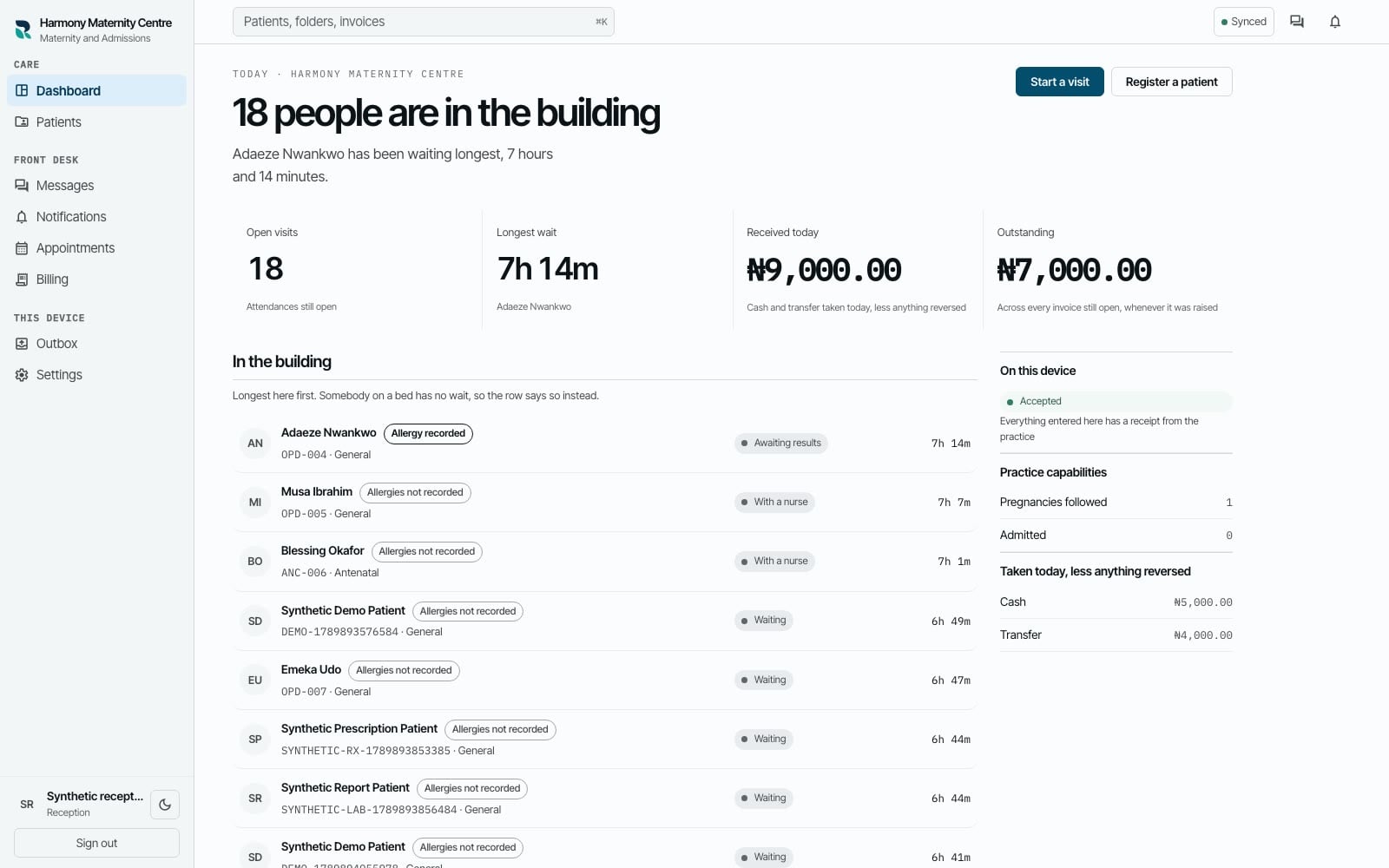
Queue and attendance01 / 08
Reception
Register the arrival
Reception registers a new or returning patient and opens the attendance without sending the team hunting through separate records.
One visit, connected
- 01
Reception
Register the arrival
Reception registers a new or returning patient and opens the attendance without sending the team hunting through separate records.
- 02
Reception and nursing
Keep the handoff visible
The next person sees who is waiting, what has happened and which visit needs attention next.
- 03
Whole practice
Open the right record
The team opens the patient record by the folder number already written on the paper folder and sees the history that belongs to it.
- 04
Nurse and clinician
Record the encounter
Observations, consultation notes, prescriptions, referrals and results review stay with the attendance they belong to.
- 05
Authorised clinician
Review assistance in context
When assistance prepares a brief or draft, the authorised person reviews its sources and decides what belongs in the record.
- 06
Billing
Raise the charge
The practice raises an itemised invoice with a human-readable number the team can refer to in conversation.
- 07
Billing and reception
Record the payment
A member of staff records the cash or transfer received and sees the amount still outstanding against the same visit.
- 08
Whole practice
See what reached the practice
If the connection drops, the device shows what is saved locally, what is waiting and what the practice has accepted.
Queue and attendance01 / 08 Reception
Register the arrival
Reception registers a new or returning patient and opens the attendance without sending the team hunting through separate records.
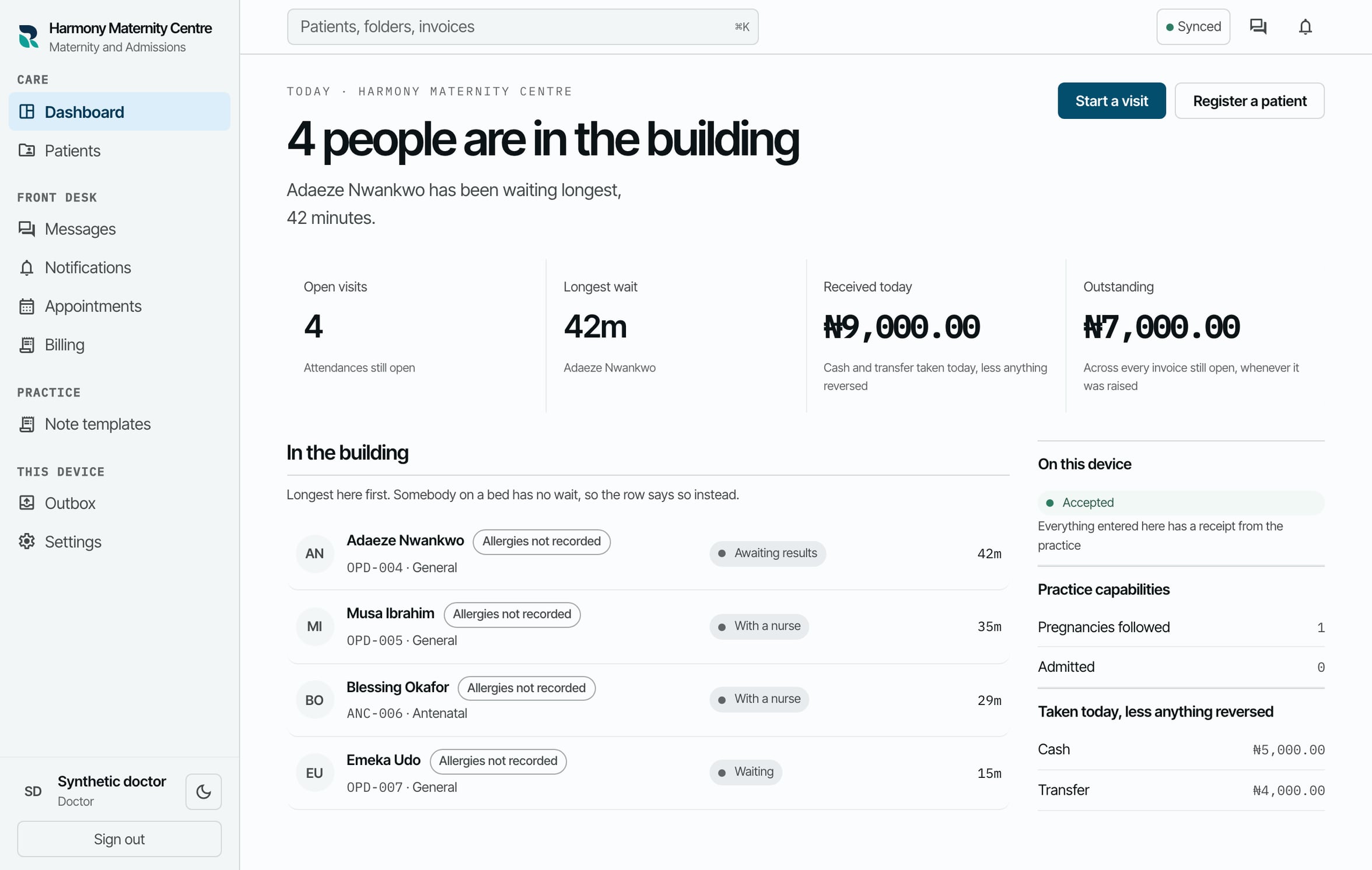
Same queue, next handoff02 / 08 Reception and nursing
Keep the handoff visible
The next person sees who is waiting, what has happened and which visit needs attention next.
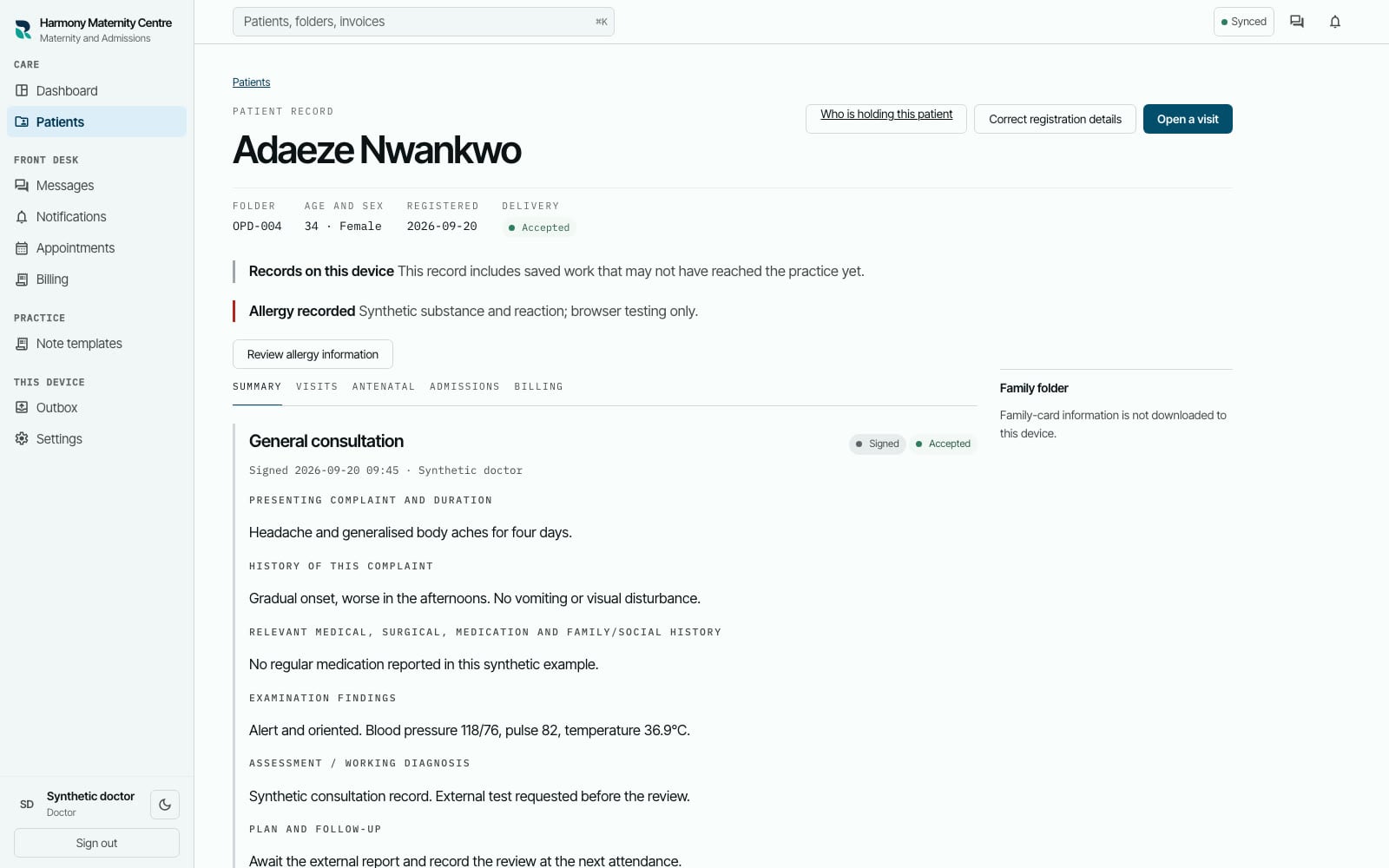
Patient record03 / 08 Whole practice
Open the right record
The team opens the patient record by the folder number already written on the paper folder and sees the history that belongs to it.
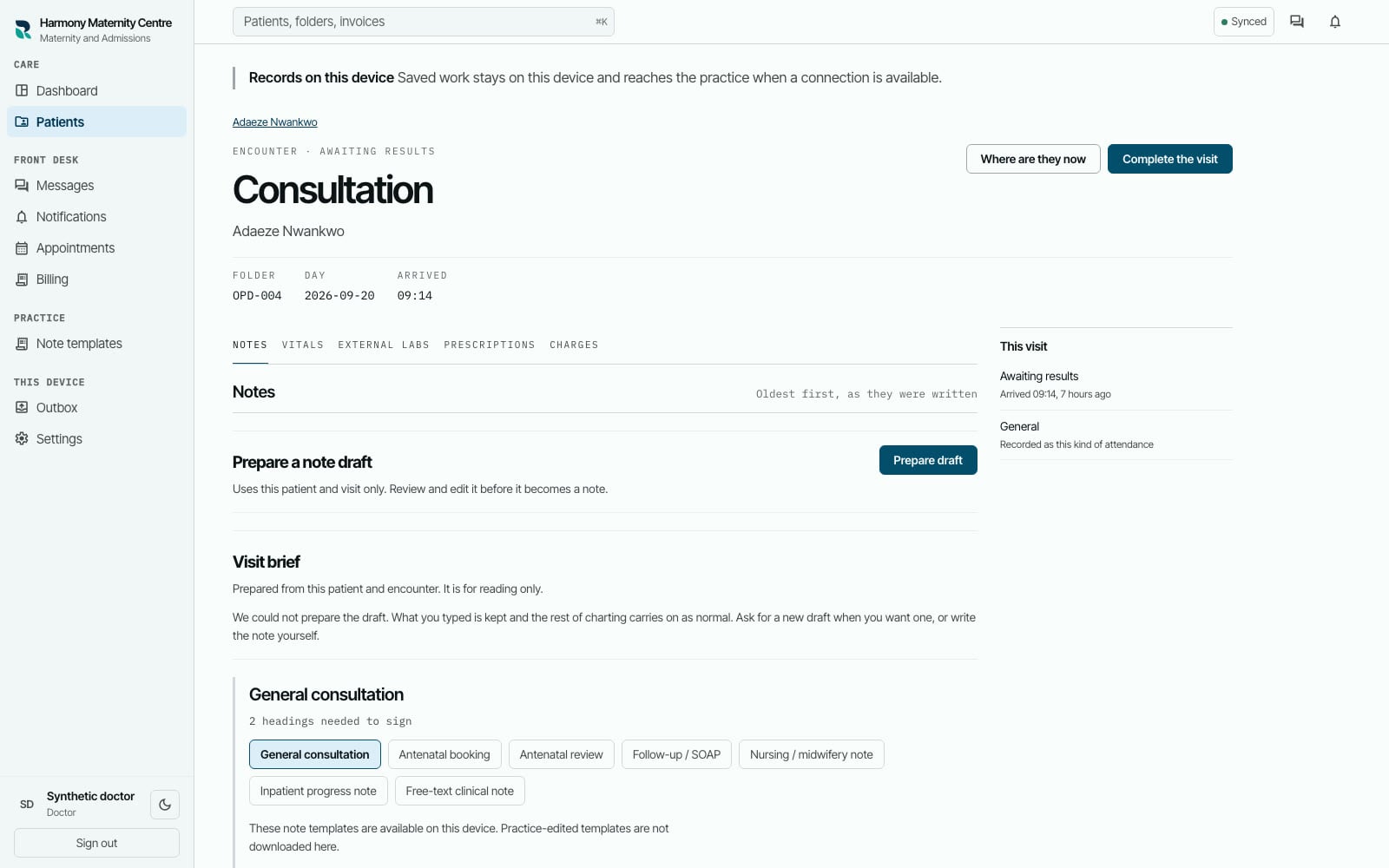
Consultation note04 / 08 Nurse and clinician
Record the encounter
Observations, consultation notes, prescriptions, referrals and results review stay with the attendance they belong to.
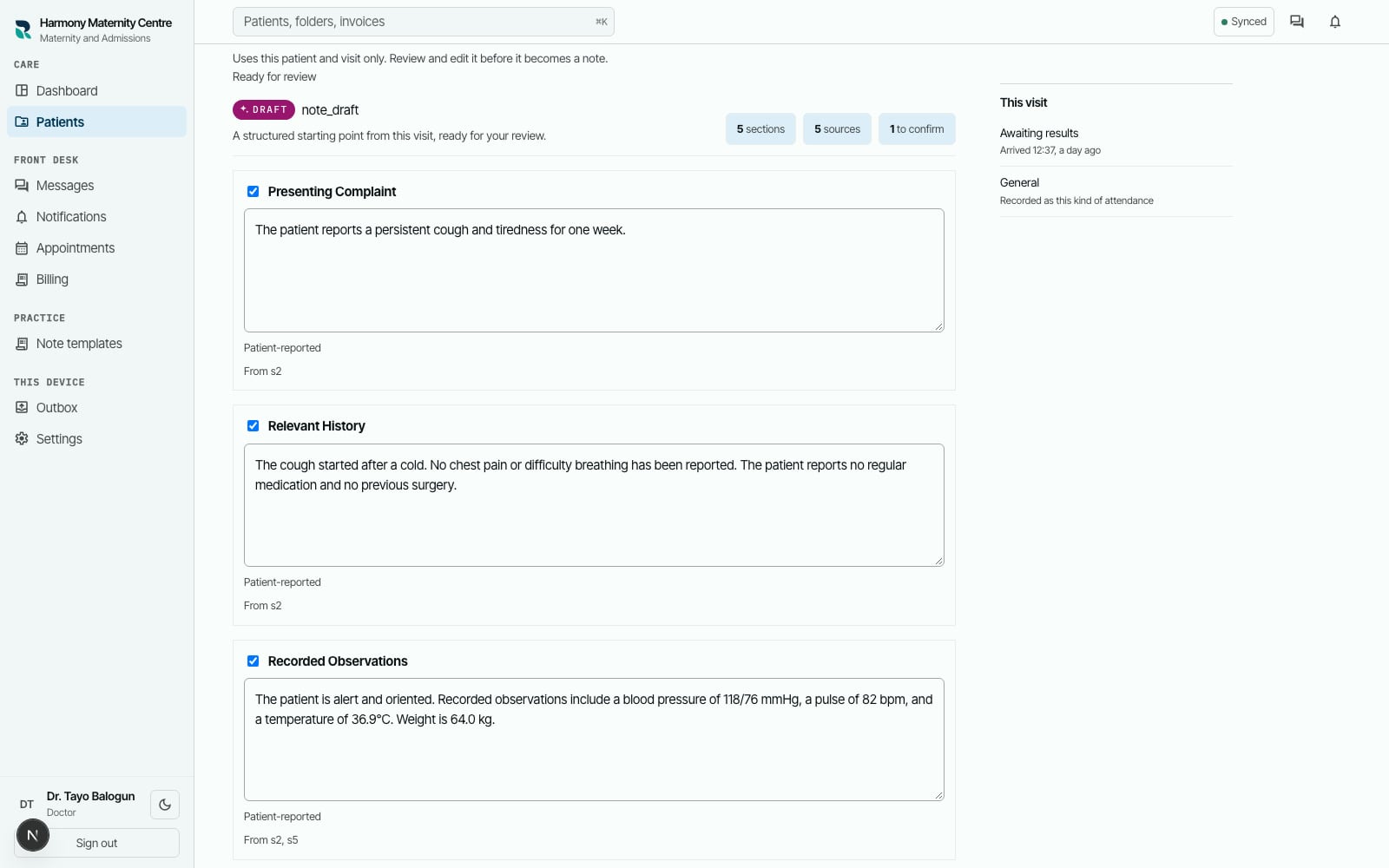
Draft under review05 / 08 Authorised clinician
Review assistance in context
When assistance prepares a brief or draft, the authorised person reviews its sources and decides what belongs in the record.
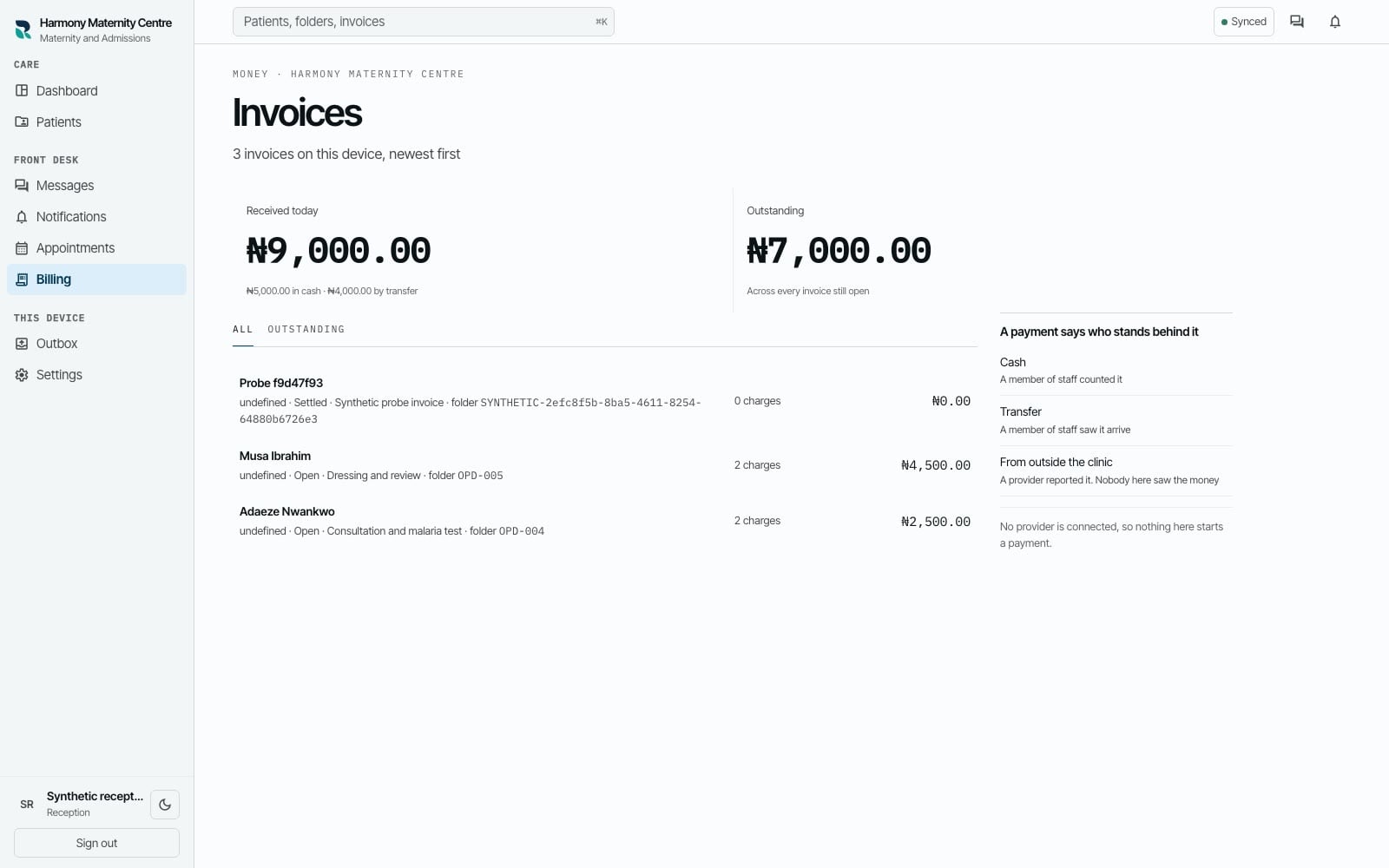
Invoice and line items06 / 08 Billing
Raise the charge
The practice raises an itemised invoice with a human-readable number the team can refer to in conversation.
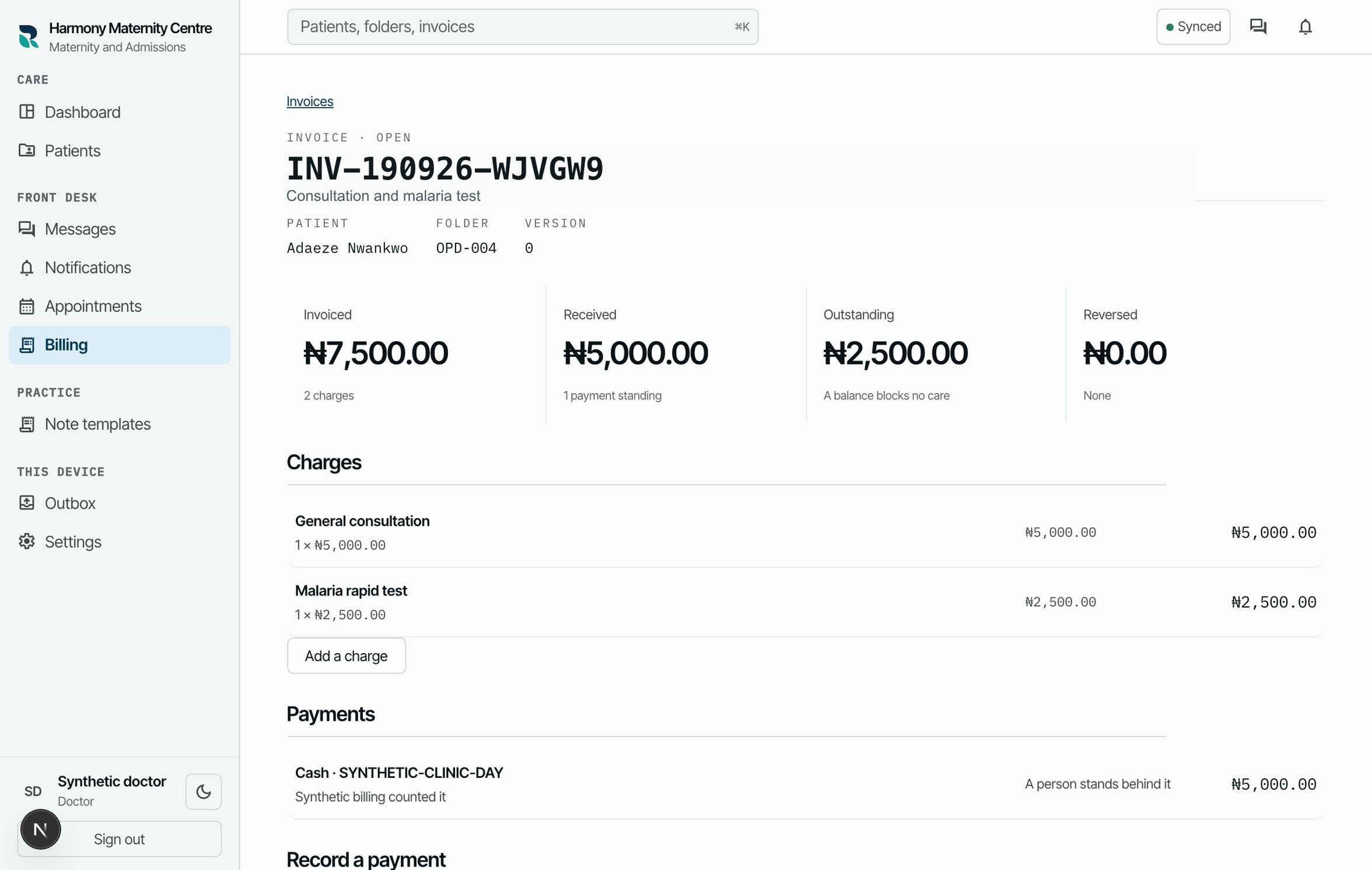
Received and outstanding07 / 08 Billing and reception
Record the payment
A member of staff records the cash or transfer received and sees the amount still outstanding against the same visit.
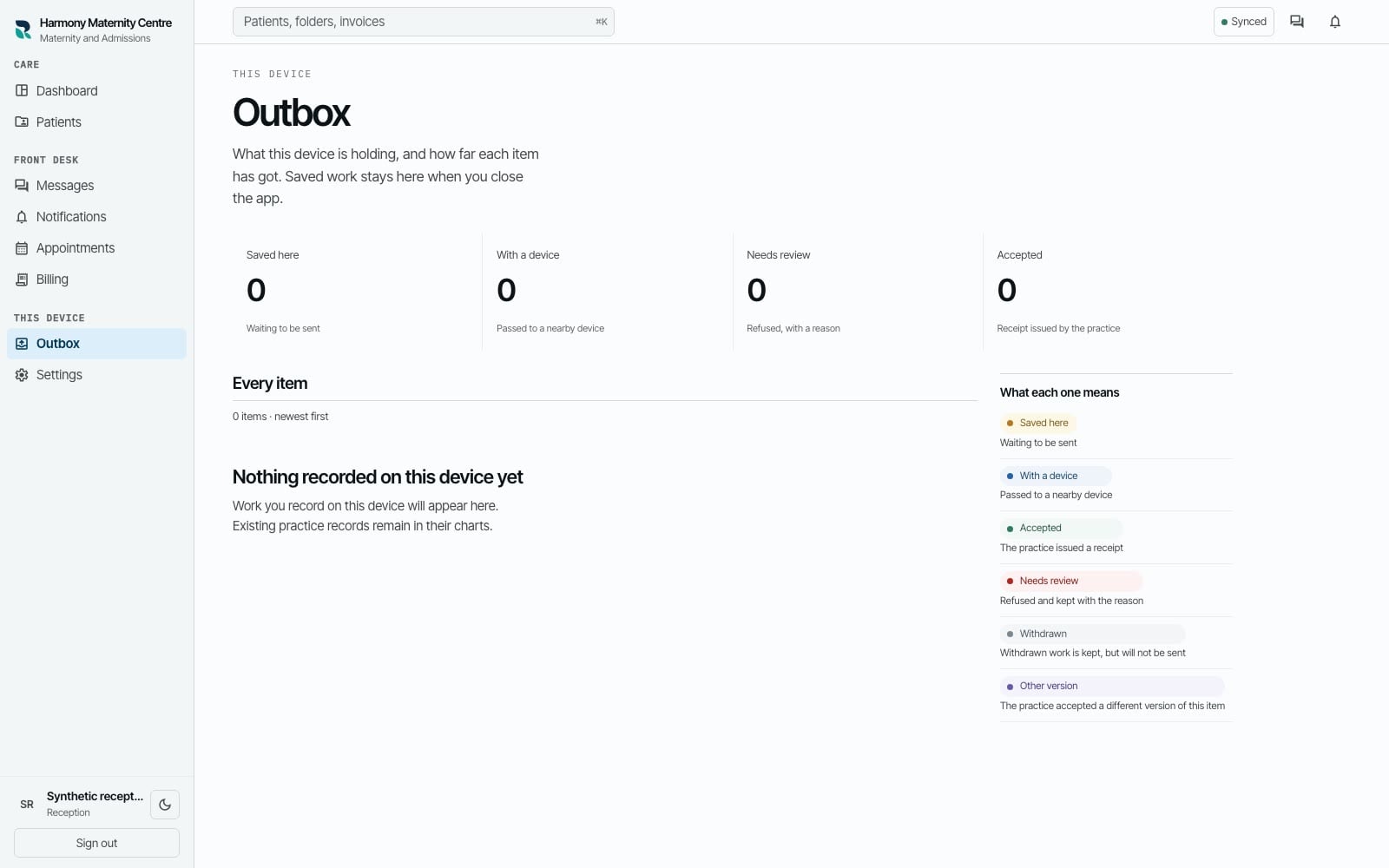
Saved and accepted08 / 08 Whole practice
See what reached the practice
If the connection drops, the device shows what is saved locally, what is waiting and what the practice has accepted.
What the workspace covers
The same record supports the work around the visit.
Built for general practice. Switch on maternity and admissions if you offer them.
See the workflow with your team
The demonstration follows one patient from registration to the recorded payment, with fictional records.