Roadmap
Further specialty modules
Need another specialty? Tell us what you do and we'll tell you if RizCare covers it.
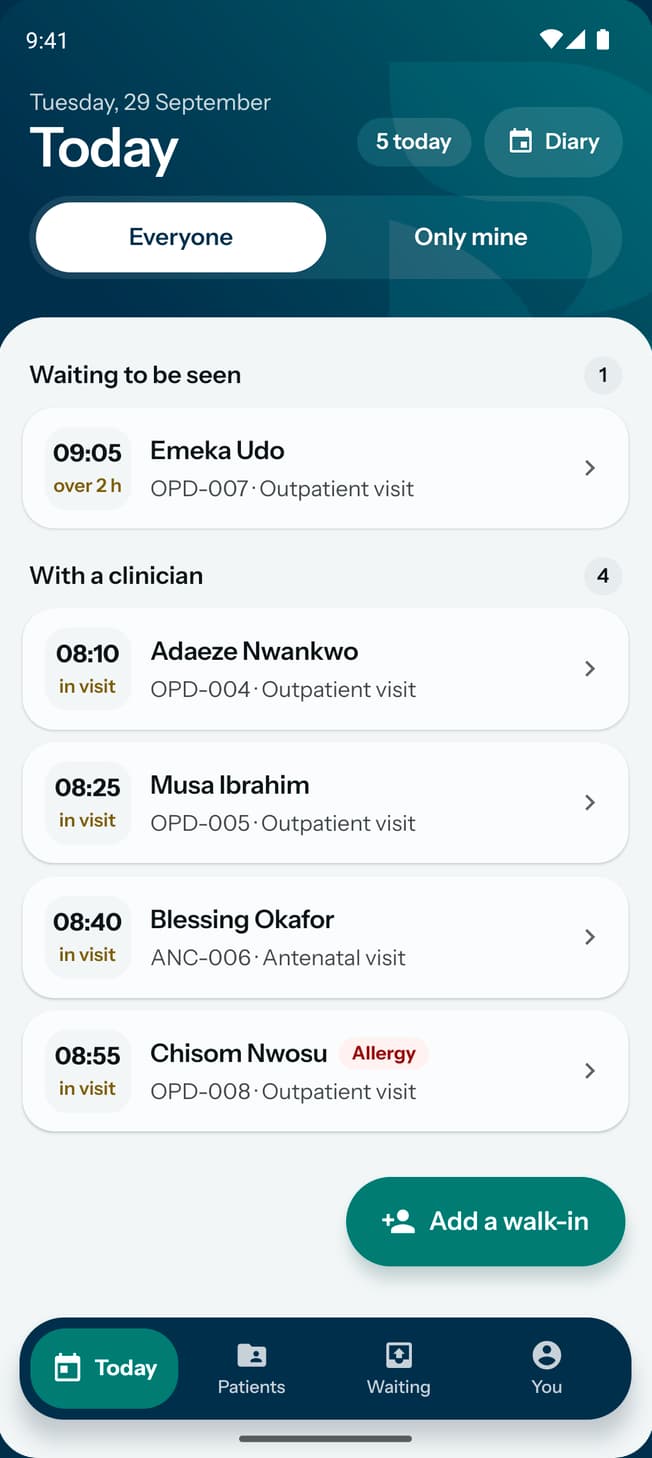
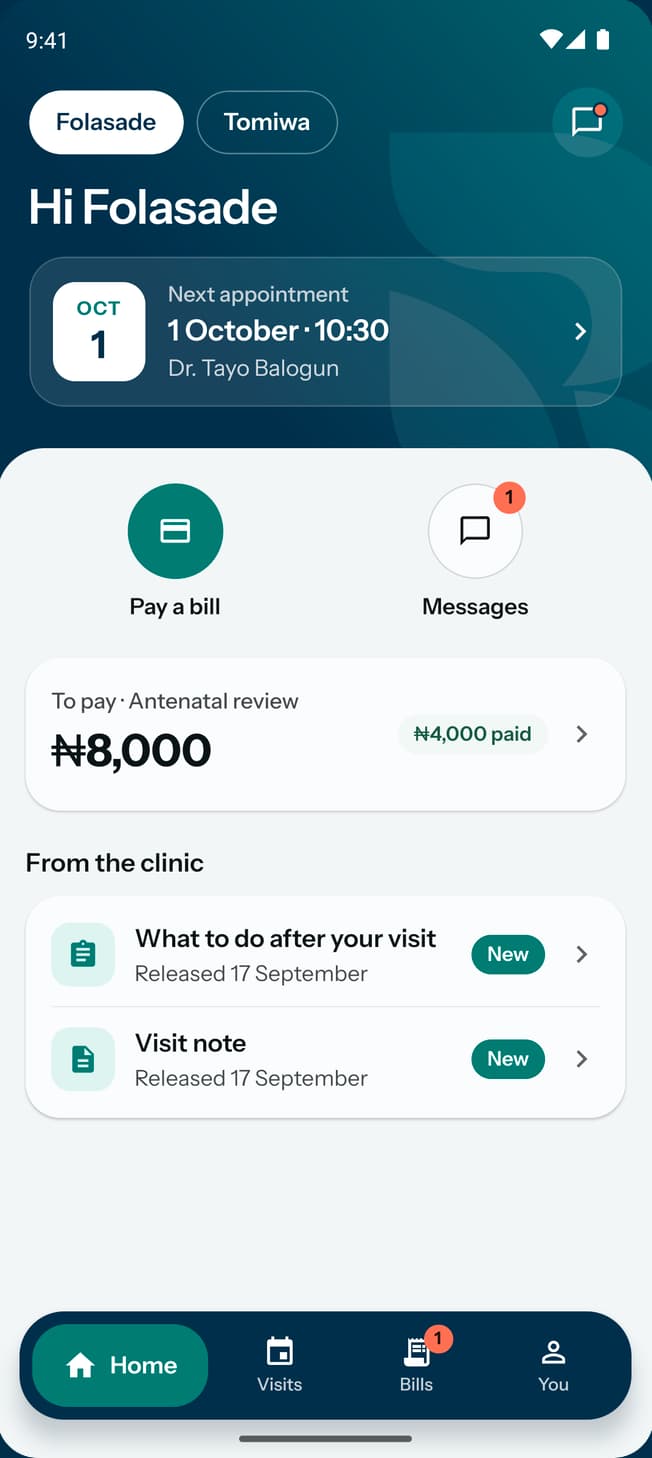
Your team and your patients can now use RizCare on Android.
RizCare for Practices for your team, RizCare for your patients.
Hospital management software and EMR for Nigerian hospital teams
Reception, nurses, doctors and billing work from one patient record, from registration to the receipt. If your practice switches it on, an assistant drafts briefs and notes for a clinician to check. The work carries on when the network drops.

RizCare, in brief
A patient visit passes from the desk to the nurse, the doctor and billing. RizCare keeps it in one record, so each person starts where the last one stopped.
See how a visit moves through the teamBuilt for general practice. Switch on maternity and admissions if you offer them.
Patient records
Registration, folder numbers, vitals and notes, in one record the whole team reads.
Read more about patient recordsTeam workflows
Walk-in and booked visits, clinical notes from concise templates or free text, prescriptions and external-lab referrals with results review.
Read more about hospital managementBilling
Invoices, service packages and part payments. Patients pay at the hospital by cash or transfer, and staff record what they confirm.
Read more about hospital billingOptional capabilities
Pregnancy episodes, antenatal notes and a limited admissions register, enabled per practice where they apply.
Read more about the productPermissions
Start from doctor, nurse, midwife, reception, billing or administrator, then choose what each colleague can do when you hire them.
For hospital ownersRoadmap
Need another specialty? Tell us what you do and we'll tell you if RizCare covers it.
One visit, end to end
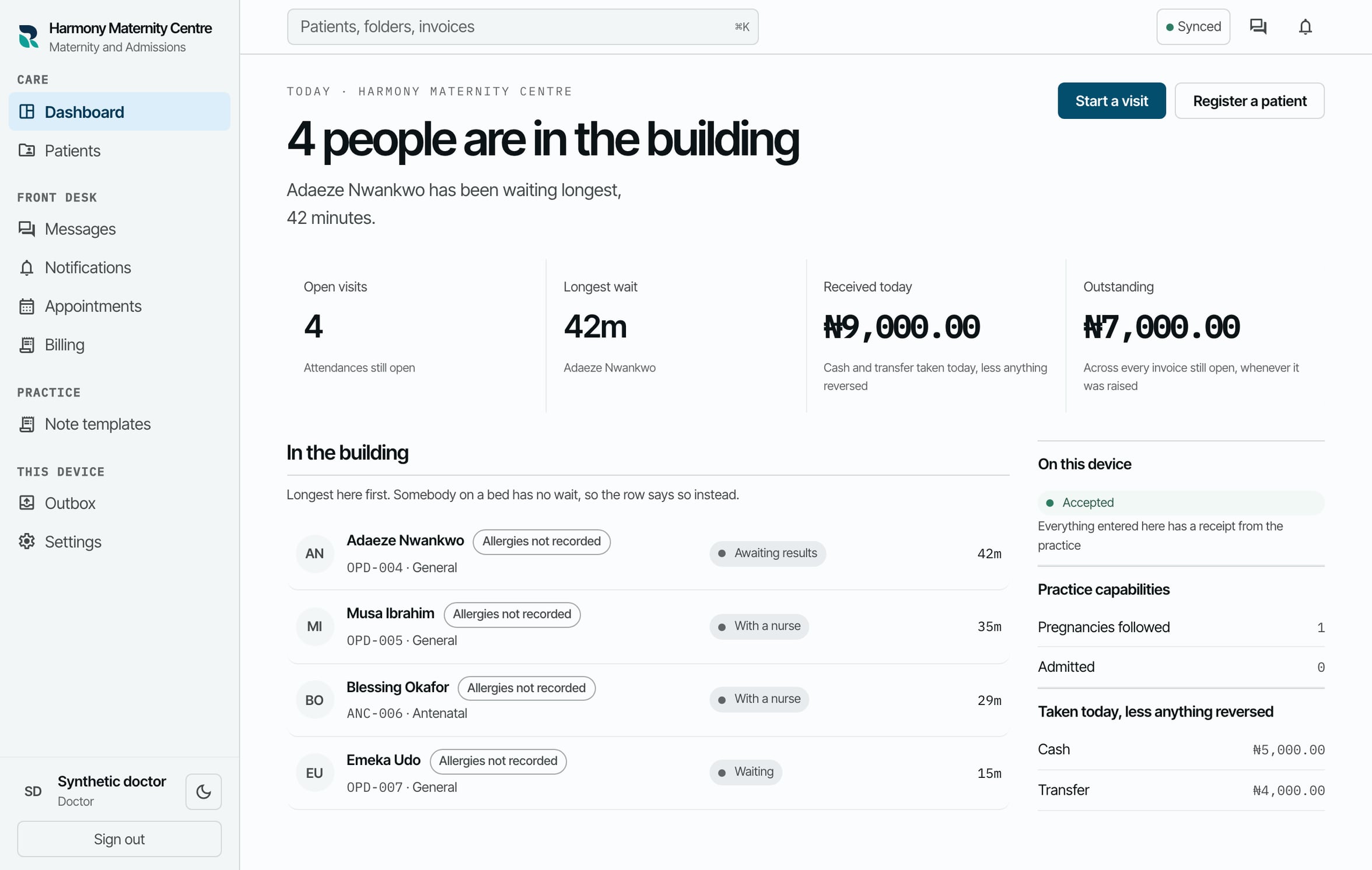
Each step below is a screen from the running product, shown with sample records. Every step stays tied to the same patient and the same visit, whoever picks it up.
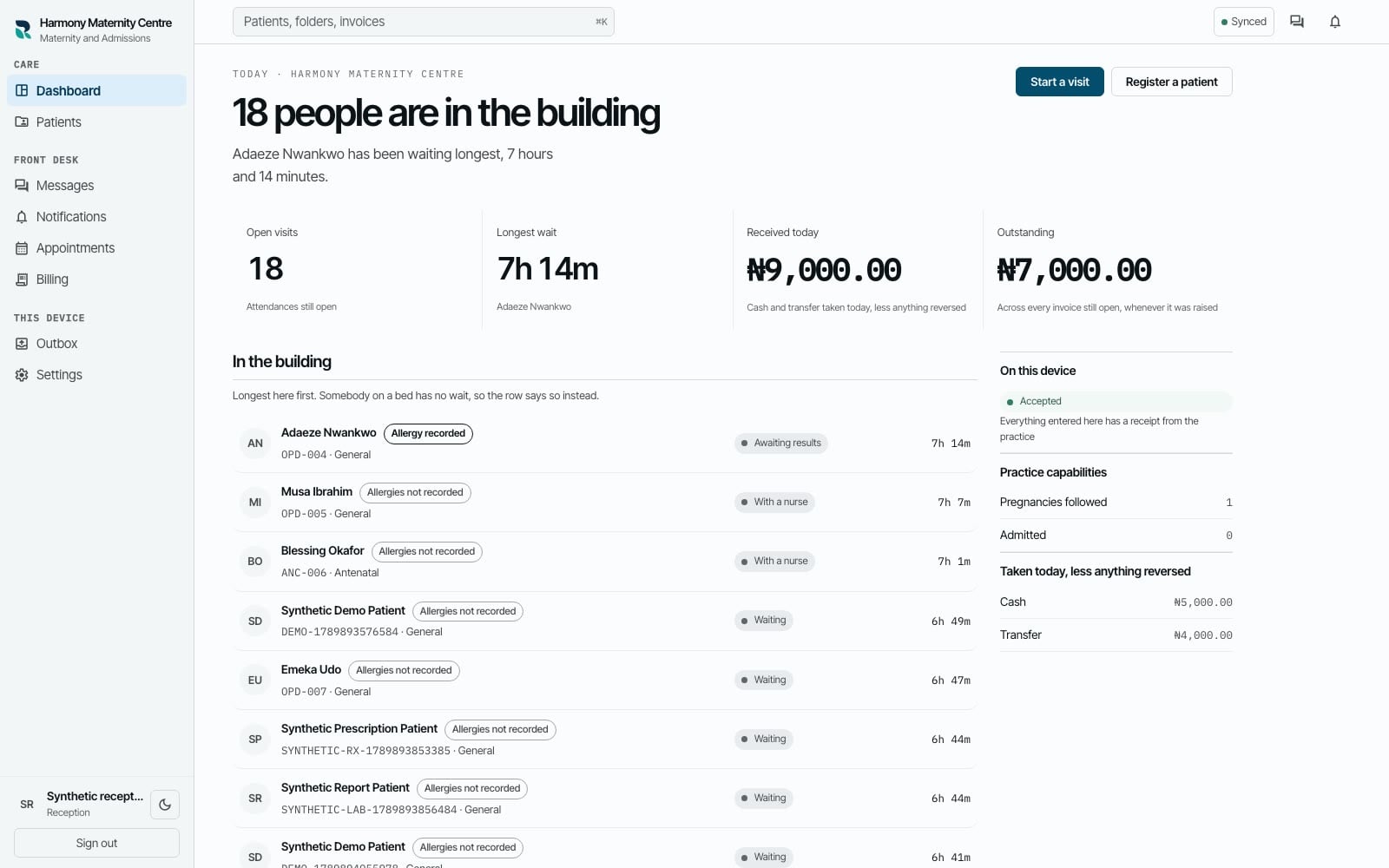
Reception
Reception registers a new or returning patient and opens the attendance without sending the team hunting through separate records.
One visit, connected
Reception
Reception registers a new or returning patient and opens the attendance without sending the team hunting through separate records.
Reception and nursing
The next person sees who is waiting, what has happened and which visit needs attention next.
Whole practice
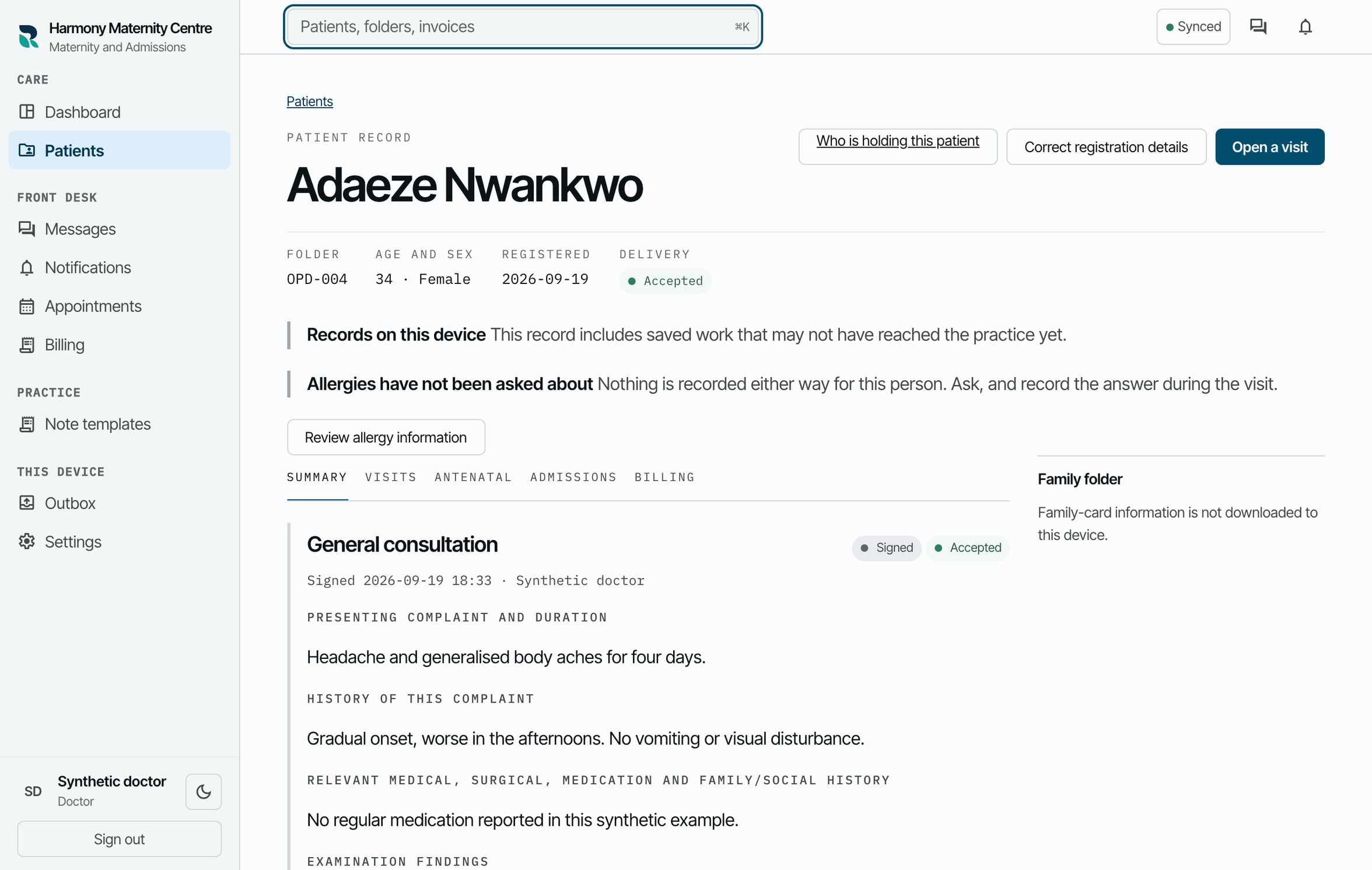
The team opens the patient record by the folder number already written on the paper folder and sees the history that belongs to it.
Nurse and clinician
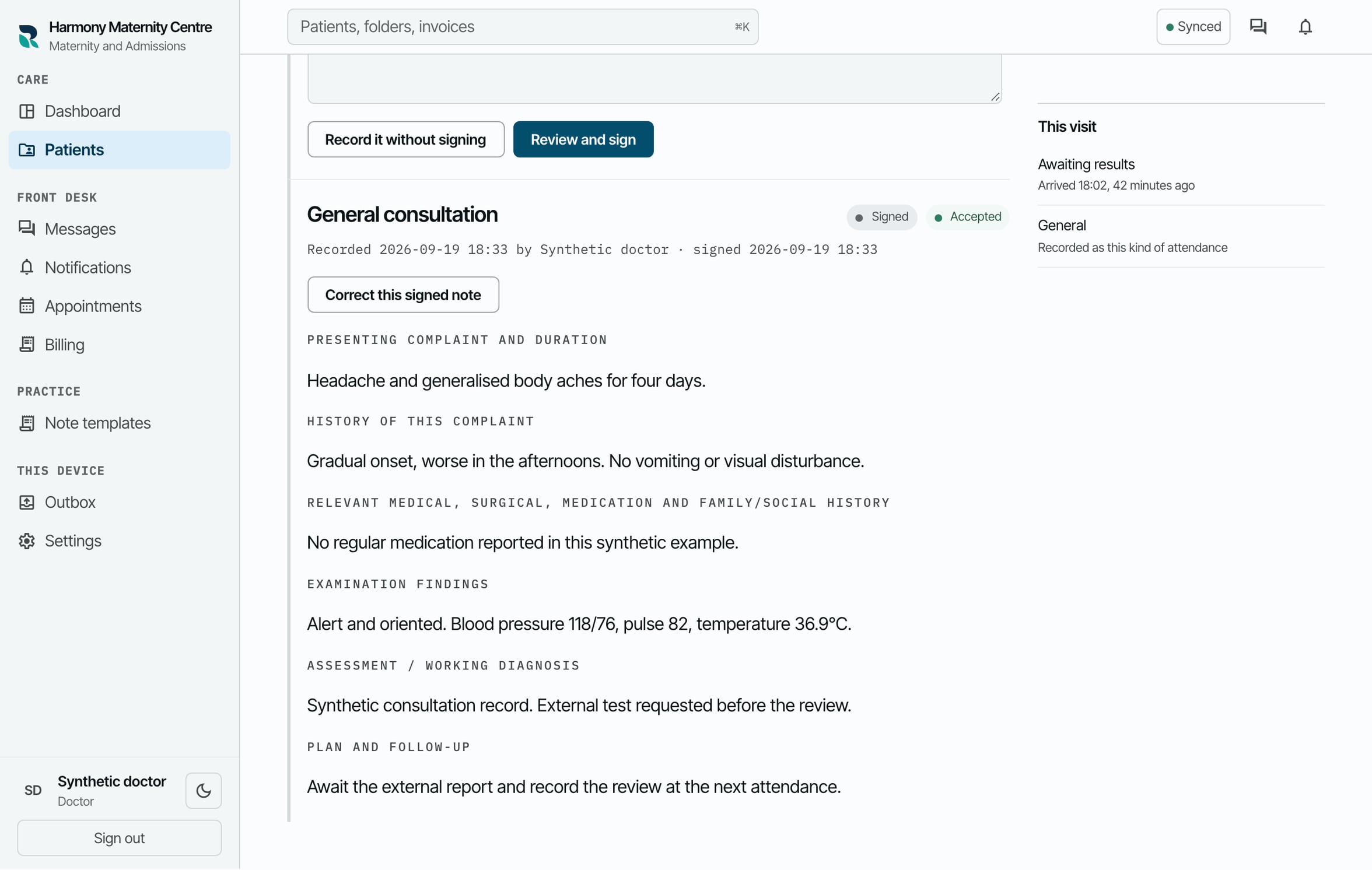
Observations, consultation notes, prescriptions, referrals and results review stay with the attendance they belong to.
Authorised clinician
When assistance prepares a brief or draft, the authorised person reviews its sources and decides what belongs in the record.
Billing
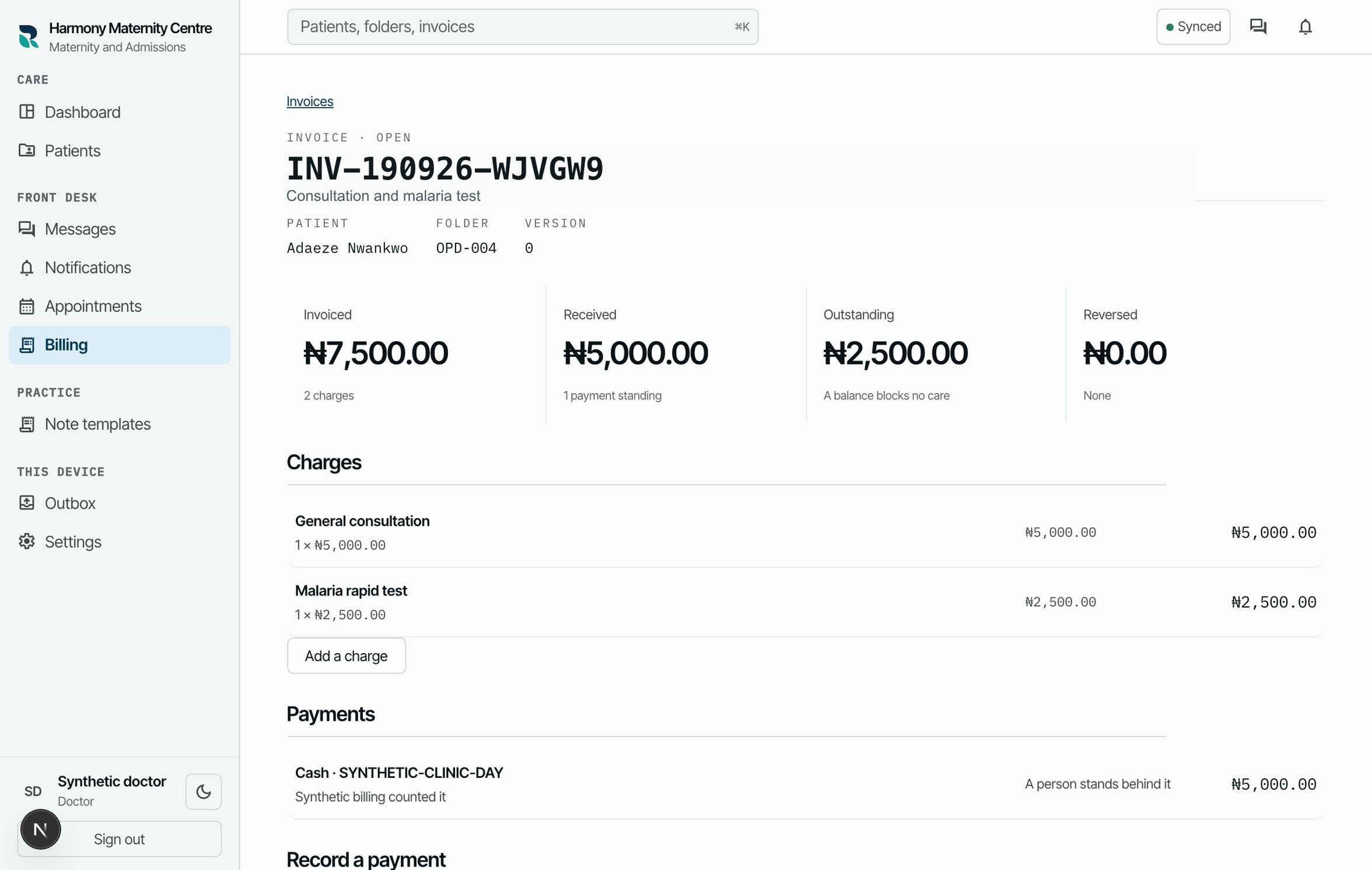
The practice raises an itemised invoice with a human-readable number the team can refer to in conversation.
Billing and reception
A member of staff records the cash or transfer received and sees the amount still outstanding against the same visit.
Whole practice
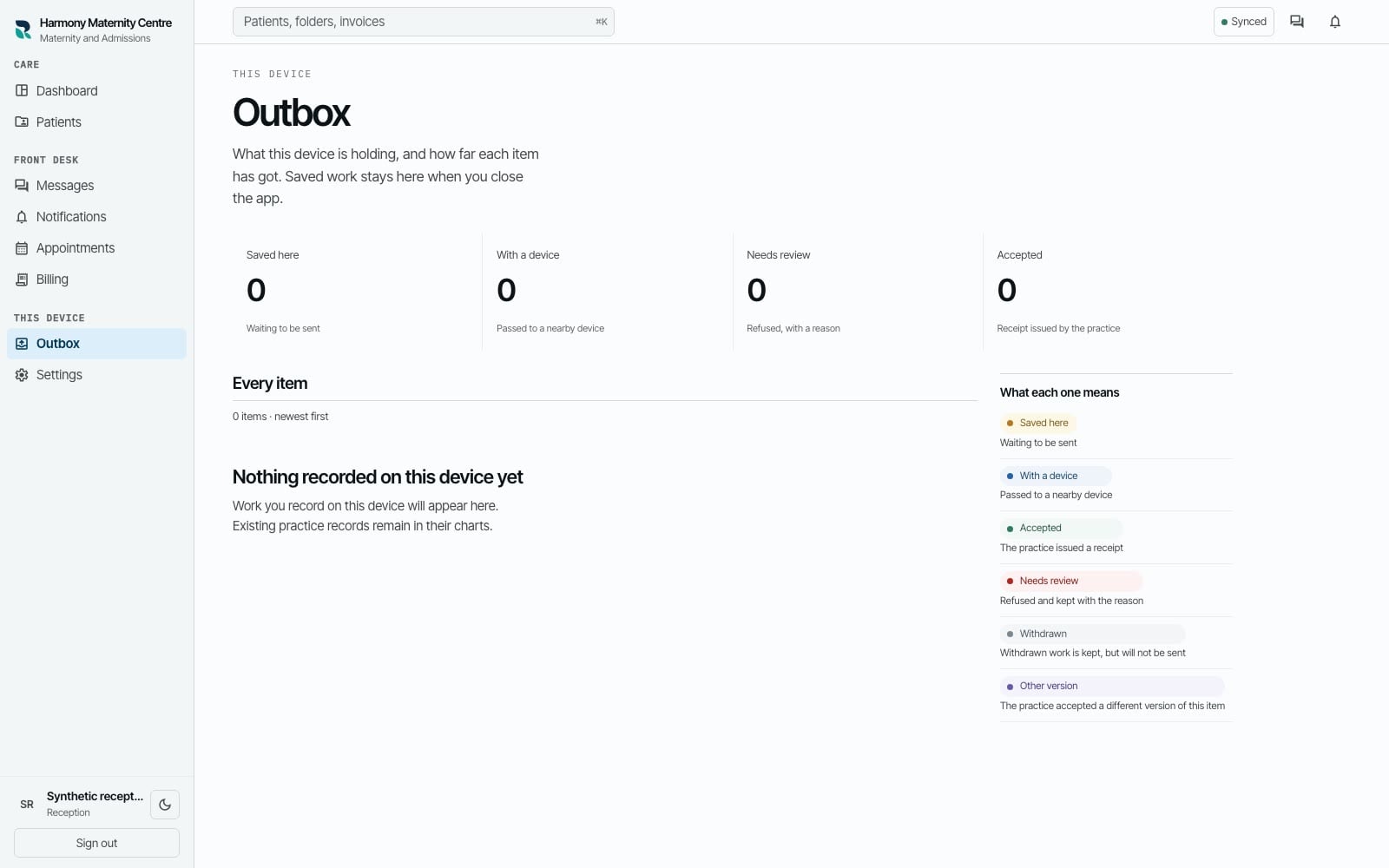
If the connection drops, the device shows what is saved locally, what is waiting and what the practice has accepted.
Reception
Reception registers a new or returning patient and opens the attendance without sending the team hunting through separate records.
Reception and nursing
The next person sees who is waiting, what has happened and which visit needs attention next.
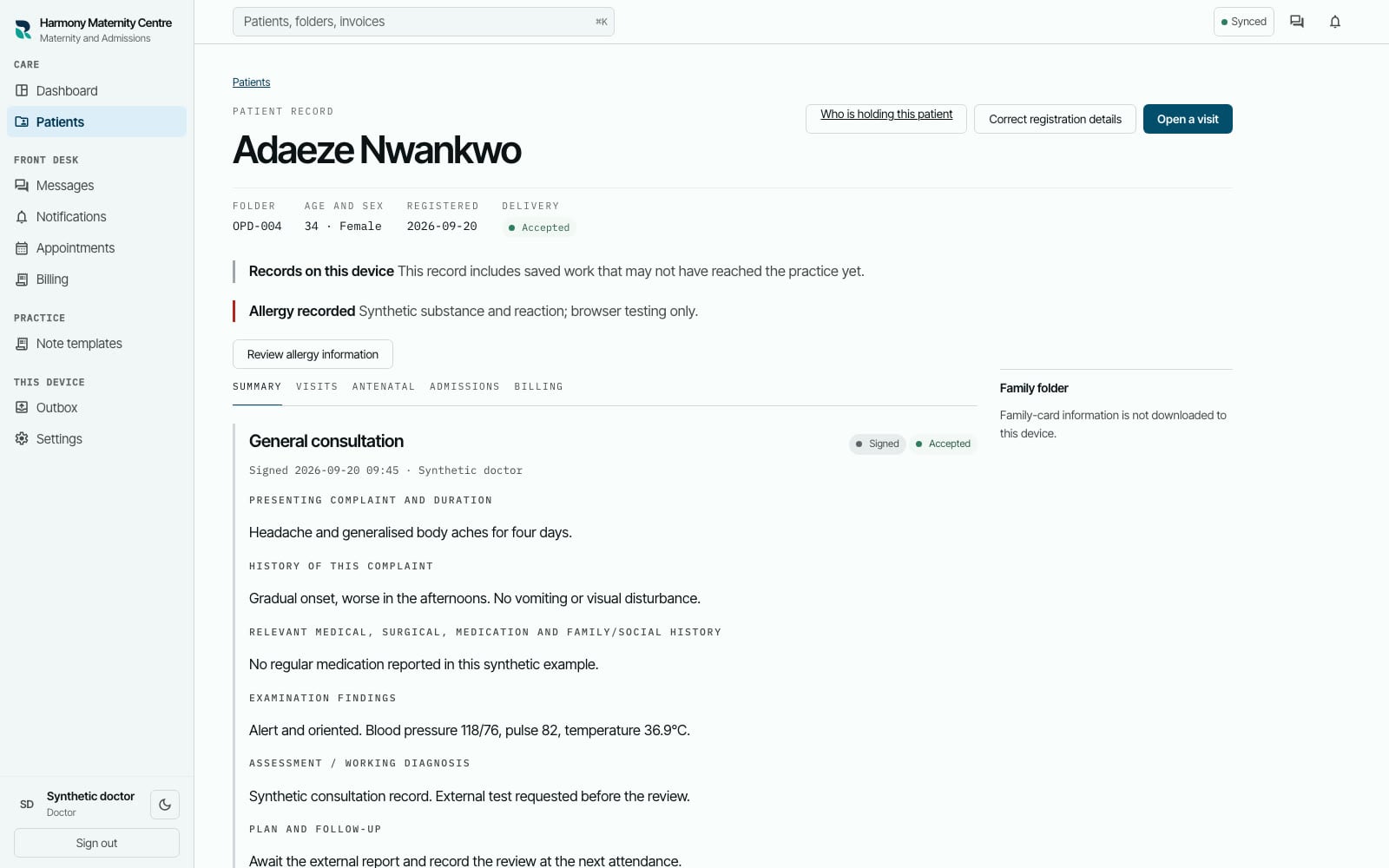
Whole practice
The team opens the patient record by the folder number already written on the paper folder and sees the history that belongs to it.
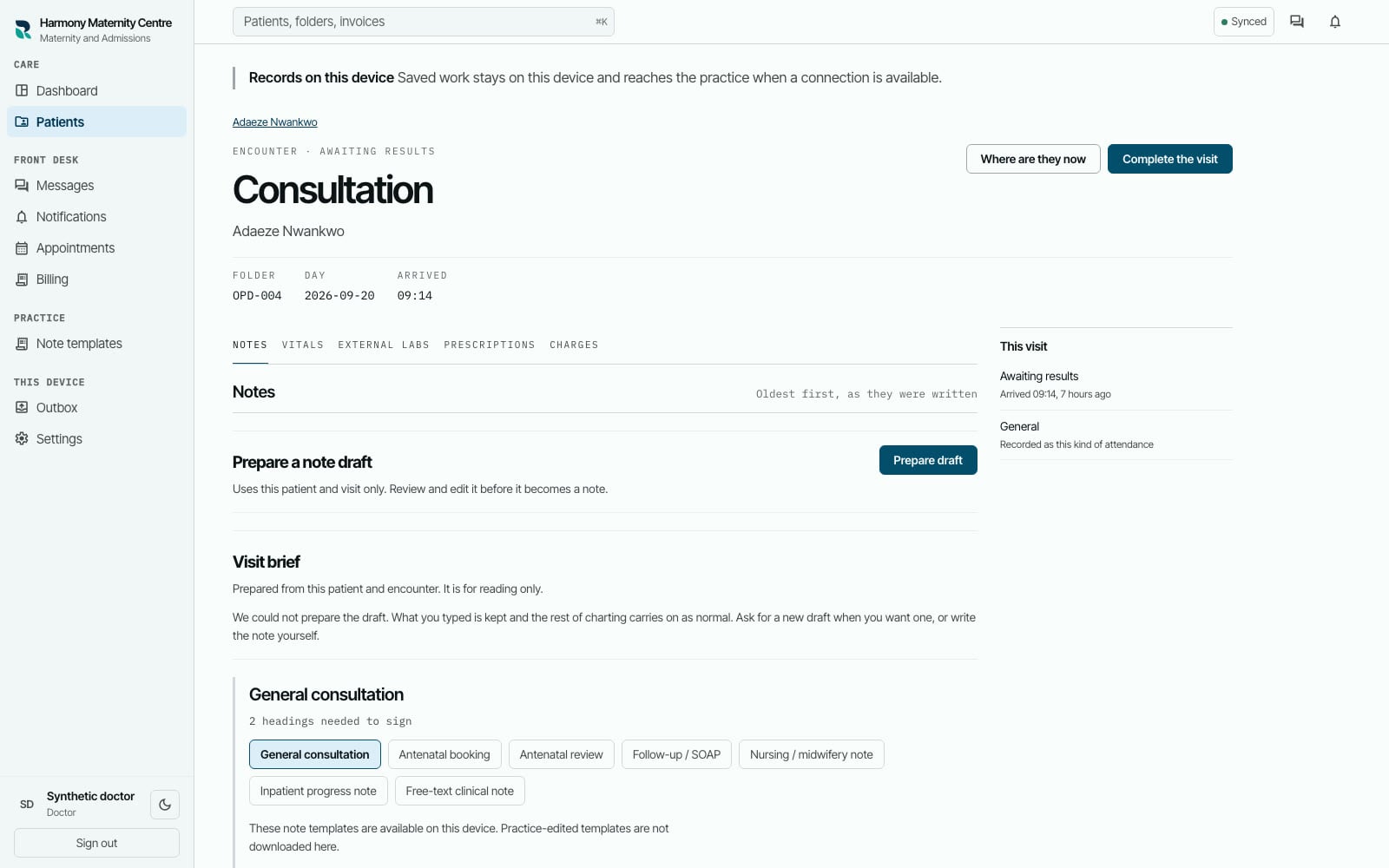
Nurse and clinician
Observations, consultation notes, prescriptions, referrals and results review stay with the attendance they belong to.
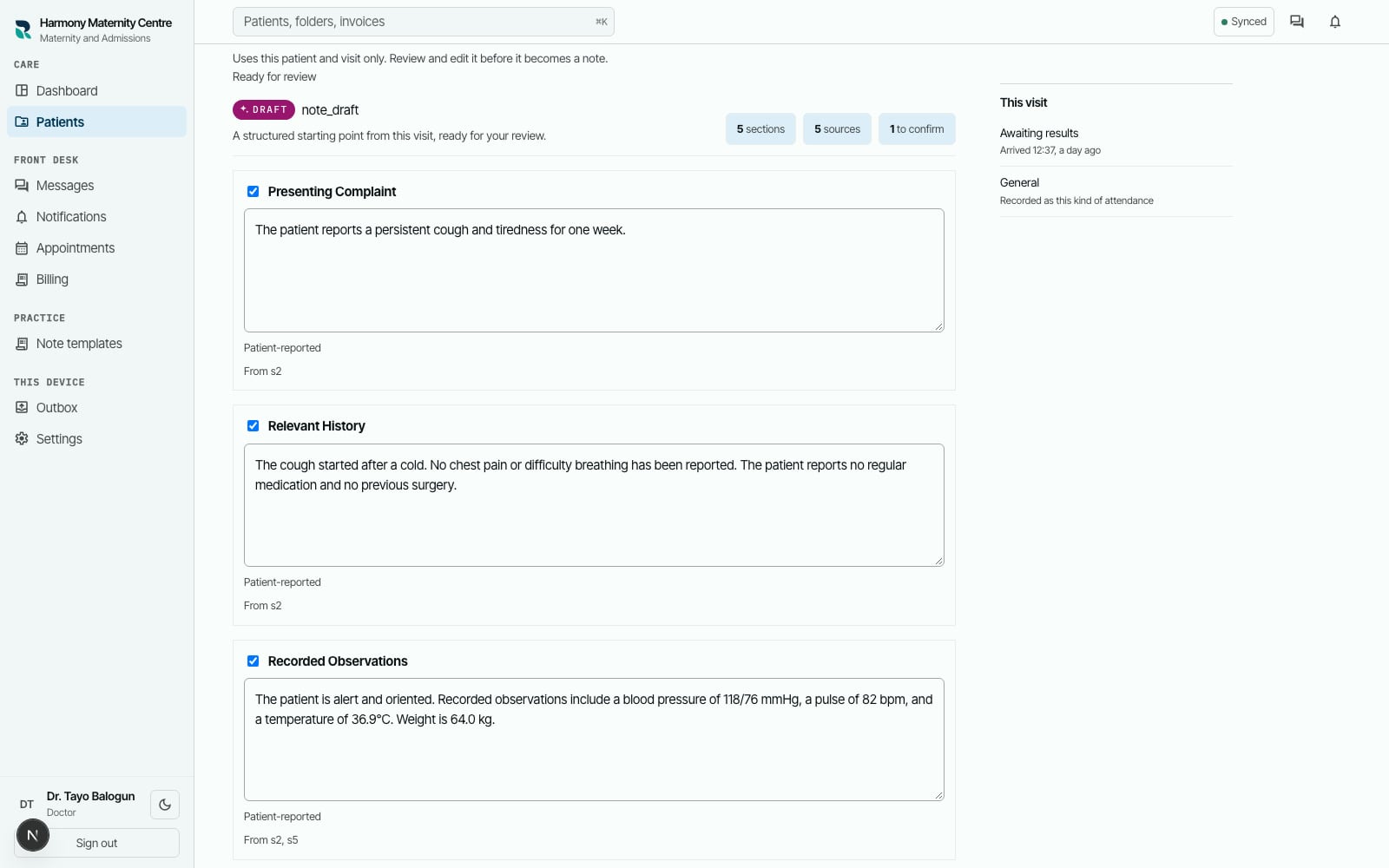
Authorised clinician
When assistance prepares a brief or draft, the authorised person reviews its sources and decides what belongs in the record.
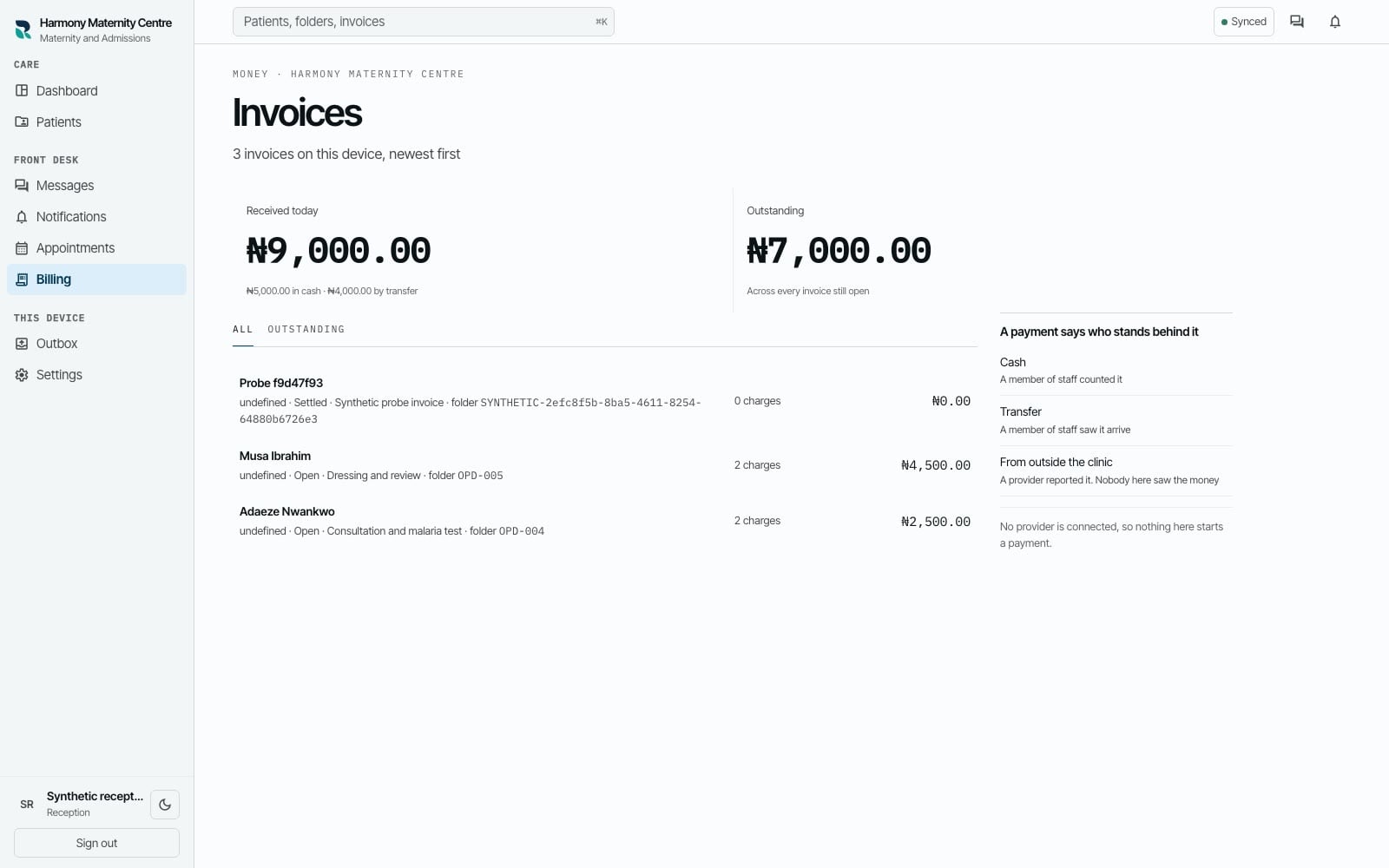
Billing
The practice raises an itemised invoice with a human-readable number the team can refer to in conversation.
Billing and reception
A member of staff records the cash or transfer received and sees the amount still outstanding against the same visit.
Whole practice
If the connection drops, the device shows what is saved locally, what is waiting and what the practice has accepted.
Working through interruptions
Each enrolled phone, tablet or computer keeps the records it holds, and your team keeps working through an outage. When the connection returns, RizCare shows what has gone through and anything your team needs to check.
We move your existing patient register across with your team, train each role your quote covers, and support you on the terms your agreement sets out.
Five screens from one hospital morning, photographed from the running product with sample records. Each caption says what the screen lets your team do.
Reception
Who is in the building, how long each person has waited and which stage their attendance has reached, beside the money taken so far today. Reception answers "how much longer?" without walking the corridor.
Patient record
Opened by the folder number already written on your paper folder. Allergies and any outstanding balance are raised where the clinician will see them, and an unpaid balance never stops the consultation.
Consultation
Familiar headings or free text, signed by the clinician who wrote it. A signed note is never edited: a correction is a new note attached to it, with a reason, and both stay readable.
Billing
Charges at the price agreed when they were added, cash or transfer amounts a member of staff confirms, and the balance the desk reads out. Every entry stays in the payment history.
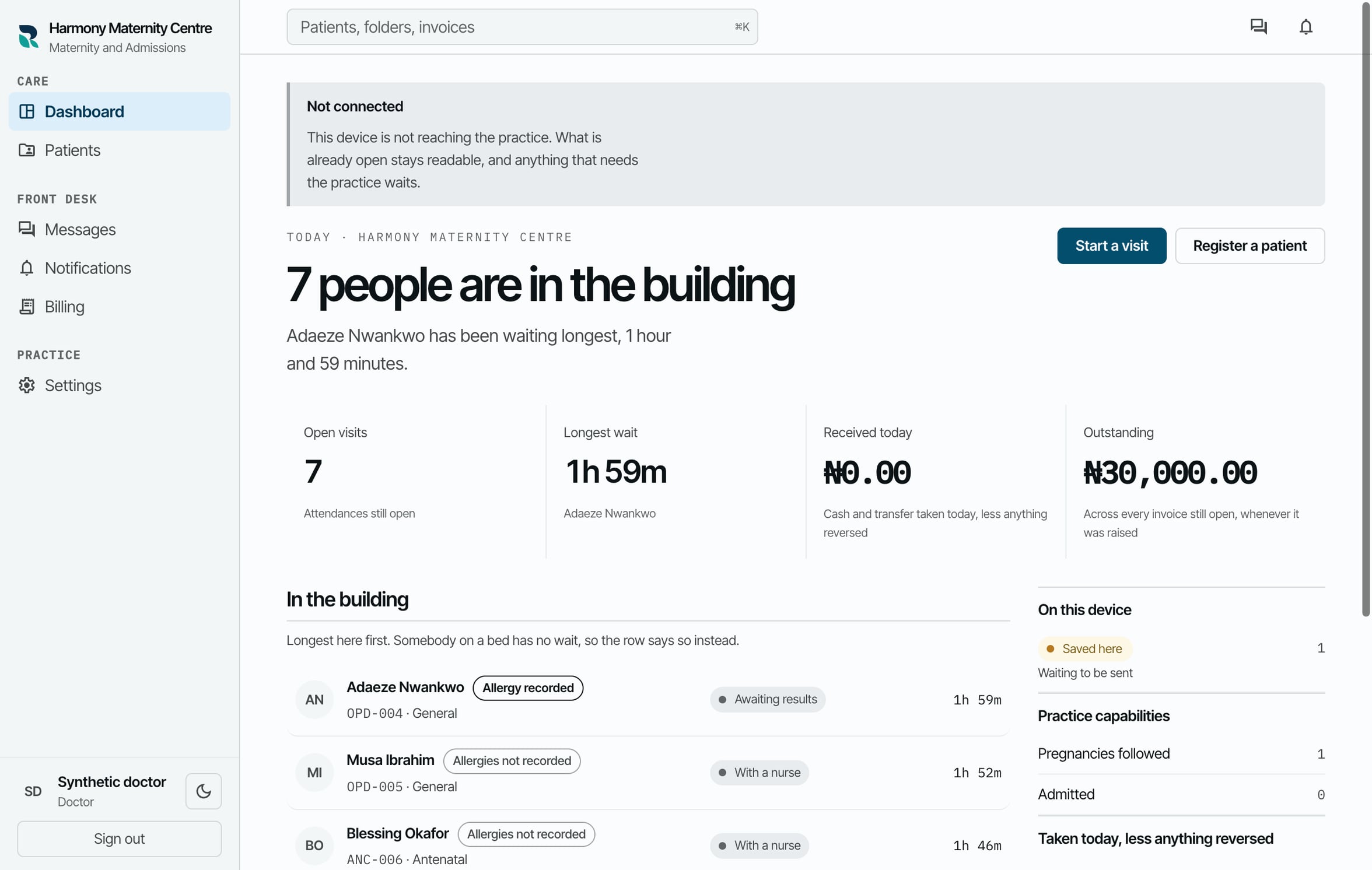
Connectivity
When the internet goes, the queue and the records already on a device you set up for RizCare stay open and your team keeps recording. Each of those devices shows what has gone through and what is still waiting.
The practice administrator gives each colleague a position and chooses what they can read, write and sign. Every action is recorded against the person who took it.
Staff accounts and what each person is allowed to do, the service list and its prices, which optional capabilities are switched on, which devices are enrolled, and the activity trail for the whole practice.
For hospital ownersWrites and signs clinical notes, prescribes, requests external laboratory work, reviews the results that come back, and completes a visit.
For doctors and midwivesCarries an antenatal episode across several visits in the same record, writes and signs notes, requests and reviews external laboratory work, and completes a visit. Antenatal work appears only where the practice has maternity switched on.
For doctors and midwivesRecords vitals and observations, writes and signs nursing and free-text notes in the shared record, and enters the laboratory reports that come back for a doctor or midwife to review.
For nursesRegisters patients, opens walk-in visits and moves the hospital queue along, raises invoices and records payments. You decide whether they can also read clinical notes.
For reception and billingRaises invoices, adds services and packages from the service list the practice keeps, and records staff-confirmed cash or transfer payments, including partial amounts.
For reception and billingKeep exploring
Each practice gets its own quote after a free demonstration, so you see the product working before any figure is discussed.
Priced by the size of your practice. No setup fee.
After the demonstration, we send a quote covering the subscription, the register to move across and staff training. You agree the scope and terms before setup begins.
01
See patient records, hospital work and billing with fictional examples. We discuss how your team works and what you need, online or in person.
02
We agree the subscription, setup scope and support with you. Payment is made after you accept the quote and before setup or staff training begins.
03
Once payment is confirmed, we complete the agreed register work, set up the practice and train the roles covered by your quote.
Leave your name, practice and email. We will arrange a free 20-minute demonstration online or in person, using fictional patient records. There is nothing to install beforehand.
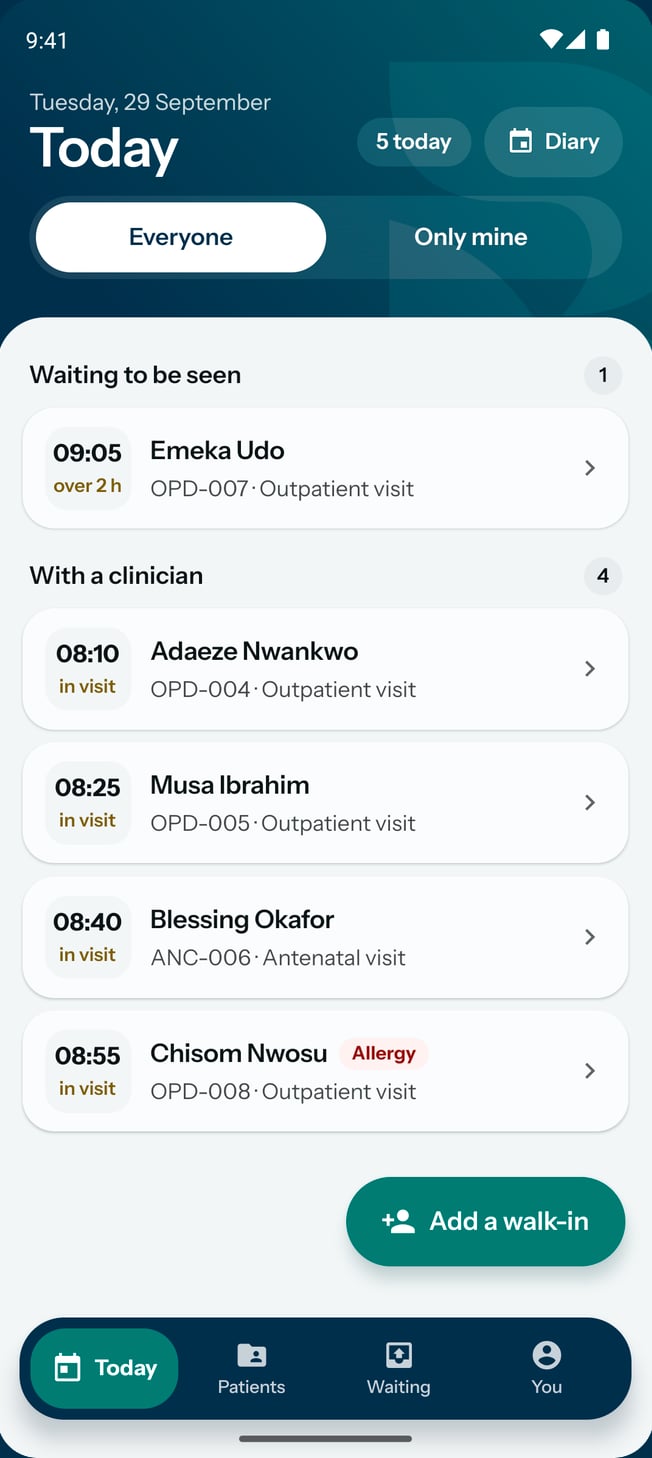
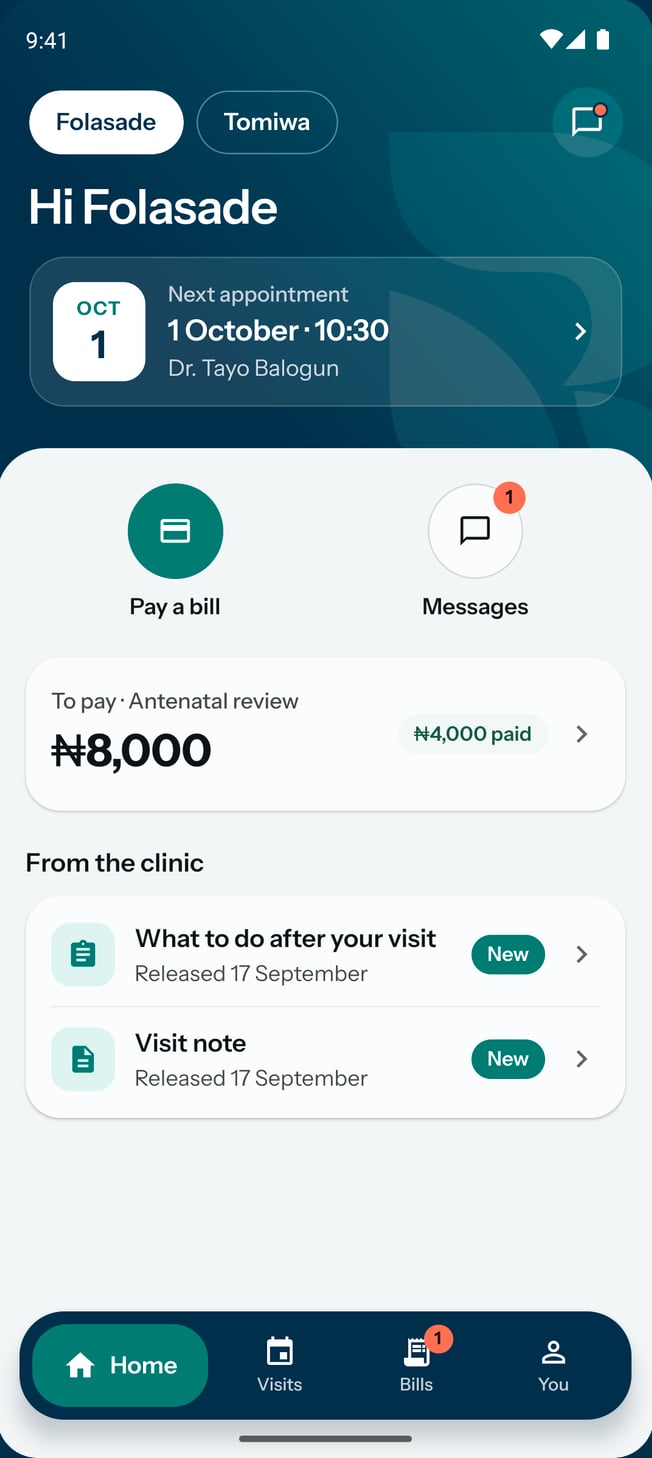
On Android phones
Your team sees today's patients, the diary and each patient's chart on their own phones, and keeps saving when the connection drops.
Your patients see their appointments, their bills and the notes you share with them.
For your team
RizCare for Practices
 Read more about RizCare for Practices
For your patients
RizCare
Read more about RizCare