RizCare is on Google Play. Get RizCare for Practices for your team and RizCare for your patients.

Stop sharing a note with the patient

Take a shared note off the patient portal, with the reason, so the patient can no longer open it online.

Where
Practice portal
Who can do this
Doctor, Midwife and Staff

Stop sharing a note that was shared by mistake, or that the patient should no longer read online. The note itself stays on the chart as it was signed.

Steps

  1. Open the patient's chart and choose the Patient portal tab.
  2. Under Shared with the patient, choose Stop sharing beside the note.
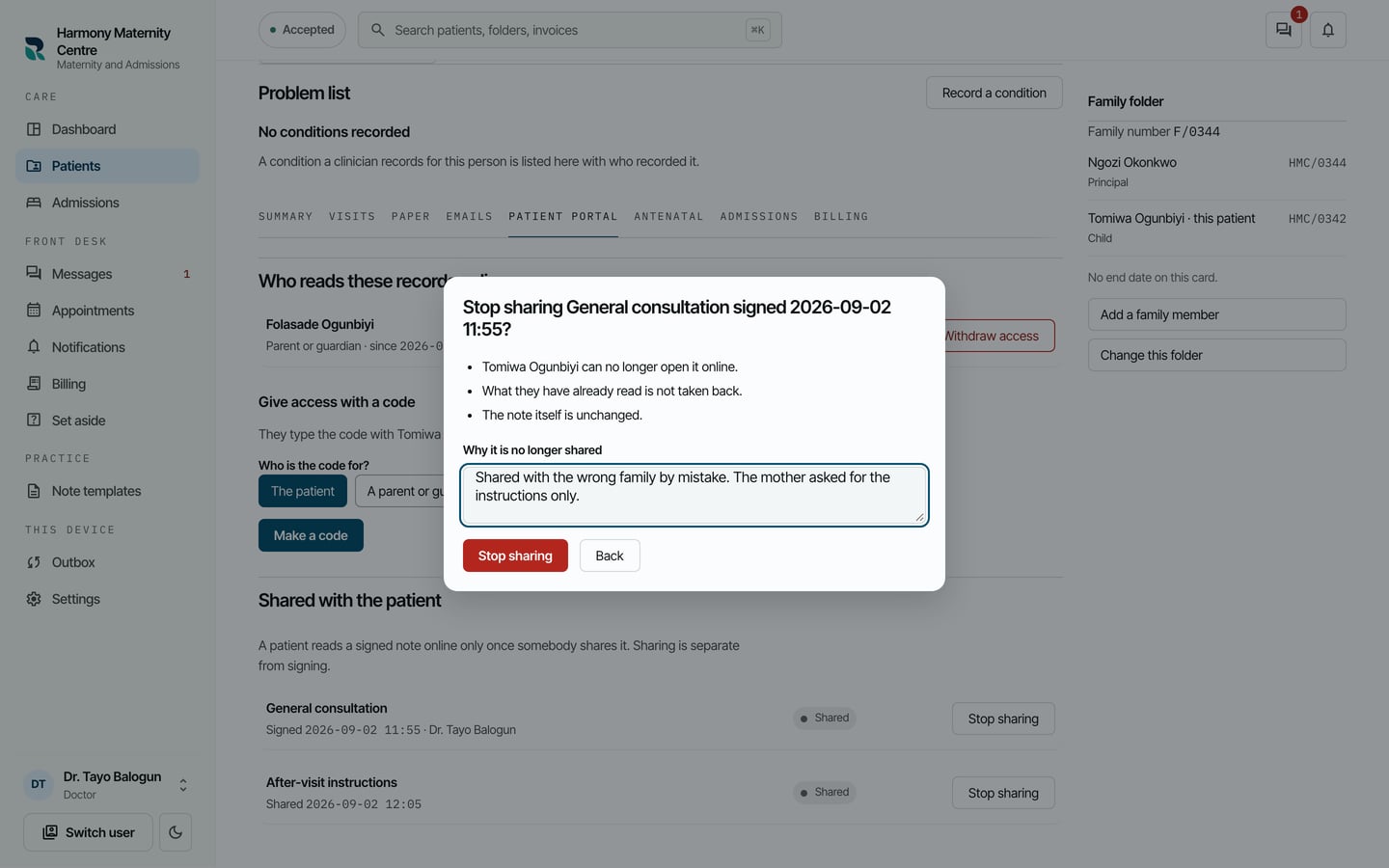
  3. Type Why it is no longer shared.
Stop sharing the General consultation note? The patient can no longer open it online, what they have read is not taken back, and a reason is typed below.
Stop sharing the General consultation note? The patient can no longer open it online, what they have read is not taken back, and a reason is typed below. Demonstration using fictional patient records.
  1. Choose Stop sharing.

What to expect

The patient can no longer open the note online. What they have already read is not taken back. The note is marked Not shared again, and you can share it later.
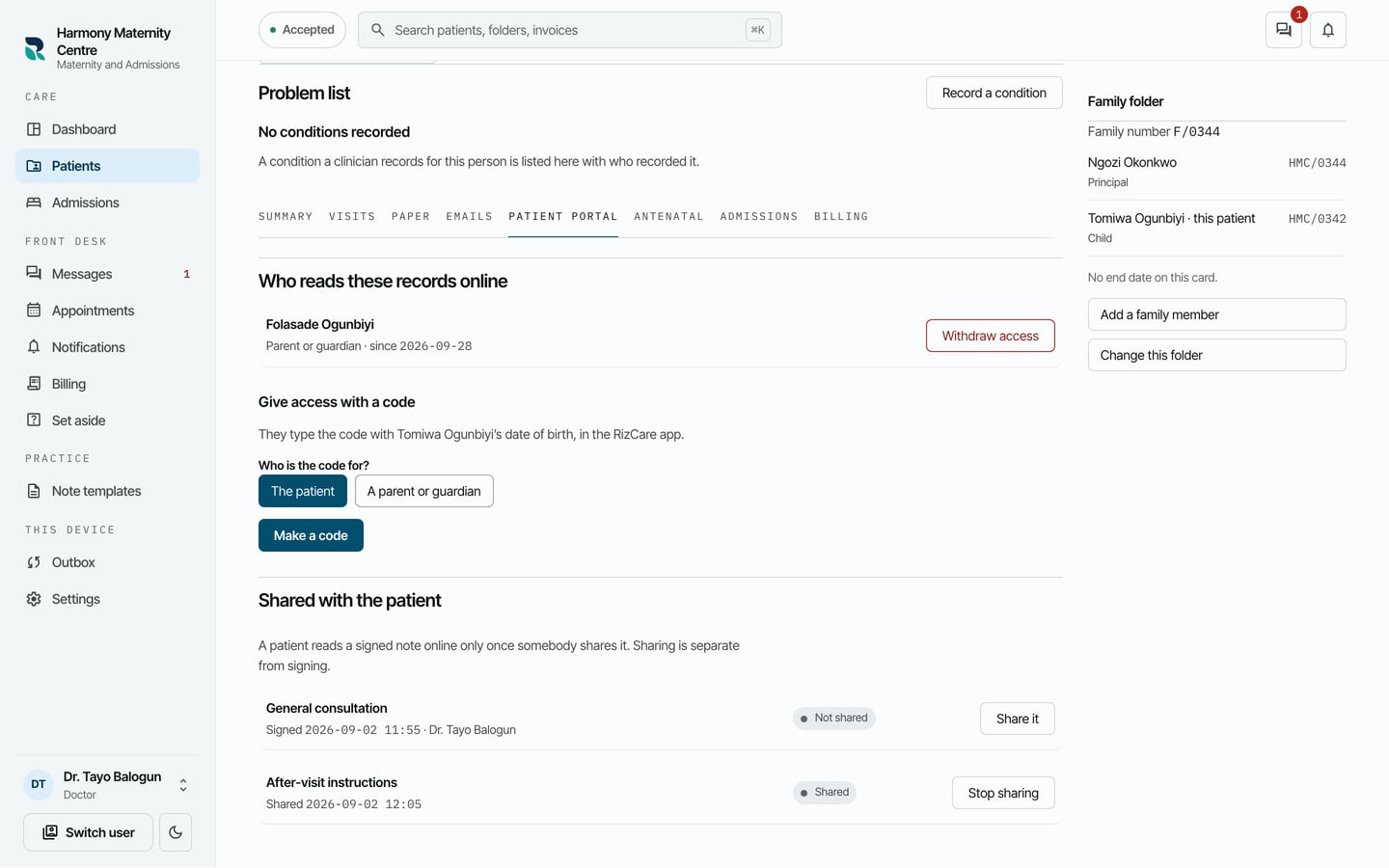
The General consultation note marked Not shared with Share it beside it, and the after-visit instructions still shared.
The General consultation note marked Not shared with Share it beside it, and the after-visit instructions still shared. Demonstration using fictional patient records.

Still stuck? Email support@riz.care and say which screen you are on.