RizCare is on Google Play. Get RizCare for Practices for your team and RizCare for your patients.

Share a signed note with the patient

Let a patient, or the parent who reads a child's records, open a signed note on the patient portal.

Where
Practice portal
Who can do this
Doctor, Midwife and Staff

Signing a note does not show it to the patient. A clinician shares it from the chart when the patient should read it.

Before you start

The note must be signed, and the patient portal must be on for your practice.

Steps

  1. Open the patient's chart and choose the Patient portal tab.
  2. Under Shared with the patient, find the note. A note nobody has shared is marked Not shared.
  3. Choose Share it beside the note.
  4. Check the note and who can open it, then choose Share it.
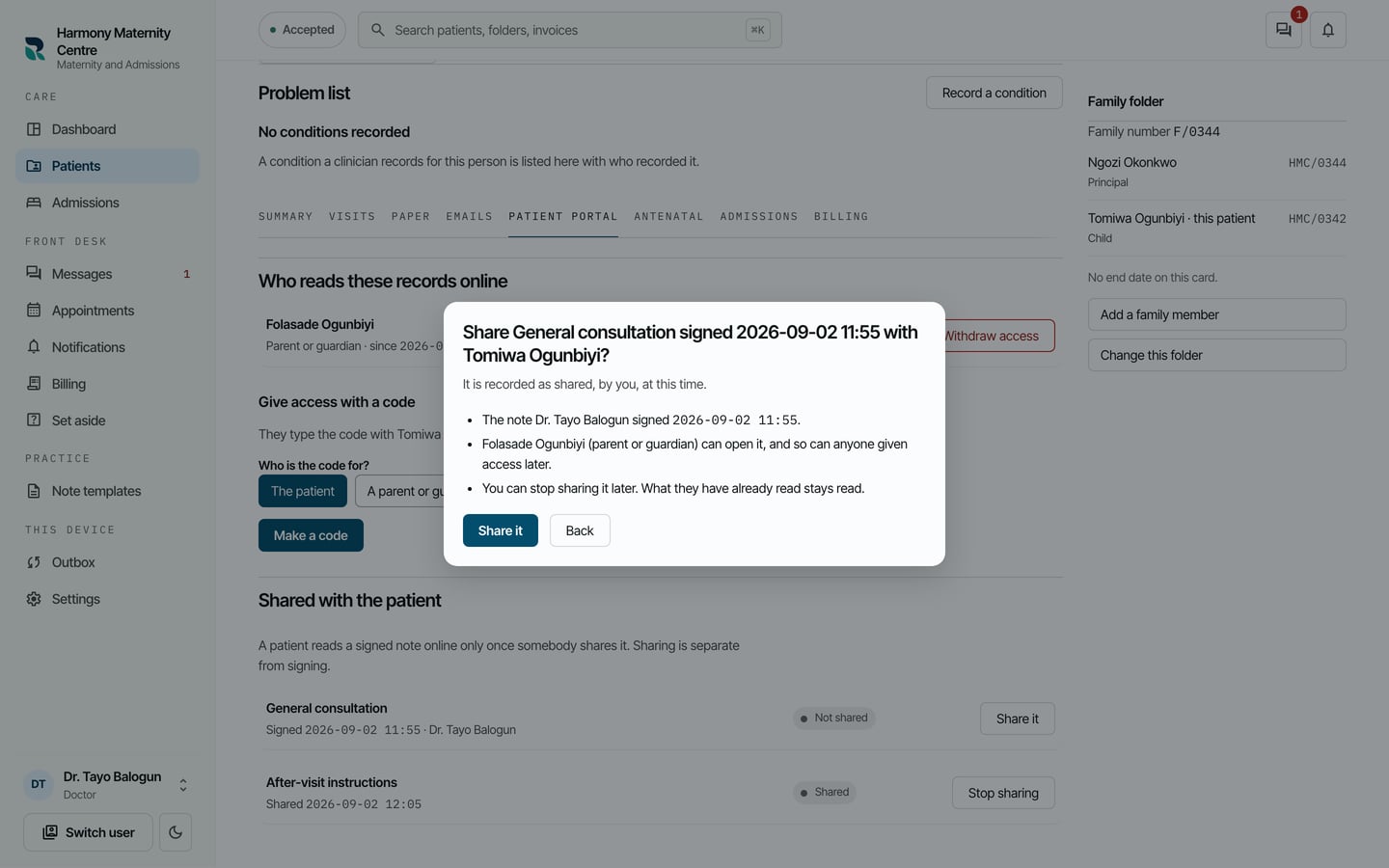
Share General consultation with Tomiwa Ogunbiyi? The note Dr. Tayo Balogun signed, Folasade Ogunbiyi (parent or guardian) can open it, and the Share it and Back buttons.
Share General consultation with Tomiwa Ogunbiyi? The note Dr. Tayo Balogun signed, Folasade Ogunbiyi (parent or guardian) can open it, and the Share it and Back buttons. Demonstration using fictional patient records.

What to expect

The note is marked Shared, and whoever reads the patient's records online can open it, including anyone given access later. It is recorded as shared by you, at that time.
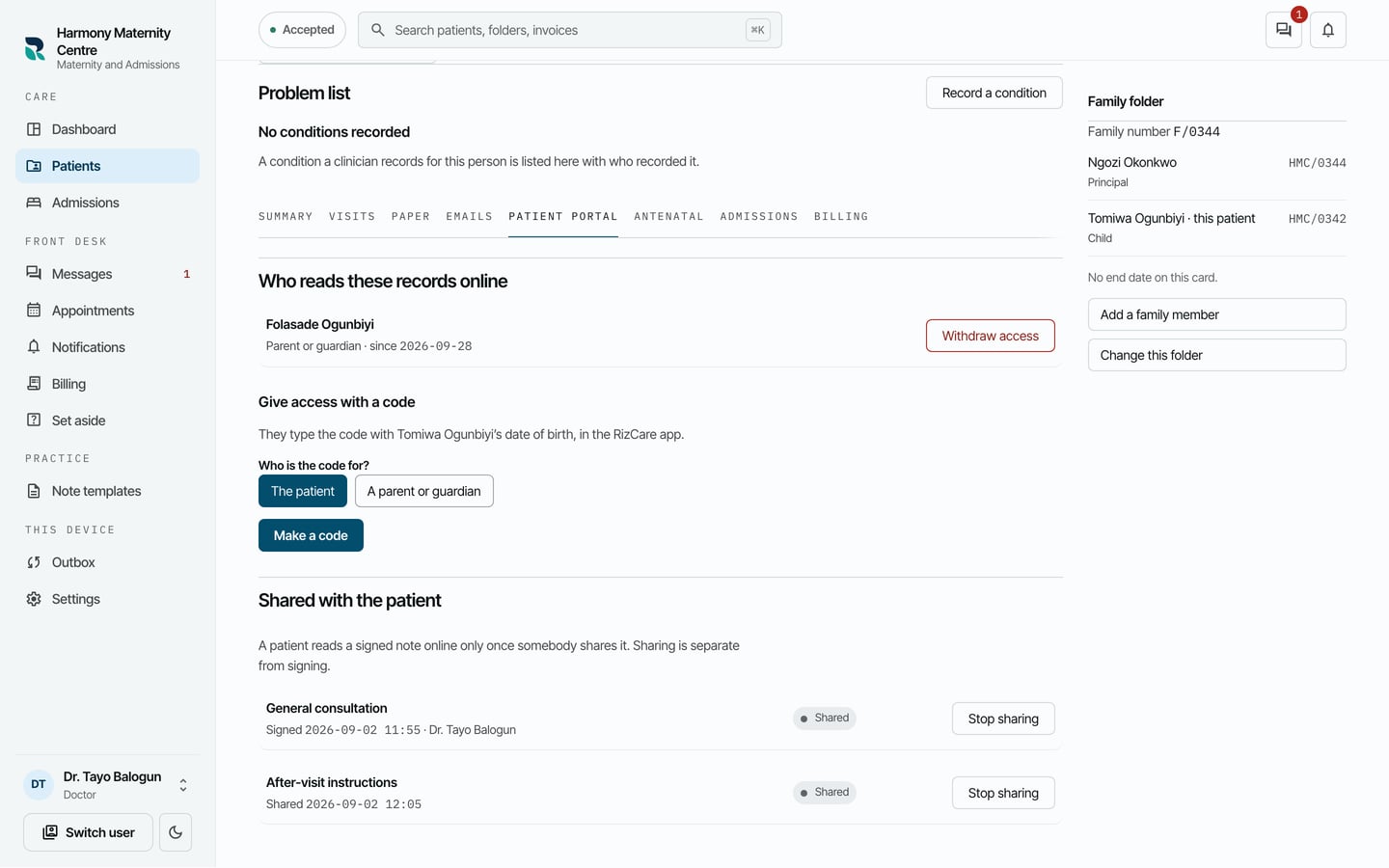
Shared with the patient: the General consultation note marked Shared with Stop sharing beside it, and the after-visit instructions also shared.
Shared with the patient: the General consultation note marked Shared with Stop sharing beside it, and the after-visit instructions also shared. Demonstration using fictional patient records.

Still stuck? Email support@riz.care and say which screen you are on.