Withdraw someone's portal access
See who reads a patient's records online, and stop one of them reading them, with the reason.
- Where
- Practice portal
- Who can do this
- Administrator, Doctor, Midwife, Nurse, Reception and Staff
Everyone who reads a patient's records on the patient portal is listed on the chart. Withdraw access when a patient asks, or when a parent should no longer read a child's records.
Steps
- Open the patient's chart and choose the Patient portal tab. Who reads these records online lists each reader, who they are to the patient and since when.
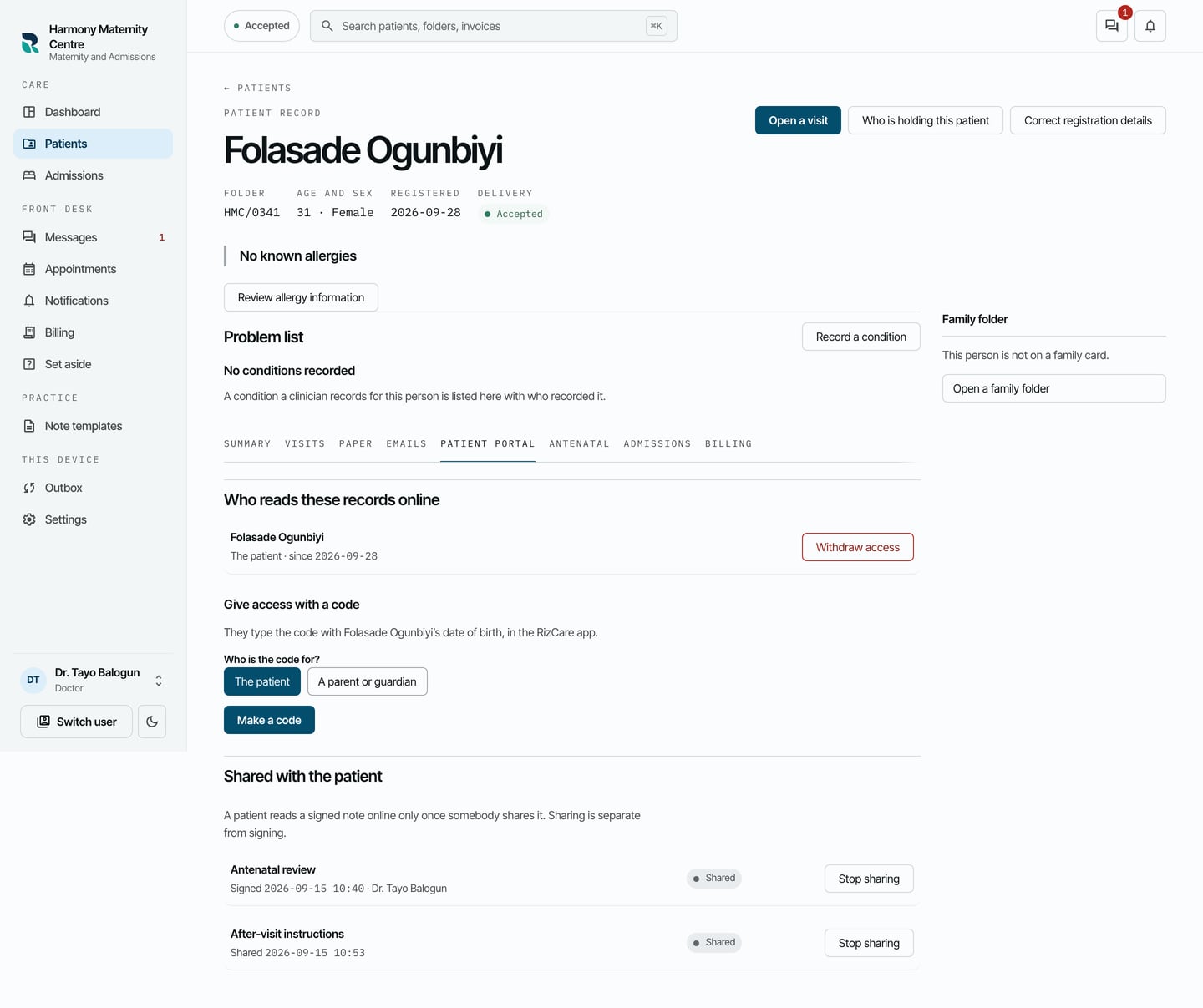
- Choose Withdraw access beside the reader.
- Type Why access is being withdrawn.
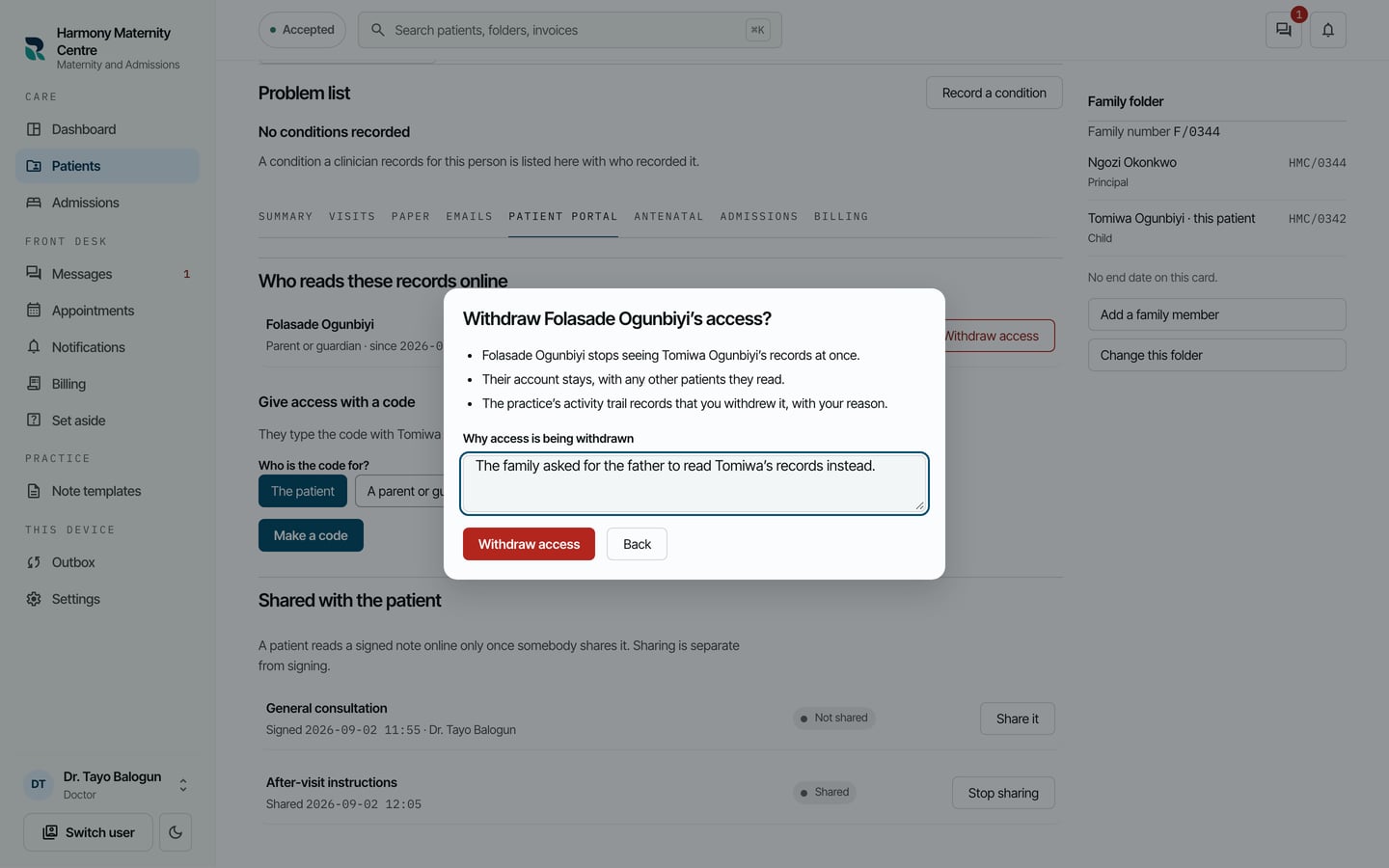
- Choose Withdraw access.
What to expect
They stop seeing the patient's records at once. Their account stays, with any other patients they read. The reader moves to a list of access that has ended, marked Withdrawn by the practice, and the activity trail keeps your reason.
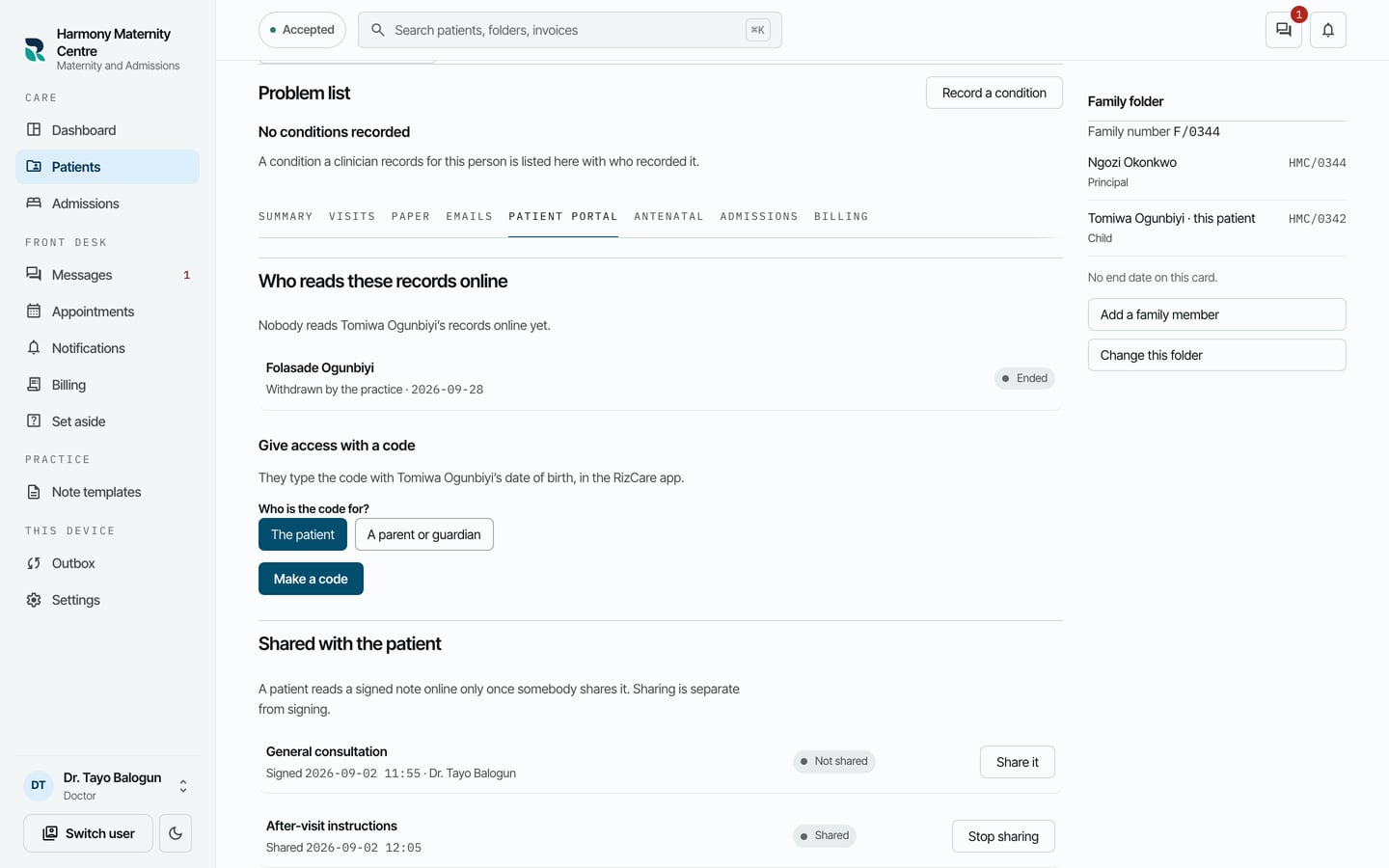
To let them read the records again, give them a new code.