RizCare is on Google Play. Get RizCare for Practices for your team and RizCare for your patients.

Give a patient access to the patient portal

Make a one-time code a patient types with their date of birth to read their records on the RizCare app, or on the web where your practice has a patient portal address.

Where
Practice portal
Who can do this
Administrator, Doctor, Midwife, Nurse, Reception and Staff

A patient reads their visits, bills and the notes your clinicians share on the patient portal. They join with a code you make on their chart and hand them, usually with the visit summary.

Before you start

The patient portal must be on for your practice, and the patient needs a date of birth on their record. Without one, the chart says so in place of the code.
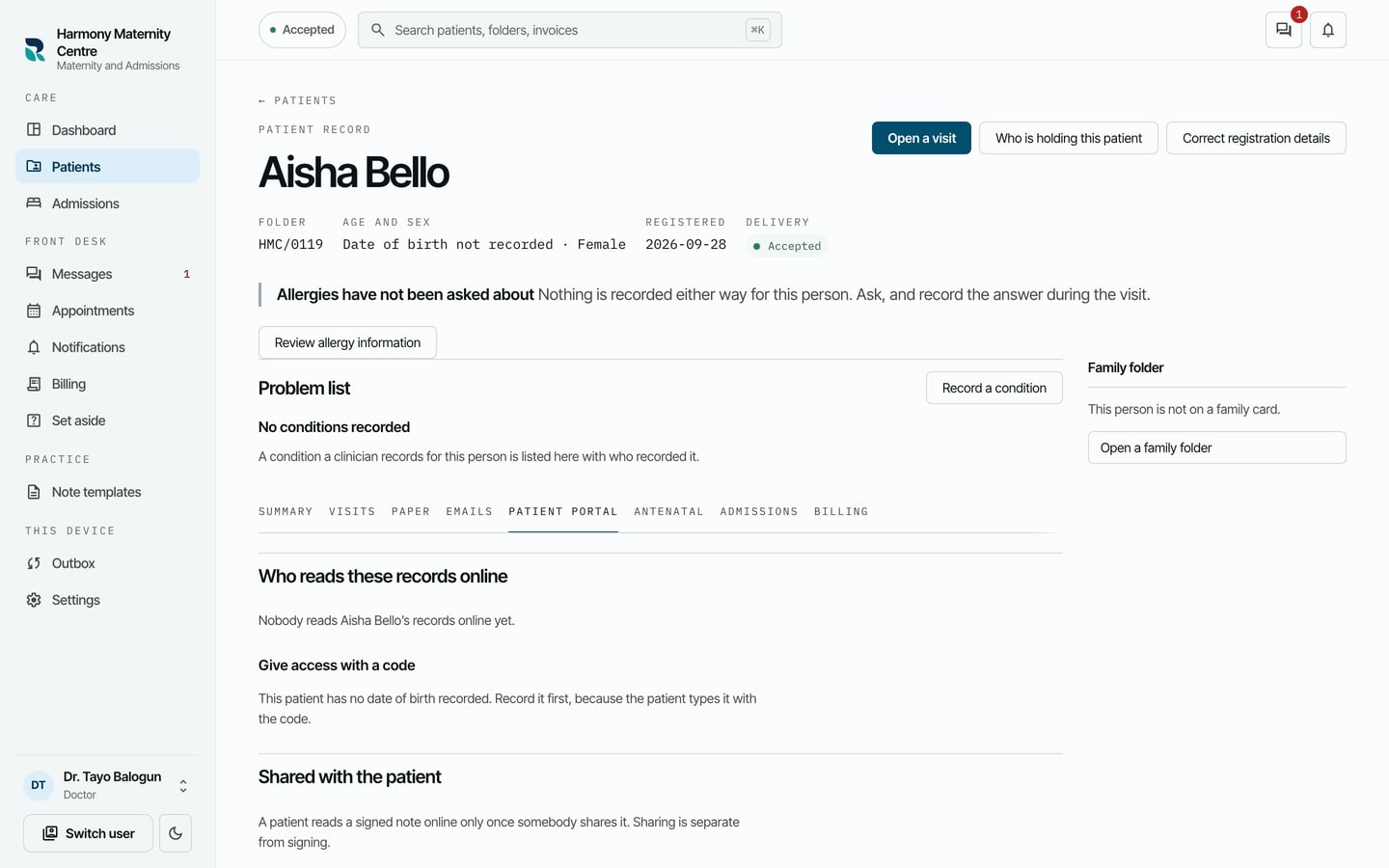
The Patient portal tab for Aisha Bello: Give access with a code says the patient has no date of birth recorded, and to record it first.
The Patient portal tab for Aisha Bello: Give access with a code says the patient has no date of birth recorded, and to record it first. Demonstration using fictional patient records.

To add it, choose Correct registration details at the top of the chart.

Steps

  1. Open the patient's chart and choose the Patient portal tab.
  2. Under Give access with a code, choose The patient for Who is the code for?
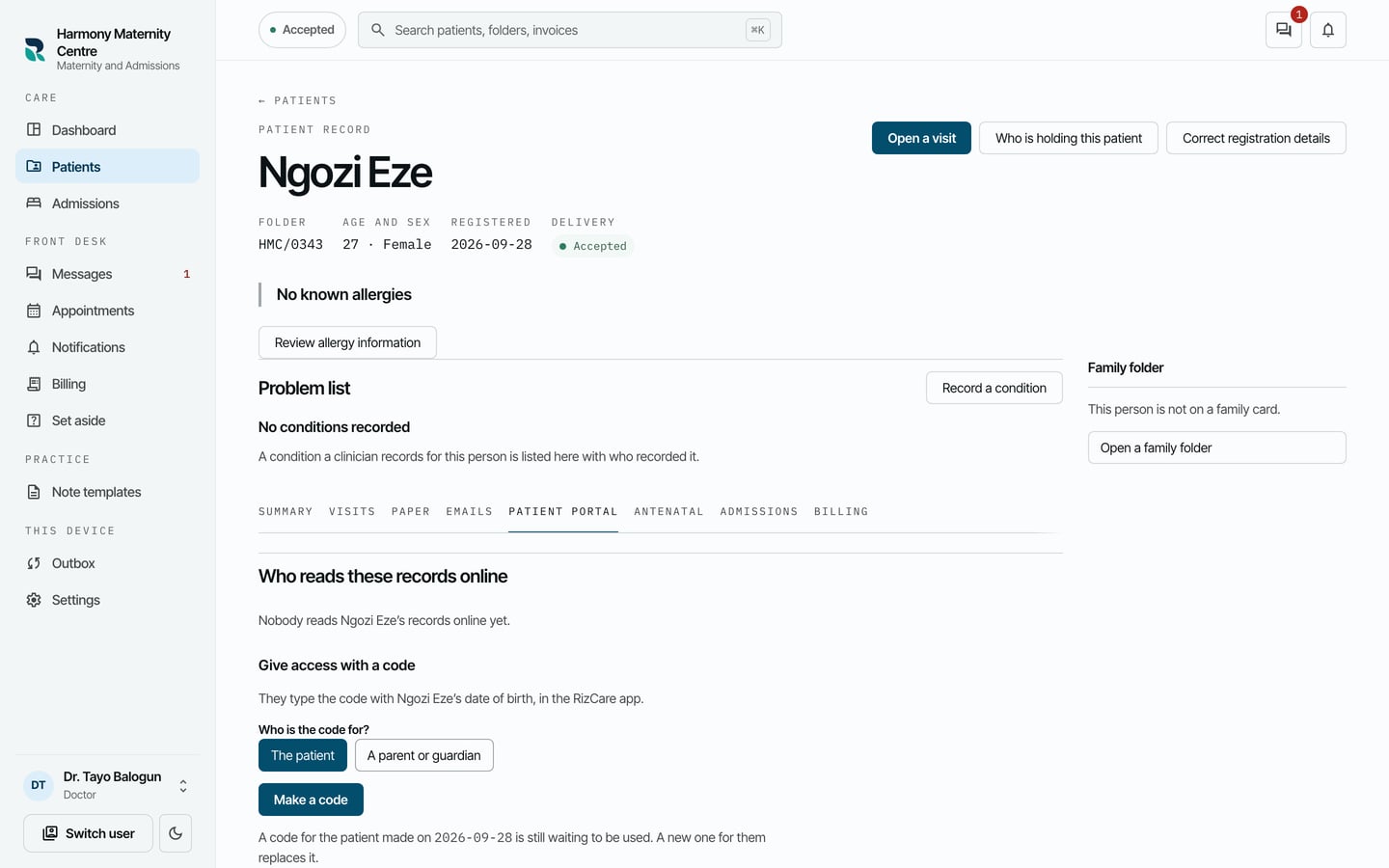
Give access with a code for Ngozi Eze, with The patient chosen and the Make a code button, and a line saying an earlier code is still waiting to be used.
Give access with a code for Ngozi Eze, with The patient chosen and the Make a code button, and a line saying an earlier code is still waiting to be used. Demonstration using fictional patient records.
  1. Choose Make a code.
  2. Read the code to the patient, or choose Print it to print a sheet with the code and where to type it.
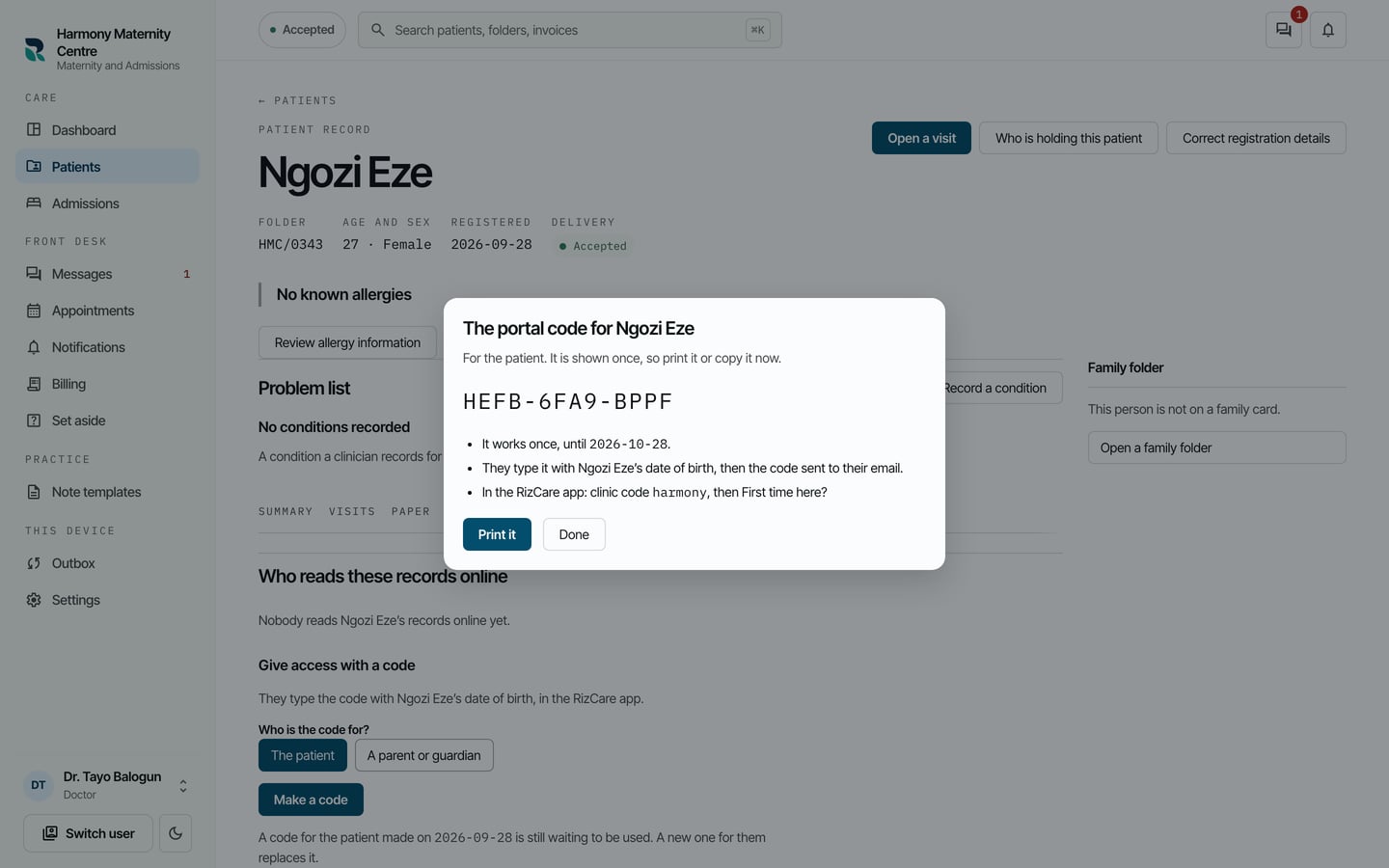
The portal code for Ngozi Eze: the code, the day it works until, and where to type it in the RizCare app.
The portal code for Ngozi Eze: the code, the day it works until, and where to type it in the RizCare app. Demonstration using fictional patient records.
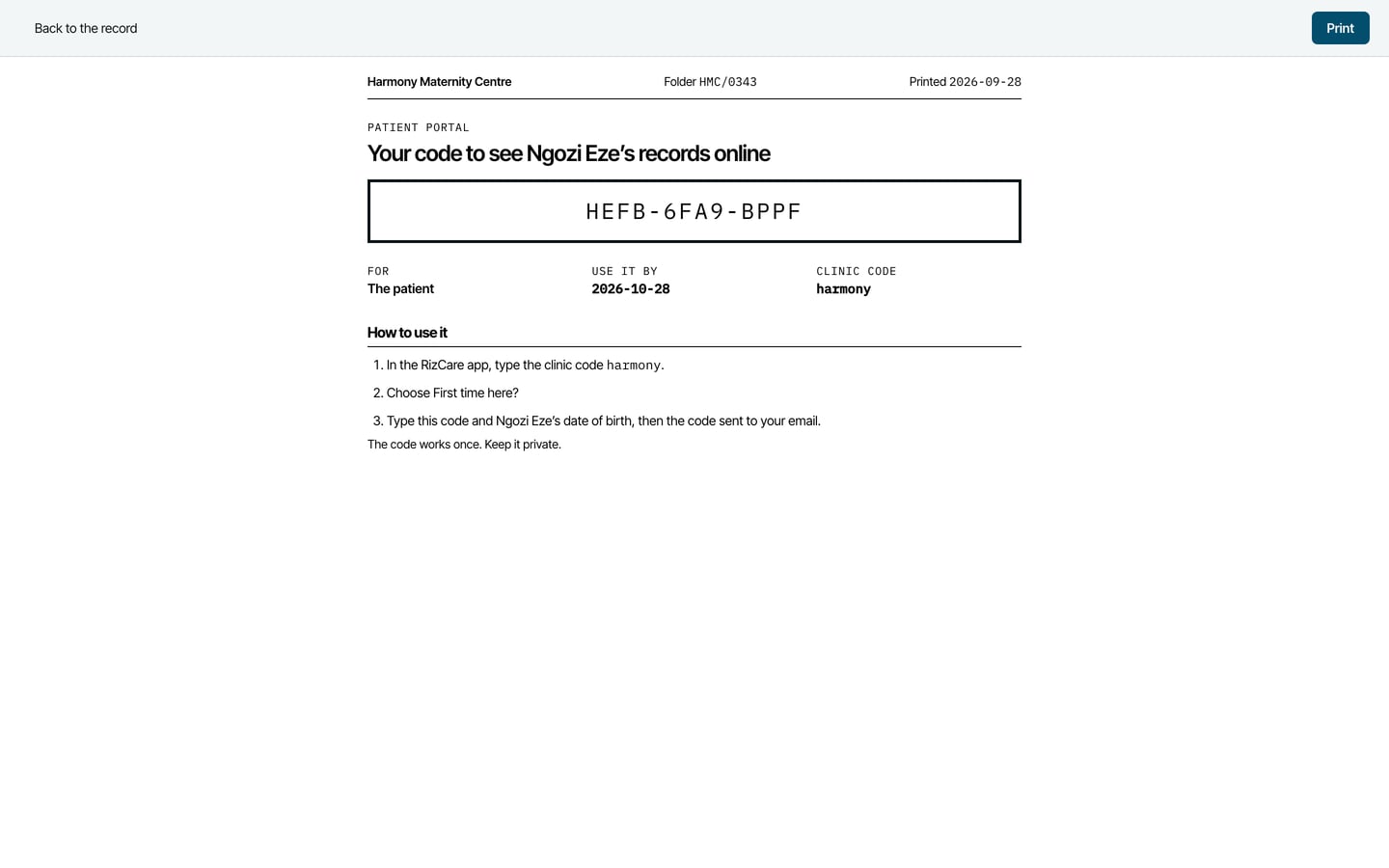
The printed sheet: Your code to see Ngozi Eze's records online, with the code, the day to use it by, the hospital code and three steps.
The printed sheet: Your code to see Ngozi Eze's records online, with the code, the day to use it by, the hospital code and three steps. Demonstration using fictional patient records.
  1. Choose Back to the record, then Done.

What to expect

The code works once, for a month. The patient chooses First time here?, types the code and their date of birth, and then the sign-in code RizCare sends them. Once they have joined, they are listed under Who reads these records online.

Making a new code for the same person replaces one still waiting to be used.

Still stuck? Email support@riz.care and say which screen you are on.