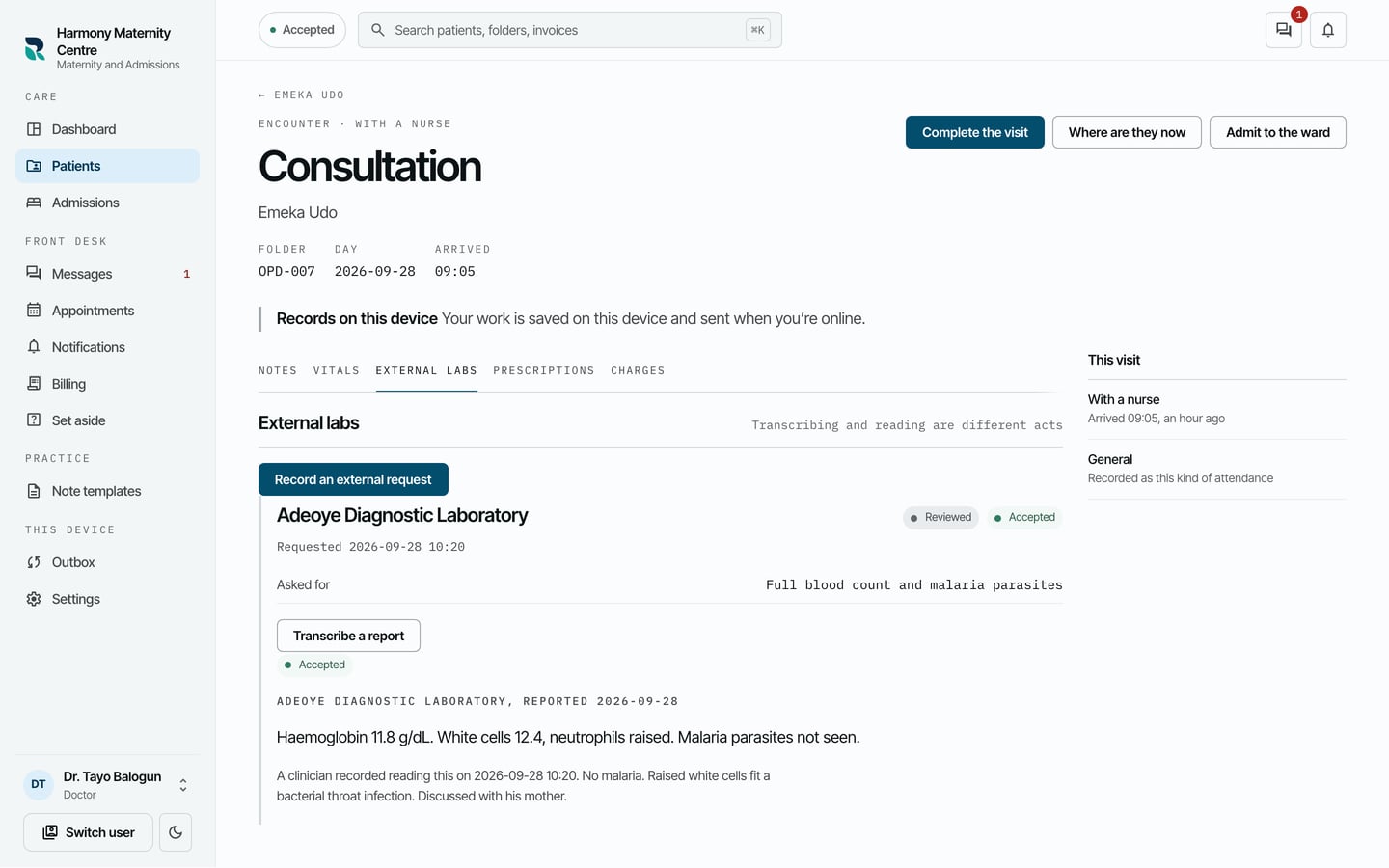
Record a test sent to an outside laboratory
Record a request sent to an outside laboratory, type in the report when it comes back, and record that a clinician has read it.
- Where
- Practice portal
- Who can do this
- Doctor, Midwife and Staff
When you send a patient to an outside laboratory or hospital, record the request in the visit. When the report comes back on paper, type it in. Typing it in and reading it are recorded separately, so the chart shows whether a clinician has read each report.
Steps
- Open the patient's visit and choose the External labs tab.
- Choose Record an external request.
- Fill in Laboratory or hospital, Tests or assessment requested and Clinical summary.
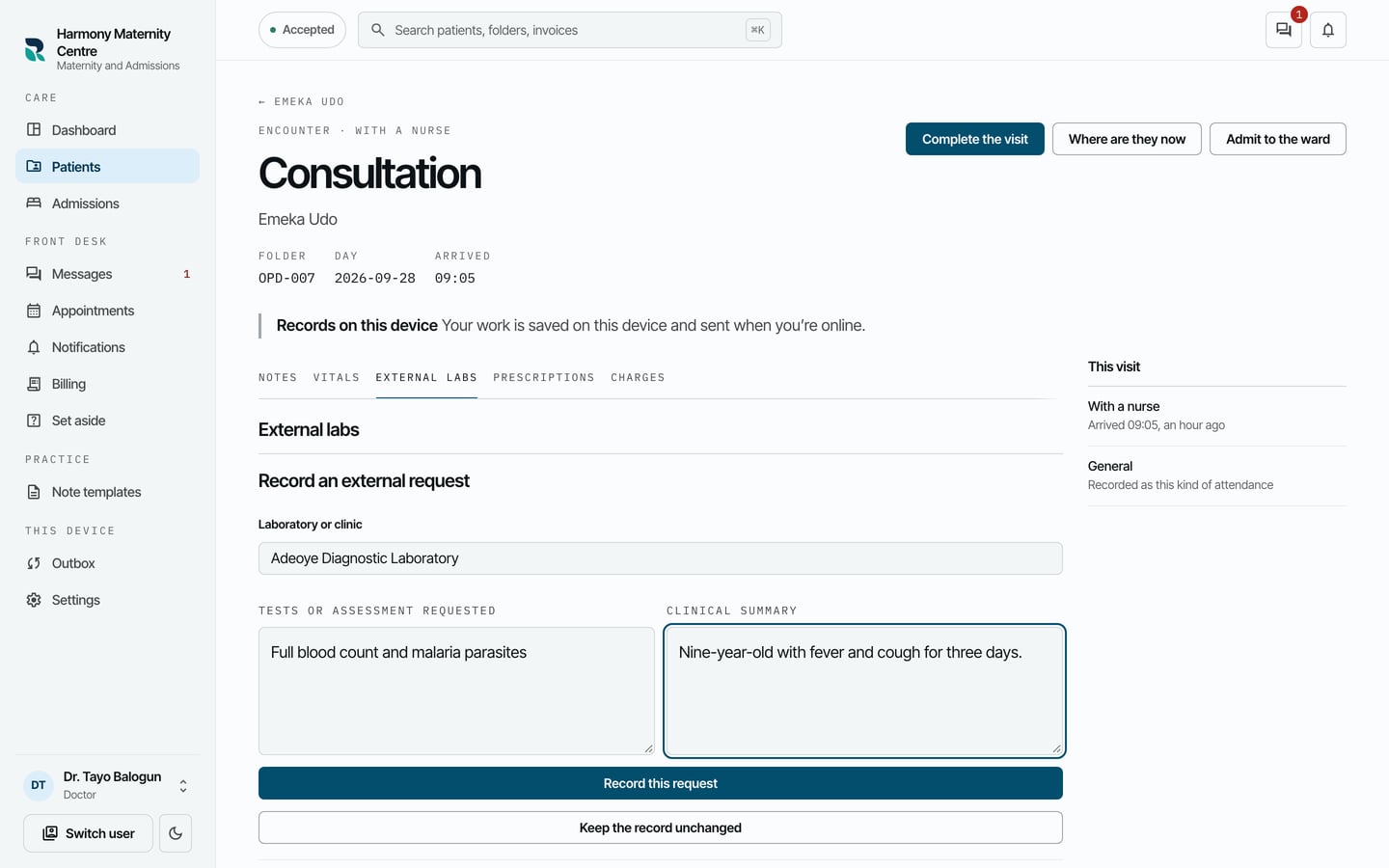
- Choose Record this request, then Close external entry.
When the report comes back:
- On the request, choose Transcribe a report.
- Fill in Reporting laboratory, the day the report was issued, and the report itself in Report transcription.
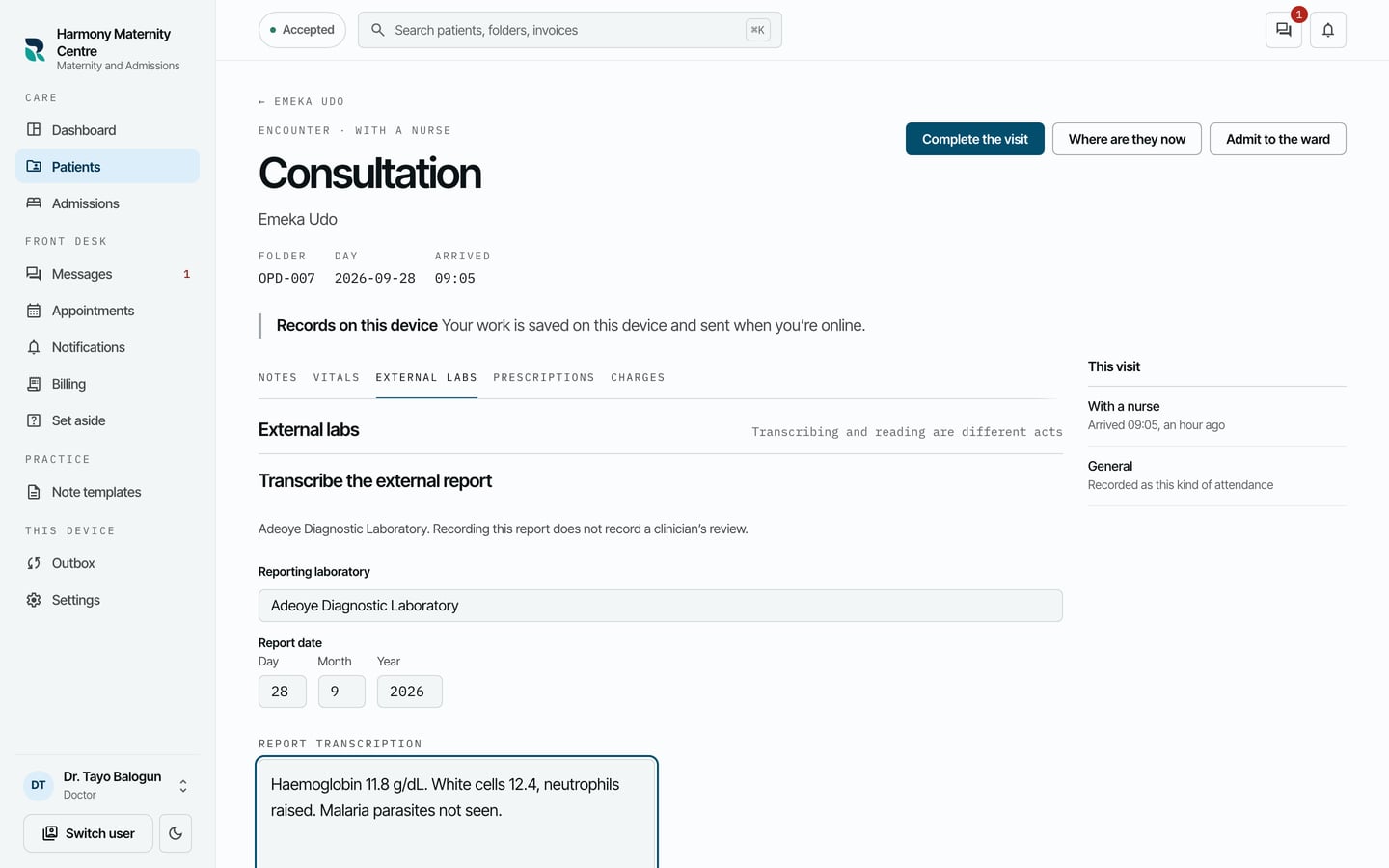
- Choose Record this report, then Close external entry.
- When a clinician has read the report, they choose Record that you read it, write what they made of it in What you made of it, and choose Record it.
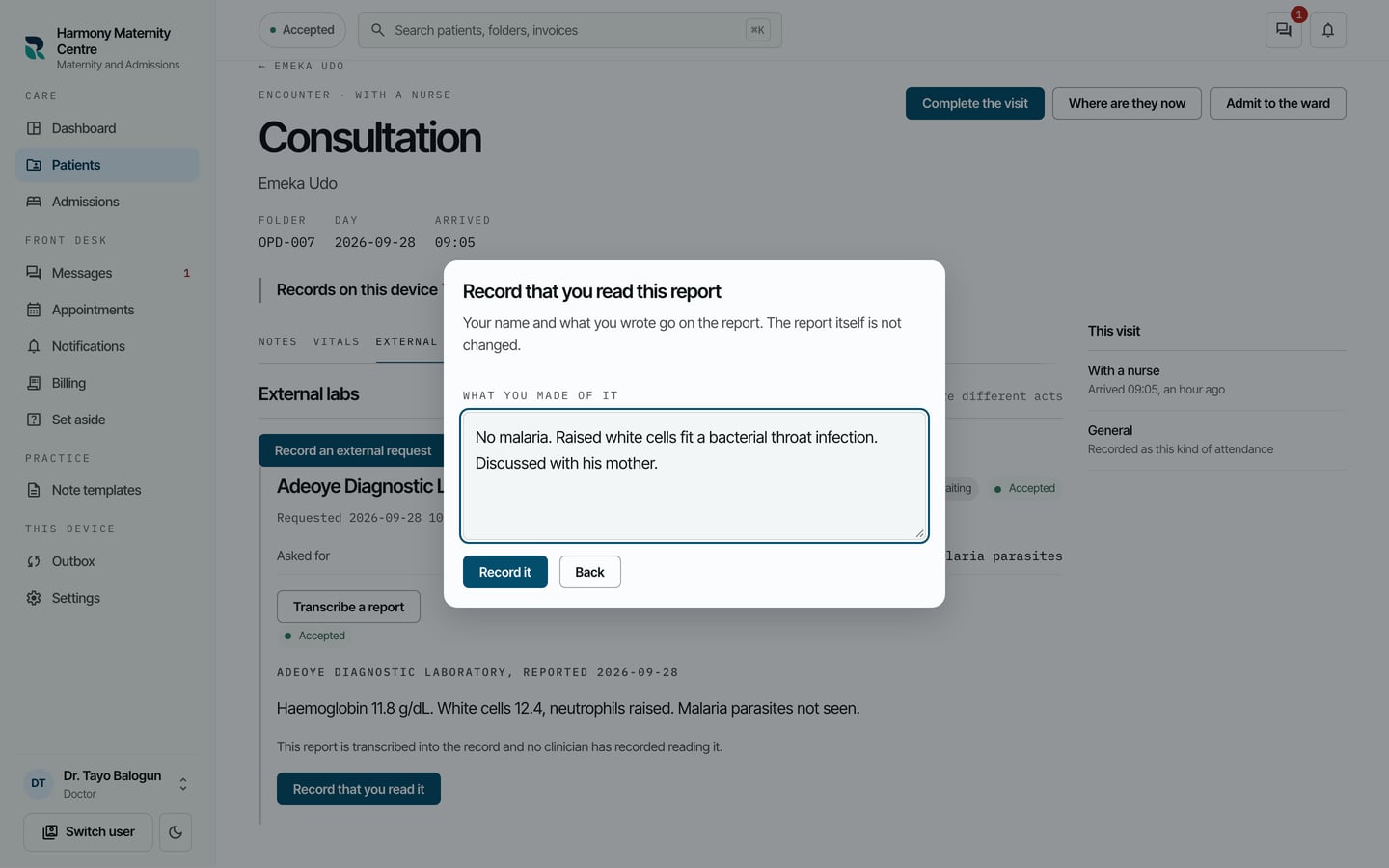
What to expect
The request shows Reviewed once a clinician has recorded reading the report, with the report and their reading under it.