Complete a visit
Close a visit when the patient has been seen, so they leave the list of people in the building.
- Where
- Practice portal
- Who can do this
- Doctor, Midwife and Staff
Complete the visit when the patient has been seen and everything for the day is written. It moves to the patient's visit history and leaves the dashboard.
Steps
- Open the patient's visit.
- Choose Complete the visit.
- Read the confirmation.
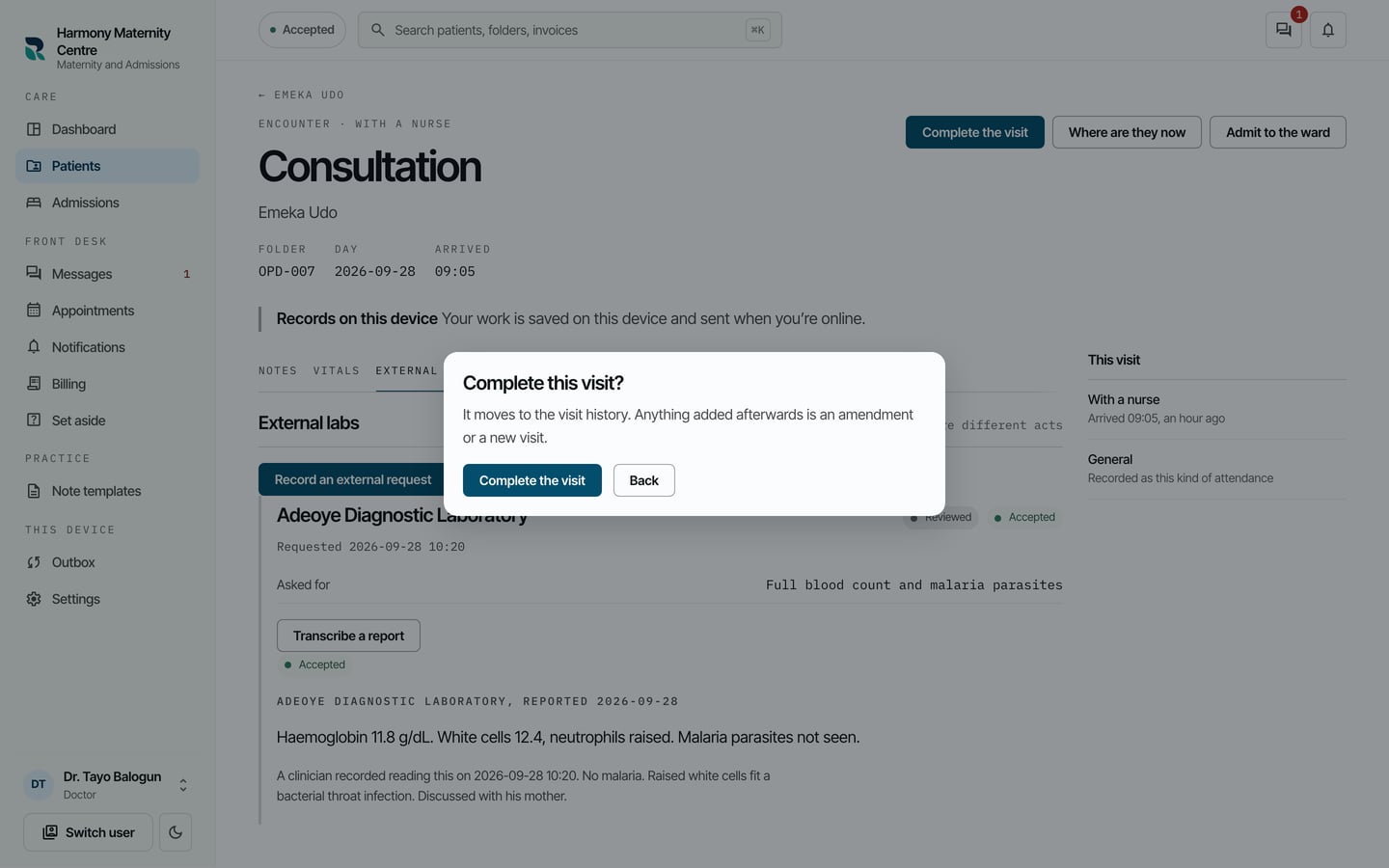
- Choose Complete the visit.
What to expect
The visit's heading changes to Encounter · Completed. You can still read everything in it.
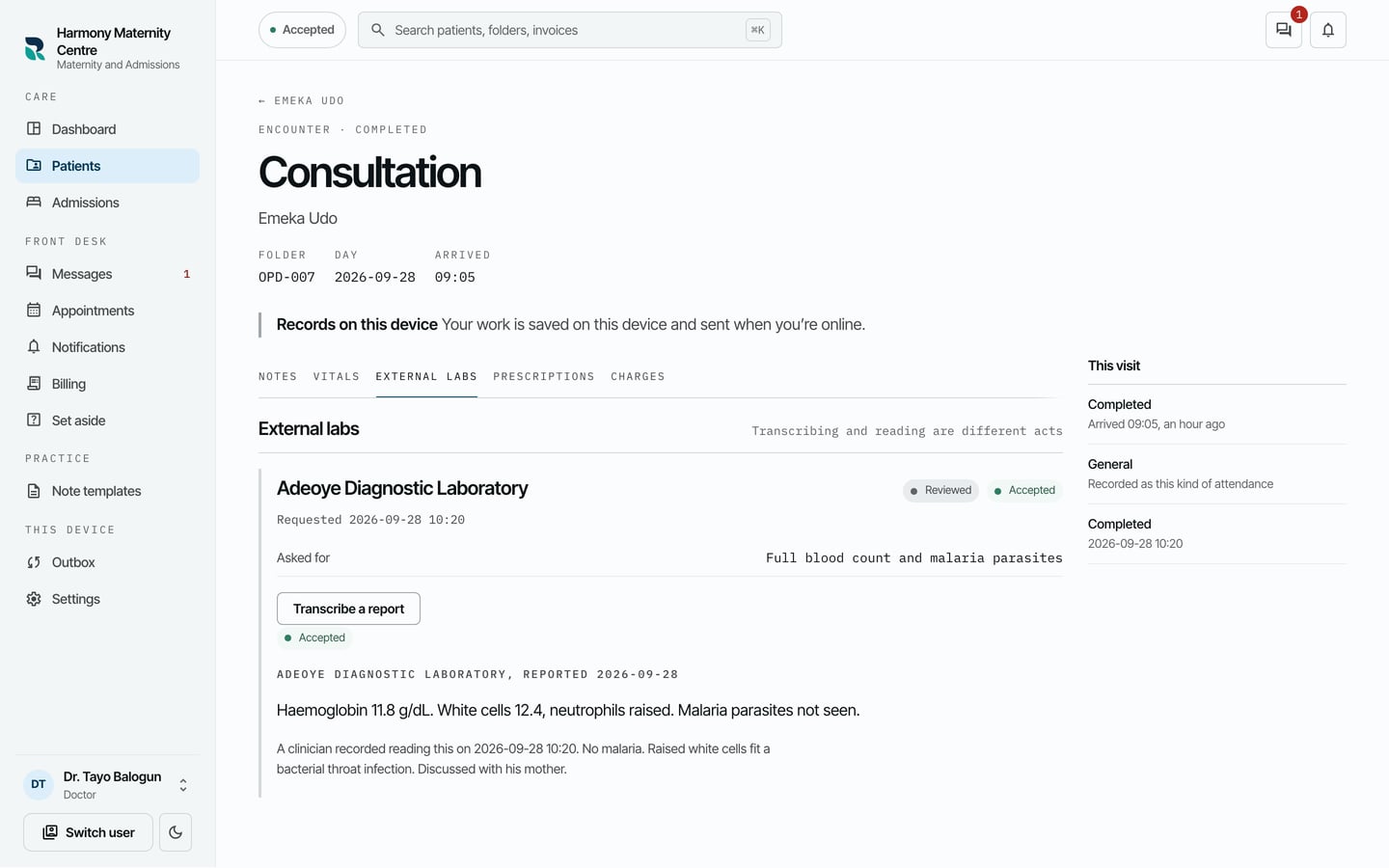
Anything added to it afterwards is a correction or belongs to a new visit.
Your practice can require every note to be signed before a visit is completed. An administrator sets this in Settings > Visits.