Record a prescription
Write a prescription during a visit, check it, and issue it.
- Where
- Practice portal
- Who can do this
- Doctor
Record what you prescribe in the visit, so the prescription stays with the patient's record.
Before you start
Check the allergy line at the head of the patient's chart. If it says Allergies have not been asked about, ask and record the answer first.
Steps
- Open the patient's visit.
- Choose the Prescriptions tab.
- Choose Record a prescription.
- Fill in Medicine, Dose, Route, How often, Duration and Instructions.
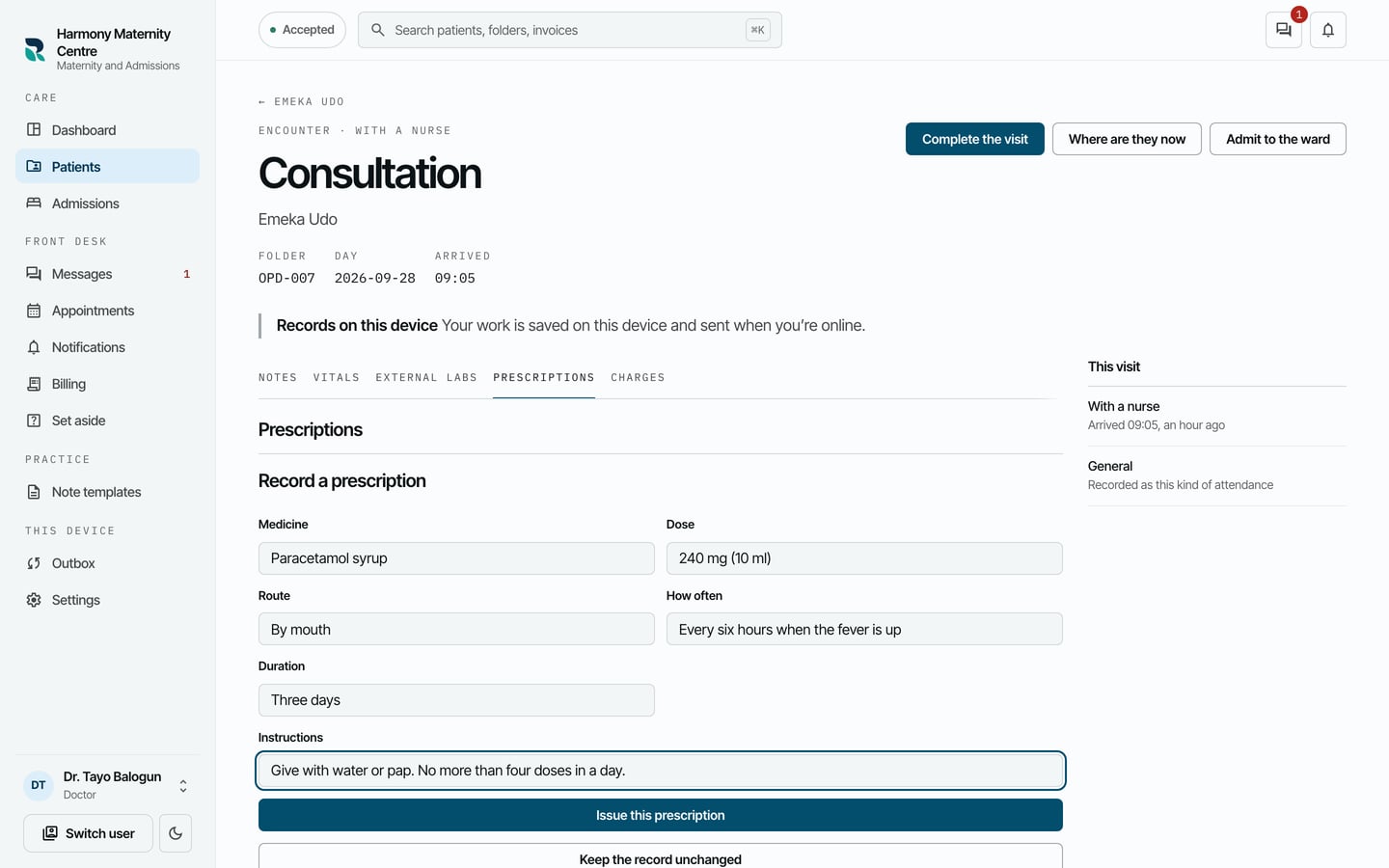
- Choose Issue this prescription.
- Check it, then choose Issue it.
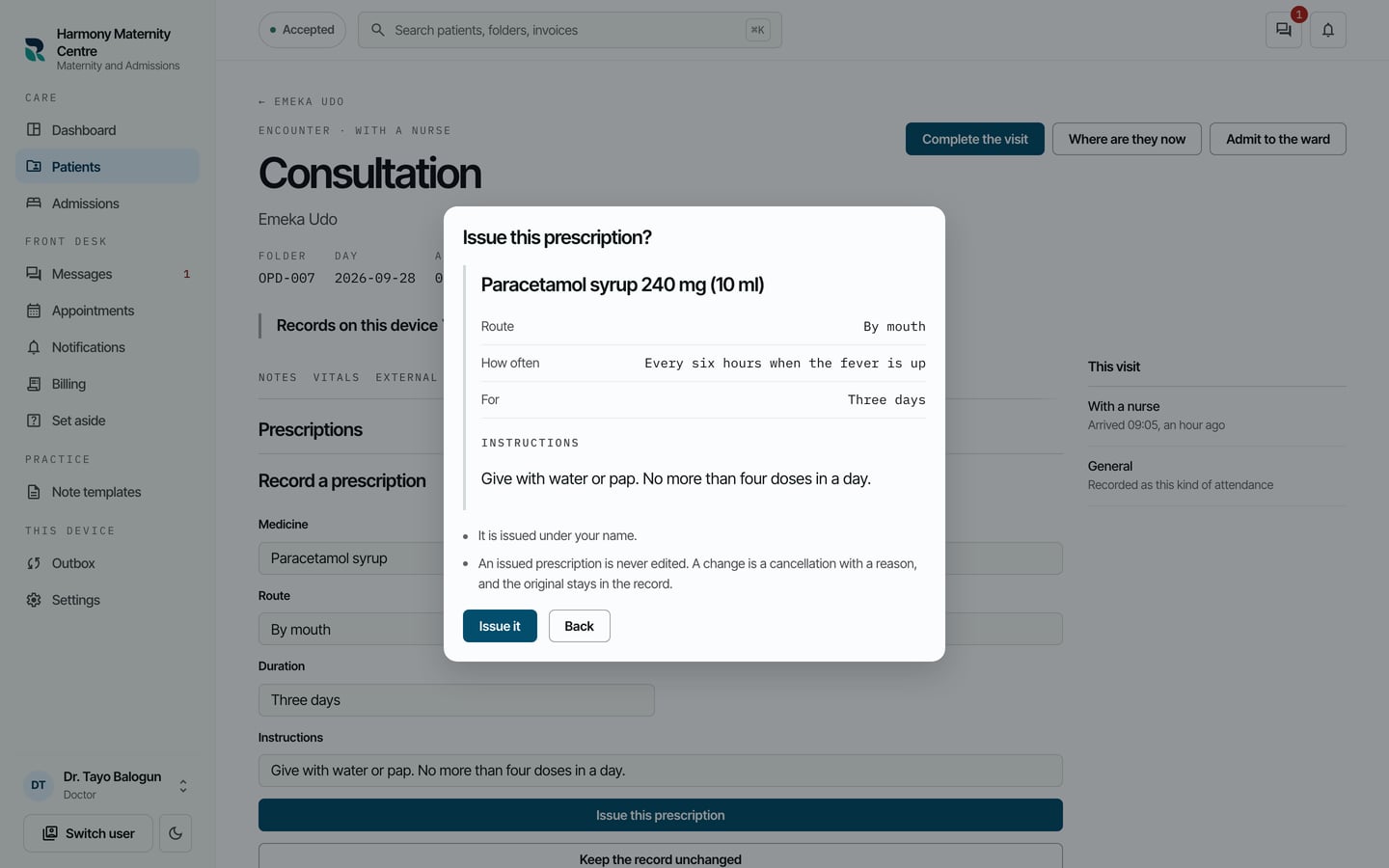
- When RizCare says Prescription saved on this device., choose Close prescription.
What to expect
The prescription is listed on Prescriptions with its dose, how often and for how long, and who issued it.
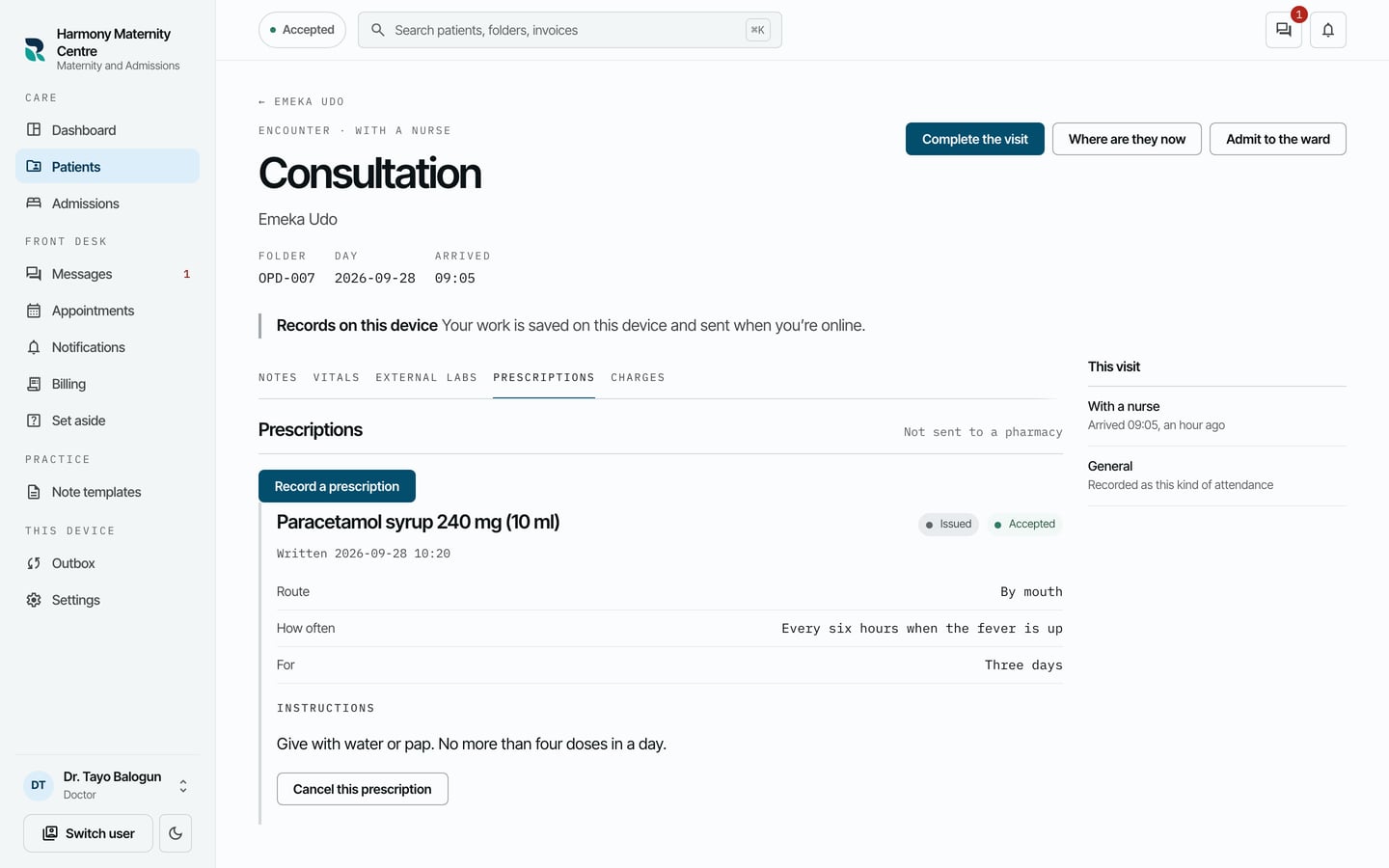
It is a record of what was prescribed, and it is not sent to a pharmacy. Cancel this prescription sits beside it for one that was issued in error.