Open a visit
Open a visit for a patient who has arrived, and find your way around its tabs.
- Where
- Practice portal
- Who can do this
- Administrator, Doctor, Midwife, Nurse, Reception and Staff
Everything written during an attendance belongs to its visit: readings, the note, prescriptions, requests and charges. Open a visit when the patient arrives. A booked patient's visit opens when reception records their arrival.
Steps
- Open the patient's chart.
- Choose Open a visit.
- Under What kind of visit, choose the kind. A practice that runs maternity also offers Antenatal.
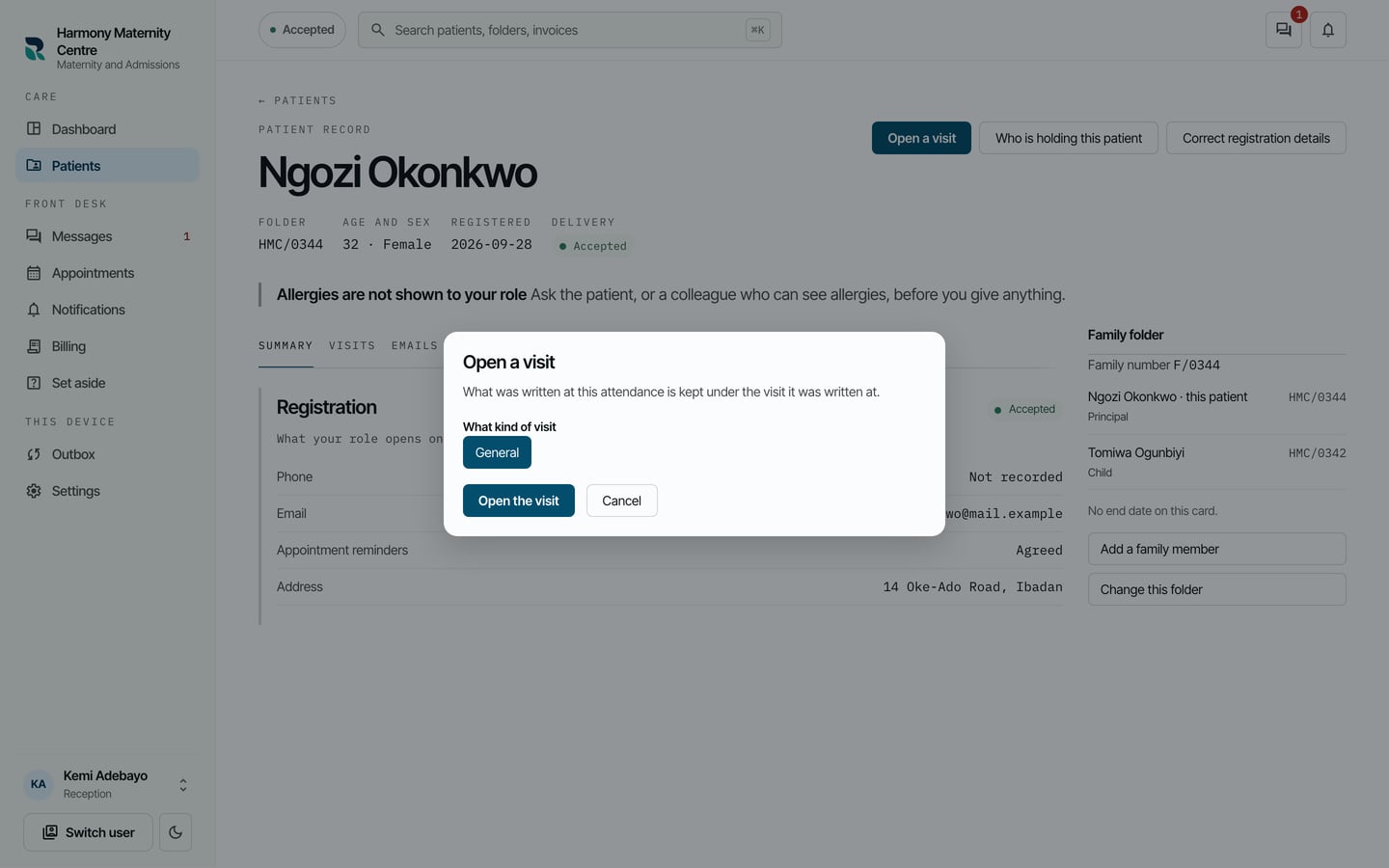
- Choose Open the visit.
To go back to a visit that is already open, open the chart, choose Visits, and choose the visit marked Still open.
What to expect
The visit opens on Notes. The tabs across it are Notes, Vitals, External labs, Prescriptions and Charges. The buttons at the top move the patient along, complete the visit or admit them to the ward.
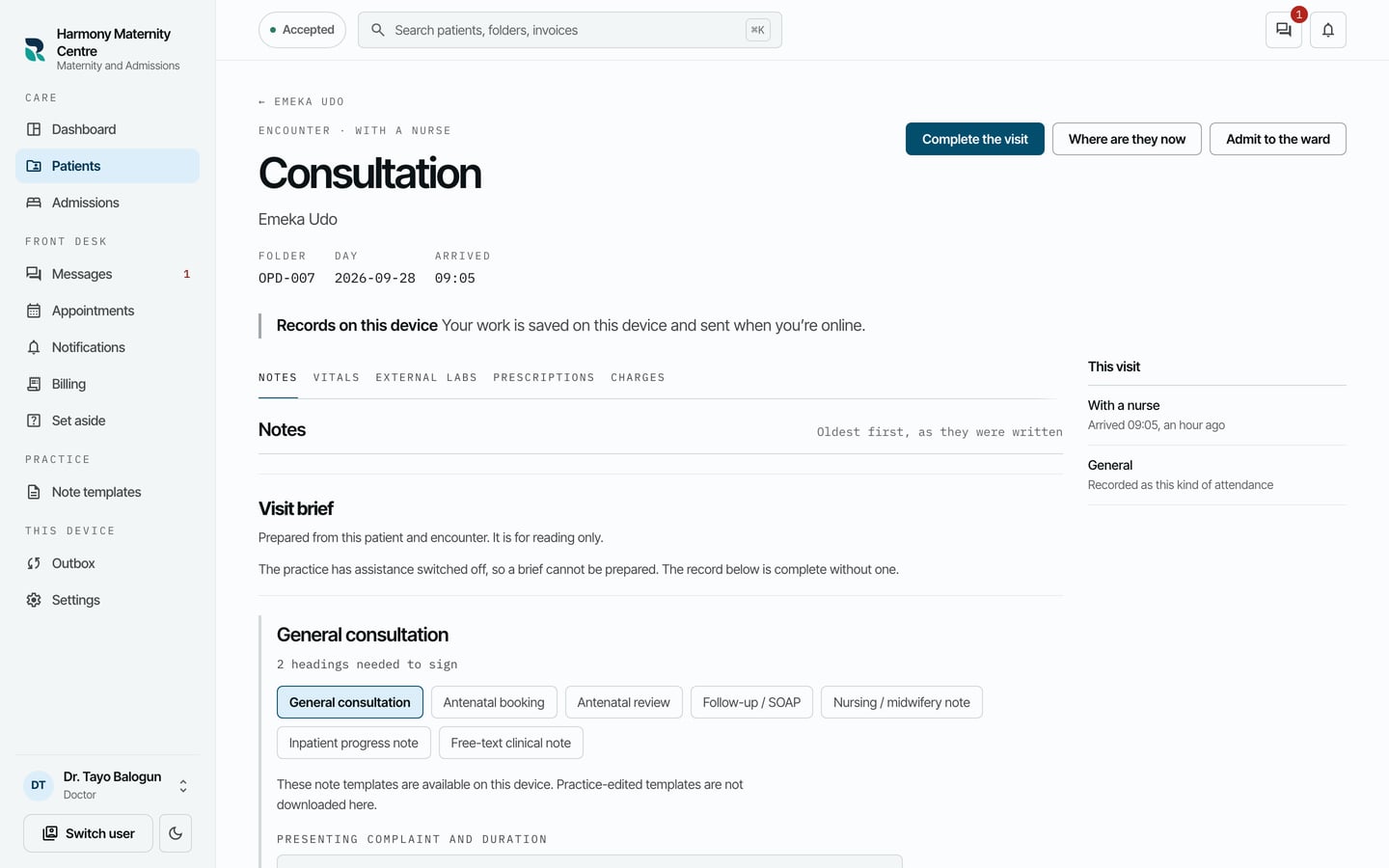
The patient appears on the dashboard under In the building until the visit is completed. Work you record in the visit is saved on your computer and sent when you are online.