Move a patient to the next stage of their visit
Say where a patient is in their visit, so the whole team sees who is waiting and who is being seen.
- Where
- Practice portal
- Who can do this
- Administrator, Doctor, Midwife, Nurse, Reception and Staff
The dashboard shows every patient in the building and where they are: Waiting, With a nurse, With a clinician or Awaiting results. Move a patient on as they go from room to room, so nobody has to walk round asking.
Steps
- Open the patient's visit.
- Choose Where are they now.
- Choose where they are now.
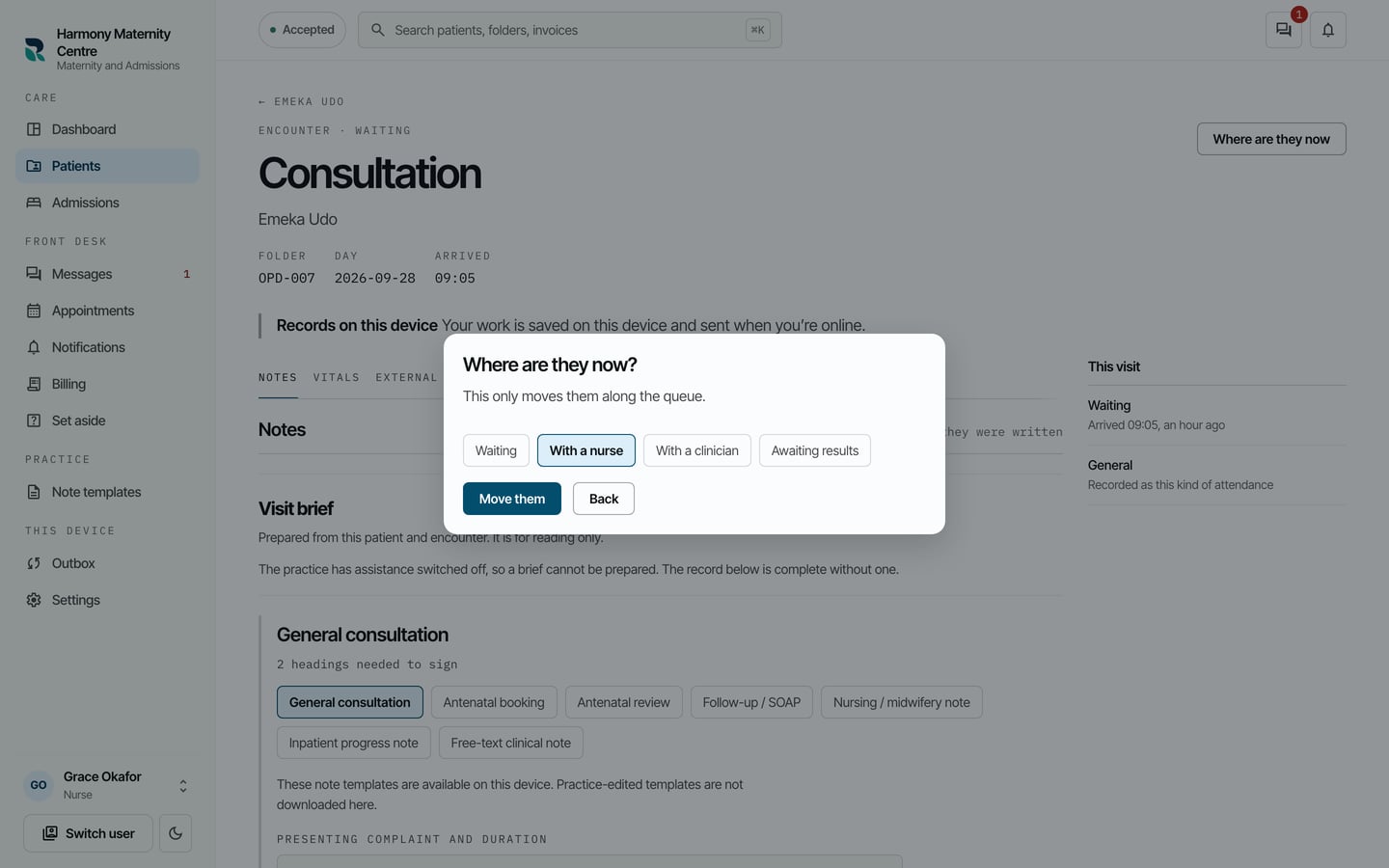
- Choose Move them.
What to expect
The visit's heading changes, for example to Encounter · With a nurse, and the dashboard shows the new stage beside the patient with how long they have waited.
Moving a patient changes only where they are in the queue. It does not change anything written in the visit.