Admit a patient to the ward and discharge them
Admit a patient from their visit, find them on the admissions register, and discharge them with a summary.
- Where
- Practice portal
- Who can do this
- Doctor and Staff
When a patient needs to stay, admit them from their visit. Everybody on the ward sees who is in a bed on Admissions, and the stay keeps what is written during it.
Before you start
Your practice must run admissions. An administrator switches it on in Settings > Modules.
Steps
- Open the patient's visit.
- Choose Admit to the ward.
- Say why in Why they are being admitted, and where in Where on the ward.
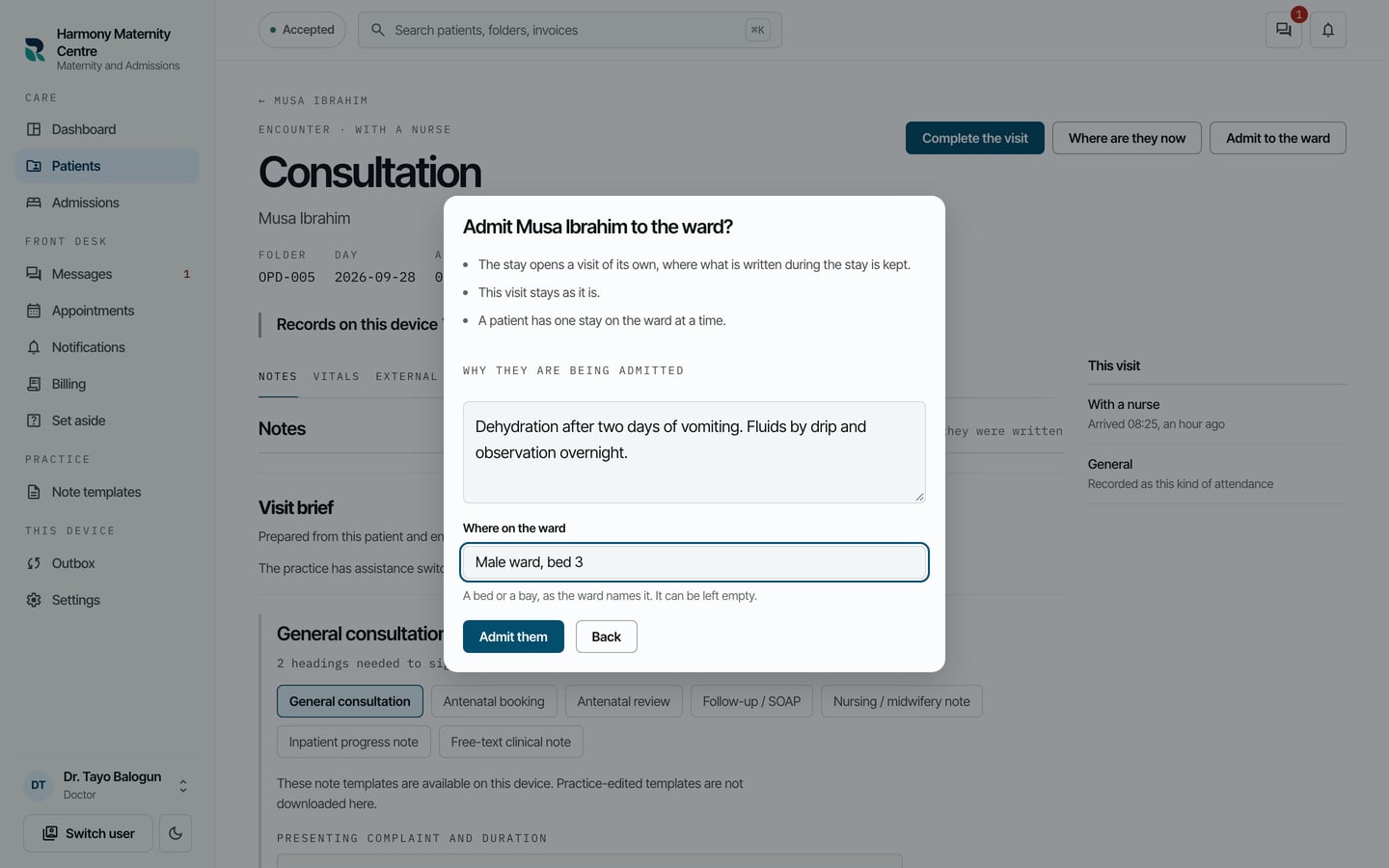
- Choose Admit them.
The patient is now on the register. To discharge them:
- Choose Admissions on the left.
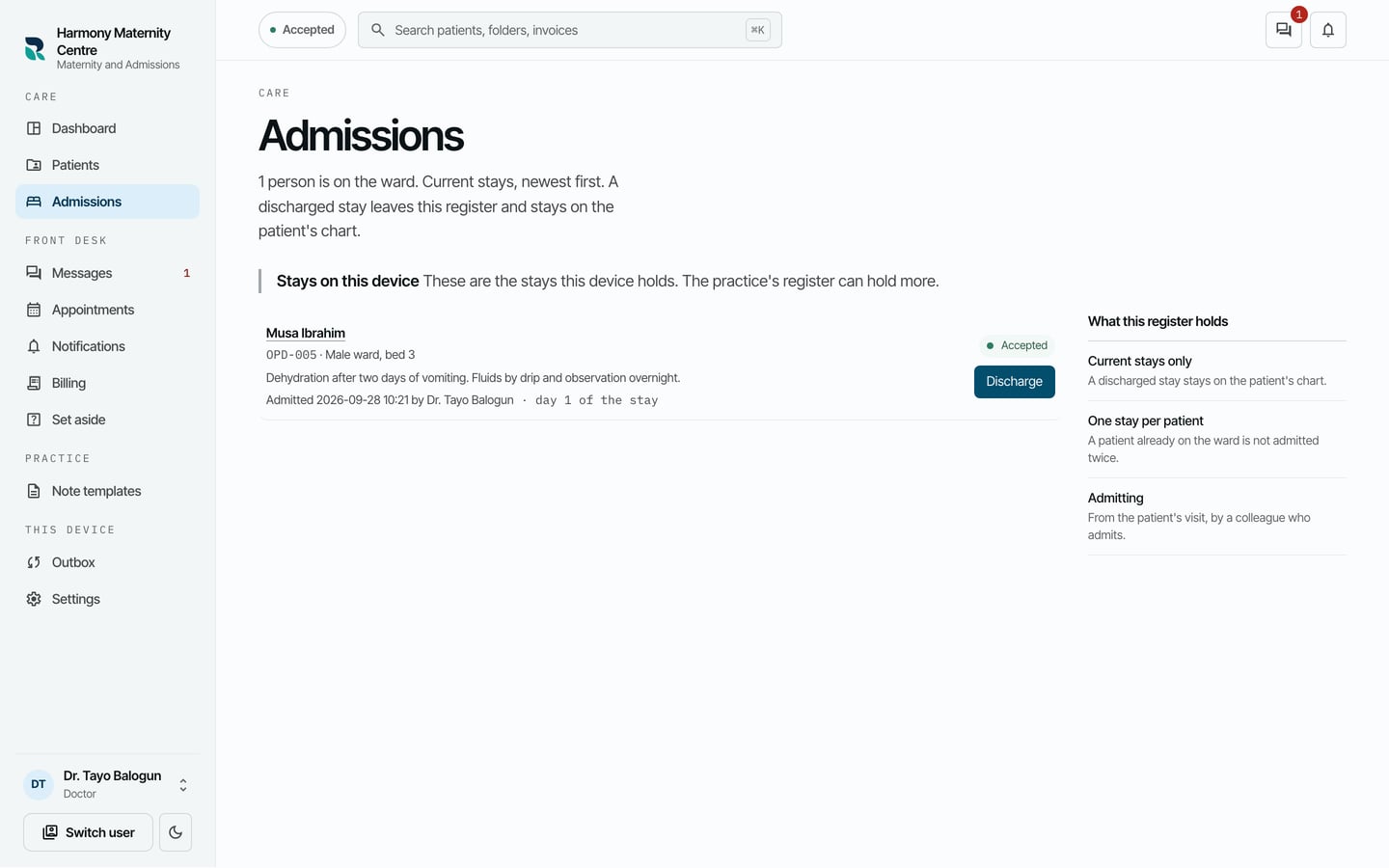
- Choose Discharge beside the patient.
- Write the Discharge summary.
- Tick Care has been handed over, and somebody is named for any result still to come back.
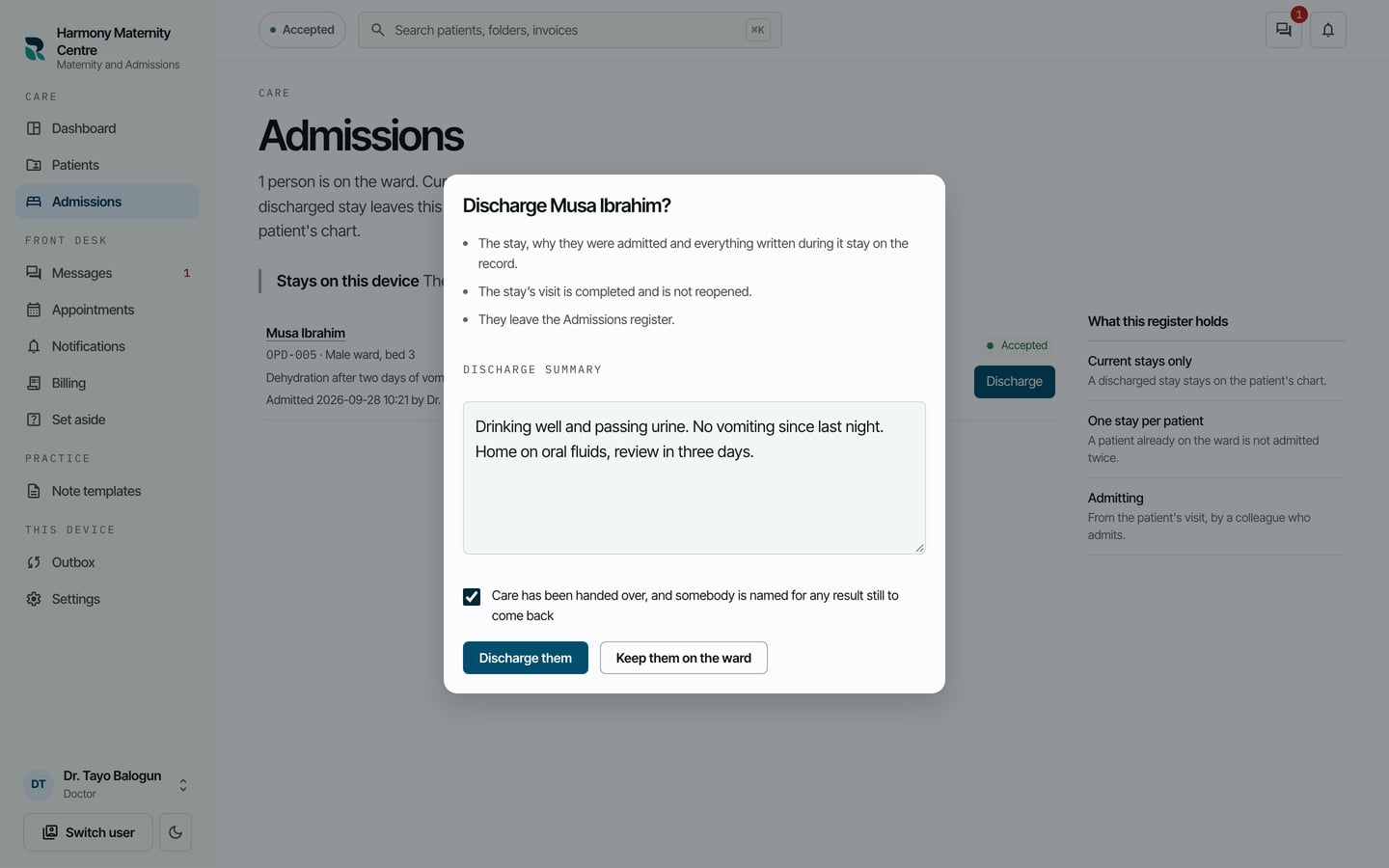
- Choose Discharge them.
What to expect
The patient leaves the register. The stay, why they were admitted and everything written during it stay on their chart under Admissions, and the stay's visit is completed.
A patient has one stay on the ward at a time. Admitting somebody already on the ward is refused, and the form points you to their current stay.