Register a patient on the phone
Add a new patient to the practice from the phone, with the folder number and details from their paper folder.
- Where
- Practice phone app
- Who can do this
- Administrator, Doctor, Midwife, Nurse, Reception and Staff
Register a patient who has never been to the practice before, so they have a record you can open, book and see. Search for them first; a patient who has been before is already registered.
Steps
- Tap Patients at the bottom of the screen.
- Scroll down and tap Register a patient.
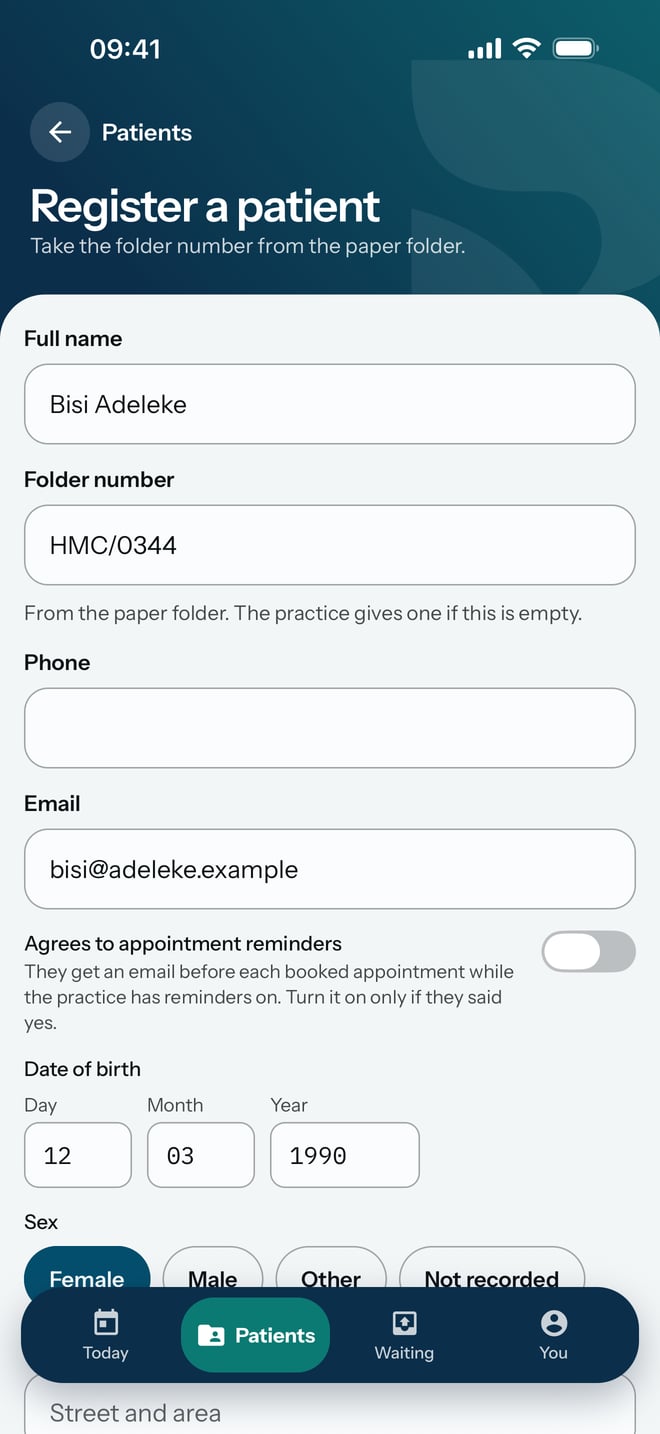
- Type their name in Full name, as it is written on the folder.
- Type the number on the paper folder in Folder number. The screen says the practice gives one if you leave it empty.
- Type their email address in Email if they have one.
- Type their Date of birth as the day, the month and the year.
- Under Sex, tap the one that applies.
- Scroll down and tap Register this patient.
What to expect
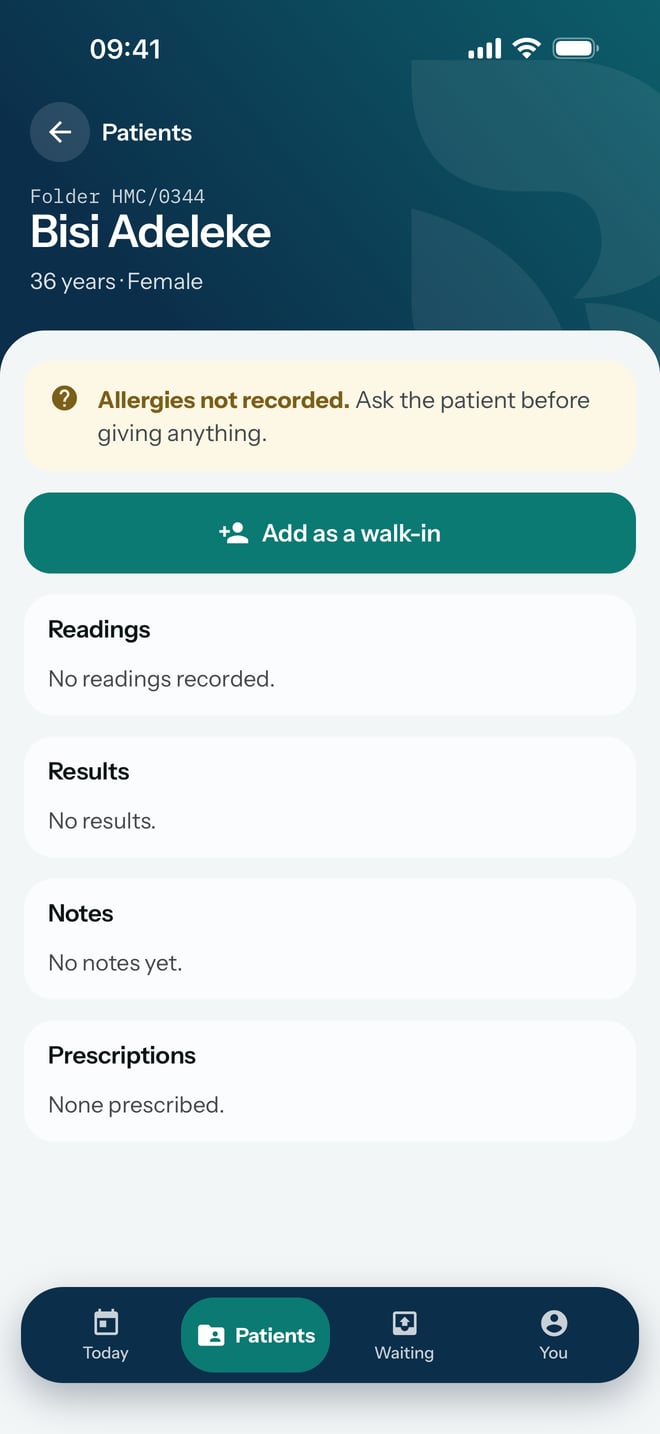
The new patient's chart opens straight away, with their folder number, age and sex at the top, ready for you to add them as a walk-in.
The registration is saved on the phone first and sent to the practice when the phone is online.