Open RizCare with your password
Open the records on a phone you have already set up, by typing the password you use for RizCare.
- Where
- Practice phone app
- Who can do this
- Administrator, Doctor, Midwife, Nurse, Reception, Billing and Staff
Once a phone is set up, RizCare asks for your password every time you open it, and again after you lock it. The password opens the records stored on the phone, so it works with or without a connection.
Steps
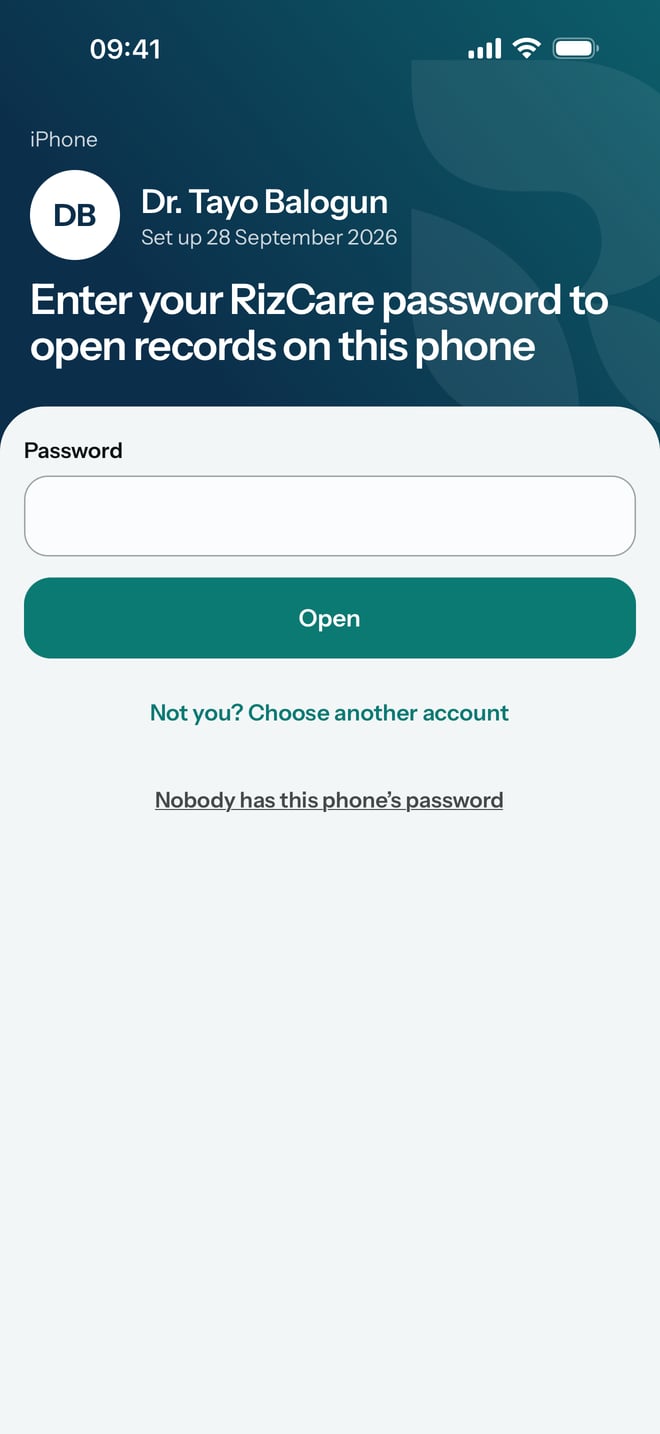
- Open RizCare. You see your name and Enter your RizCare password to open records on this phone.
- Type your password in Password.
- Tap Open.
- If your account has a second step, RizCare then shows One more step. Type the six digits your authenticator app shows for RizCare in Code from the app, and tap Continue.
If the screen shows somebody else's name, tap Not you? Choose another account. On Who is using this phone?, tap your name, then type your password and tap Open.
What to expect
RizCare opens with every record the phone holds. Anything you saved before you locked it is still there, and anything waiting to send carries on sending once there is a connection.
If your account has a second step, RizCare asks for a fresh code each time you open the records, so keep your authenticator app on the phone you carry.
Each person on a shared phone opens only their own records, with their own password. If nobody on the phone knows the password it was set up with, see Reset a phone nobody can open.