Book an appointment from the phone
Book a patient into a free time in a clinician's diary from the phone, while the patient is still in front of you.
- Where
- Practice phone app
- Who can do this
- Administrator, Doctor, Midwife, Nurse, Reception and Staff
When a patient needs to come back, book them before they leave. The diary on the phone shows each clinician's free times, so you can agree a time with the patient there and then.
Before you start
- Booking needs a connection.
- The patient must already be registered with the practice.
Steps
- On Today, tap Diary, and move to the day you want with the arrows beside the date.
- Tap the clinician's name under the date to see only their day.
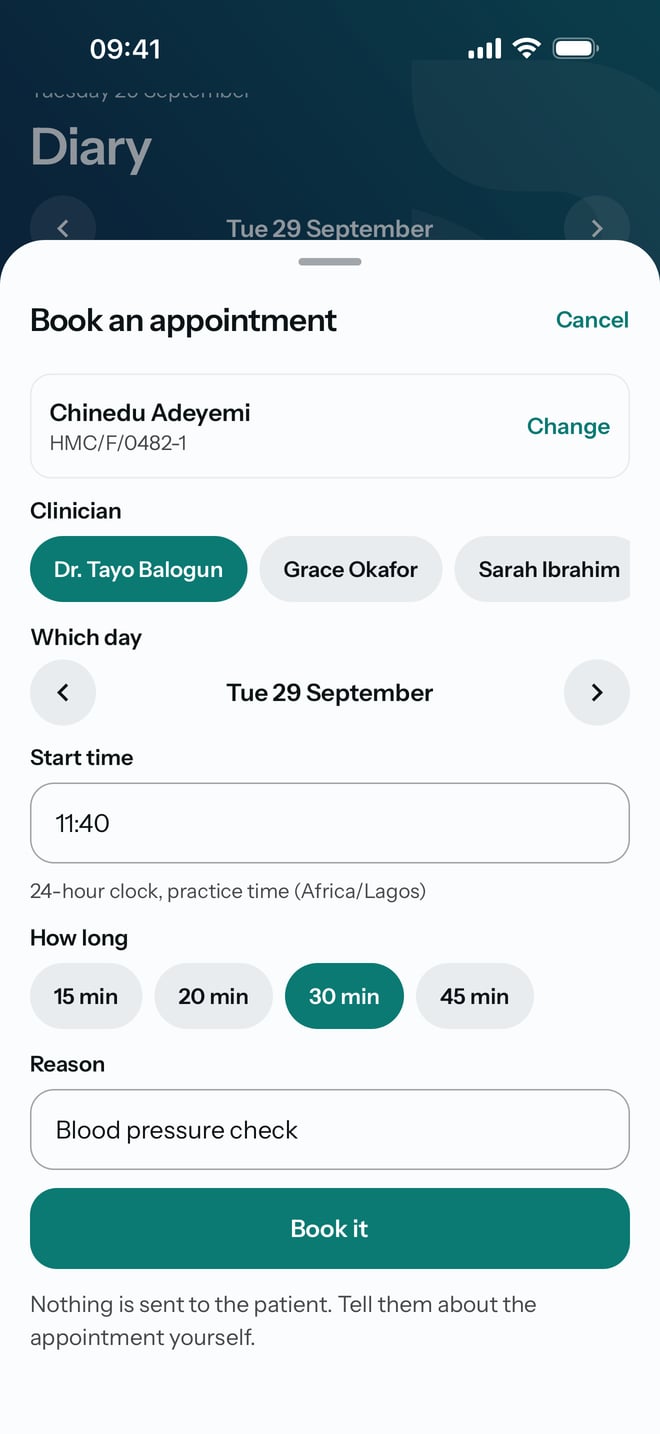
- Tap a free time that reads Open in their hours. Press to book. The Book an appointment sheet opens with that clinician chosen.
- Tap Find the patient and type part of their name, folder number or phone. Tap the patient in the list.
- Check Clinician and Which day, and type the time in Start time on the 24-hour clock, such as 11:40.
- Check the length under How long.
- Type why they are coming in Reason.
- Tap Book it.
What to expect
The sheet closes and the appointment appears in the clinician's day, with its time, the patient's name, Booked, their folder number and the reason.