Move or cancel an appointment from the phone
Change the time of a booked appointment, or cancel it with the reason, from the diary on the phone.
- Where
- Practice phone app
- Who can do this
- Administrator, Doctor, Midwife, Nurse, Reception and Staff
When a patient calls to change their time, or cannot come at all, change the appointment in the diary so the clinician's day stays right.
Before you start
Moving and cancelling need a connection.
Steps
- On Today, tap Diary and move to the day of the appointment.
- Tap the appointment. A sheet opens with its day, time, reason and clinician, and Move it, Cancel it and Open the chart.
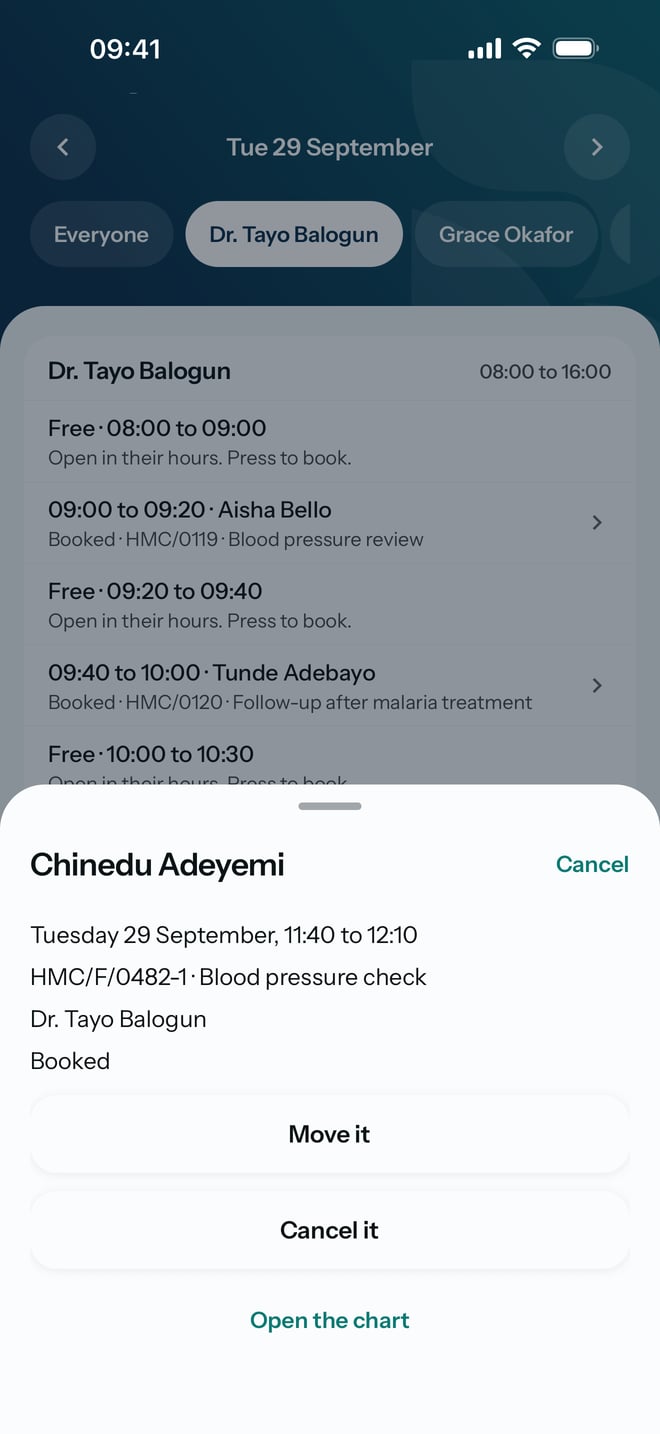
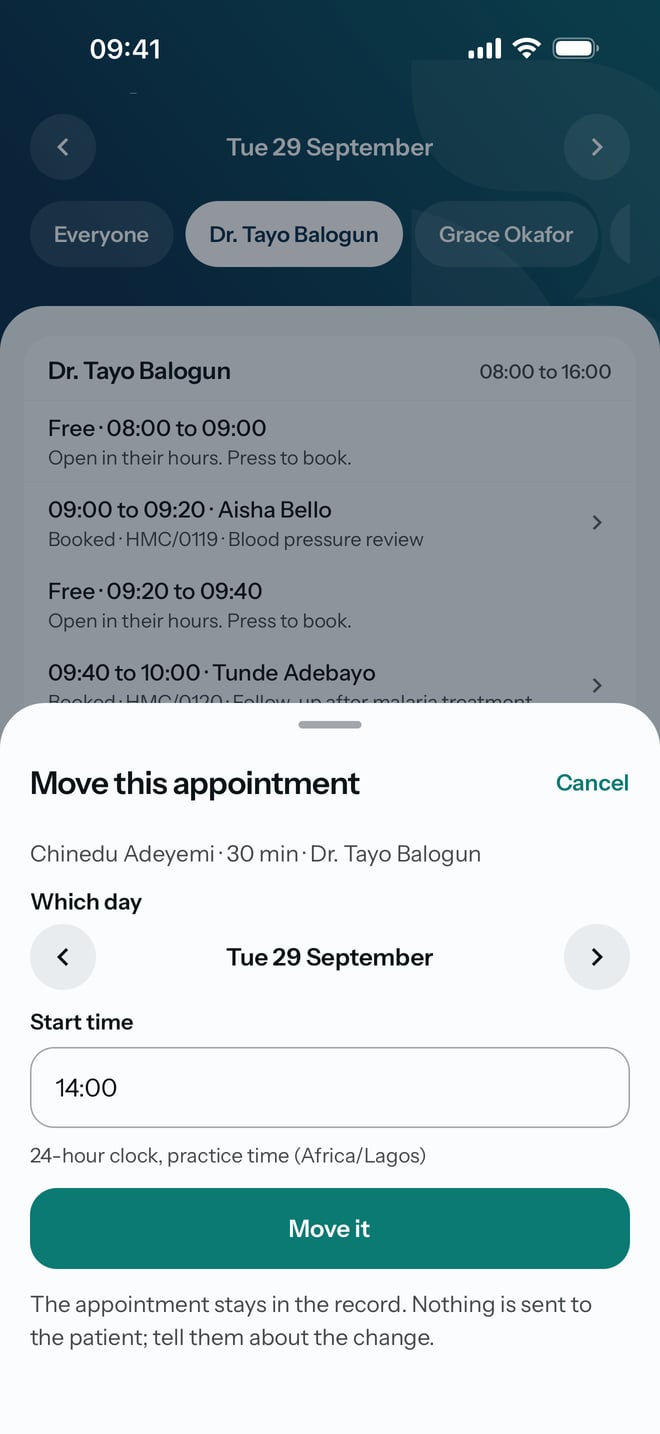
To move it
- Tap Move it.
- Type the new time in Start time, such as 14:00. The day is shown above it, under Which day.
- Tap Move it.
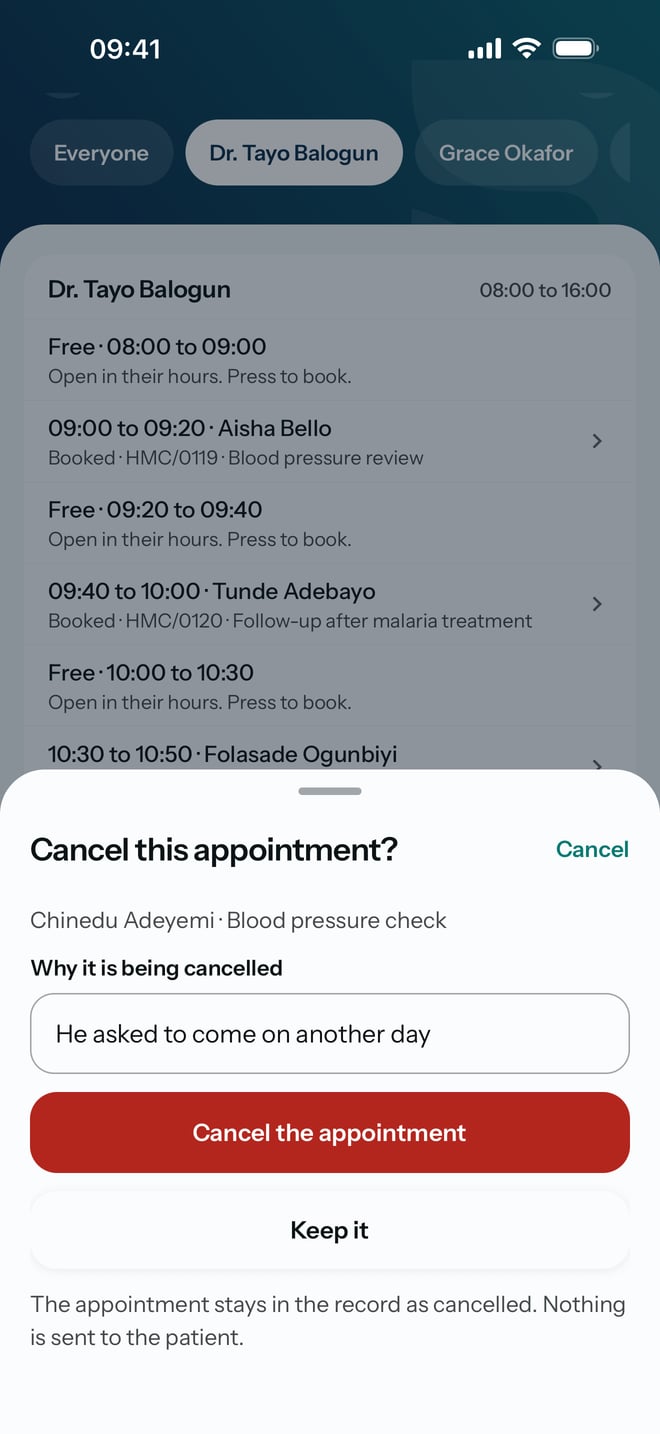
To cancel it
- Tap Cancel it.
- Type the reason in Why it is being cancelled.
- Tap Cancel the appointment.
What to expect
A moved appointment shows at its new time in the diary. A cancelled one stays in the record as cancelled, with your reason. RizCare sends the patient nothing either way, so tell them about the change yourself.