Give a parent access to a child's records
Make a code a parent or guardian types to read a child's visits, bills and shared notes on the patient portal.
- Where
- Practice portal
- Who can do this
- Administrator, Doctor, Midwife, Nurse, Reception and Staff
A parent or guardian can read a child's records on the patient portal with their own account. You make the code on the child's chart.
Before you start
The patient portal must be on, and the child needs a date of birth on their record. The parent types it with the code.
A parent's code is for a child under 13. For a child aged 13 to 17 it works only where your practice allows guardian access at that age, and never for an adult.
Steps
- Open the child's chart and choose the Patient portal tab.
- Under Who is the code for?, choose A parent or guardian.
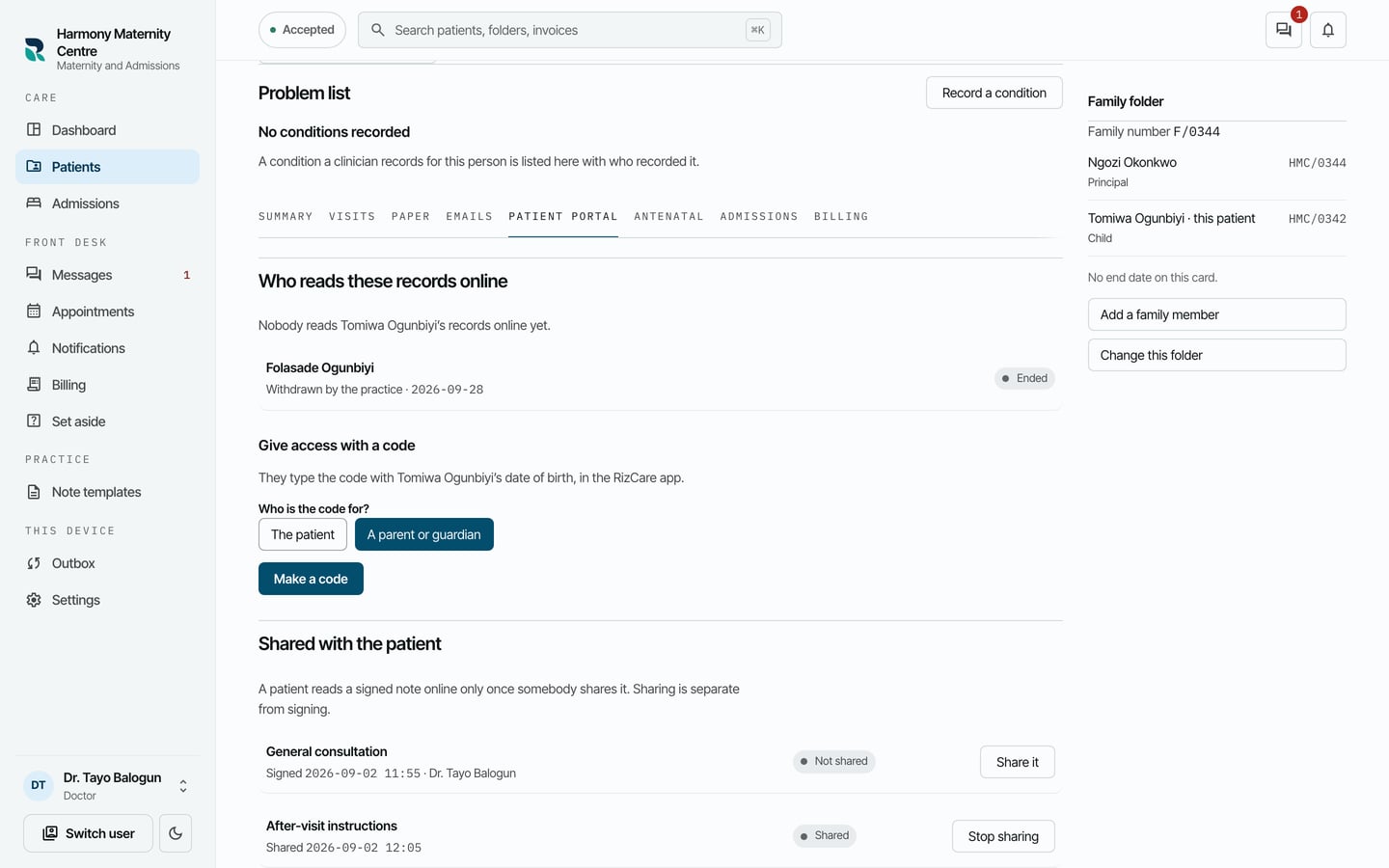
- Choose Make a code, then give the parent the code or choose Print it.
- Choose Done.
What to expect
The parent types the code with the child's date of birth. Once they have joined, they are listed under Who reads these records online as Parent or guardian.