Add a condition to the problem list
Record a long-term condition on a patient's problem list, with the date it started.
- Where
- Practice portal
- Who can do this
- Doctor, Midwife and Staff
The problem list keeps a patient's long-term conditions at the top of the chart, so every clinician sees them without reading back through old notes.
Steps
- Open the patient's chart.
- Choose Record a condition.
- Type the condition in Condition.
- Under Began on, if known, fill in the Day, Month and Year it started.
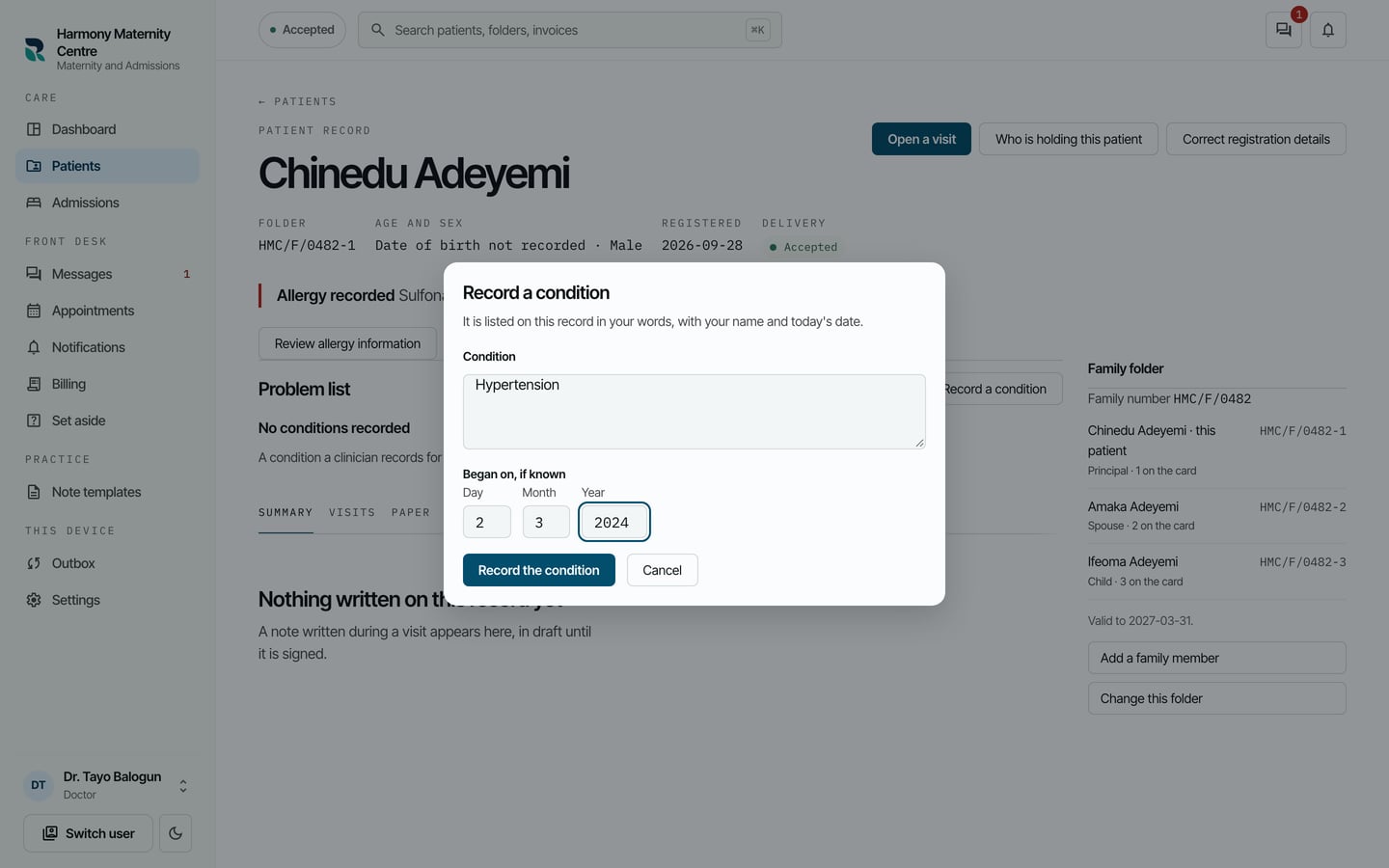
- Choose Record the condition.
What to expect
The condition is listed under Problem list with the date it started and who recorded it.
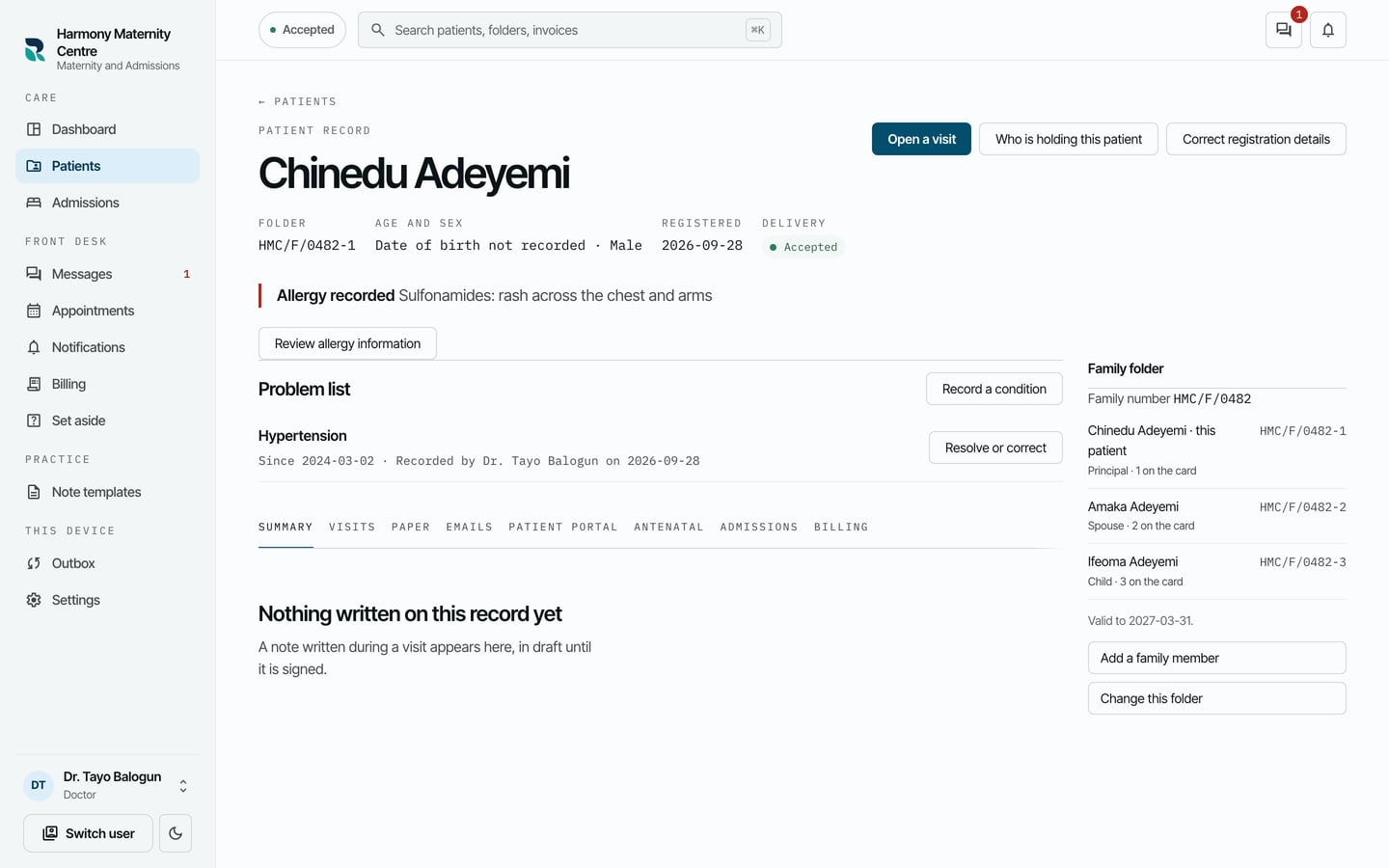
Beside each condition is Resolve or correct, for when the condition ends or was recorded wrong.