Keep a family on one folder
Open a family folder for a patient and add their spouse or children, so one family card covers them all.
- Where
- Practice portal
- Who can do this
- Administrator, Doctor, Midwife, Nurse, Reception and Staff
Many practices give a family one card, with a principal and the people who share it. A family folder in RizCare matches that card. Each person keeps their own record and folder number.
Before you start
Everyone who goes on the folder must already be registered. Family folders must be on in Settings > Practice details.
Steps
- Open the chart of the person the card belongs to.
- Under Family folder, choose Open a family folder.
- Type the number from the card in Family number, and add Name on the folder and Card valid to if the card has them.
- Under Place on the card, choose Principal.
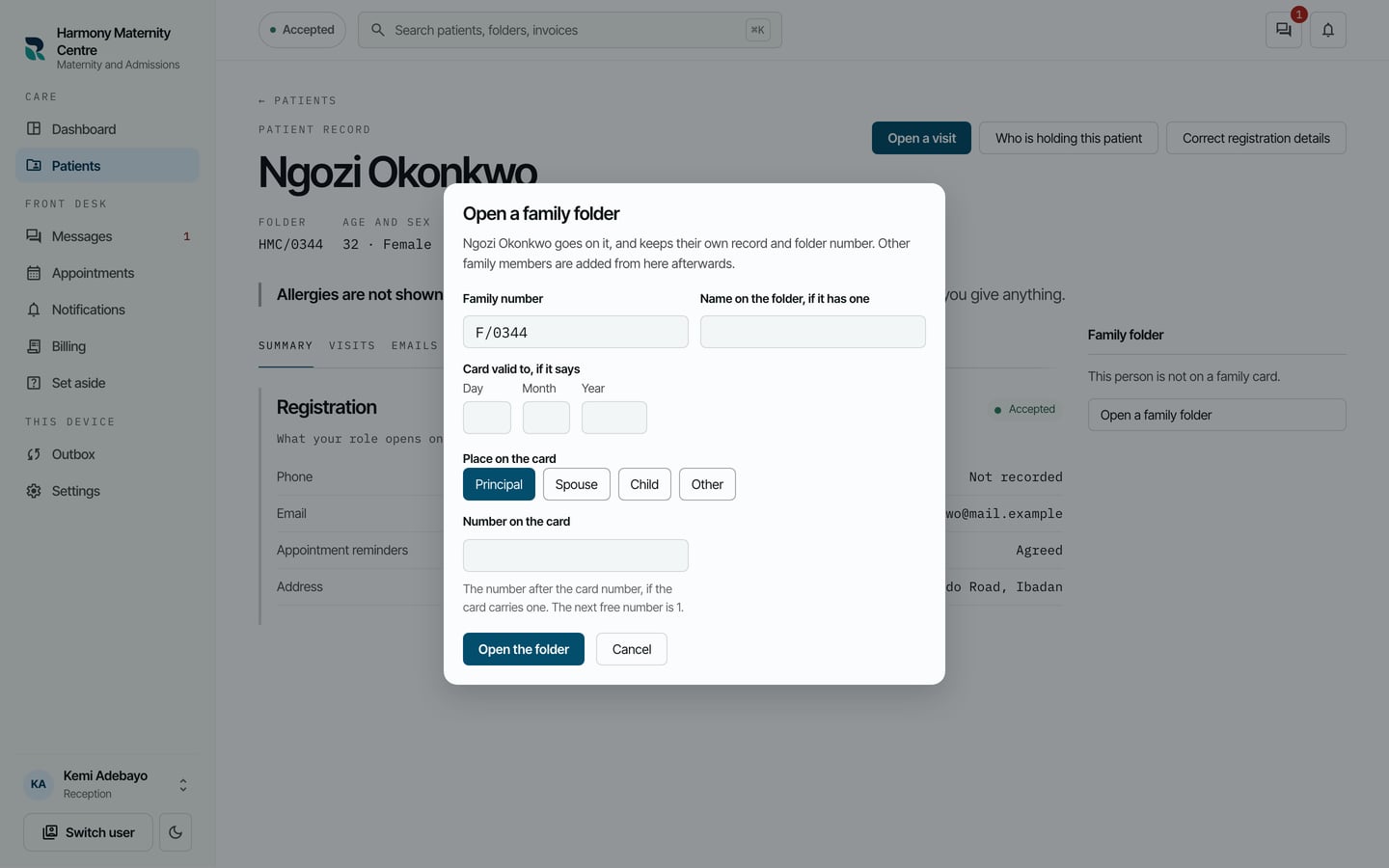
- Choose Open the folder.
- Choose Add a family member.
- Find the family member in Find a registered patient by name, folder number or phone, and choose them.
- Choose their Place on the card: Spouse, Child or Other.
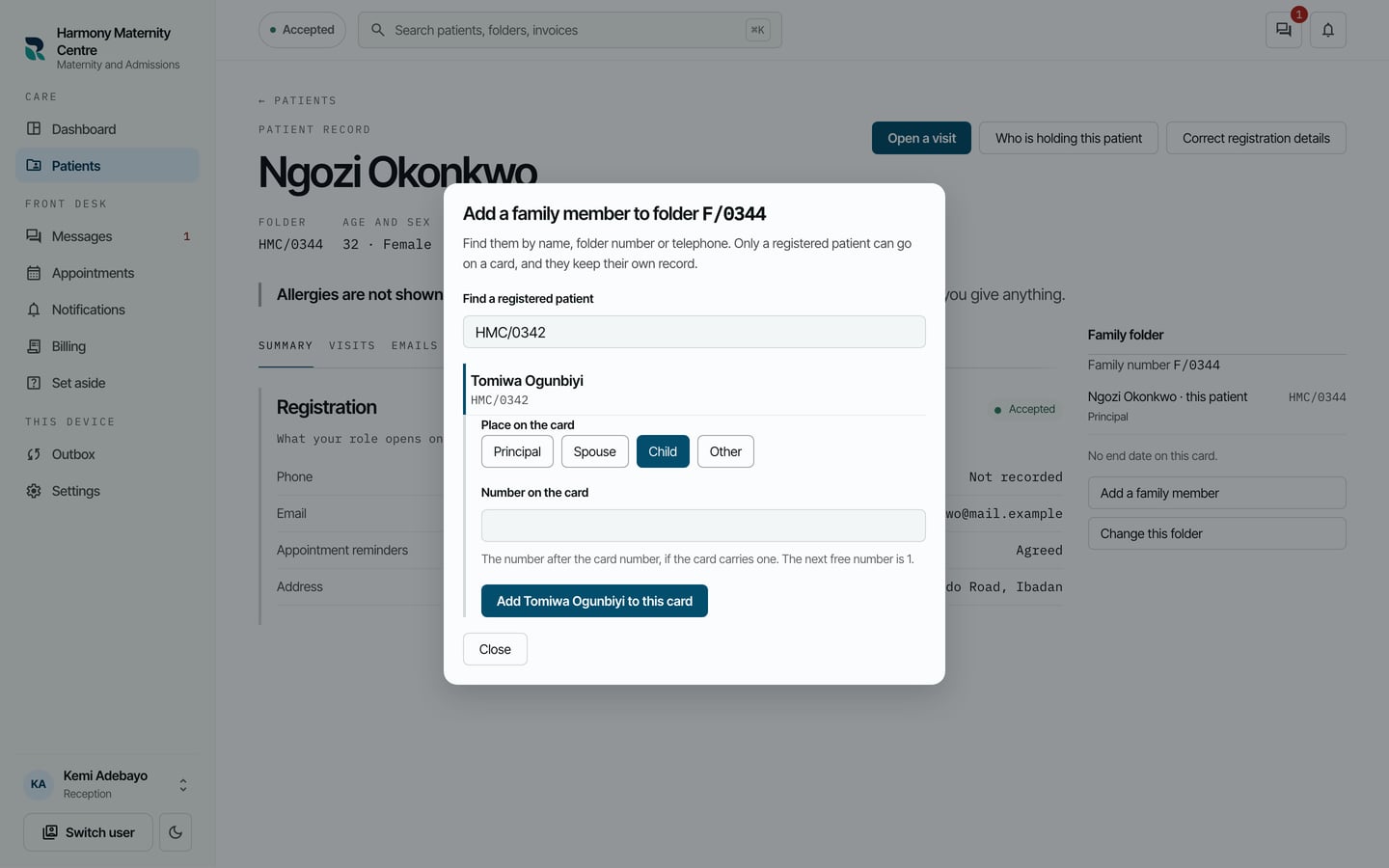
- Choose Add with their name, for example Add Tomiwa Ogunbiyi to this card.
What to expect
The family is listed under Family folder on the chart of everyone on the card, with each person's place and folder number.
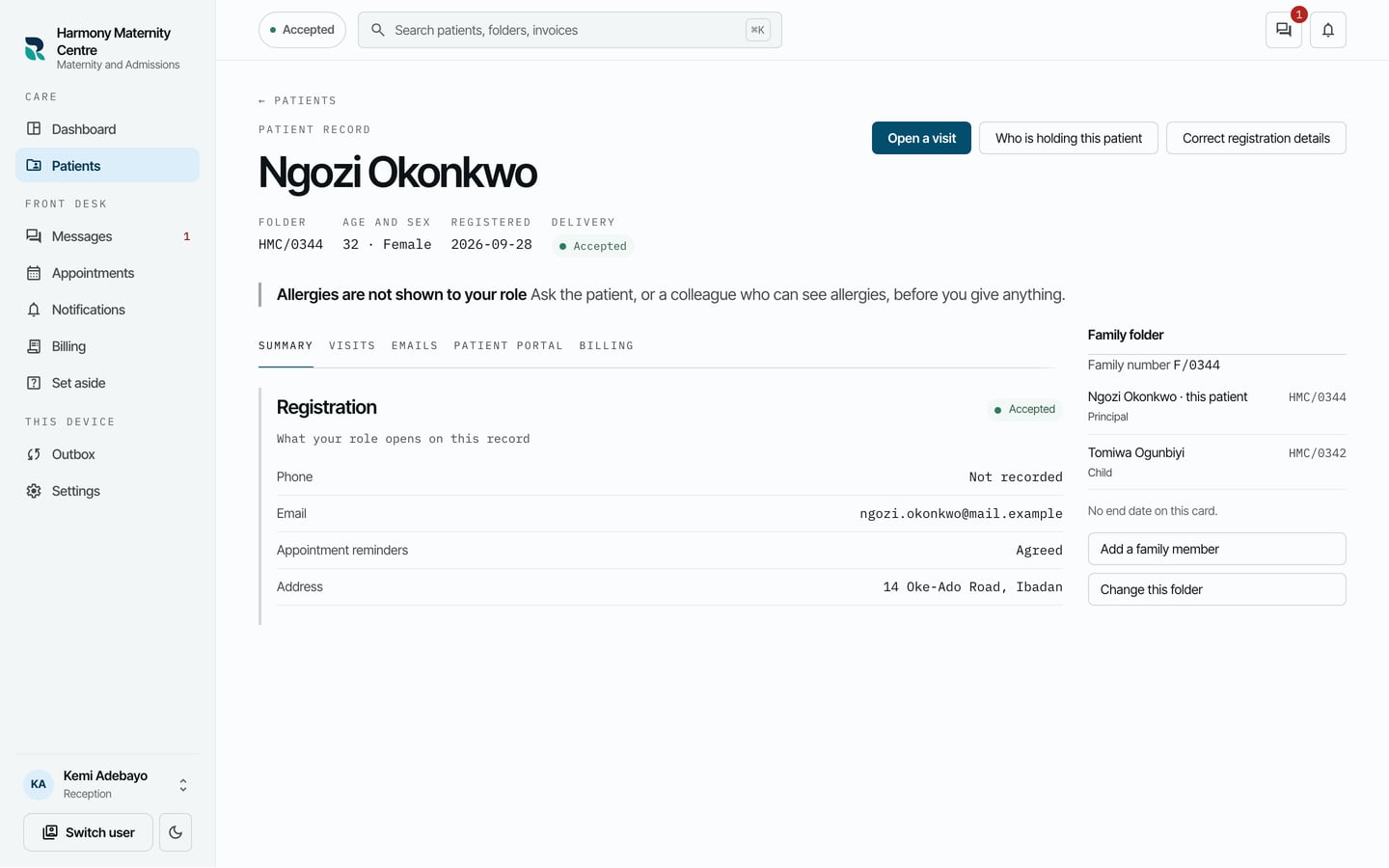
Use Change this folder to take somebody off the card. Their own record, visits and bills stay as they are.