Find a patient
Find a patient by name, folder number or phone, from the patient list or from the search at the top of every screen.
- Where
- Practice portal
- Who can do this
- Administrator, Billing, Doctor, Midwife, Nurse, Reception and Staff
Look a patient up before you register them or open a visit. Most people at the desk have been before, and the folder number on their card finds them fastest.
Steps
- Choose Patients on the left.
- Type part of the name, the folder number or the phone number in Find someone. The list narrows as you type.
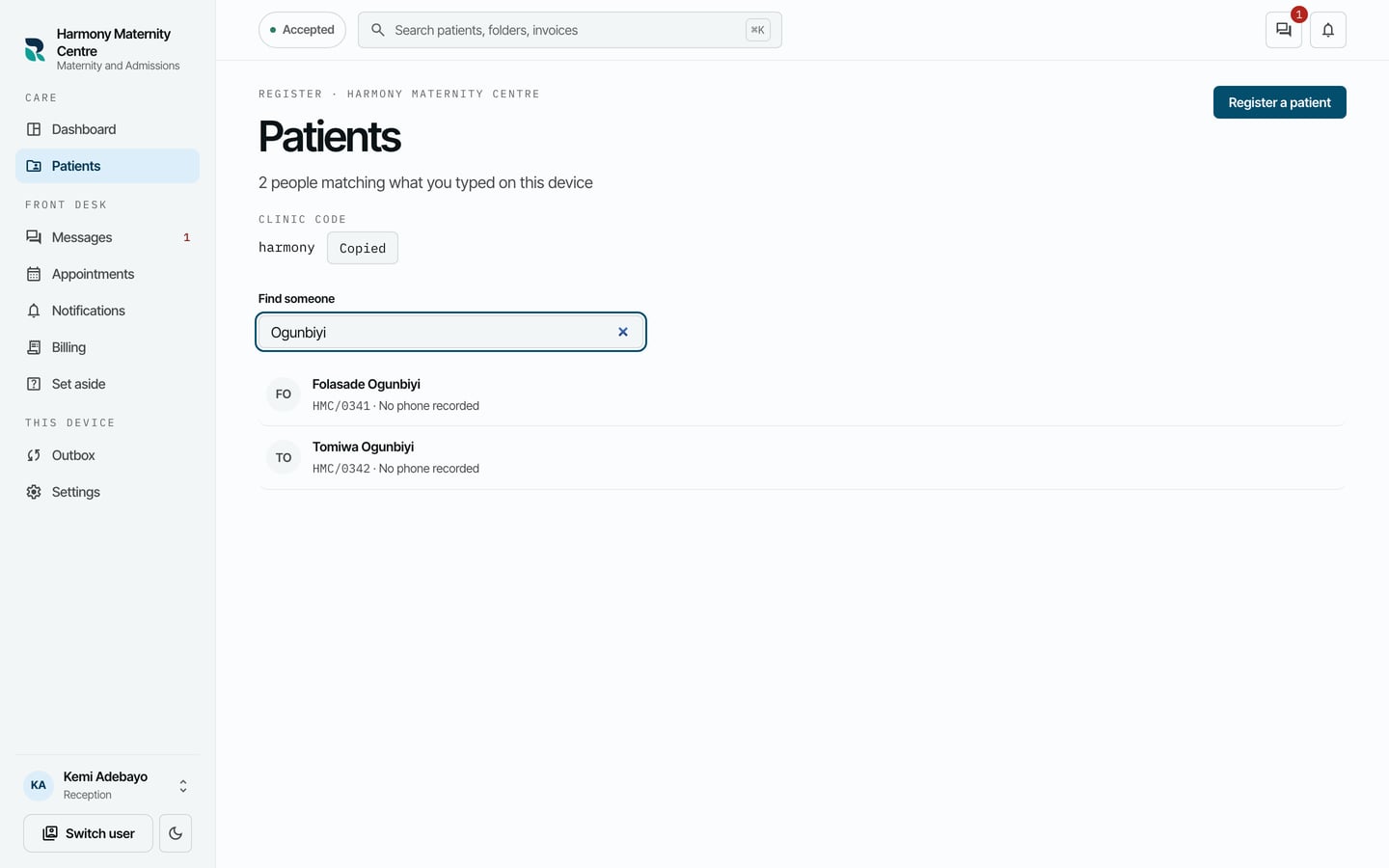
- Choose the patient to open their chart.
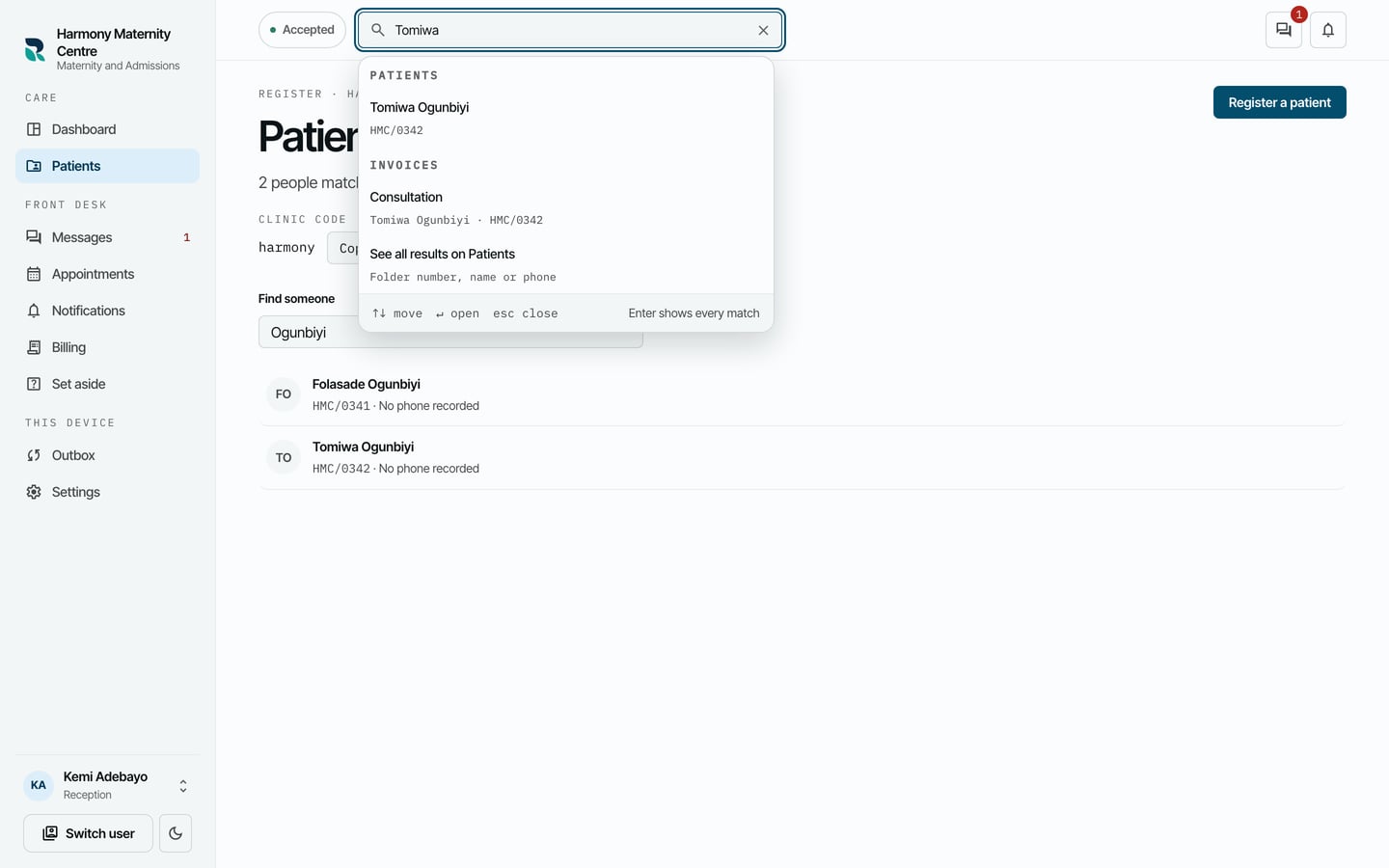
You can also search from any screen. Click Search patients, folders, invoices at the top, or press Ctrl and K together (Cmd and K on a Mac), and type. Patients and invoices that match are listed under their own headings.
What to expect
The list shows everyone the practice has registered, by name, with their folder number and phone. It is kept on your computer, so you can find a patient without a connection. Someone registered on another computer since your list last updated appears once your computer is back online.