Use the app without a connection
What you can still read in the RizCare app when your phone has no data or signal, and what waits for a connection.
- Where
- Patient app
- Who can do this
- Patients and the family members linked to them
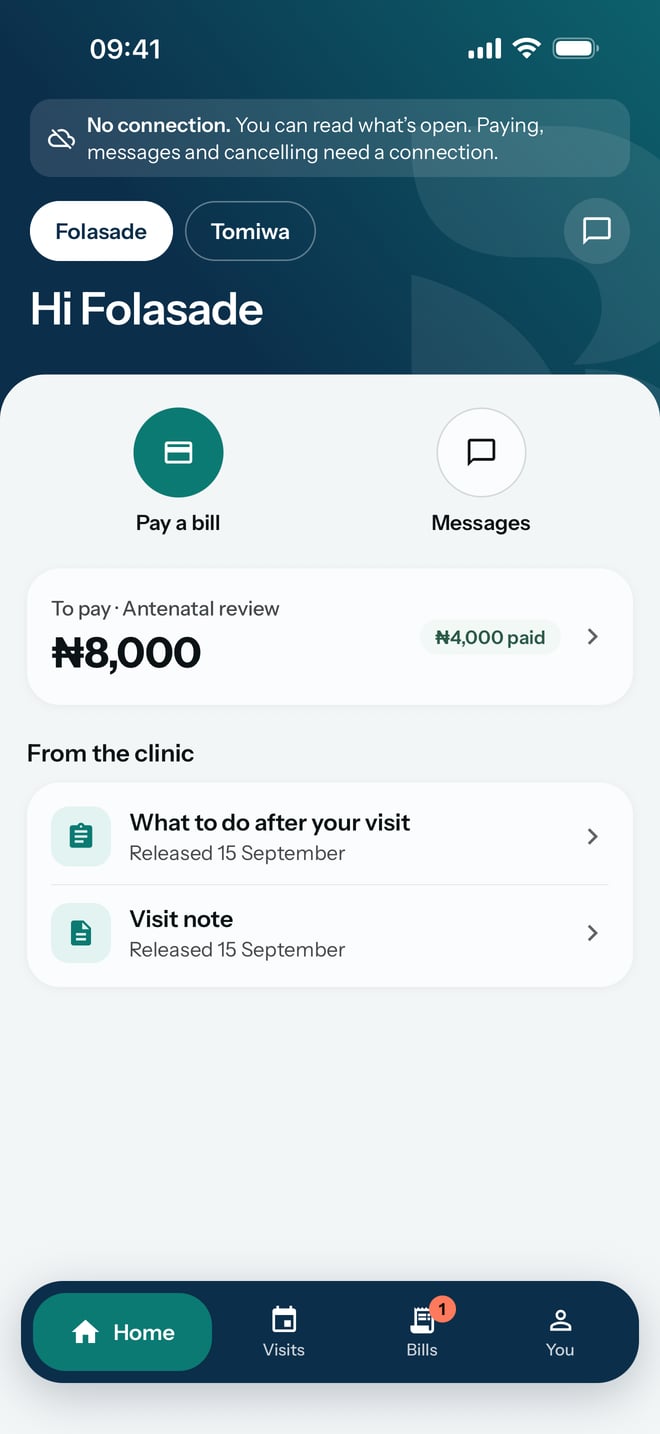
When your phone loses its connection, the app keeps showing what you have already opened. You can read the notes and instructions your hospital released on the way to the hospital, even where the network is poor.
Steps
- Open the app as usual. With no connection, a line at the top says No connection. and tells you what still works.
- Read what you opened before, such as your Home screen and the notes and instructions under From the hospital.
- When the connection returns, the line goes away. Carry on as normal.
What to expect
What you have opened stays readable. Paying, messages and cancelling an appointment need a connection, and the line at the top says so.