Check a bill and what is left to pay
See each bill from your hospital, what it was for, what you have paid and what is left, and pay the rest at the hospital.
- Where
- Patient app
- Who can do this
- Patients and the family members linked to them
Your hospital's bills are in the app, so you can see what you owe before you set out for the hospital. Payments the hospital has recorded against a bill show on it.
Steps
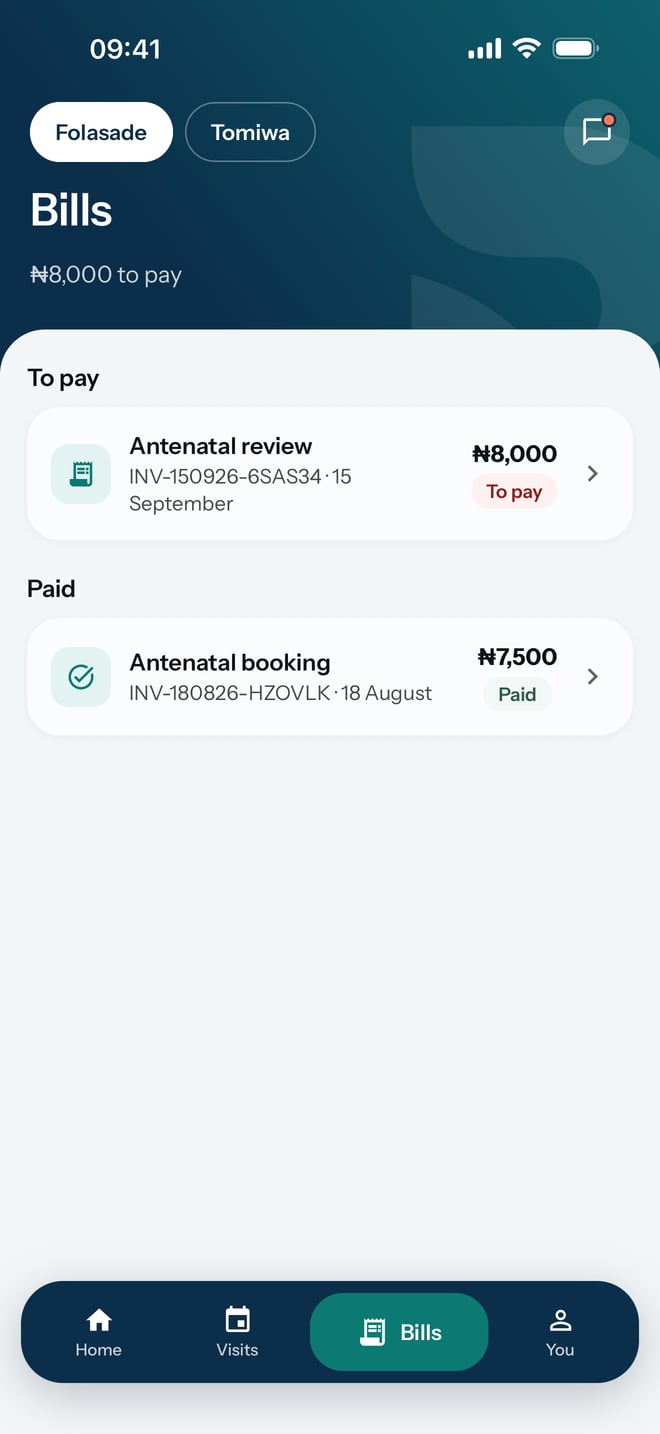
- Tap Bills at the bottom of the screen. Under the title it says how much there is to pay.
- Bills you still owe on are under To pay, and bills you have cleared are under Paid. Each one shows what it was for, its number, its date and its amount.
- Tap a bill to open it.
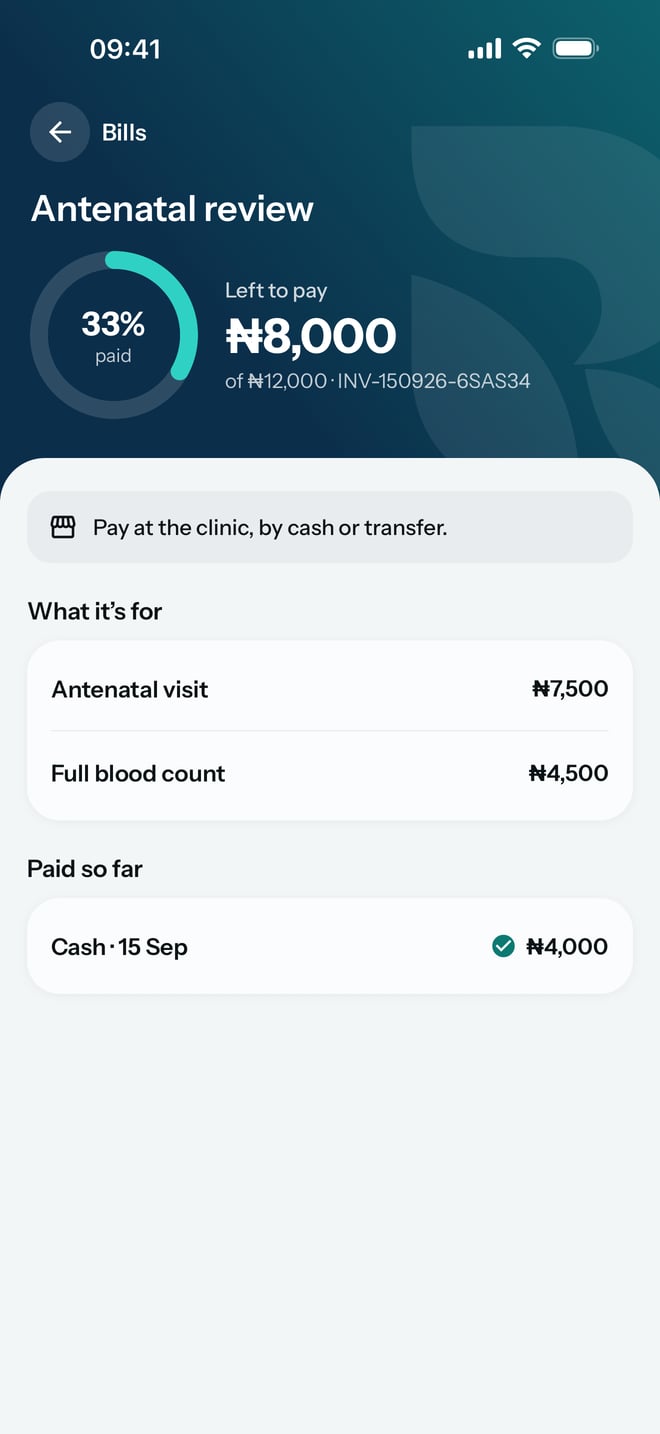
- Read Left to pay, and the total under it. The ring beside it shows how much of the bill is paid.
- Under What it's for, check each item and its price. Under Paid so far, check each payment and how it was made.
What to expect
The bill says Pay at the hospital, by cash or transfer. Pay what is left at the desk, and the hospital records it against the bill.
Every payment the hospital has recorded is listed under Paid so far, with the amount left worked out for you. A bill paid in full sits under Paid. The bill you owe on also shows on Home, under To pay, with what you have paid on it so far.