Send a message to your hospital
Write to your hospital from the app and read their replies, for questions that can wait for opening hours.
- Where
- Patient app
- Who can do this
- Patients and the family members linked to them
Messages are for questions that are not urgent, such as when to take a tablet or what a note means. The reception team and your clinicians can read them, and messages are read during opening hours.
Before you start
You need a connection to read and send messages. For anything urgent, call the hospital. In an emergency, go to the nearest hospital.
Steps
- On Home, tap Messages. A number on it shows how many messages you have not read.
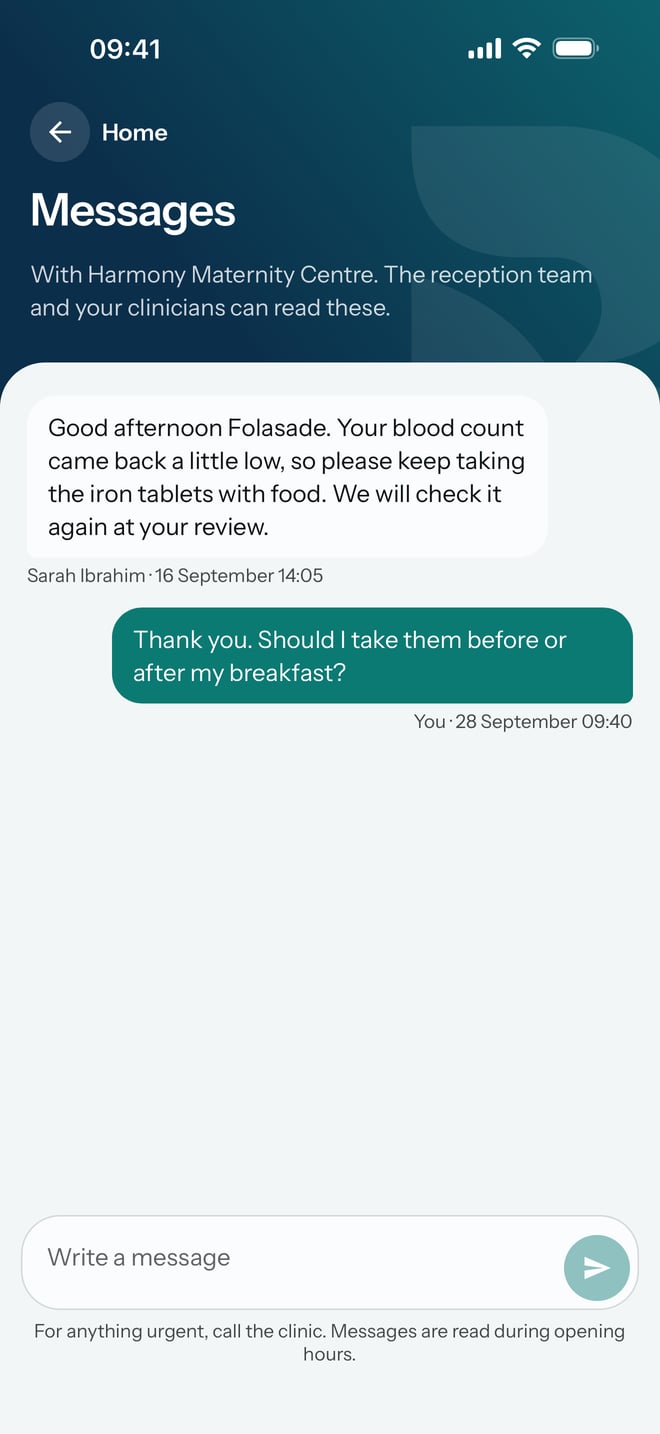
- Read the conversation. Each message shows who wrote it and when.
- Tap Write a message at the bottom and type your message.
- Tap the send button beside it.
What to expect
Your message appears in the conversation, on the right, marked You with the time. Messages from the hospital are on the left, with the name of whoever wrote them.