See your appointments and past visits
Check when your next appointment is, and what the hospital shared after each past visit, on the Visits screen.
- Where
- Patient app
- Who can do this
- Patients and the family members linked to them
Visits keeps your appointments and your visit history in one place. It shows the next time you are booked to come in, and what the hospital shared with you after each visit you have had.
Steps
- Tap Visits at the bottom of the screen.
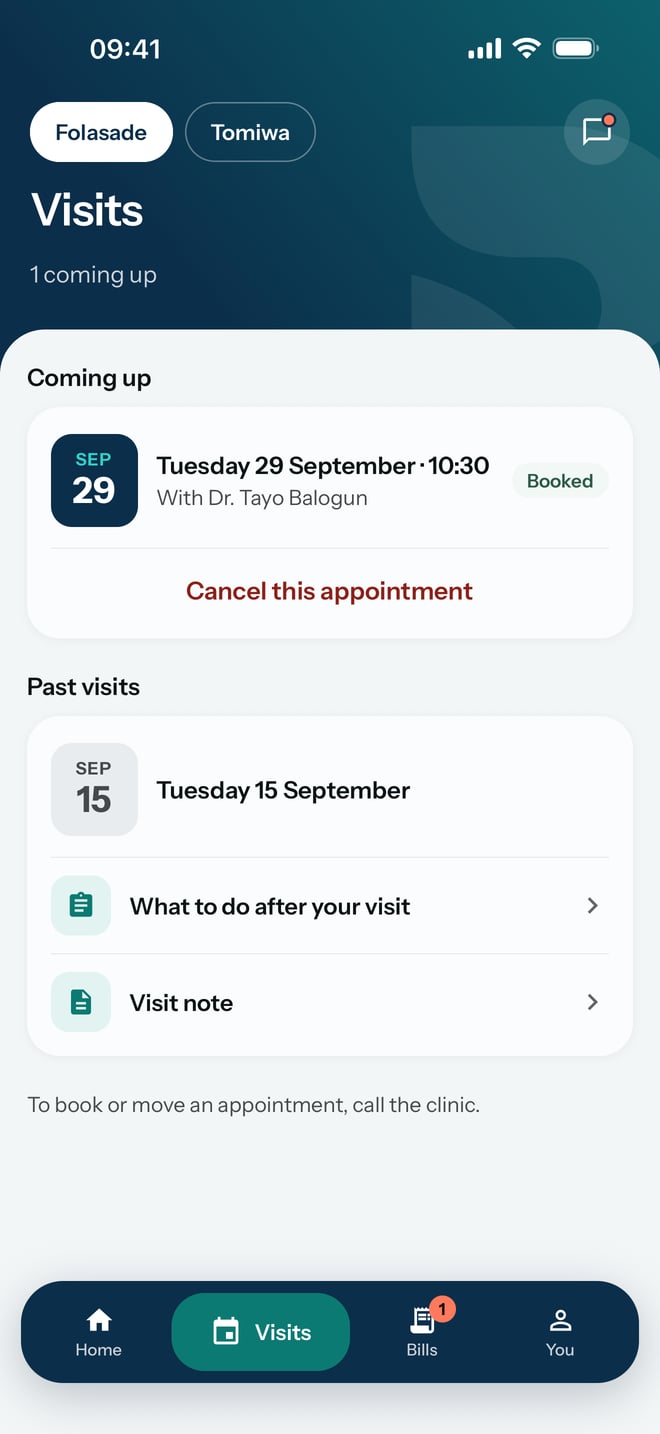
- Under Coming up, read the date, the time and who you are booked with.
- Under Past visits, find the date of a visit. What the hospital shared from that visit is listed under it, such as What to do after your visit or a Visit note.
What to expect
Under the title, Visits says how many appointments are coming up, or Nothing booked. Each appointment coming up shows Booked and a Cancel this appointment button.
The app does not book or move appointments. The line at the bottom of the screen says to call the hospital for that, with the hospital's number when it has one.