Cancel an appointment you cannot make
Cancel a booked appointment from the app so the hospital knows you are not coming in.
- Where
- Patient app
- Who can do this
- Patients and the family members linked to them
If you cannot come in, cancel the appointment in the app instead of simply staying away. The hospital sees that you cancelled it.
Before you start
- Check the name at the top of the screen. You cancel the appointment of the person shown there.
- You need a connection to cancel.
Steps
- Tap Visits at the bottom of the screen.
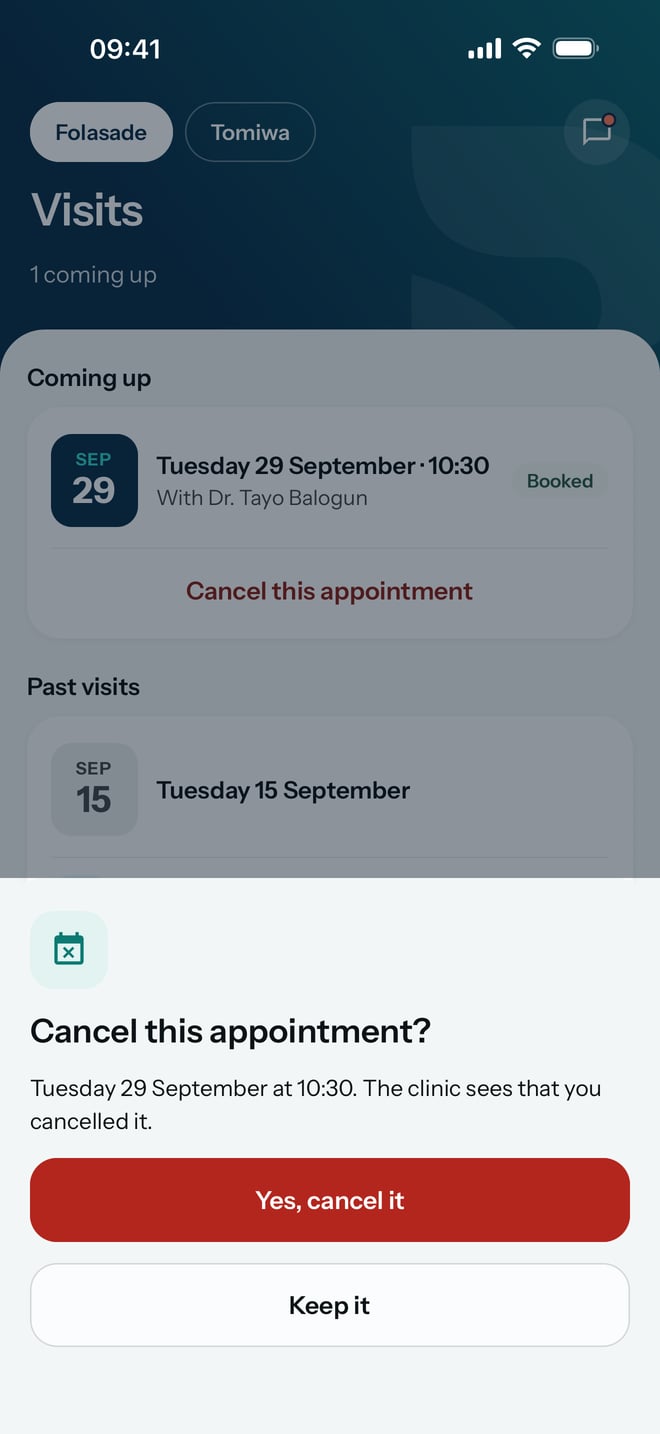
- Under Coming up, find the appointment and tap Cancel this appointment.
- Check the date and time on Cancel this appointment?.
- Tap Yes, cancel it. If you change your mind, tap Keep it instead.
What to expect
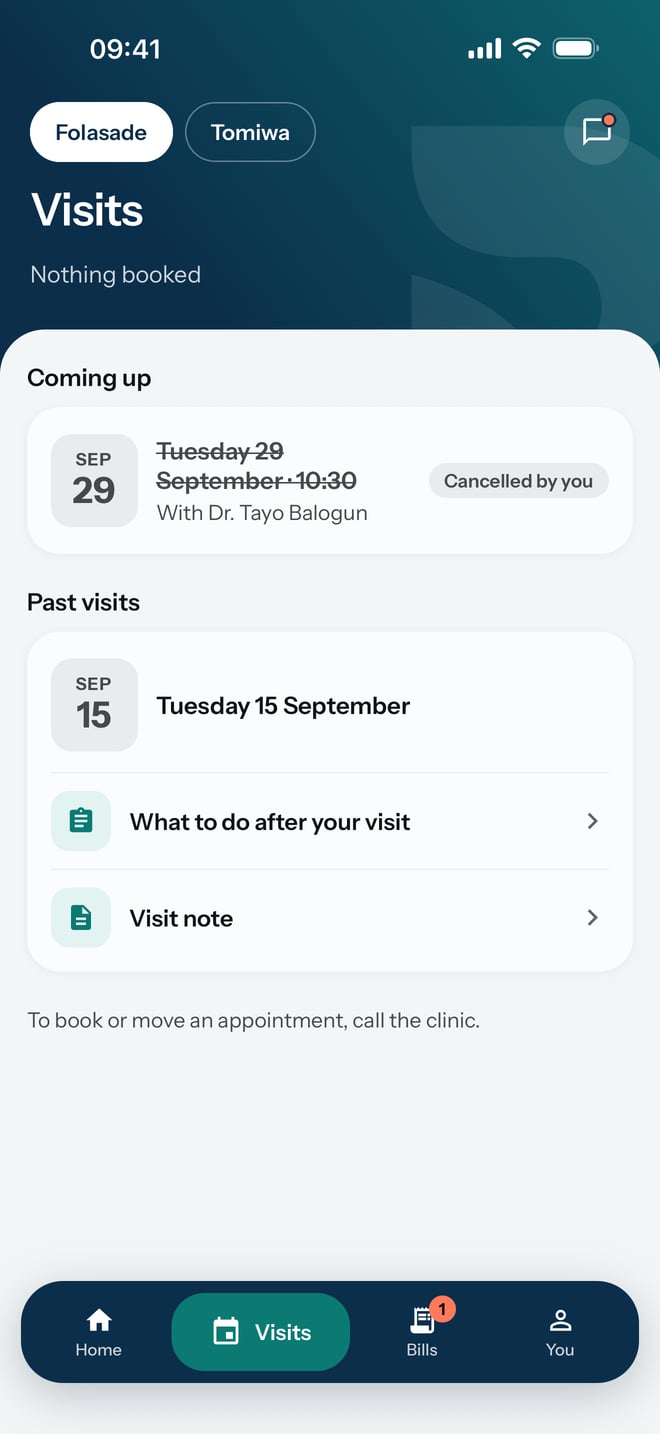
The appointment stays on the list, crossed out and marked Cancelled by you, and the hospital sees that you cancelled it. If it was your only appointment, Visits now says Nothing booked.