Set up the patient portal
Turn the patient portal on, find the hospital code, and choose how long patients stay signed in on the app.
- Where
- Practice portal
- Who can do this
- Administrator
The patient portal lets your patients read what a clinician has shared with them, see their visits and bills, and write to the practice, on the RizCare patient app or on the web.
Steps
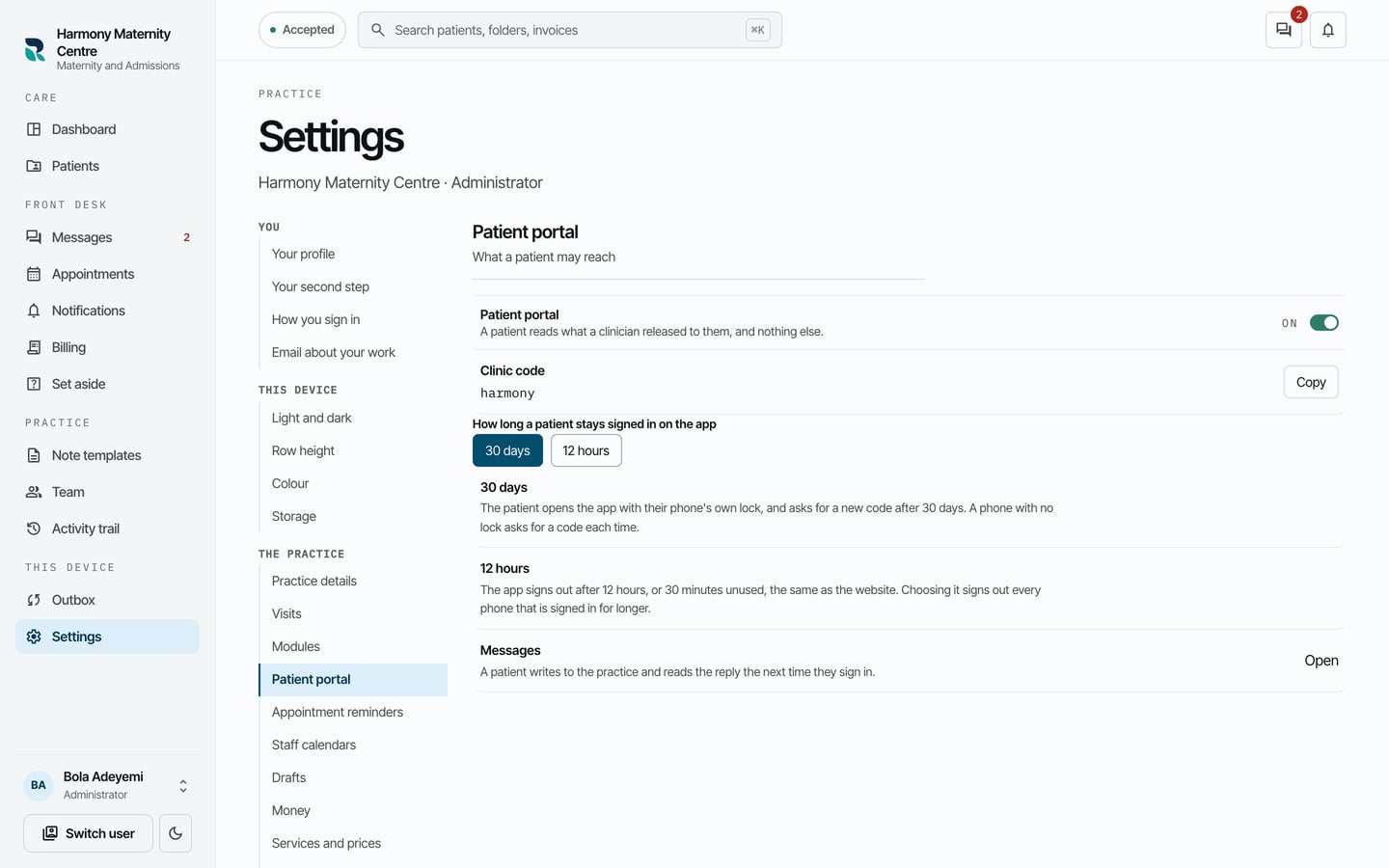
- Choose Settings on the left, then Patient portal.
- Turn on Patient portal.
- Choose How long a patient stays signed in on the app: 30 days or 12 hours.
What to expect
With the portal on, the Hospital code appears here and at the head of Patients, for reception to give to patients. Where your practice has a web address for the portal, Patient portal address is listed below it, with Copy. What a patient can do lists what the portal offers, such as messages to the practice.
A patient joins with a code made on their chart, and reads only the notes a clinician has shared with them. See give a patient access to the patient portal.