Turn on appointment reminders
Email patients a reminder before each booked appointment, and choose how long before.
- Where
- Practice portal
- Who can do this
- Administrator
A reminder is an email to a patient before a booked appointment. It goes only to patients who agreed to reminders and have an email address on their record.
Steps
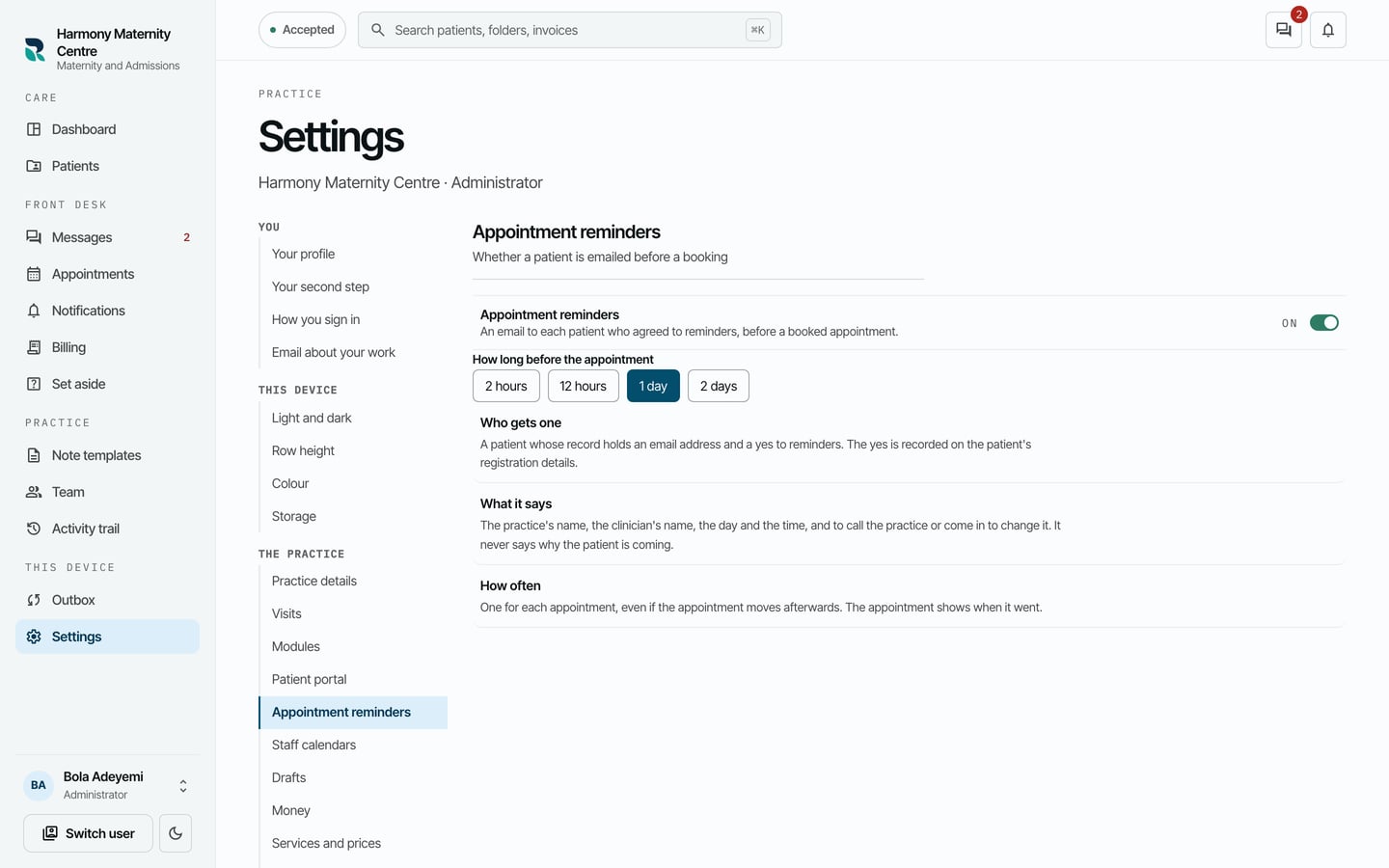
- Choose Settings on the left, then Appointment reminders.
- Turn on Appointment reminders.
- Under How long before the appointment, choose 2 hours, 12 hours, 1 day or 2 days.
What to expect
Each patient who agreed gets one reminder for each appointment. It gives the practice's name, the clinician's name, the day and the time, and asks them to call or come in to change it. It never says why the patient is coming.
Whether a patient agreed is recorded when they are registered, with Agrees to appointment reminders, and can be changed with Correct registration details.