Book an appointment
Book a registered patient in with a clinician on a day and time, with the reason for the visit.
- Where
- Practice portal
- Who can do this
- Administrator, Doctor, Midwife, Nurse, Reception and Staff
Book an appointment when a patient calls or asks at the desk. The patient must be registered first.
Steps
- Choose Appointments on the left.
- Choose Book an appointment.
- In Find the patient, type their name or folder number, then choose them under Which patient.
- Under Clinician, choose who will see them, or Nobody yet.
- Fill in Which day and Start time · 24-hour, HH:MM, and choose How long.
- Type the Reason for the visit.
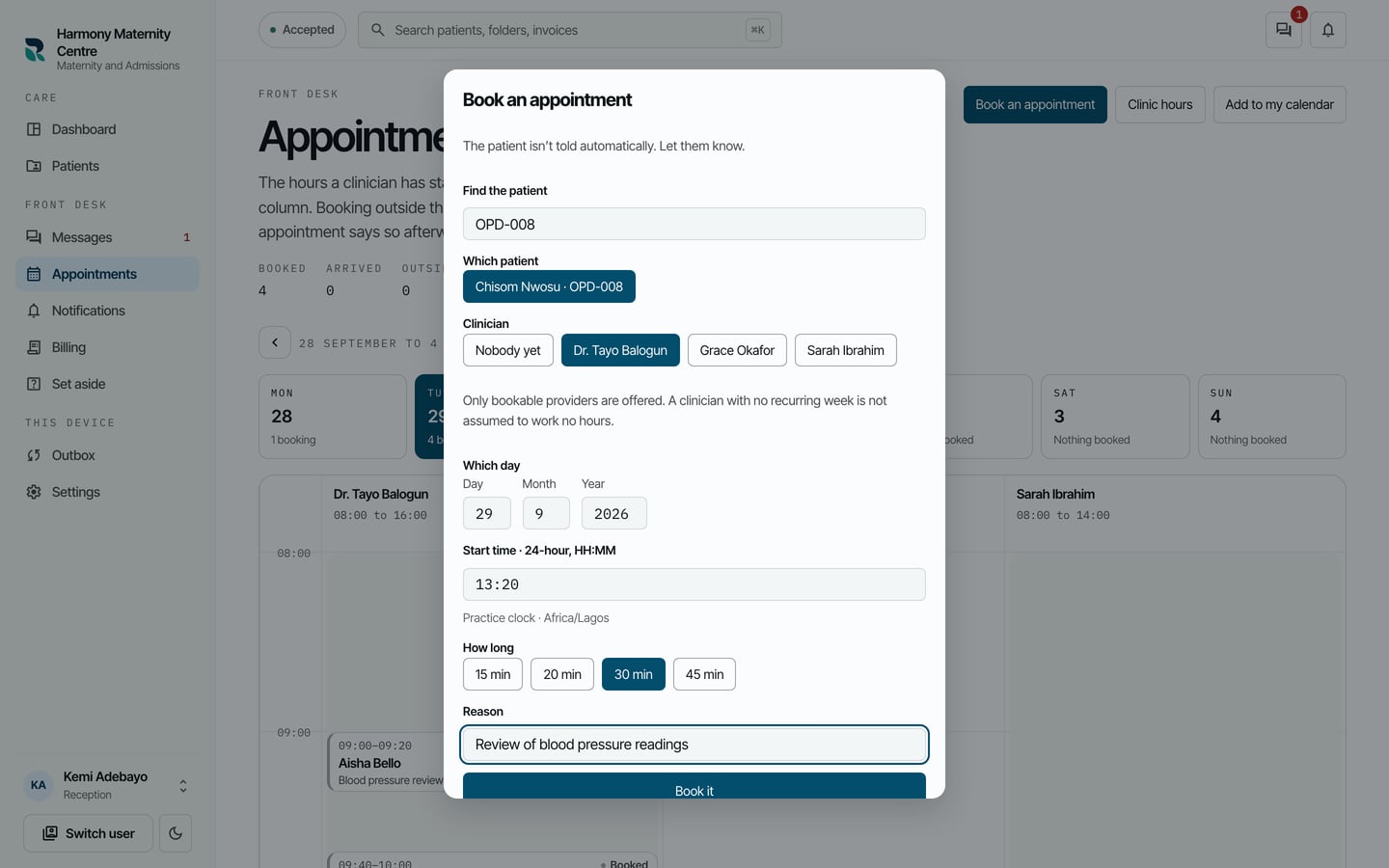
- Choose Book it.
A time outside the clinician's stated hours is asked about before it is booked, and the appointment says so afterwards.
What to expect
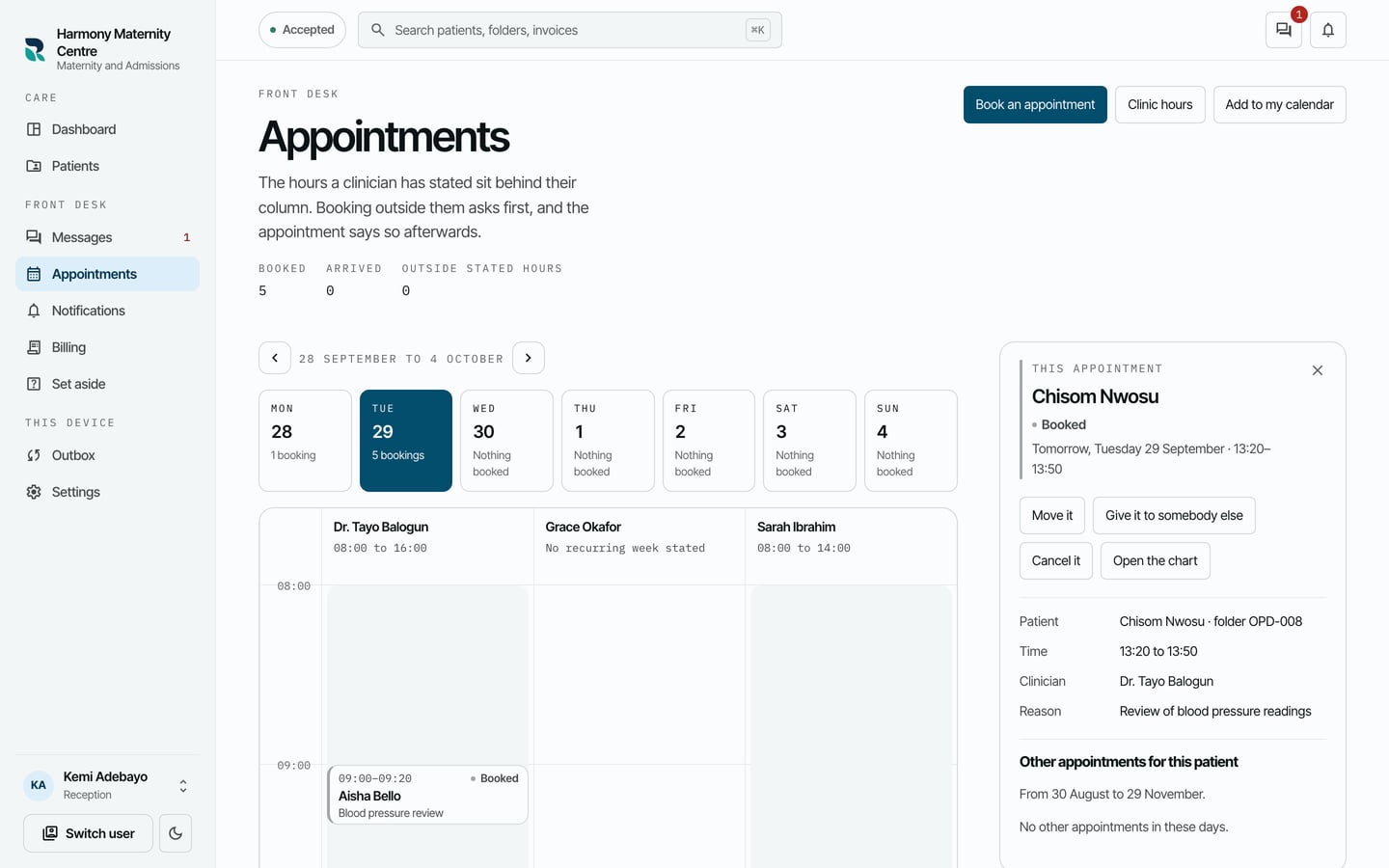
The booking appears in the clinician's column, and This appointment opens beside the diary.
If the patient agreed to reminders and the practice sends them, they get an email before the appointment.