Stop a lost device
Stop a computer or phone that is lost, stolen or no longer used, so it can no longer work for the practice.
- Where
- Practice portal
- Who can do this
- Administrator
Every computer and phone set up for the practice is listed in Devices. When one is lost, stolen or handed back, stop it.
Steps
- Choose Settings on the left, then Devices.
- Find the device. Each shows who set it up, when, and when it last updated. Your own computer says This device.
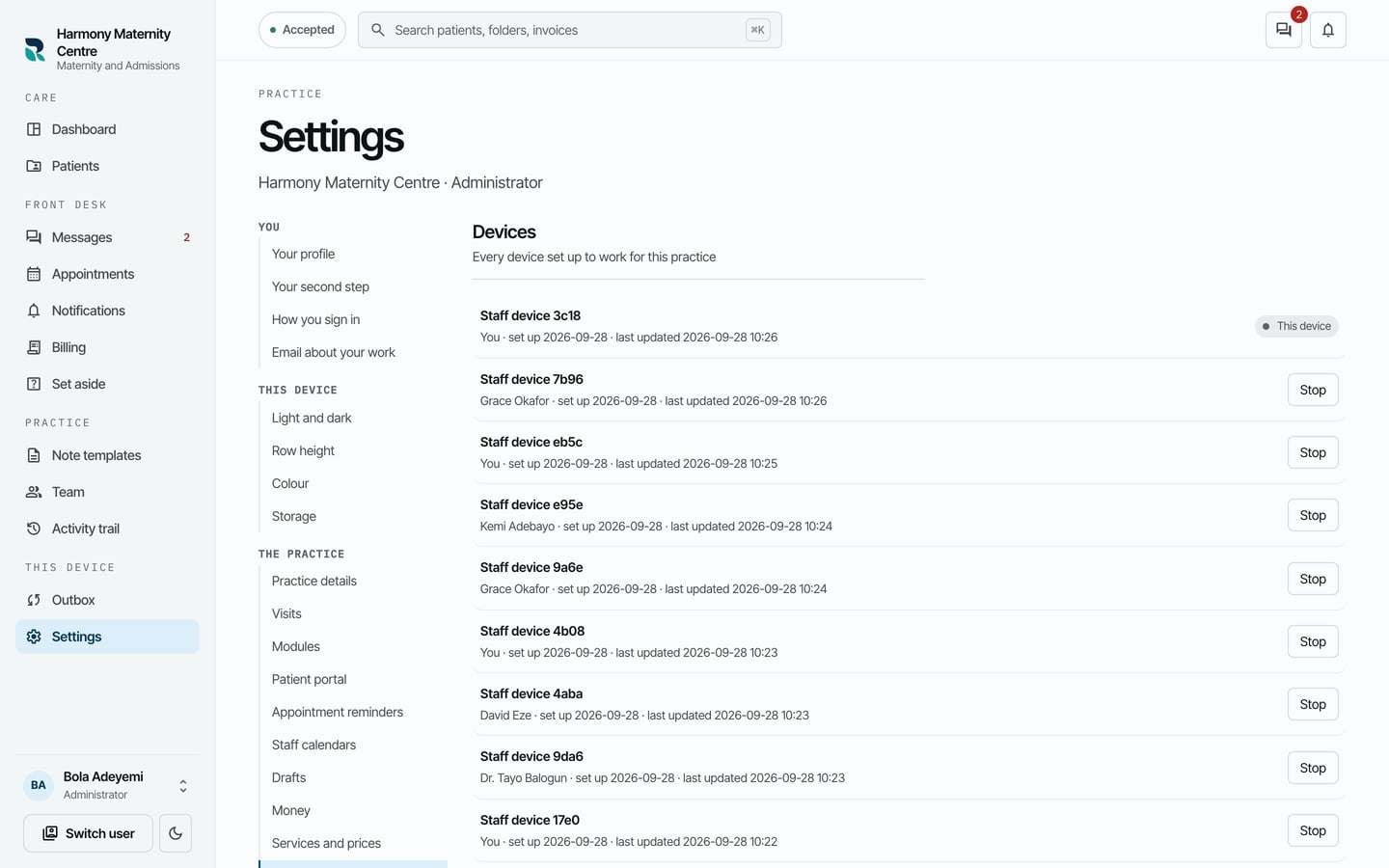
- Choose Stop beside it.
- Read what stopping does, then choose Stop this device.
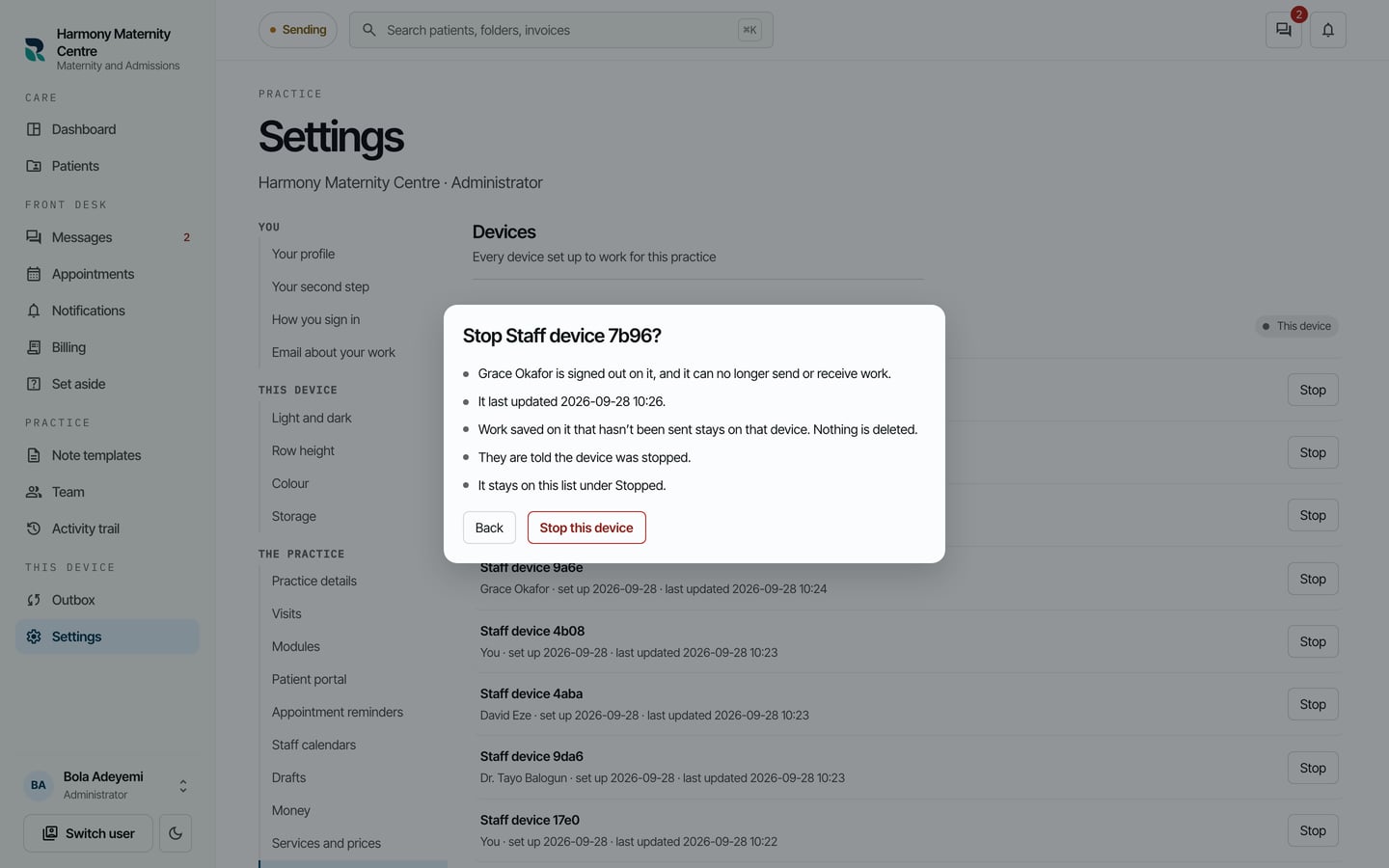
What to expect
The device moves to Stopped devices and can no longer work for the practice. Nothing is deleted: what it recorded that had reached the practice stays in the records.