Change what a colleague can reach
See each colleague's access, change what one colleague can reach, and read what each position carries.
- Where
- Practice portal
- Who can do this
- Administrator
A position, such as Nurse or Reception, is where a colleague starts. Each colleague can be given more or less than their position carries.
Steps
- Choose Team on the left. Each colleague shows how many of the practice's permissions they hold.
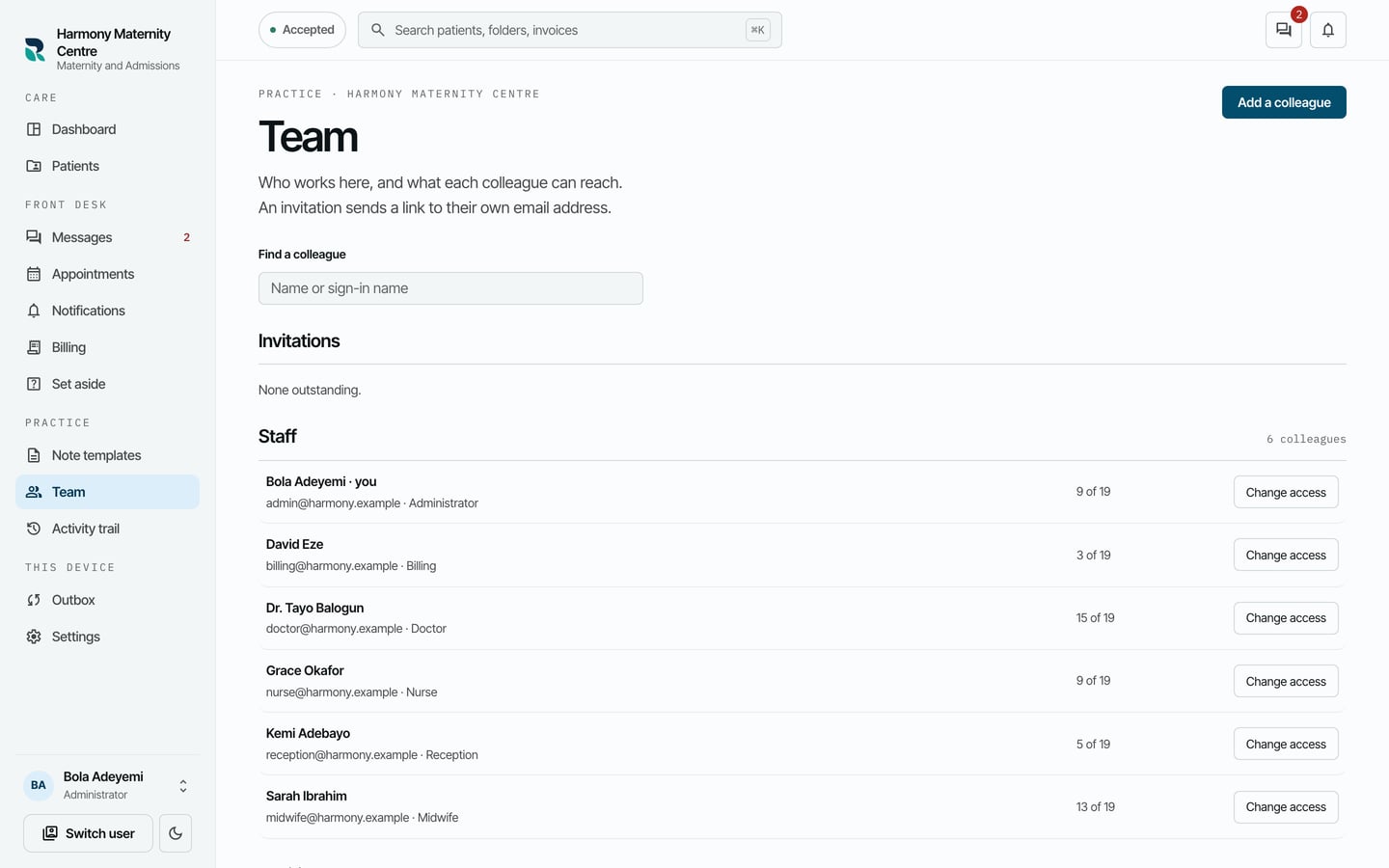
- Choose Change access beside the colleague.
- Choose another position to add what it carries, or tick and untick single permissions below.
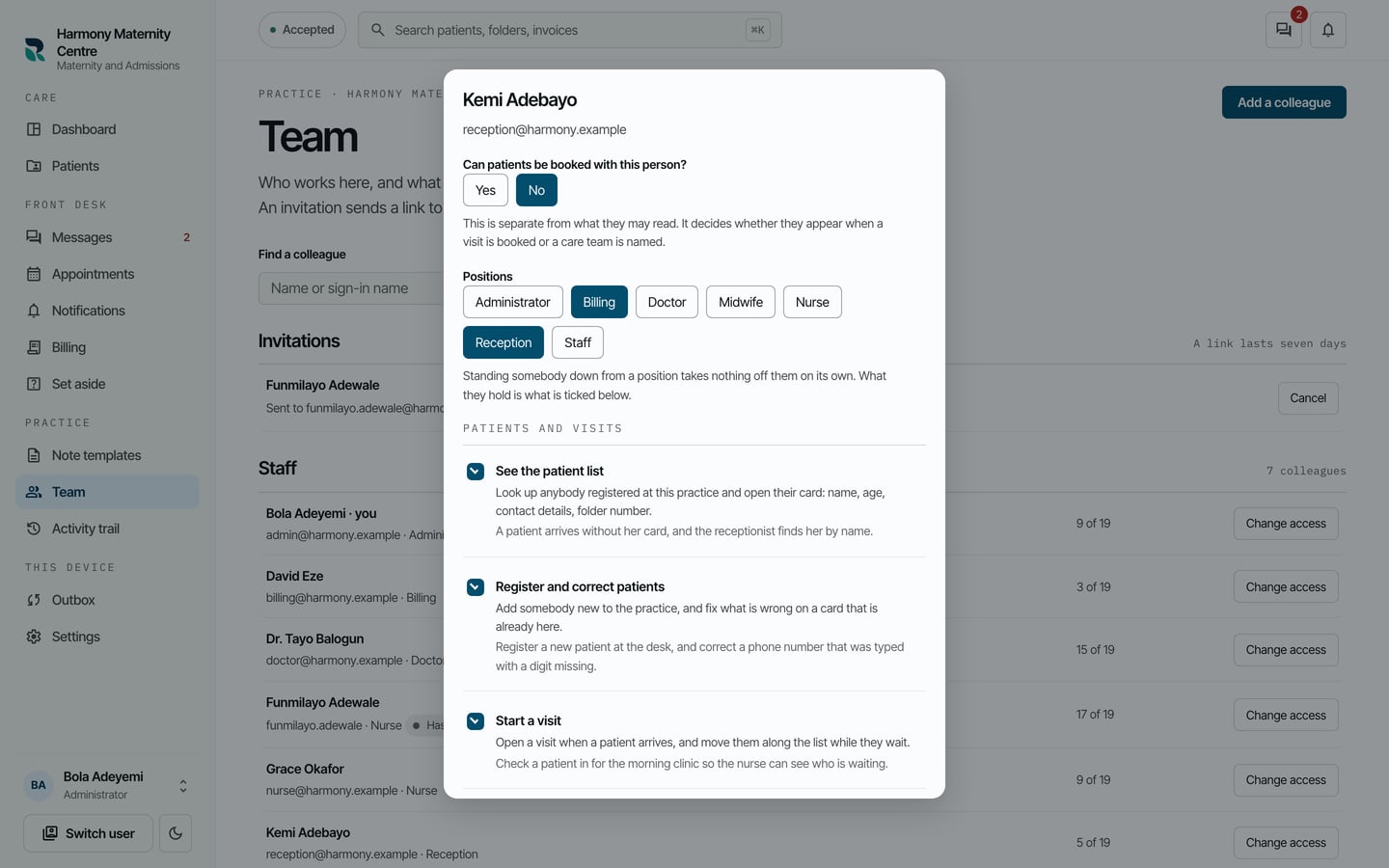
- Choose Save what they can reach.
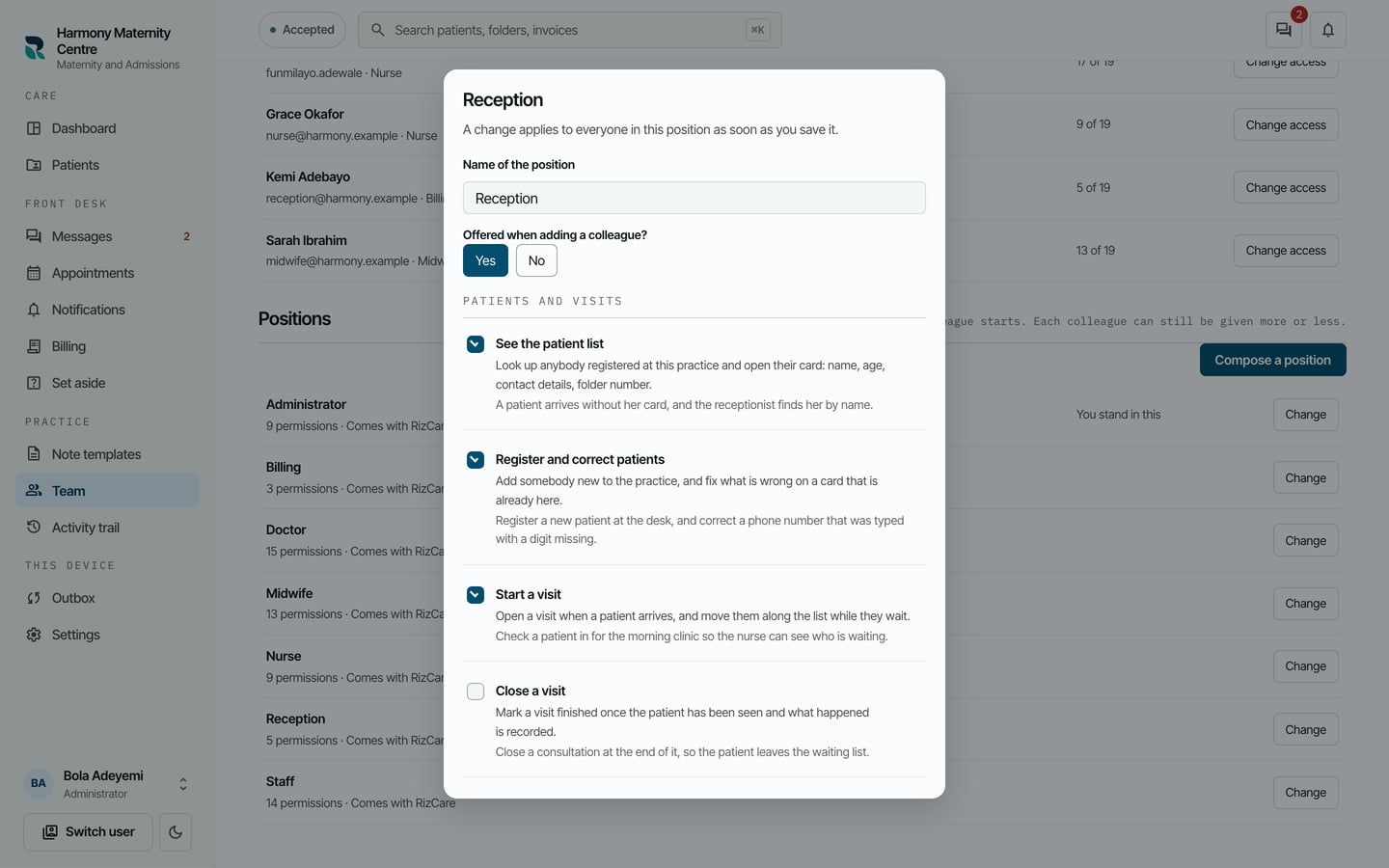
To see what a position carries, find it under Positions at the foot of Team and choose Change beside it.
What to expect
The dialog closes and the colleague's row on Team shows their positions and how many permissions they now hold.