Check your practice details
See your practice's name, language and time zone, and the practice-wide switches for family folders, patient emails and signing in.
- Where
- Practice portal
- Who can do this
- Administrator
Practice details holds what everybody at the practice sees, and a few switches that apply to everybody.
Steps
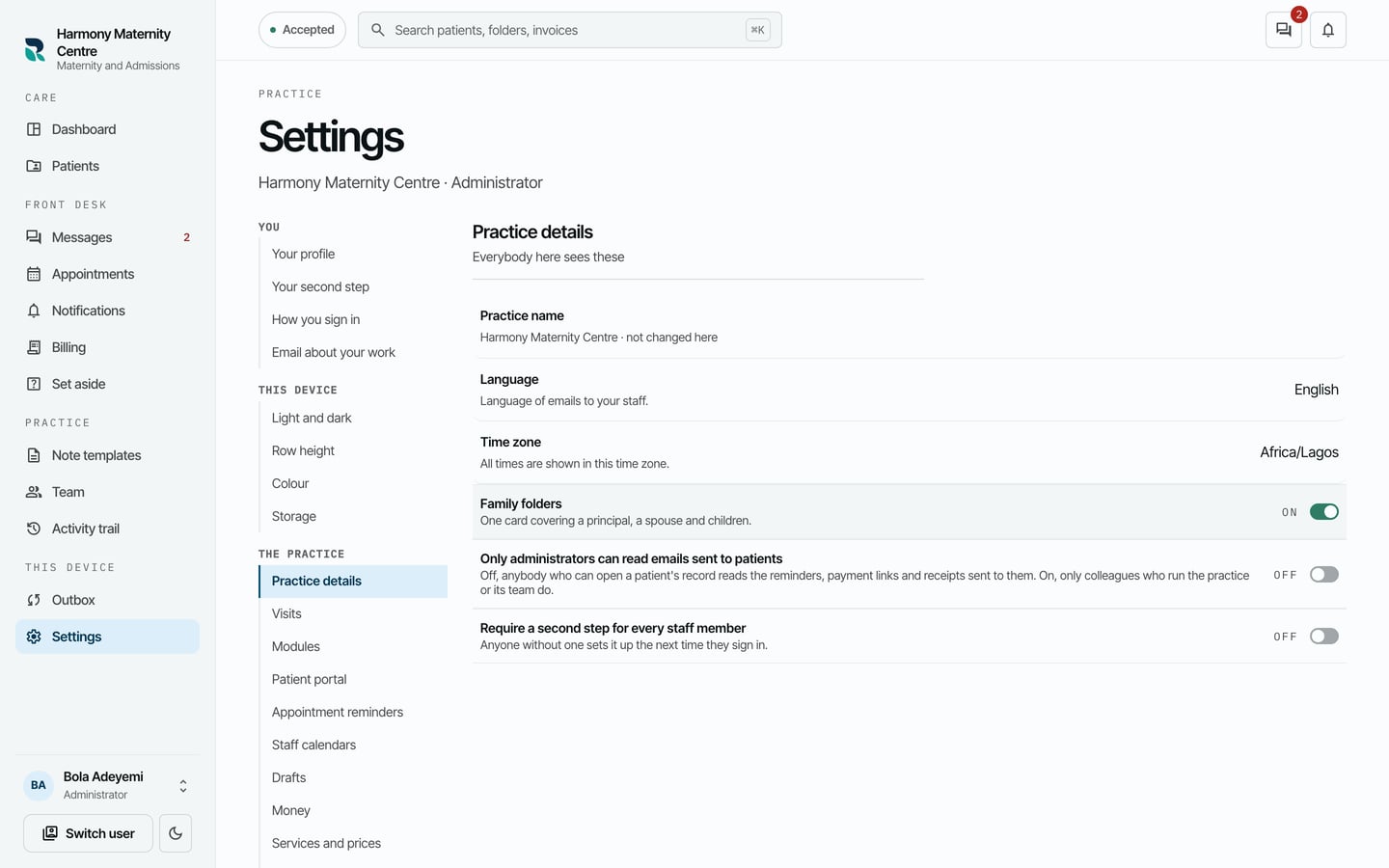
- Choose Settings on the left, then Practice details.
- Check Practice name, Language and Time zone.
- Read the switches below them.
What to expect
- Family folders lets the desk keep a family on one card.
- Only administrators can read emails sent to patients limits who reads the reminders, payment links and receipts on a patient's Emails tab.
- Require a second step for every staff member asks anyone without one to set it up the next time they sign in.
All times in RizCare are shown in the practice's time zone. The practice name is not changed here.