Invite a colleague
Send a new member of staff a link to join your practice, with the position they start in.
- Where
- Practice portal
- Who can do this
- Administrator
Each colleague has their own account. You invite them by email; they follow the link and choose their own password. Nobody at the practice chooses it for them.
Steps
- Choose Team on the left.
- Choose Add a colleague.
- Fill in Their name, Their email address and a Sign-in name. The sign-in name must be unique across RizCare.
- Under Can patients be booked with this person?, choose Yes for a clinician patients book with, or No.
- Under Positions, choose where they start, such as Nurse or Reception. What the position carries is ticked below it. Untick what this person should not reach, and tick what they need.
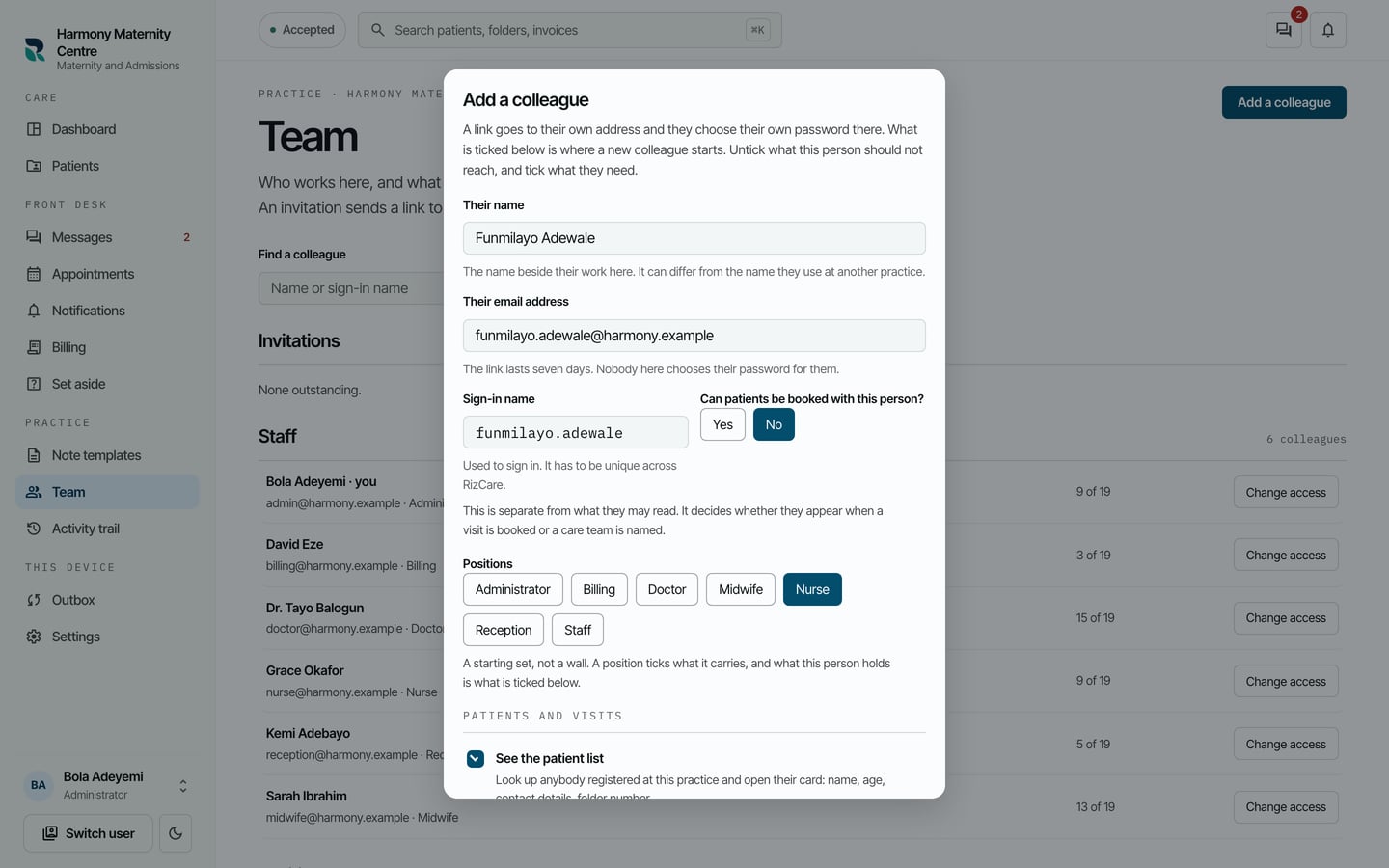
- Choose Send the link.
What to expect
The invitation is listed under Invitations, marked as not joined yet, until the colleague follows the link.
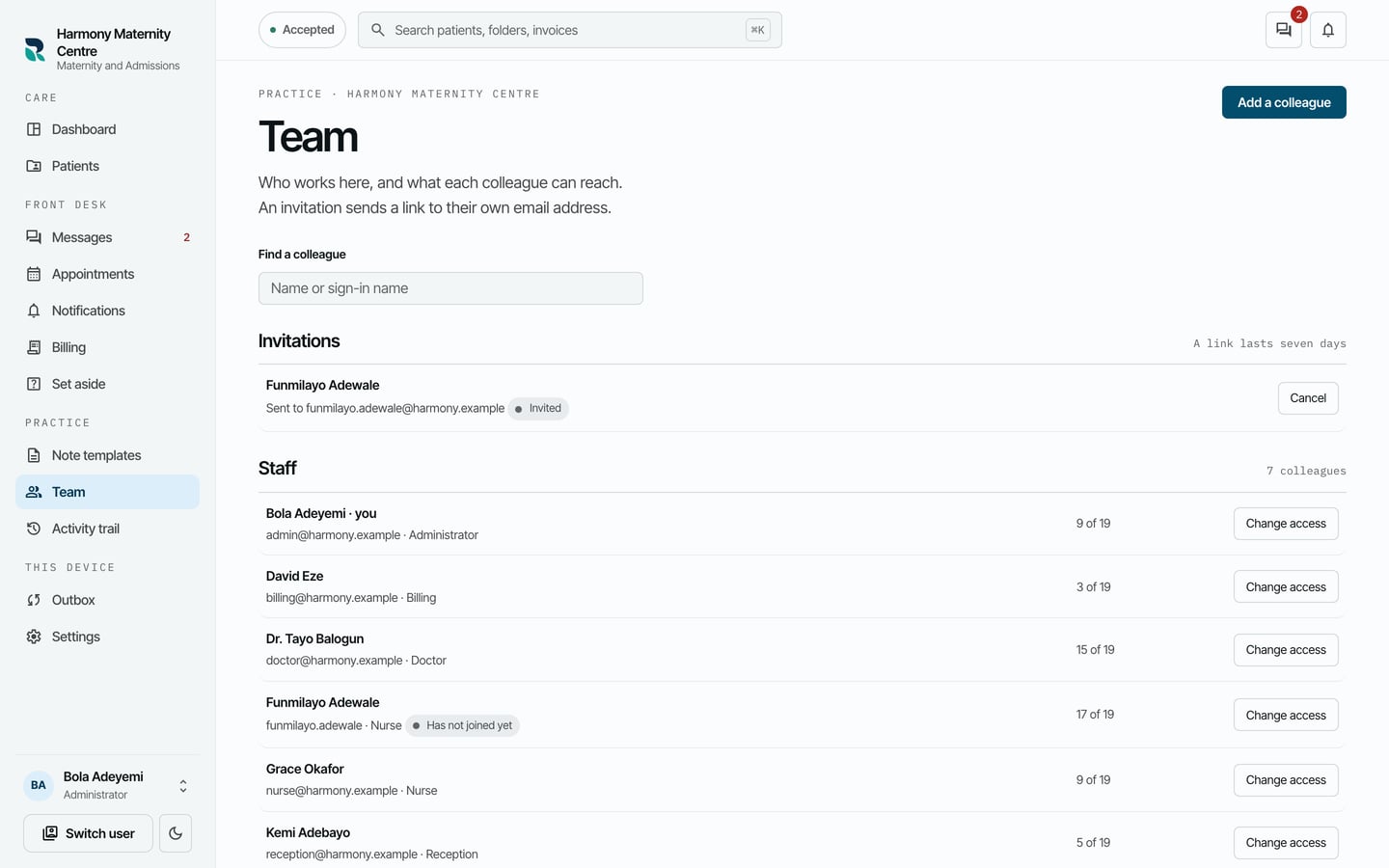
The link lasts seven days. Once they have chosen a password, they appear under Staff.