Add a second step to signing in
Add an authenticator app, so signing in asks for a code from your phone as well as your password.
- Where
- Practice portal
- Who can do this
- Administrator, Billing, Doctor, Midwife, Nurse, Reception and Staff
A second step means somebody who learns your password still cannot sign in as you. You need an authenticator app on your phone.
Steps
- Choose Settings on the left, then Your second step.
- Choose Add an authenticator app.
- Type your password to confirm it is you, and choose Confirm.
- In your authenticator app, add an account and type the key shown.
- Type the six digits the app shows into Six digits.
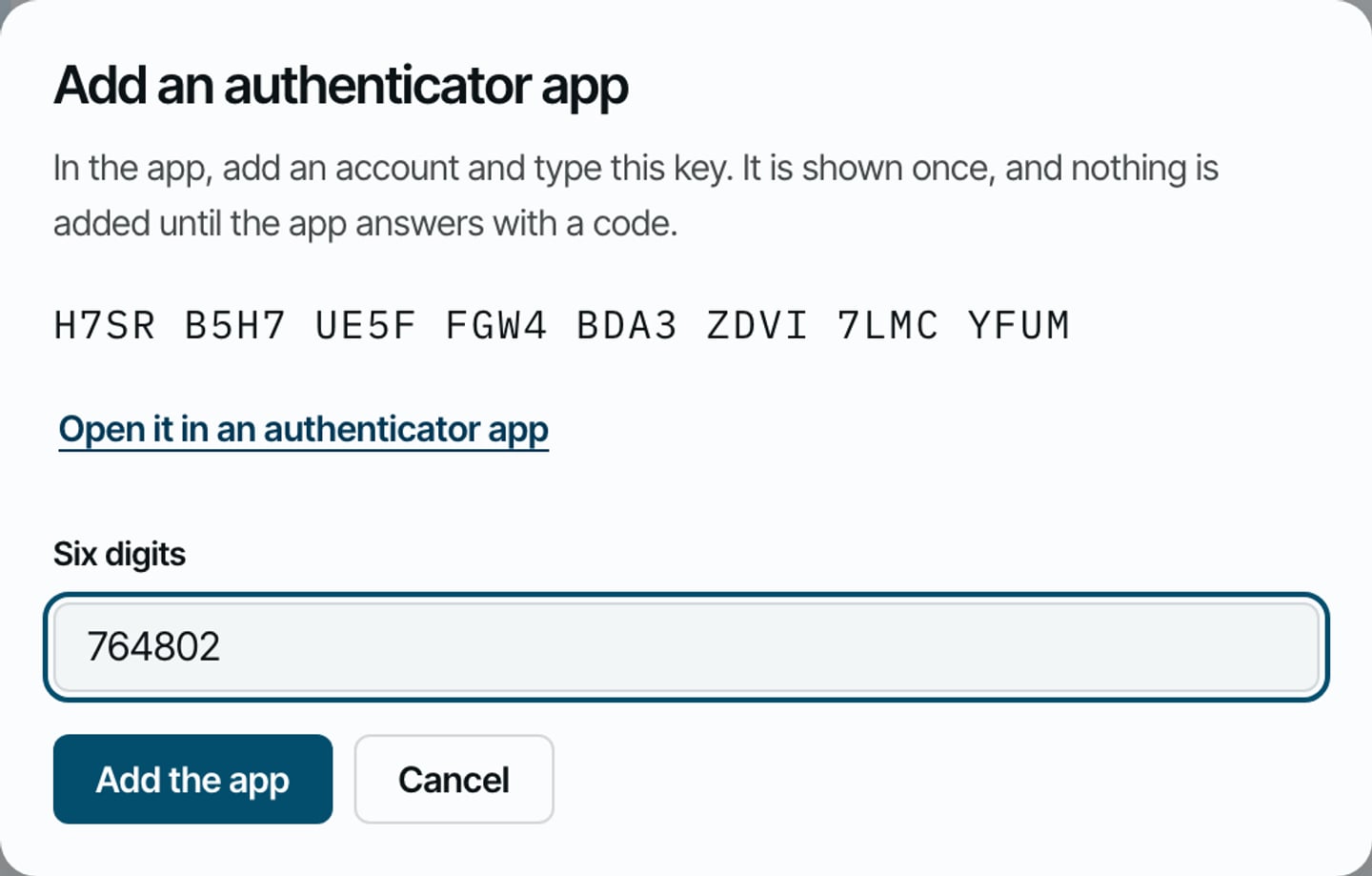
- Choose Add the app.
- Keep the backup codes RizCare shows somewhere apart from your phone, then choose I have kept them somewhere safe.
What to expect
Your second step lists the authenticator app as your way of answering the second step, after your password.
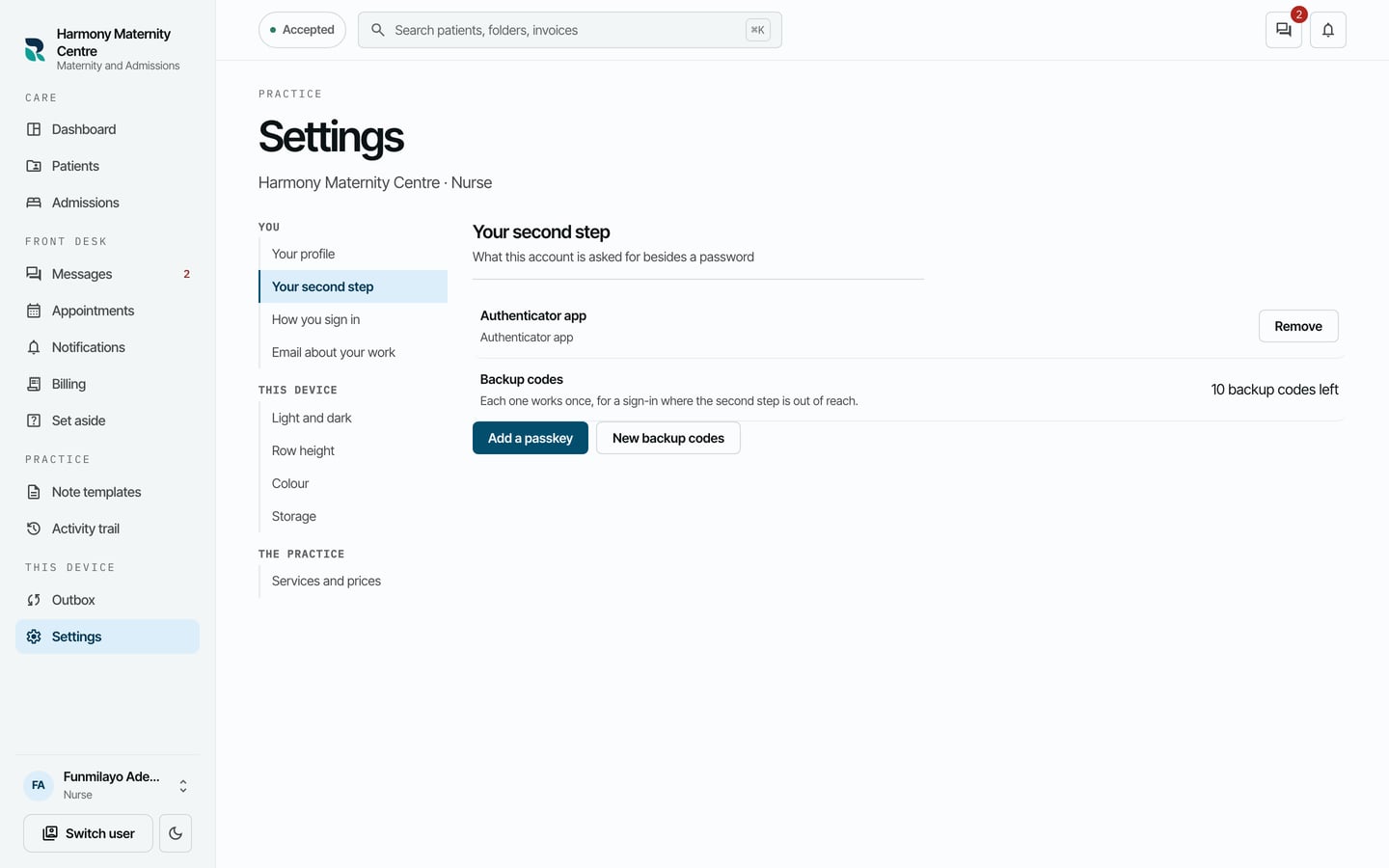
You can also add a passkey from the same screen. An administrator can require a second step for everybody in Settings > Practice details.