Write to a patient
Read and answer a patient's messages, or start a conversation with a patient, from Messages.
- Where
- Practice portal
- Who can do this
- Administrator, Billing, Doctor, Midwife, Nurse, Reception and Staff
Each patient has one conversation with the practice. Patients who use the RizCare patient app or patient portal read what you write there, and can write back if your practice allows it.
Steps
To answer a conversation:
- Choose Messages on the left. Unread conversations are counted beside it.
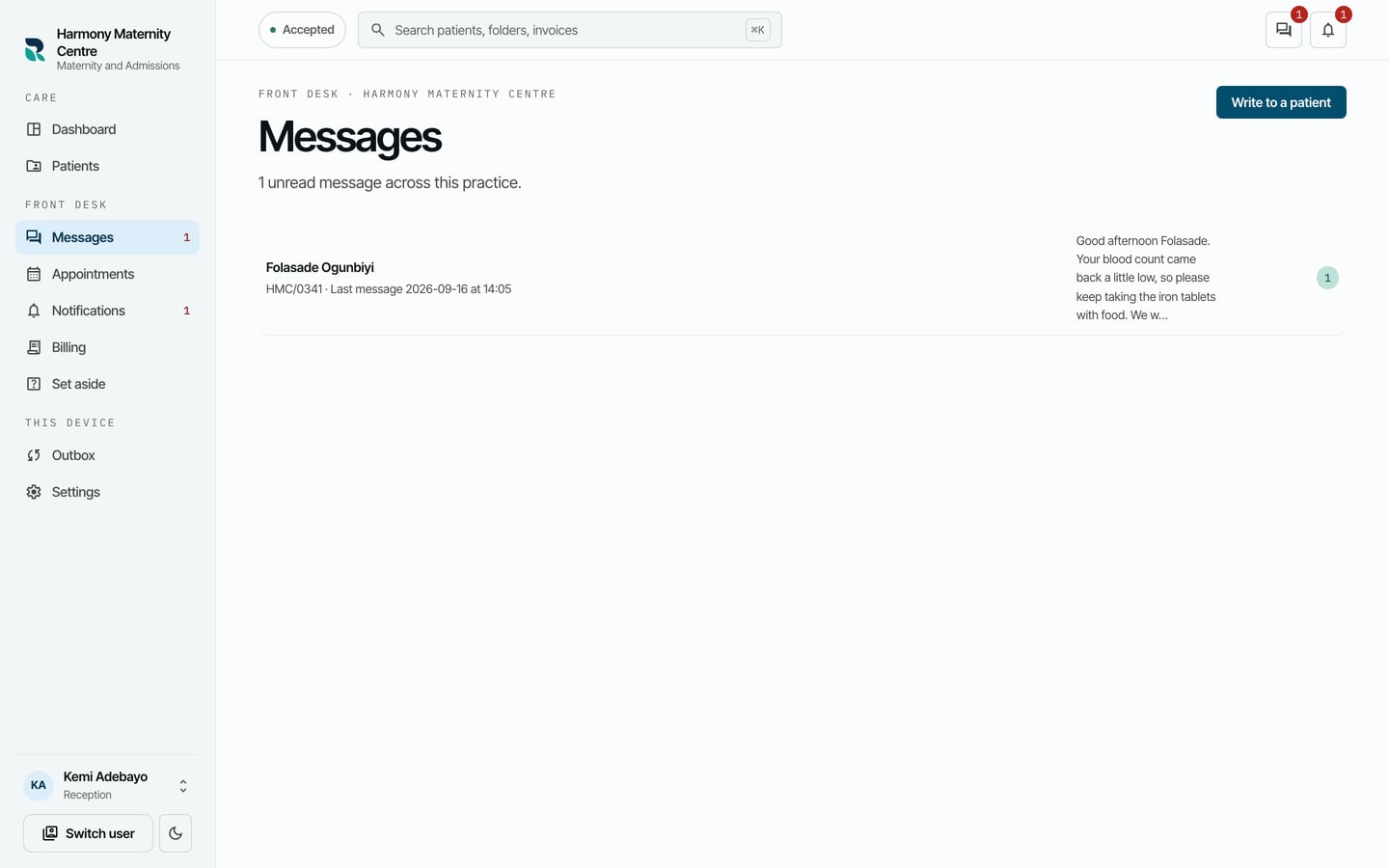
- Choose the conversation.
- Type in Write to this patient.
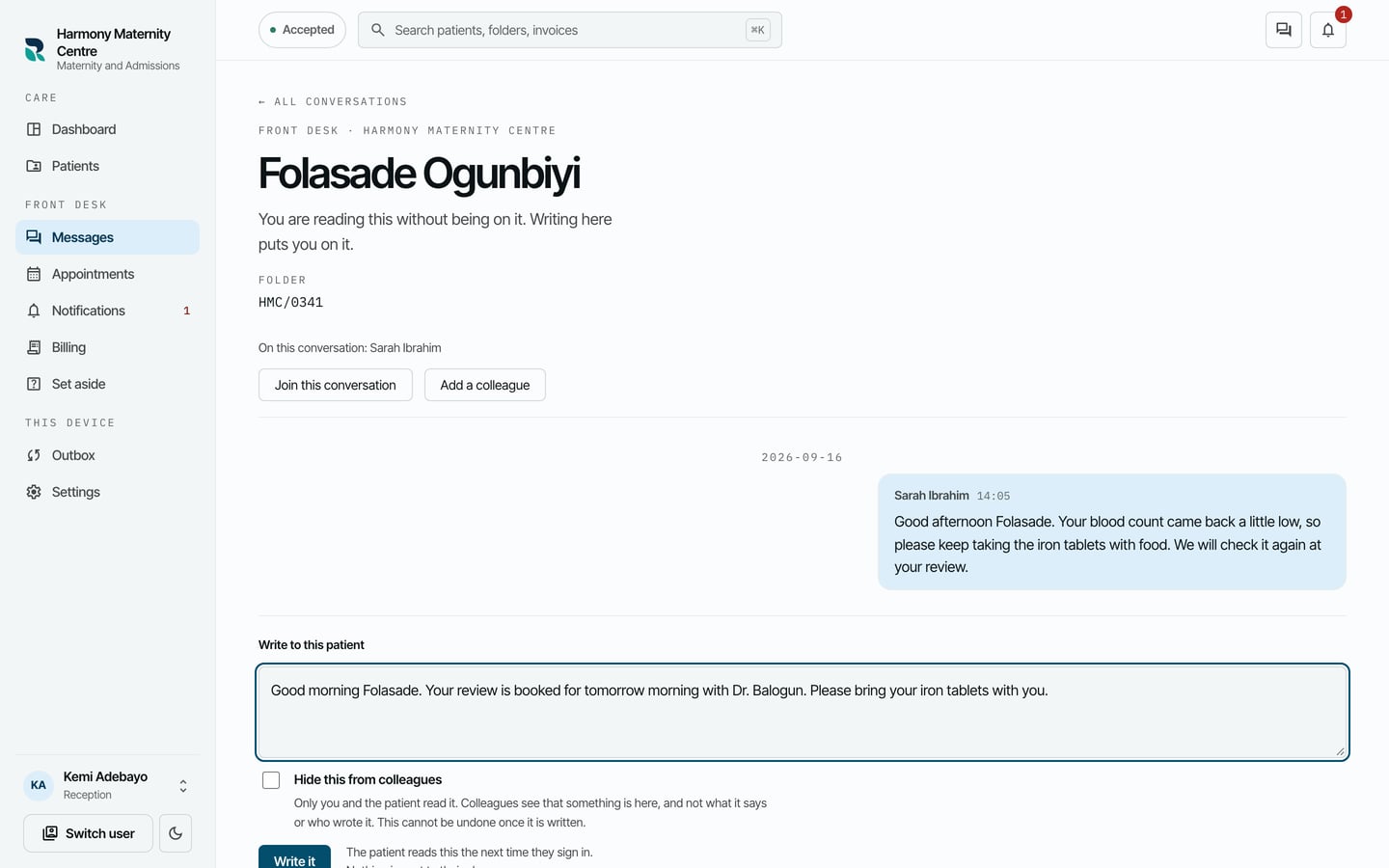
- Choose Write it.
To start a conversation:
- On Messages, choose Write to a patient.
- Find the patient in Find someone, and choose them.
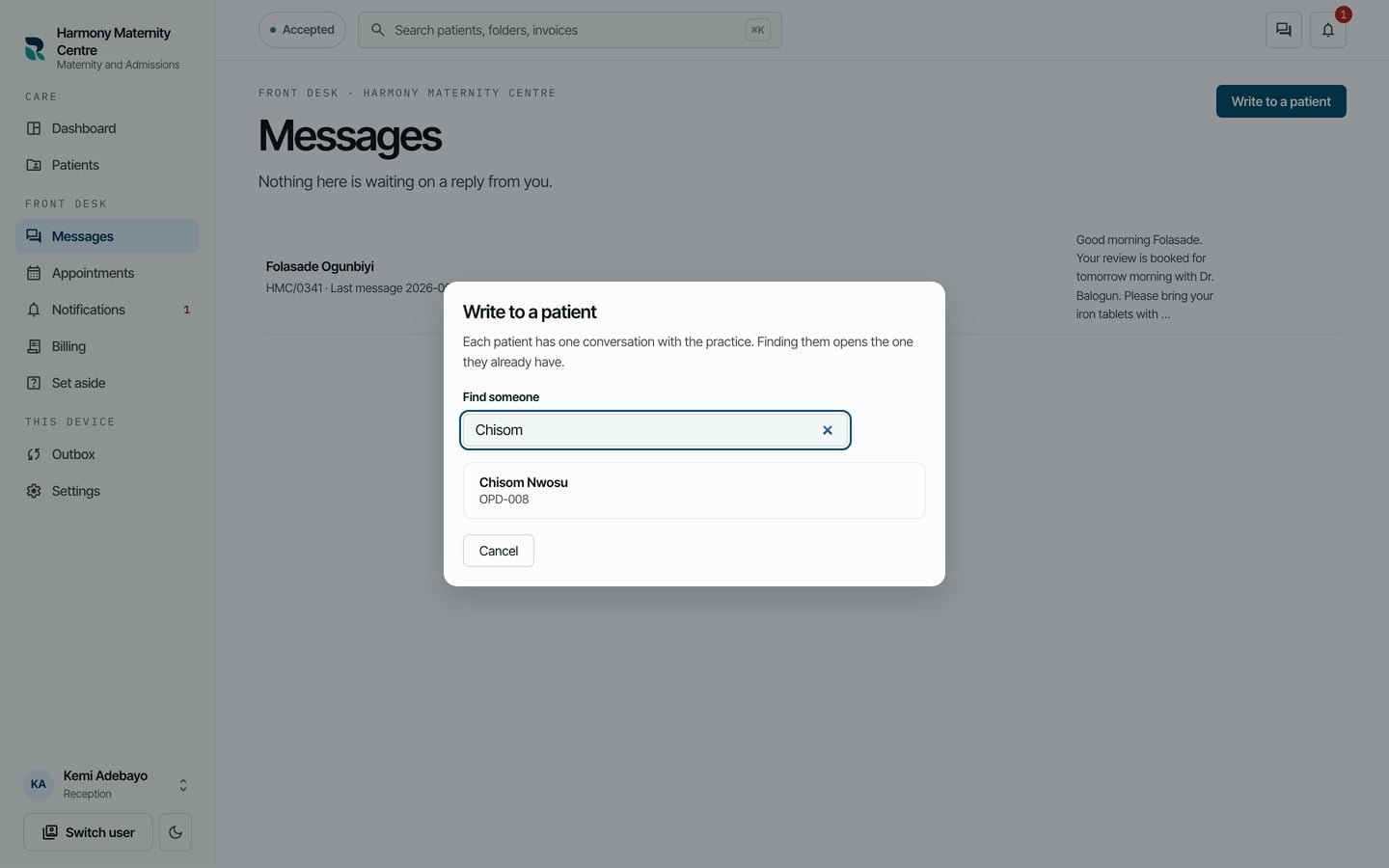
- Their conversation opens. Write as above.
What to expect
Your message appears in the conversation with your name and the time. The patient reads it the next time they sign in.
Writing in a conversation puts you on it, so you are told when the patient writes back.