Check what this computer has sent
Use the outbox to see what your computer has saved, sent and had accepted by the practice.
- Where
- Practice portal
- Who can do this
- Administrator, Billing, Doctor, Midwife, Nurse, Reception and Staff
Work you record in RizCare is saved on your computer first, then sent to the practice. The outbox shows how far each piece has got. Check it before you close for the day, or when the connection has been down.
Steps
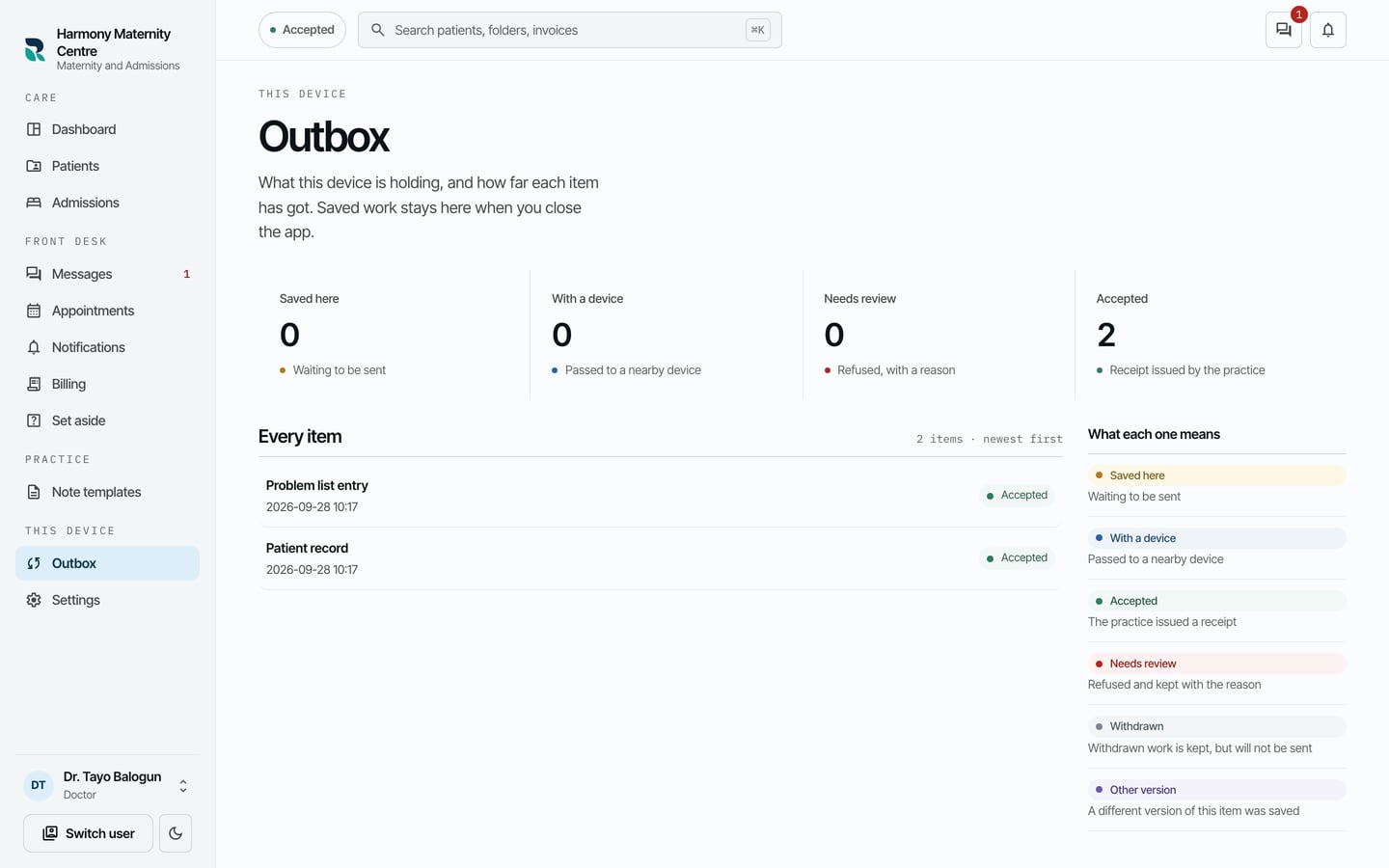
- Choose Outbox on the left, or the button at the top left that says how your work stands, such as Accepted.
- Read the counts at the top: Saved here, With a device, Needs review and Accepted.
- Read Every item, newest first, for each piece of work and where it is.
What to expect
- Saved here: on your computer, waiting to be sent.
- With a device: passed to a colleague's device nearby.
- Accepted: the practice has it and issued a receipt.
- Needs review: the practice refused it and gave a reason. It is kept, not deleted, so somebody can check it.
When everything is sent, the button at the top says Accepted. Saved work stays on your computer when you close RizCare, and is sent when you are back online.