RizCare is on Google Play. Get RizCare for Practices for your team and RizCare for your patients.

See your visits and cancel an appointment on the web

See the appointments coming up and your past visits, and cancel an appointment you cannot keep.

Where
Patient portal
Who can do this
Patients and the family members linked to them

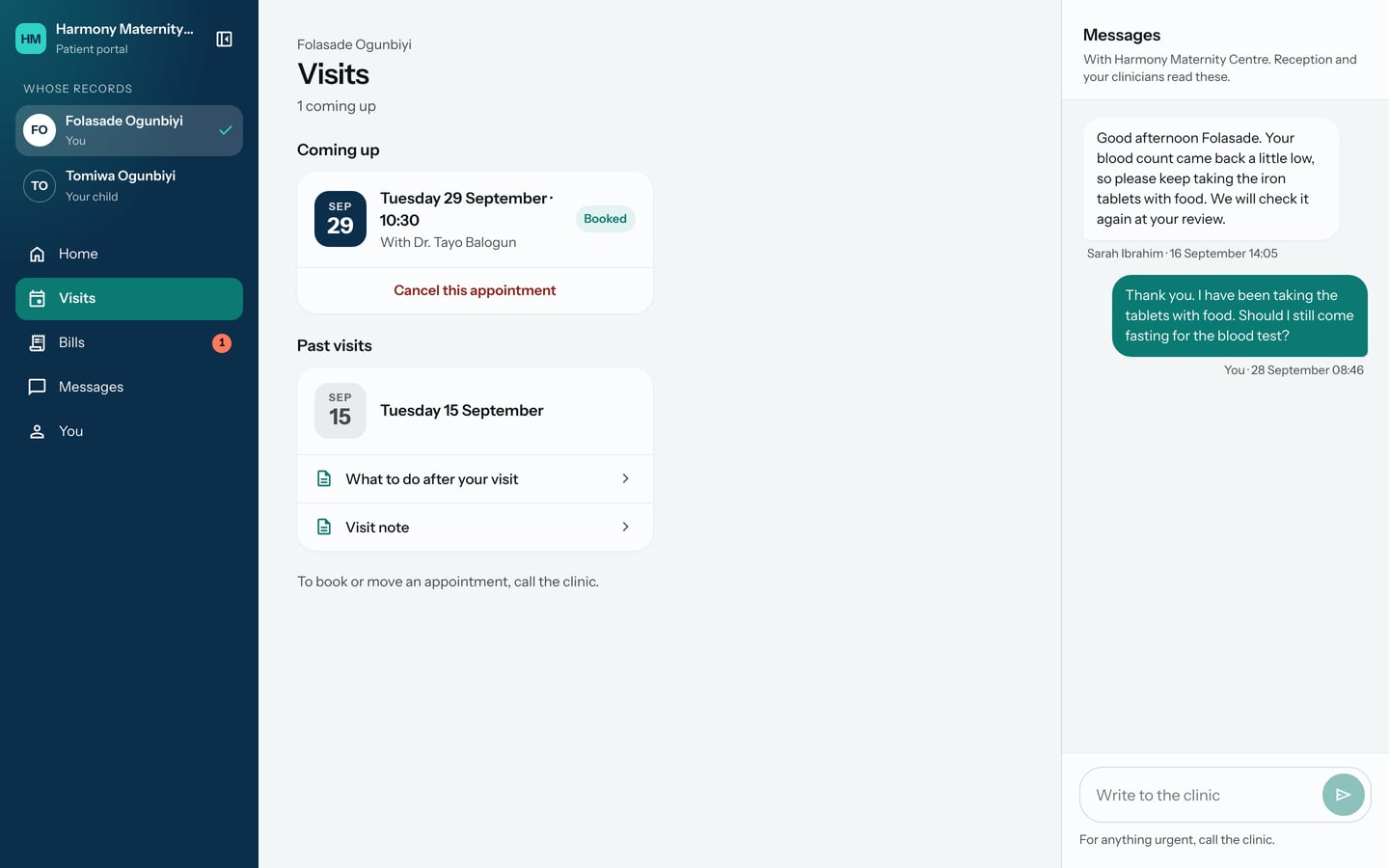
Visits lists your appointments coming up and your past visits, with what the hospital shared from each.

Steps

  1. Choose Visits in the sidebar.
Visits: one appointment coming up on Tuesday 29 September at 10:30 with Dr. Tayo Balogun, marked Booked, and the past visit on 15 September with what was shared.
Visits: one appointment coming up on Tuesday 29 September at 10:30 with Dr. Tayo Balogun, marked Booked, and the past visit on 15 September with what was shared. Demonstration using fictional patient records.

To cancel an appointment:

  1. Under the appointment, choose Cancel this appointment.
  2. Check the day and time, then choose Yes, cancel it. Choose Keep it if you change your mind.
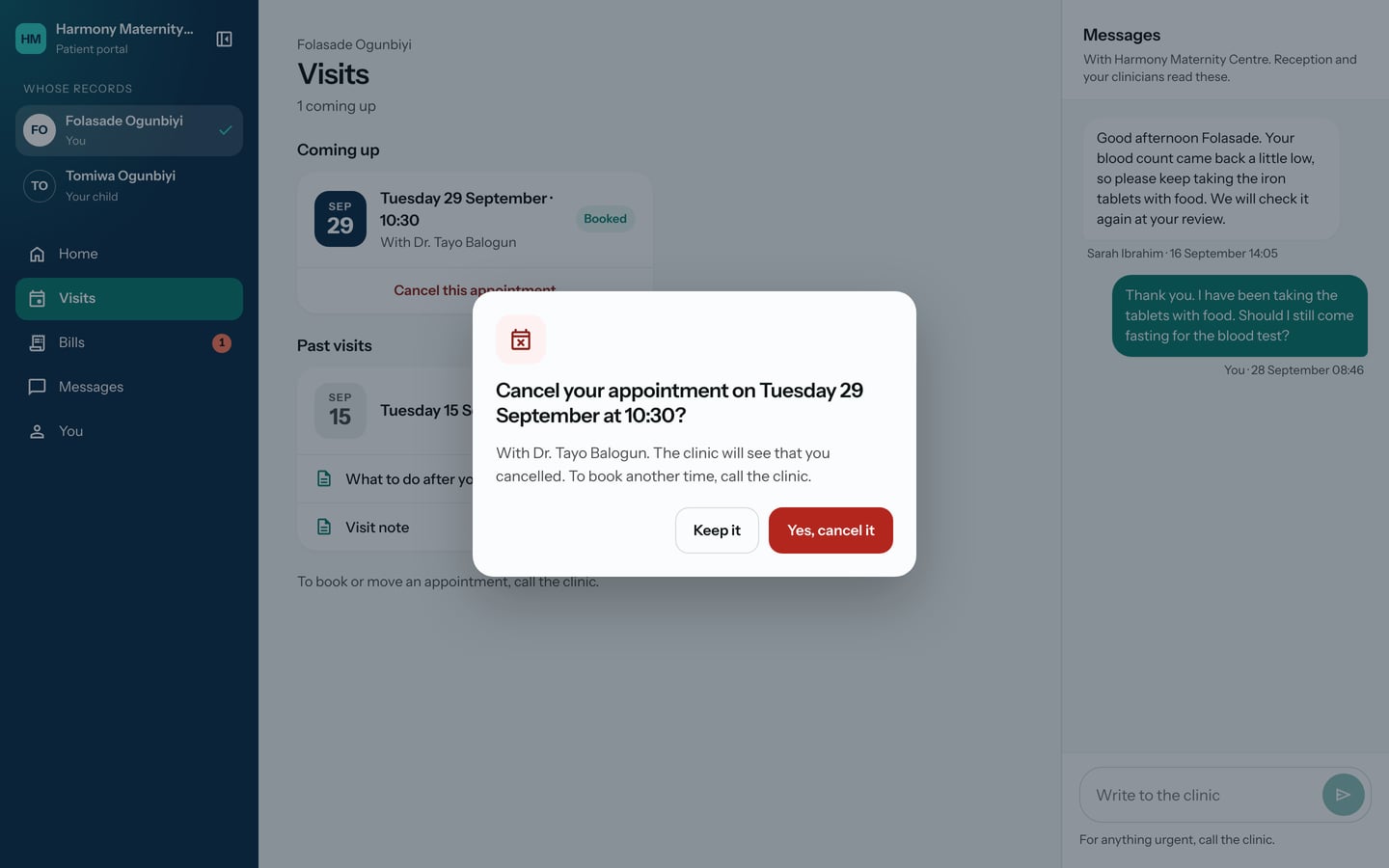
Cancel your appointment on Tuesday 29 September at 10:30? with Keep it and Yes, cancel it.
Cancel your appointment on Tuesday 29 September at 10:30? with Keep it and Yes, cancel it. Demonstration using fictional patient records.

What to expect

The appointment stays under Coming up, crossed through and marked Cancelled online, and the hospital sees that you cancelled it.
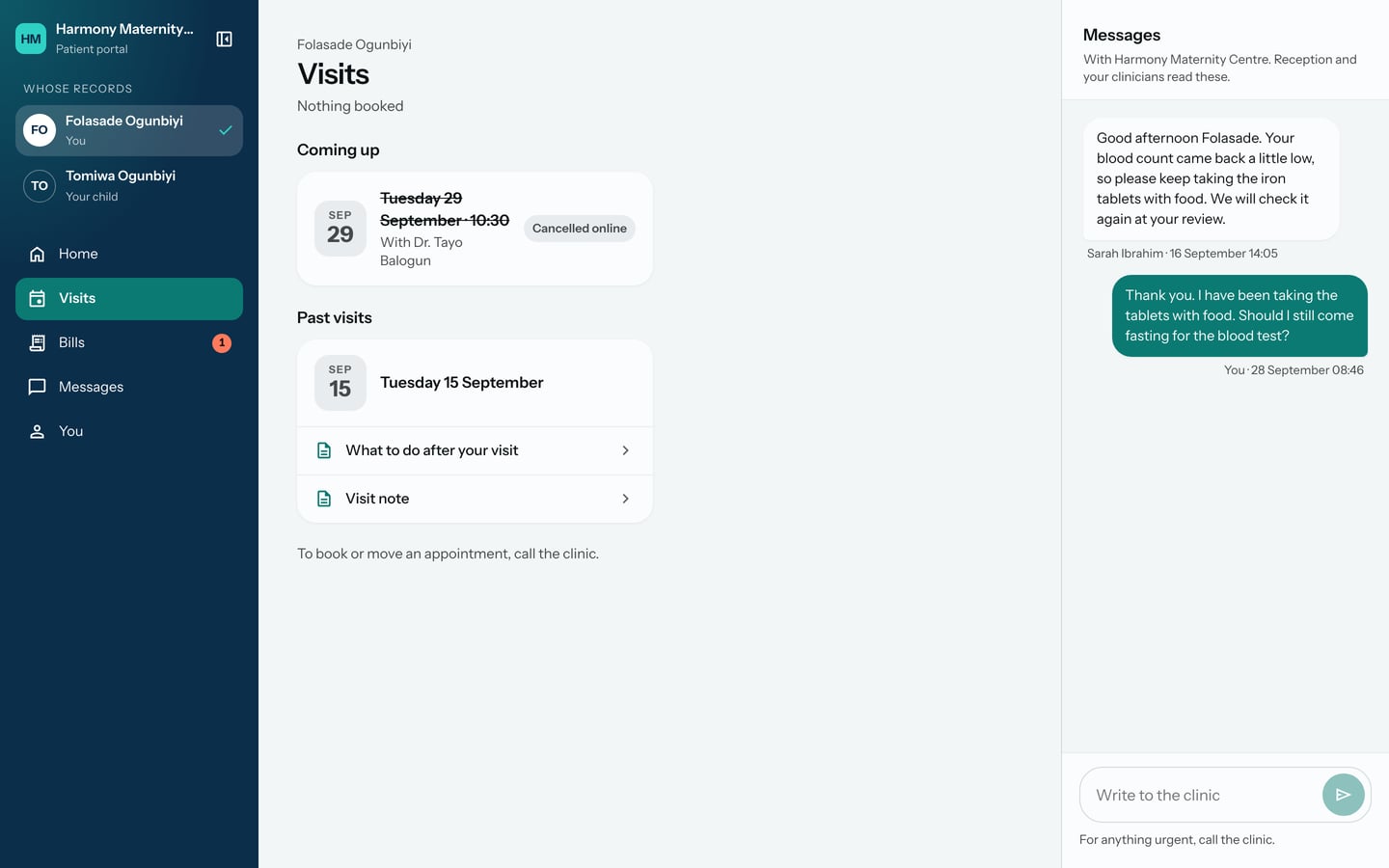
Visits after cancelling: Nothing booked, and the appointment on 29 September crossed through and marked Cancelled online.
Visits after cancelling: Nothing booked, and the appointment on 29 September crossed through and marked Cancelled online. Demonstration using fictional patient records.

To book or move an appointment, call the hospital.

Still stuck? Email support@riz.care and say which screen you are on.