Send a message to your hospital on the web
Write to your hospital from the patient portal and read the reply.
- Where
- Patient portal
- Who can do this
- Patients and the family members linked to them
You can write to your hospital from the portal. Reception and your clinicians read the messages.
Before you start
Your hospital chooses whether patients can write first. If you cannot write, the hospital will write to you and you can answer.
Steps
- Choose Messages in the sidebar. The messages also sit beside every other page.
- Type in Write to the hospital.
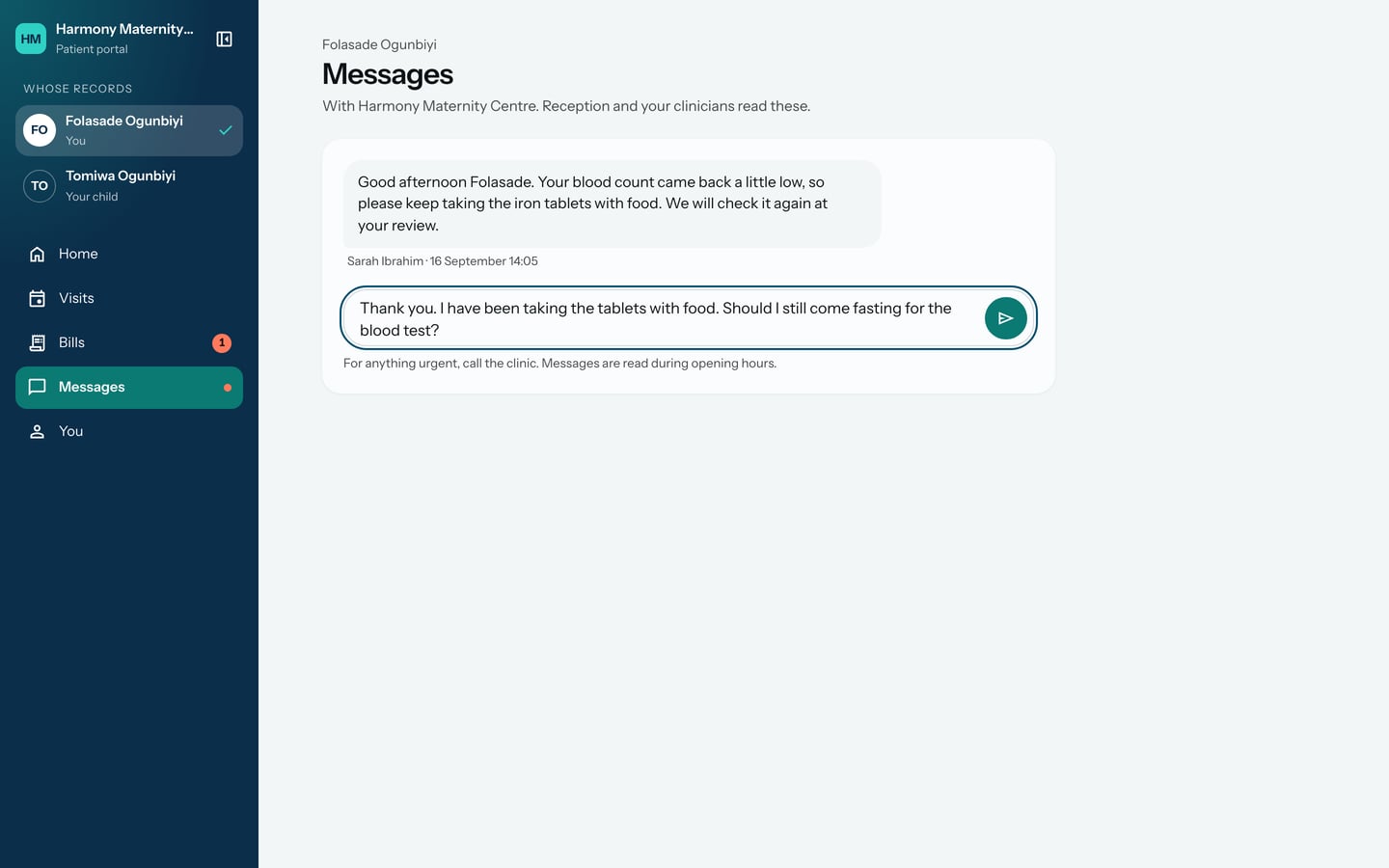
- Choose the send button beside the box.
What to expect
Your message appears on the right with You and the time.
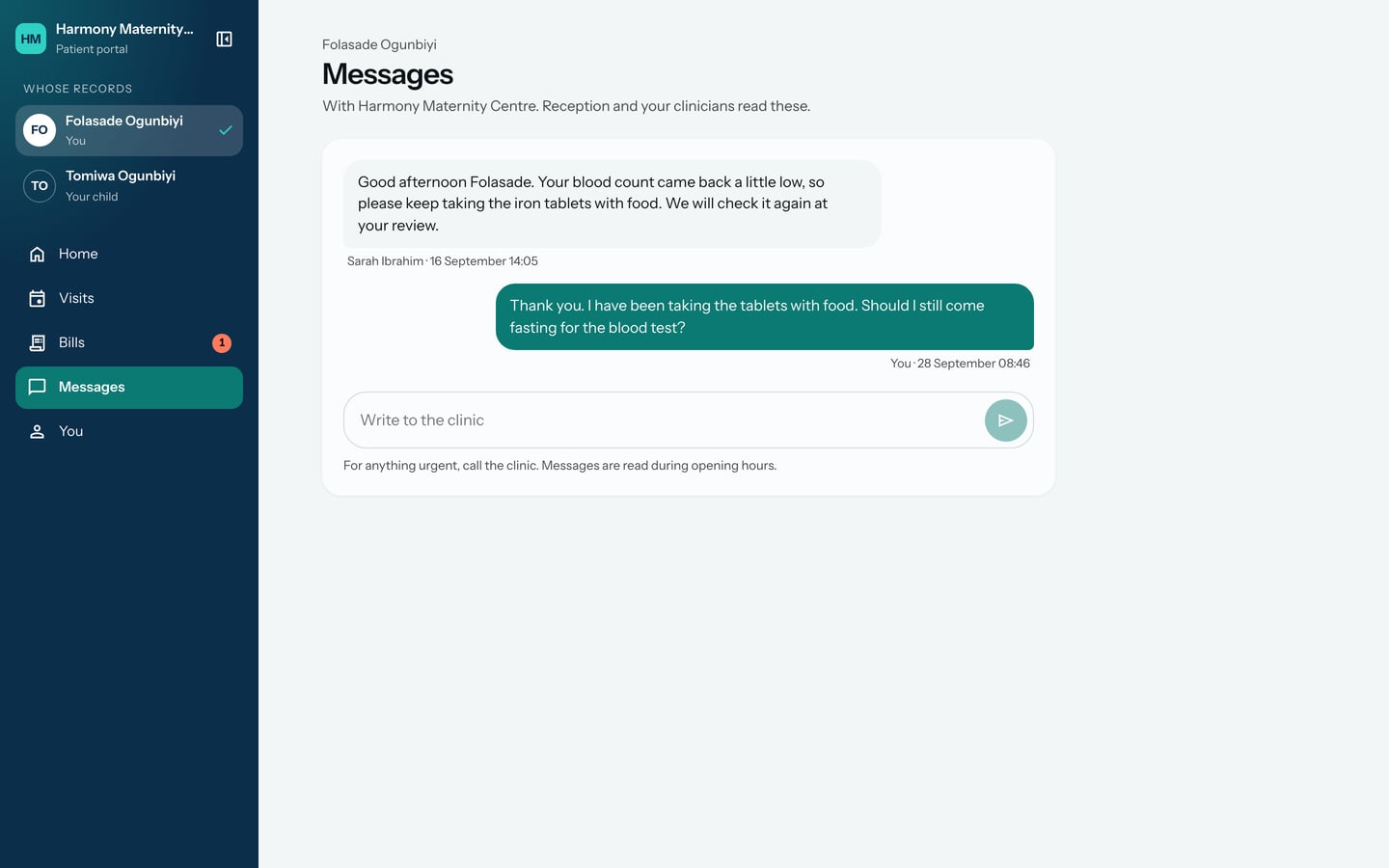
Messages are read during opening hours. For anything urgent, call the hospital.