Switch between your records and your child's on the web
Choose whose records to open when the hospital has linked more than one person to you, and switch between them.
- Where
- Patient portal
- Who can do this
- Patients and the family members linked to them
A parent or guardian can see a child's records from the same account, when the hospital has linked them at the desk.
Steps
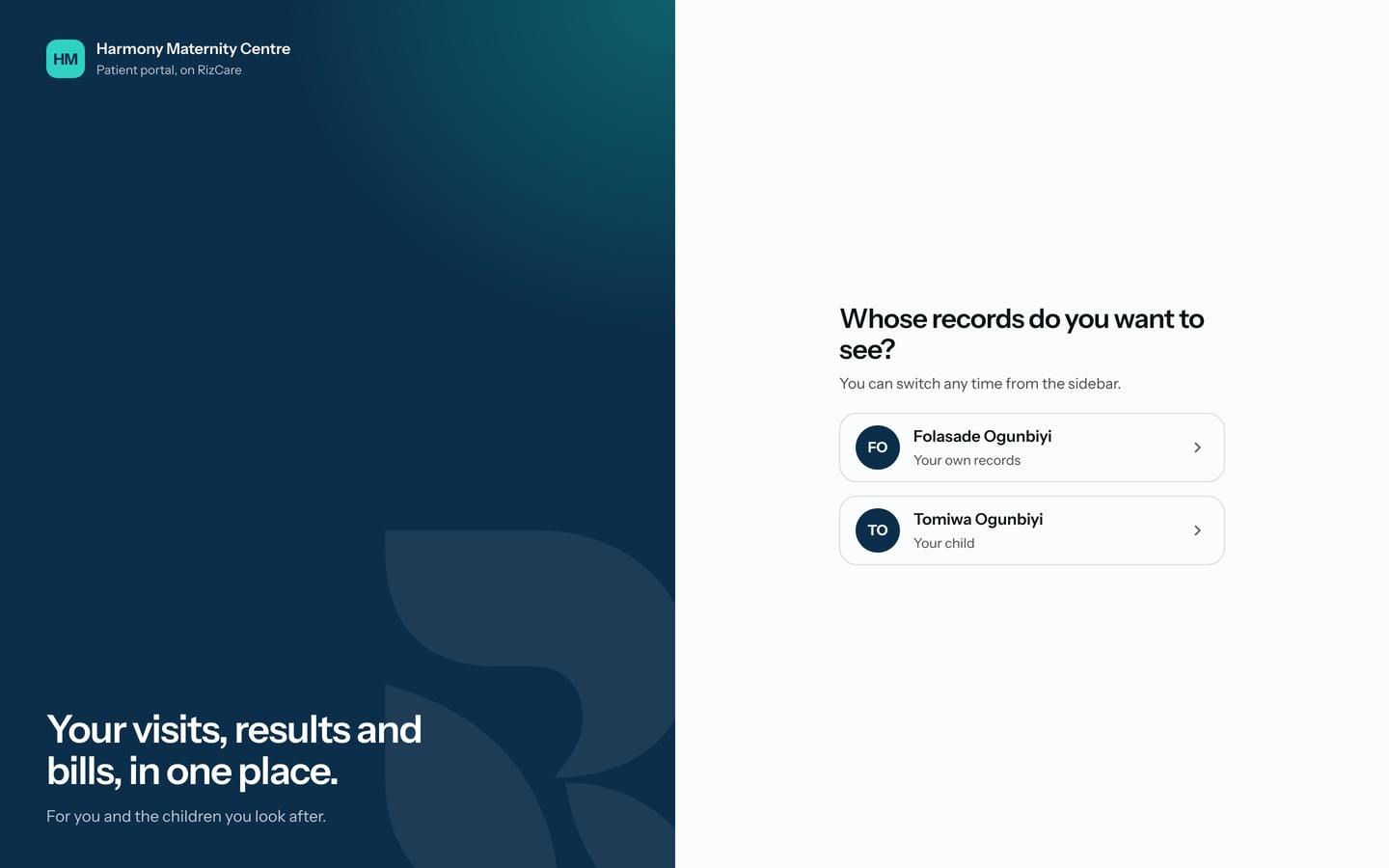
- After you sign in, the portal asks Whose records do you want to see? Choose a name.
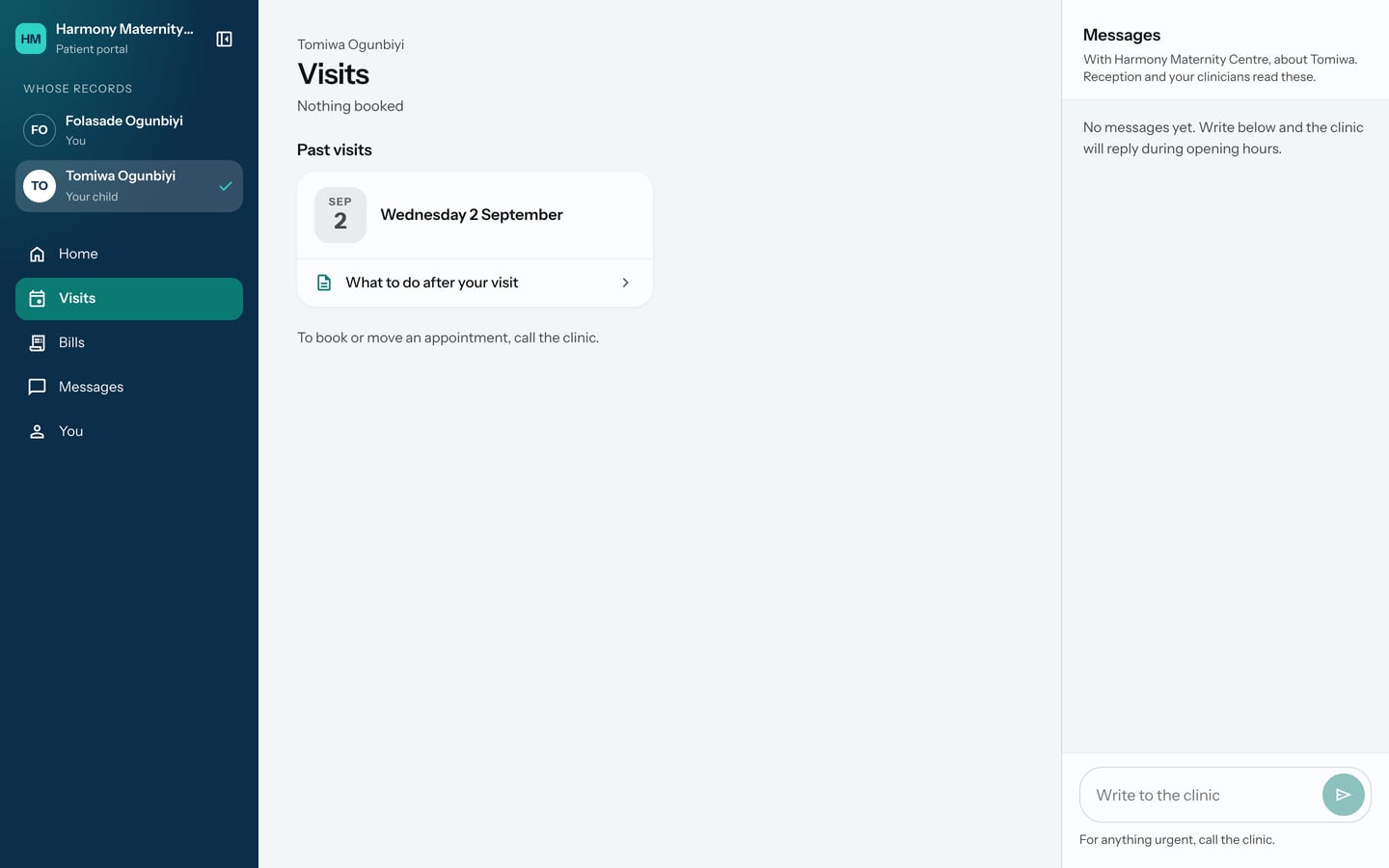
- To switch later, choose the other name under Whose records at the top of the sidebar.
What to expect
Every page then shows the chosen person's visits, bills and messages, and their name is ticked in the sidebar. Messages about a child go to the hospital as being about that child.
To add someone to your account, ask at reception.