Sign in to your hospital's patient portal on the web
Sign in to your hospital's patient portal in a browser with a six-digit code sent to you.
- Where
- Patient portal
- Who can do this
- Patients and the family members linked to them
The patient portal on the web has no password. Each time you sign in, it sends a six-digit code to the email address or phone number your hospital has for you.
Before you start
- Open your hospital's patient portal page in your browser. It shows your hospital's name at the top.
- Your hospital must already have your email address or phone number.
Steps
- Choose Get a code by text or email. If your hospital sends codes by email only, the button says Get a code by email.
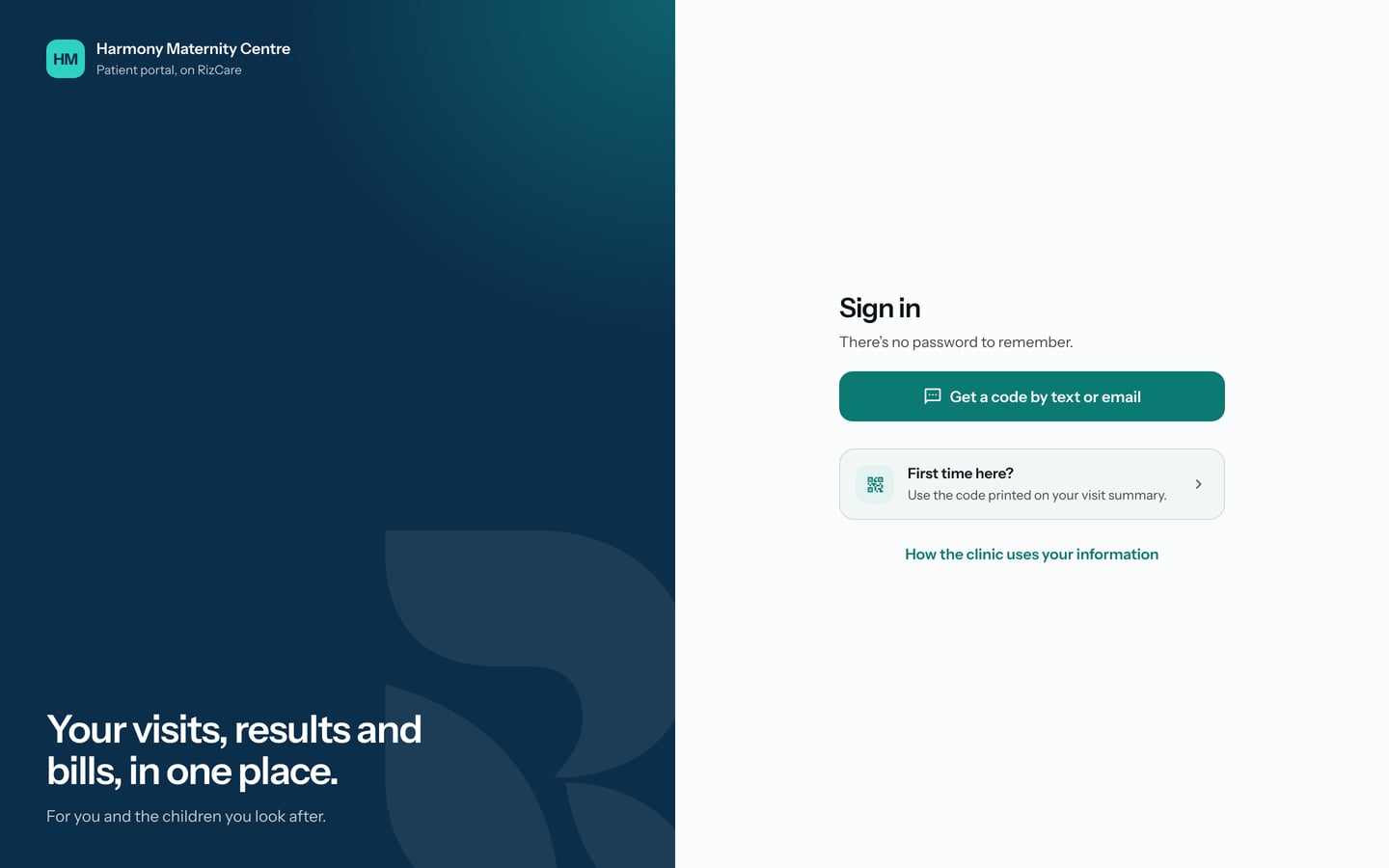
- Choose Text or Email, and type the phone number or email address the hospital has for you.
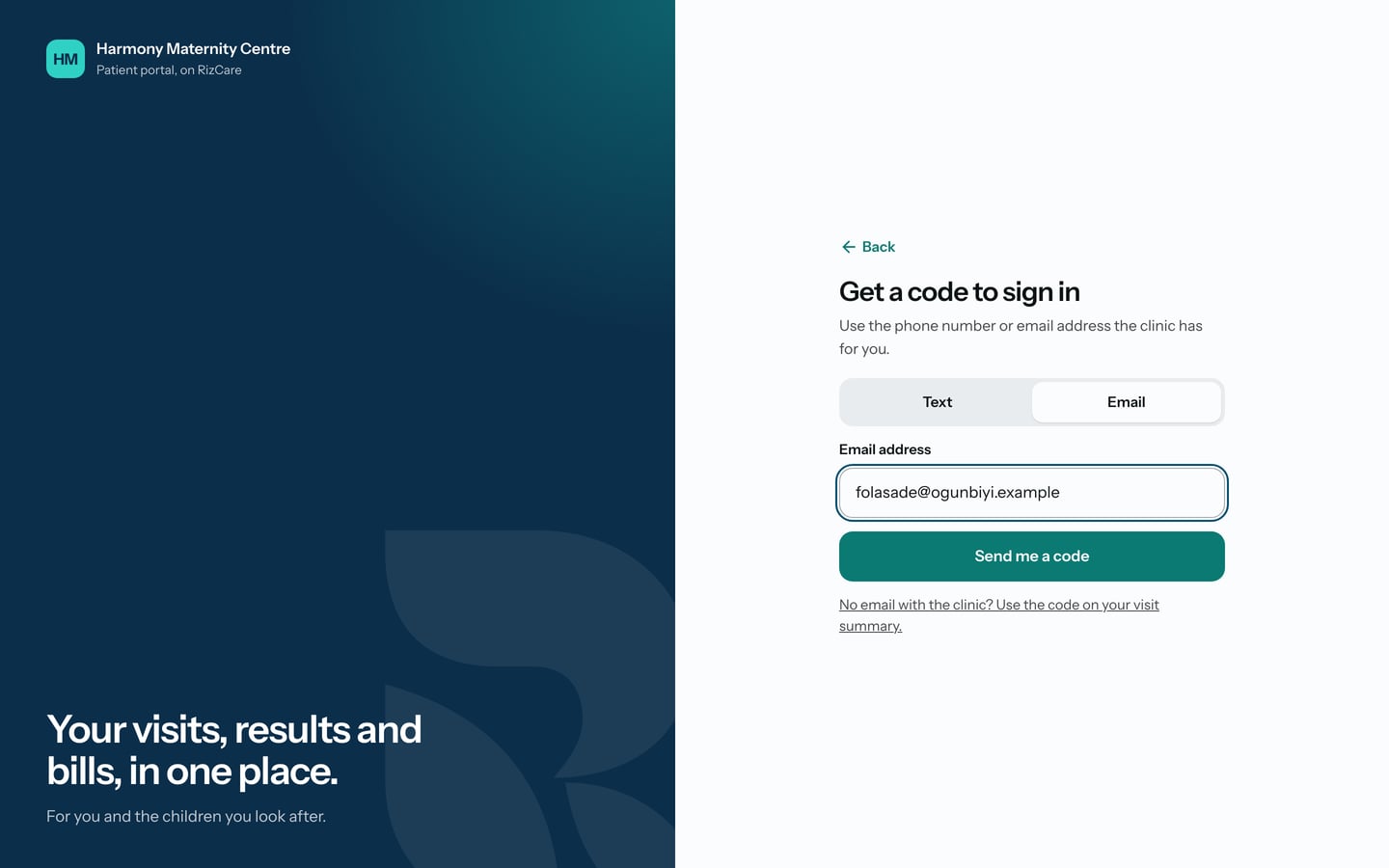
- Choose Send me a code.
- Find the six digits in the text or email, and type them in Six-digit code.
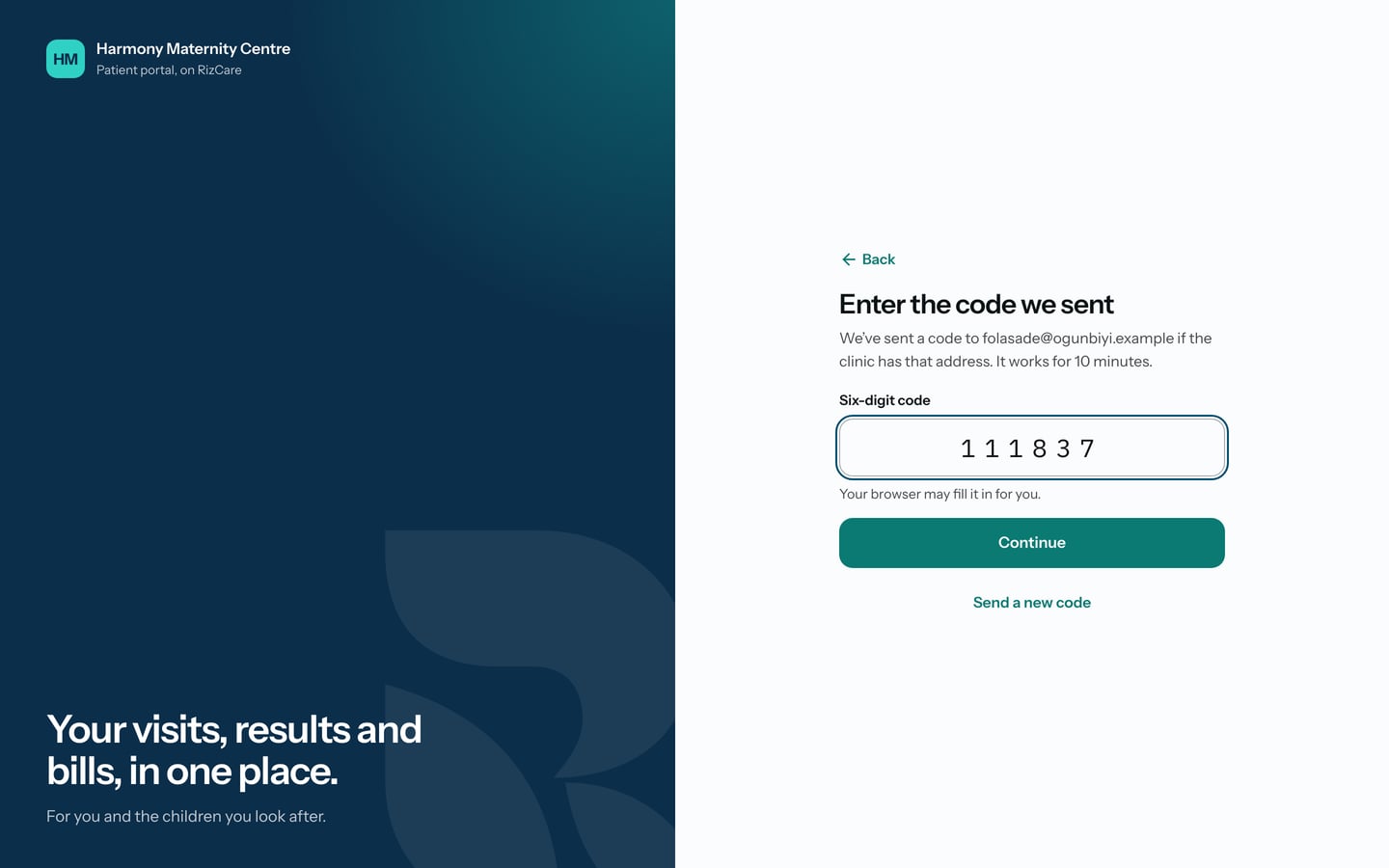
- Choose Continue.
What to expect
If the hospital has linked more than one person's records to you, such as your own and a child's, the portal asks whose records you want to see. Otherwise it opens your Home page.
If no code arrives, check your spam folder, then ask reception which email address or number they hold for you.