RizCare is on Google Play. Get RizCare for Practices for your team and RizCare for your patients.

Sign out of the app

Sign out of your hospital on the RizCare app, for example before you lend your phone to someone else.

Where
Patient app
Who can do this
Patients and the family members linked to them

Sign out when someone else will use your phone, or when you stop using the app for a while. Your account and your records stay as they are.

Steps

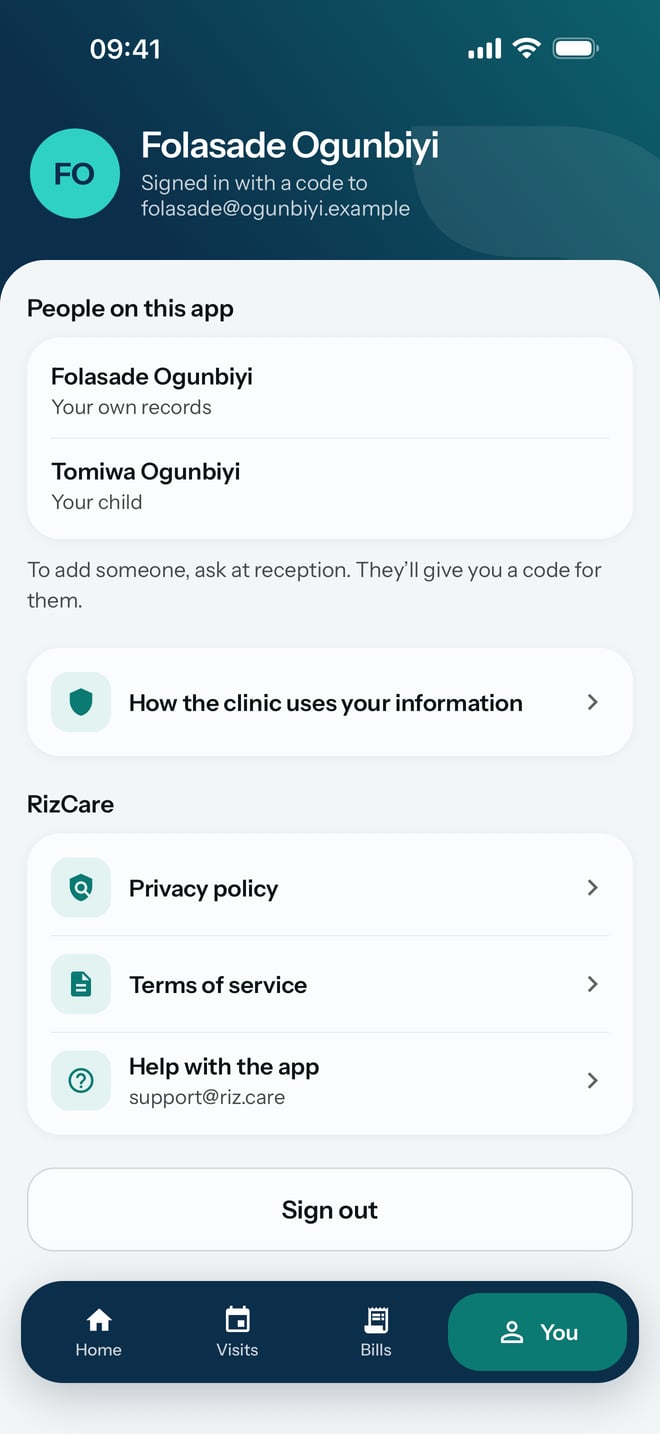
  1. Tap You at the bottom of the screen.
  2. Scroll down and tap Sign out.
The You screen: who is signed in, the people on the app, how the hospital uses your information, RizCare's privacy policy, terms and help, and Sign out.
The You screen: who is signed in, the people on the app, how the hospital uses your information, RizCare's privacy policy, terms and help, and Sign out. Demonstration using fictional patient records.

What to expect

The app goes back to your hospital's page, See your visits and bills. To see your records again, sign in with a code sent to your email.
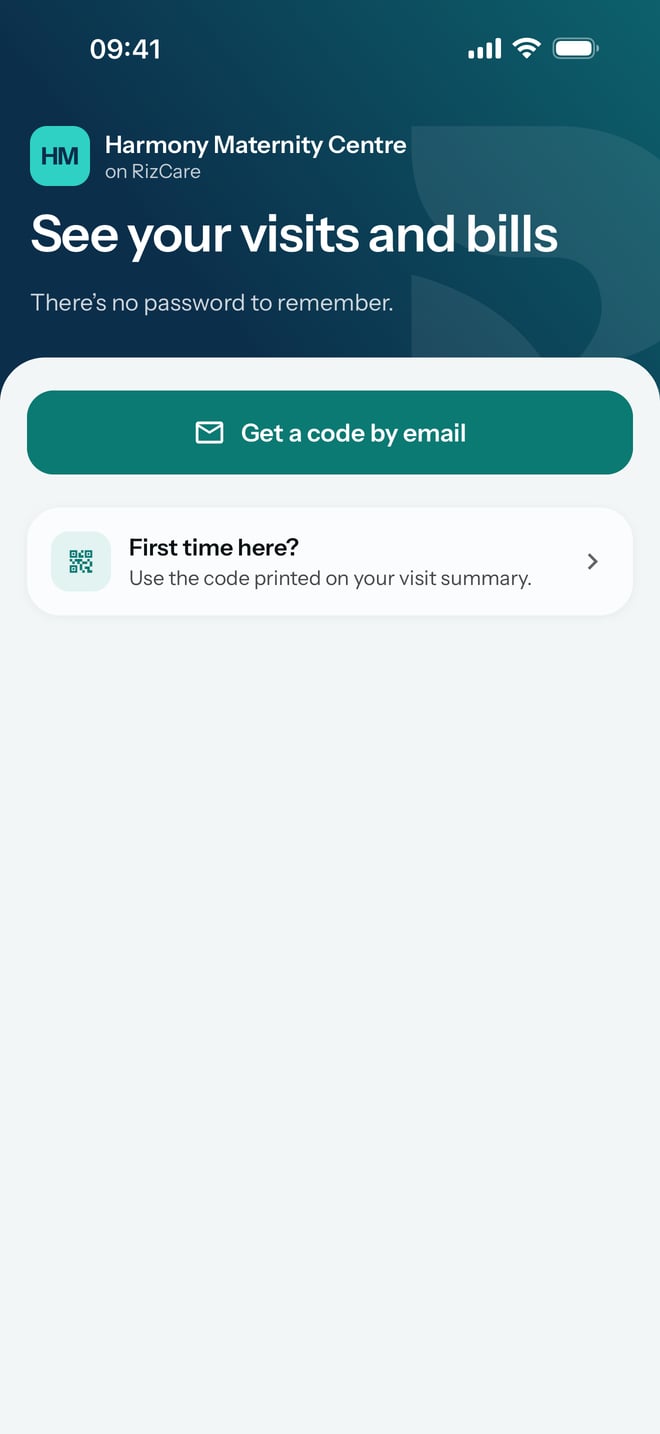
Signed out, back on the hospital's page with Get a code by email and First time here?
Signed out, back on the hospital's page with Get a code by email and First time here? Demonstration using fictional patient records.

Still stuck? Email support@riz.care and say which screen you are on.