Set your services and prices
Keep the price list Billing charges from, and add a new service with its price.
- Where
- Practice portal
- Who can do this
- Administrator
The price list is every service the practice charges for. Billing chooses from it when they add a charge, so a price is set once and charged the same way by everybody.
Steps
- Choose Settings on the left, then Services and prices.
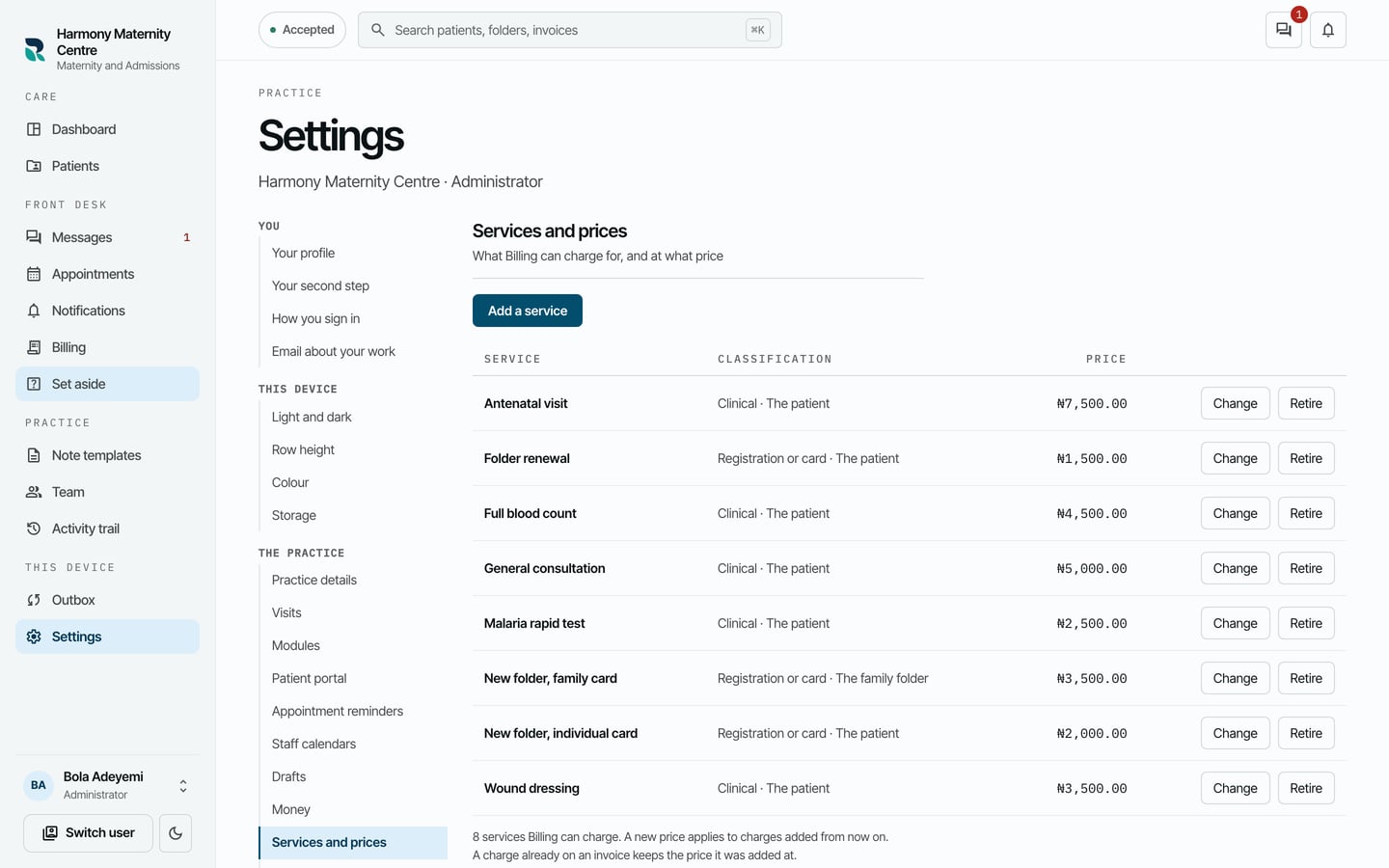
- Choose Add a service.
- Type the Name and the Price, in naira.
- Choose the Classification: Clinical, Registration or card or Other.
- Choose Whose invoice it goes on: The patient or The family folder.
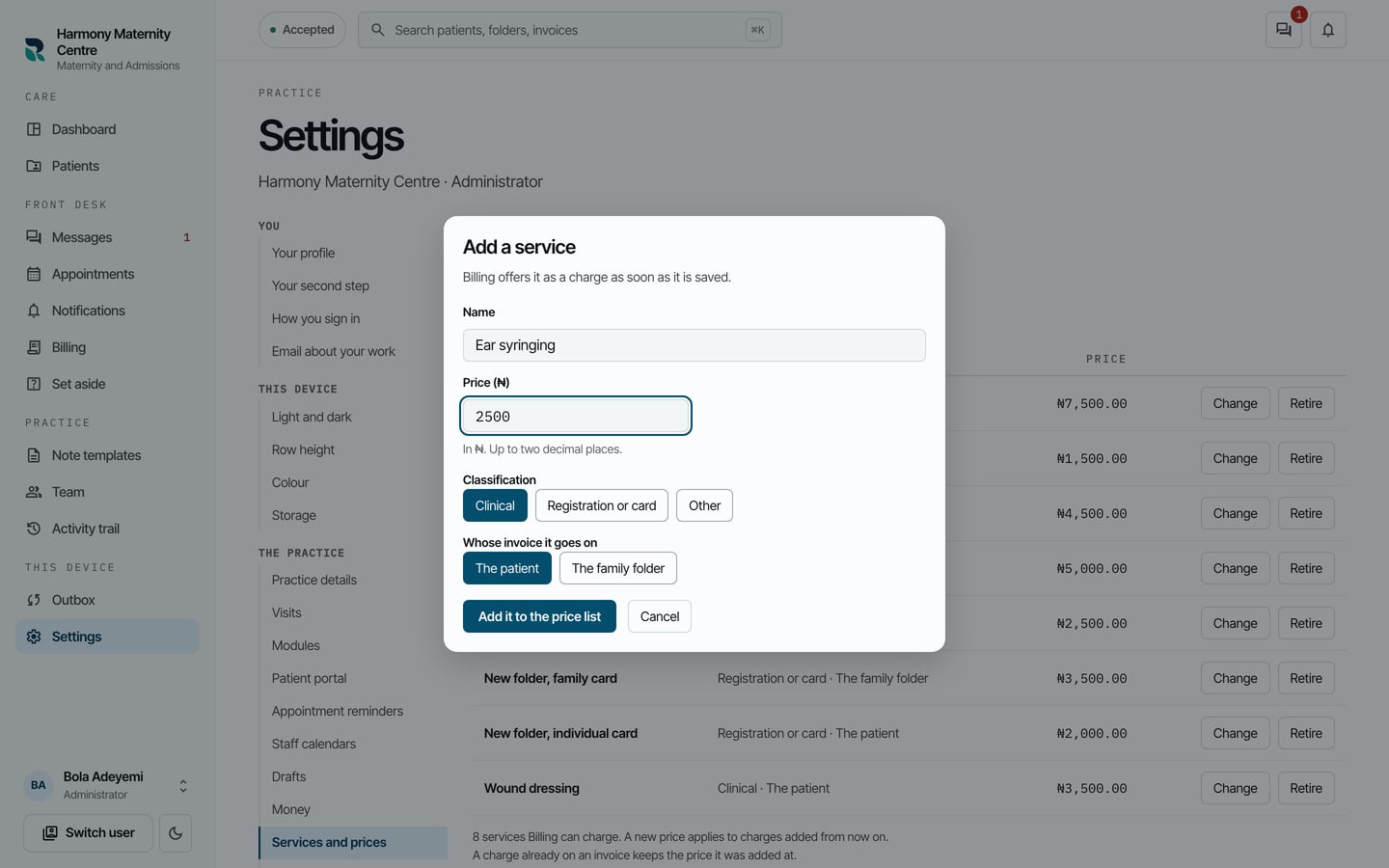
- Choose Add it to the price list.
What to expect
The service is on the list, and Billing can charge it straight away. Use Change to change a price and Retire to stop offering a service.
A new price applies to charges added from then on. A charge already on an invoice keeps the price it was added at.