RizCare is on Google Play. Get RizCare for Practices for your team and RizCare for your patients.

Find an invoice

See every invoice, newest first, with the money received today and what is still outstanding.

Where
Practice portal
Who can do this
Administrator, Billing, Doctor, Midwife, Nurse, Reception and Staff

Billing lists the practice's invoices, newest first, with the day's takings at the top. Use it to find a patient's bill when they come to pay.

Steps

  1. Choose Billing on the left.
  2. To see only invoices still owing, choose Outstanding. Choose All to see every invoice again.
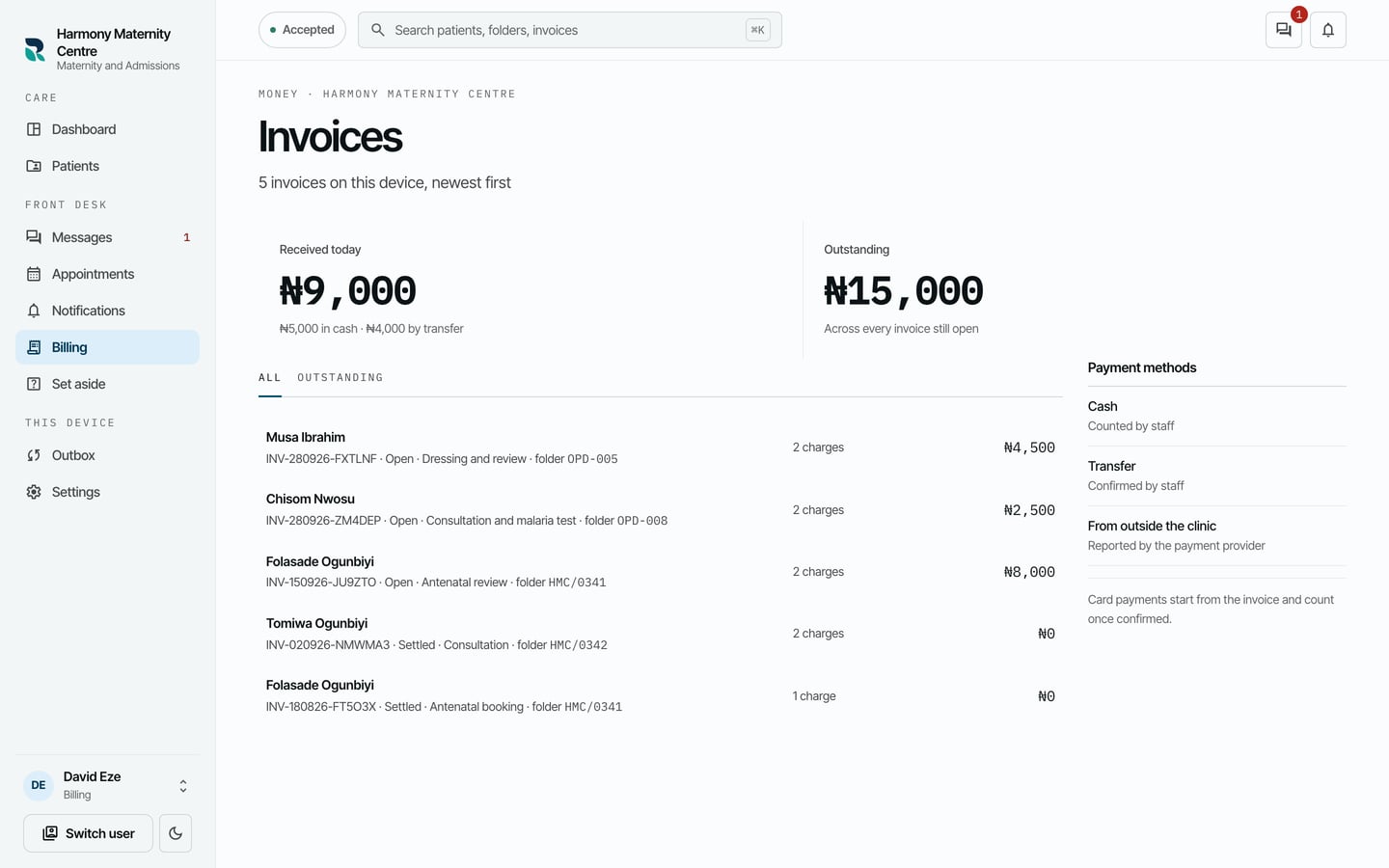
The Invoices list with Received today and Outstanding at the top, the All and Outstanding filters, and each invoice with its patient, number, status and total.
The Invoices list with Received today and Outstanding at the top, the All and Outstanding filters, and each invoice with its patient, number, status and total. Demonstration using fictional patient records.
  1. Choose an invoice to open it.

You can also find an invoice by its number or the patient's name with the search at the top of every screen.

What to expect

The invoice shows what was Invoiced, Received, Outstanding and Reversed, then its charges and its payments.
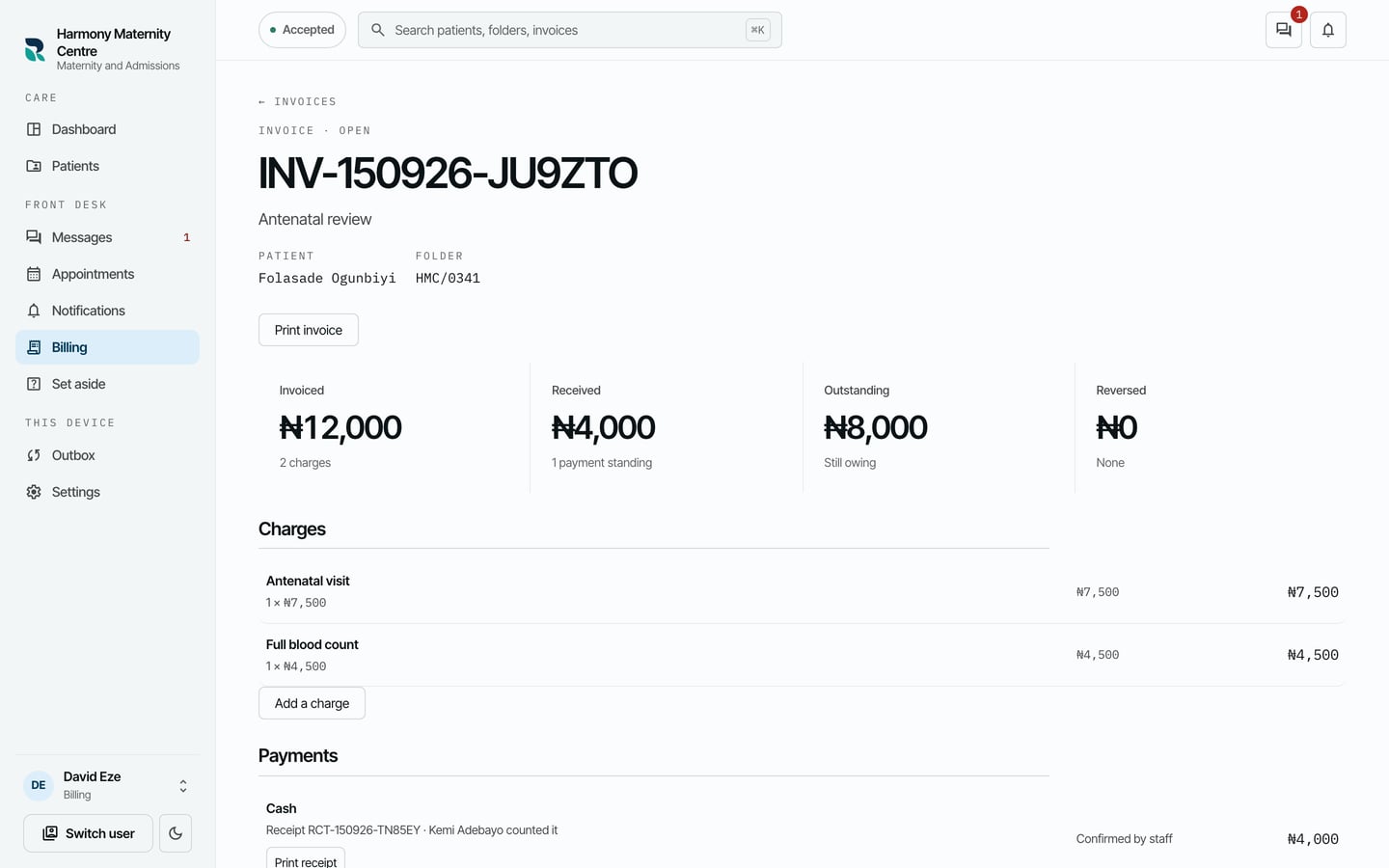
The invoice for Folasade Ogunbiyi's antenatal review: 12,000 naira invoiced, 4,000 received and 8,000 outstanding, with two charges and a cash payment.
The invoice for Folasade Ogunbiyi's antenatal review: 12,000 naira invoiced, 4,000 received and 8,000 outstanding, with two charges and a cash payment. Demonstration using fictional patient records.

Print invoice prints it for the patient. Received today counts money received today, less anything reversed.

Still stuck? Email support@riz.care and say which screen you are on.