Charge for a visit
Create an invoice from a visit and add charges from the practice's price list.
- Where
- Practice portal
- Who can do this
- Administrator, Billing, Doctor, Midwife, Nurse, Reception and Staff
Charges belong to the visit they were for. Create the invoice from the visit, then add what was done from the price list.
Steps
- Open the patient's visit and choose the Charges tab.
- Choose Create an invoice.
- Type an Invoice title, such as the reason for the visit, and choose Create this invoice.
- Choose Add a charge.
- In Find a charge, type the service and choose it from the list.
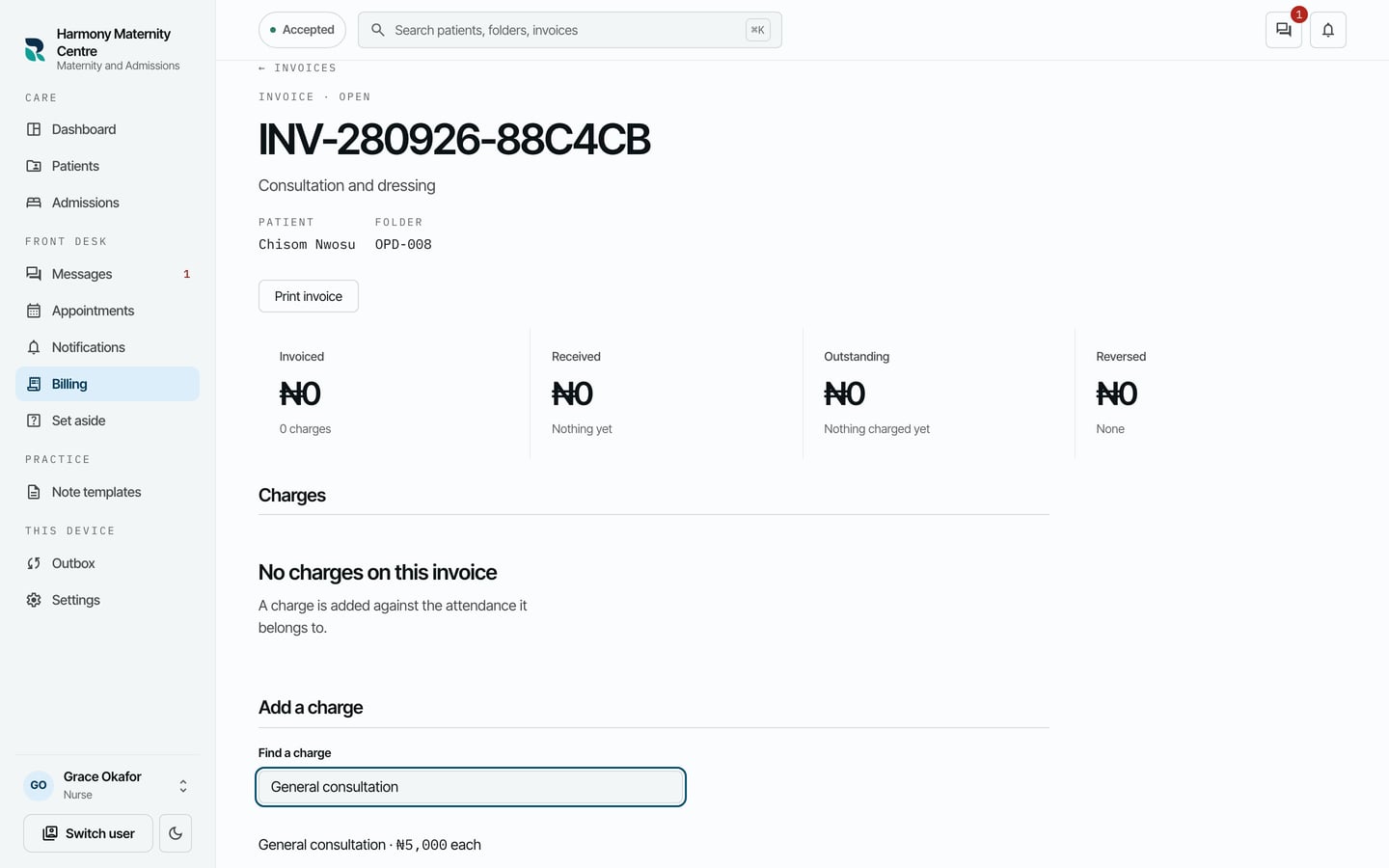
- Choose Record this charge. Add more charges the same way.
What to expect
RizCare says Charge saved on this device., and the charge is listed on the invoice with its price. The patient can pay now or later.
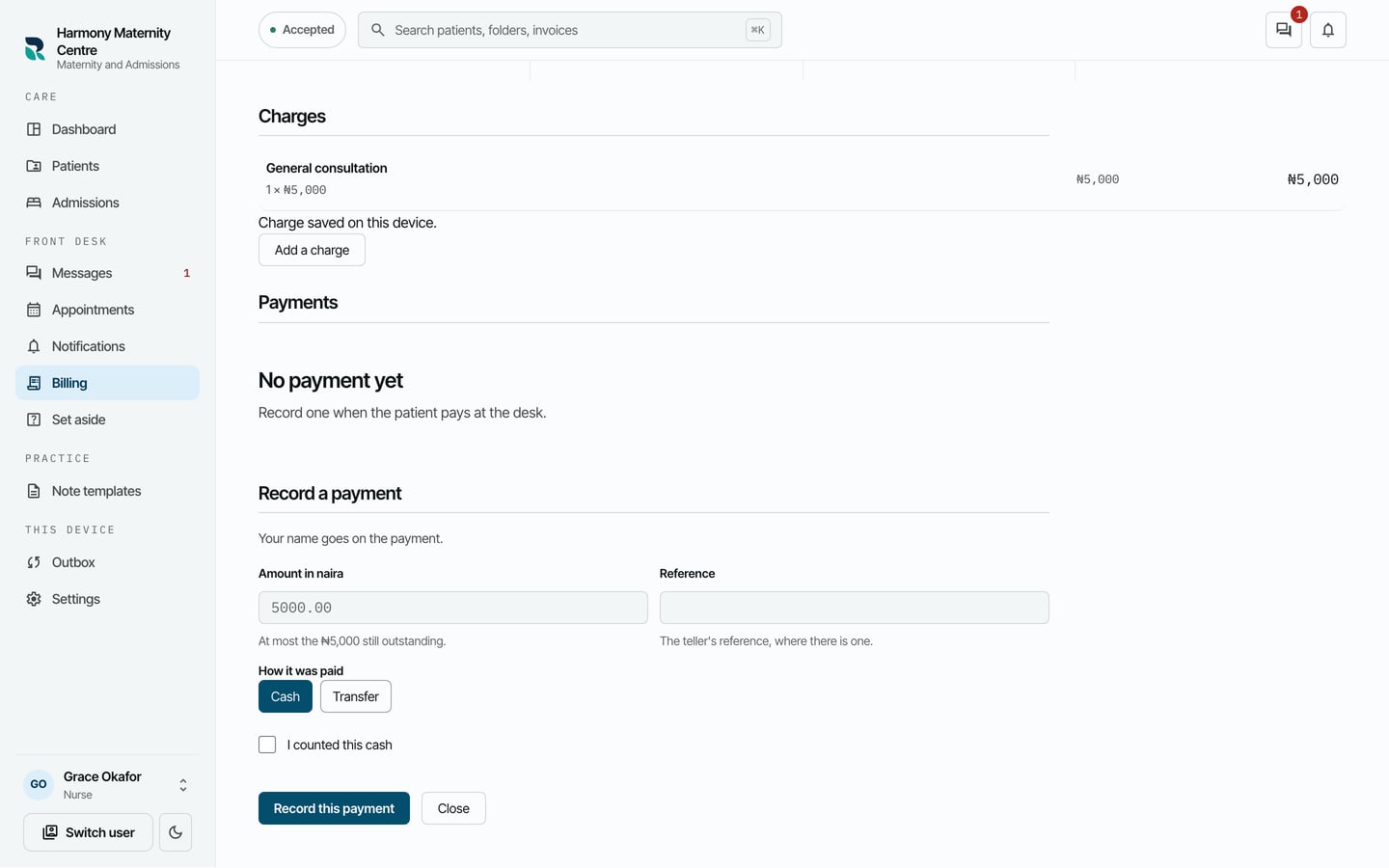
A charge keeps the price it was added at, even if the price list changes later.