Reverse a payment
Reverse a payment that was recorded by mistake, with the reason, while the original stays on the invoice.
- Where
- Practice portal
- Who can do this
- Administrator
When a payment was recorded twice, or against the wrong invoice, reverse it. Nothing is deleted: the payment and your reason both stay on the invoice.
Before you start
Reversing a payment is given to administrators. An administrator can give it to a colleague in Team, and it does not ask for a second person's approval, so choose carefully who holds it.
Steps
- Choose Billing on the left and open the invoice.
- Under Payments, choose Reverse payment beside the payment.
- In Reason for reversal, say what went wrong.
- Tick I confirm this payment entry needs to be reversed.
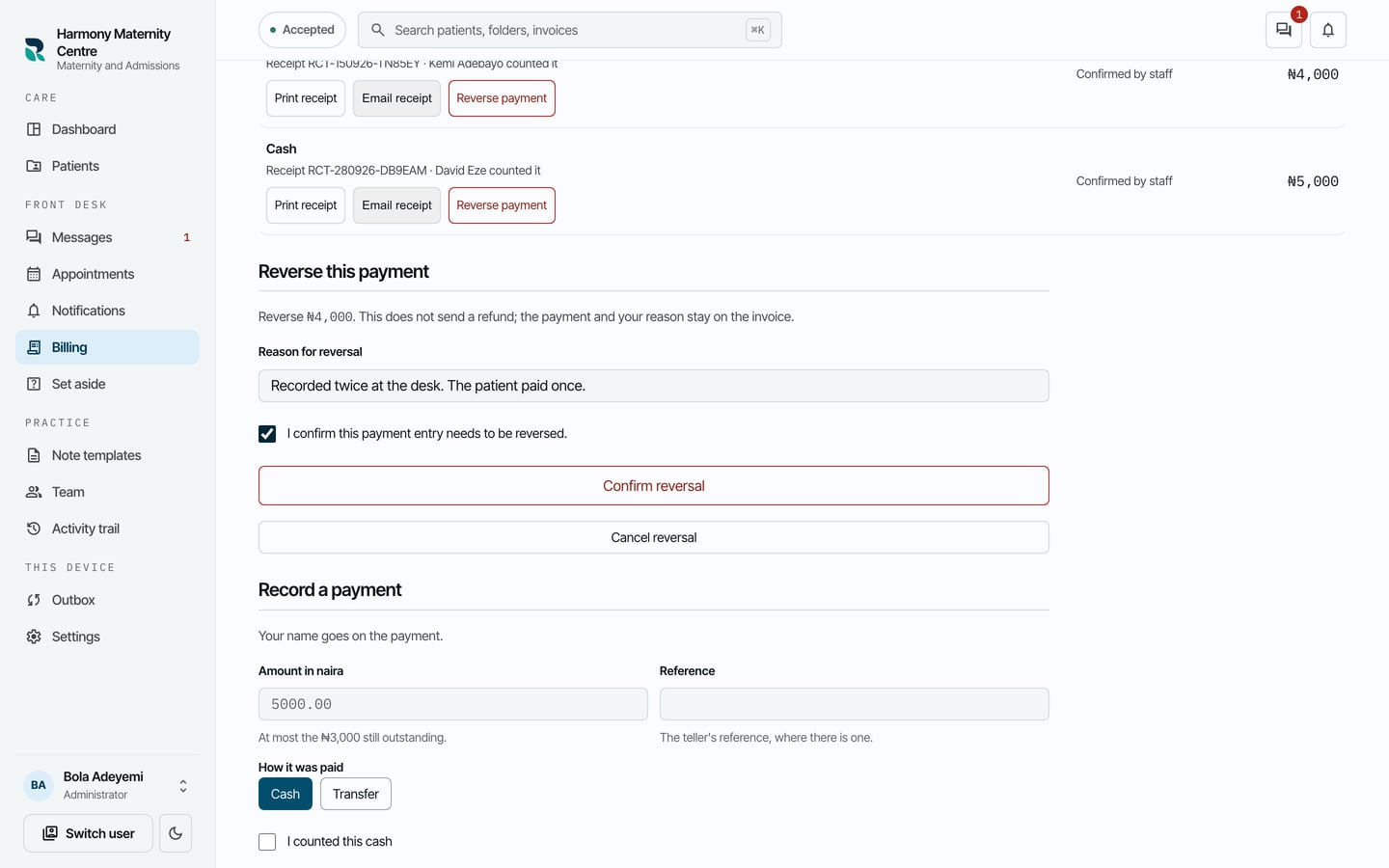
- Choose Confirm reversal.
What to expect
RizCare says Reversal saved on this device. The original payment is kept. The payment is marked Reversed, with your reason beside it, and Outstanding goes back up.
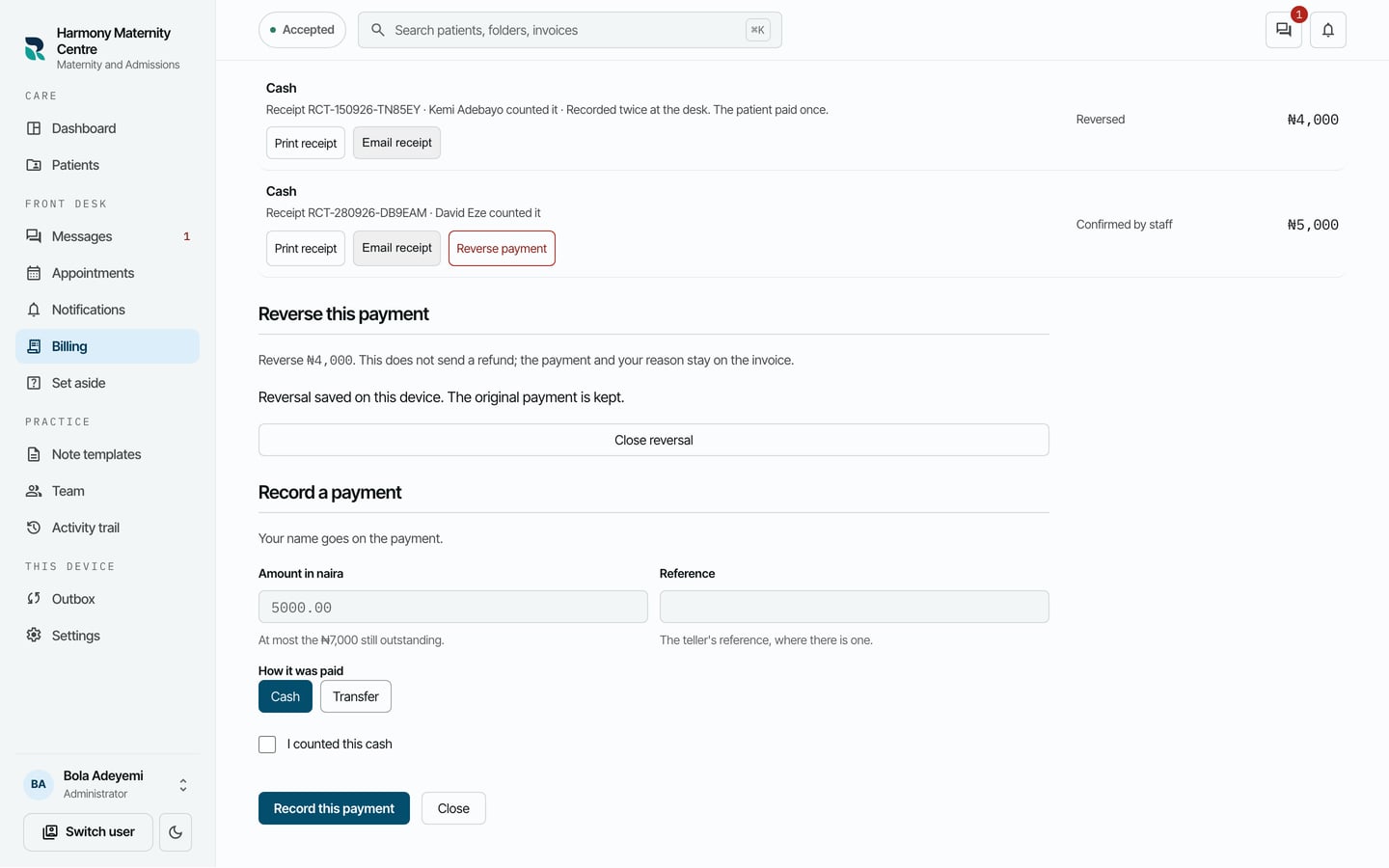
Reversing records the correction. It does not send money back to the patient.