Record a payment
Record cash or a transfer a patient has paid against their invoice.
- Where
- Practice portal
- Who can do this
- Administrator, Billing, Doctor, Midwife, Nurse, Reception and Staff
When a patient pays at the desk, record the payment against their invoice. Your name goes on it.
Steps
- Choose Billing on the left and open the patient's invoice.
- Under Record a payment, choose How it was paid: Cash or Transfer.
- Type the Amount in naira. It can be part of what is owed.
- Type the teller's Reference if there is one.
- Tick I counted this cash. For a transfer, the tick confirms you saw the money arrive.
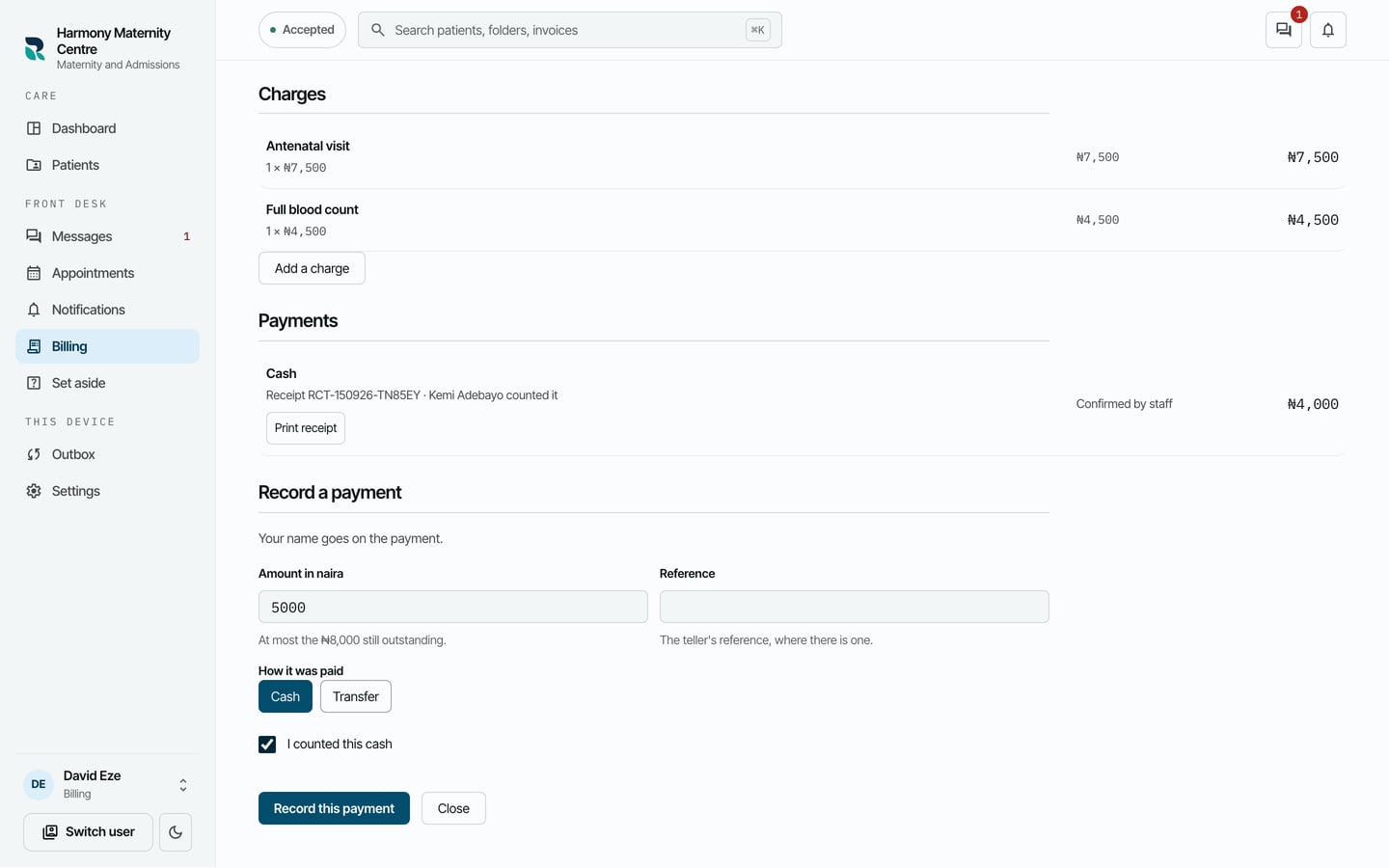
- Choose Record this payment.
What to expect
The payment is listed under Payments with its receipt number and who counted it, and Outstanding goes down by the amount.
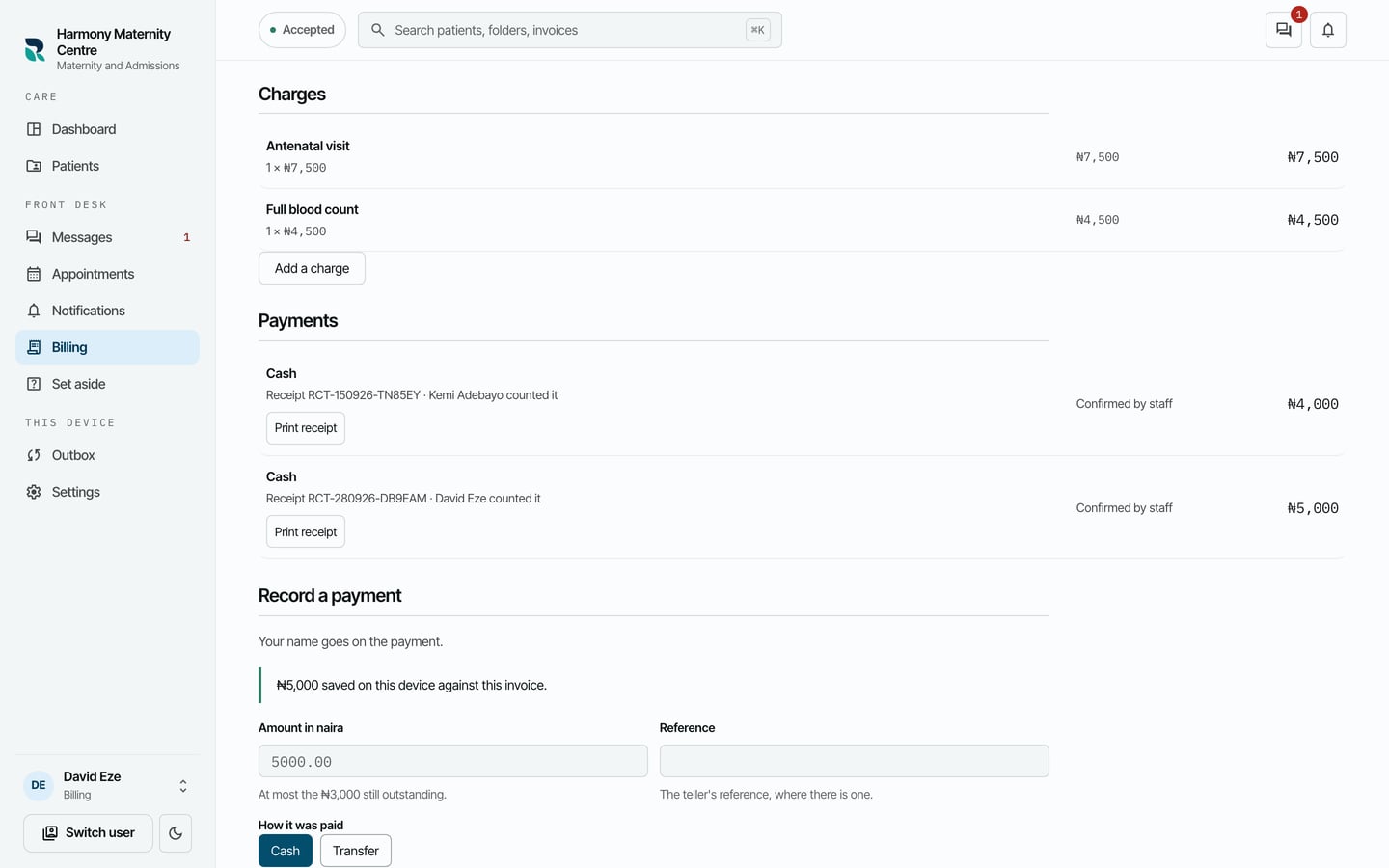
Print receipt beside the payment prints a receipt for the patient.