See the diary
See each clinician's bookings for a day, with the hours they work behind their column.
- Where
- Practice portal
- Who can do this
- Administrator, Billing, Doctor, Midwife, Nurse, Reception and Staff
The diary shows one day at a time, one column for each clinician who can be booked. Their stated hours sit behind the column, so reception can see where there is room.
Steps
- Choose Appointments on the left.
- Use the arrows beside the dates to move a week back or forward.
- Choose a day. Each day shows how many bookings it has.
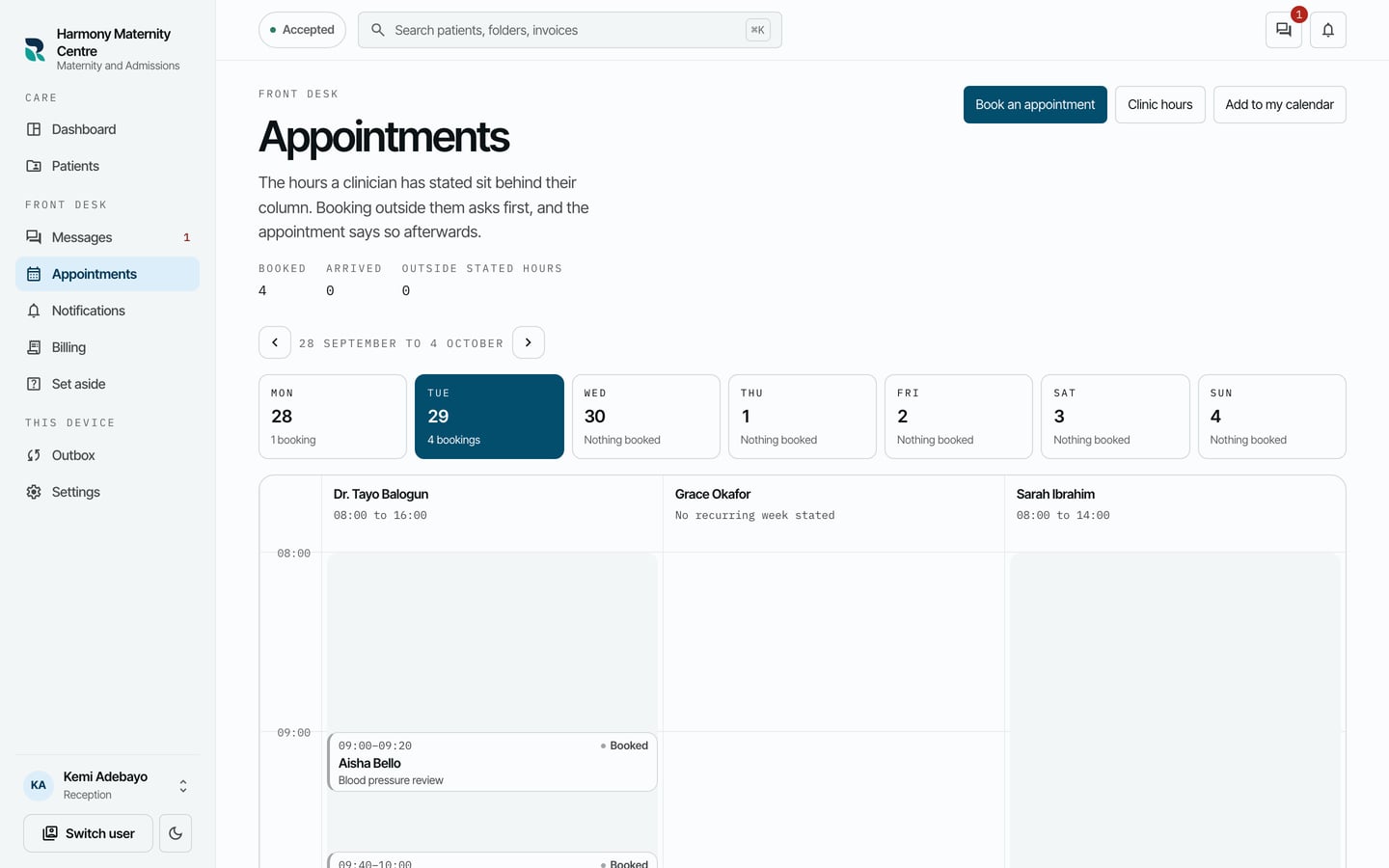
- Choose a booking to see its details.
What to expect
Above the week, Booked, Arrived and Outside stated hours count the day's appointments. A column with no hours says so, for example No recurring week stated or No hours this day.
When you choose a booking, This appointment opens beside the diary with the patient, time, clinician and reason, and the buttons to move, reassign or cancel it.